This article will guide you to open MBOX emails in Outlook Online with ease. Read the complete blog and import MBOX to Outlook Web Access in a few simple clicks.
Outlook Web Access or OWA is a web-based email service offered by Microsoft for users of Office 365 and Outlook.com. While it is an efficient tool to send/receive emails at your personal and professional level. On the other hand, MBOX is the file format used by many email client to save their mailbox data.
How can I upload MBOX to Outlook.com account? There is no direct way to import MBOX emails to Outlook Web Access account. Now the other option is the use of expert and professional tools. One such utility is SysConverter for MBOX for Windows.
How to Transfer MBOX to Outlook Web Access?
To efficiently move MBOX file to Outlook.com try the MBOX Converter tool on your Windows OS system. Using this utility you can import single as well as multiple MBOX files to Outlook Web Access account without any hassle. It supports MBOX file created by all the email clients that support this file format.
Additionally, it will also import MBOX to Office 365, Yahoo Mail and all other webmail accounts. With its simple user interface, it is for any beginner to move their data file without any assistance. Moreover, you can also use this tool to import MBOX to Outlook all versions. Try the free demo version of the software and know the complete import process.

Follow the Simple Steps to Import MBOX to Outlook Web Access –
- Launch the SysConveretr for MBOX software on your system.
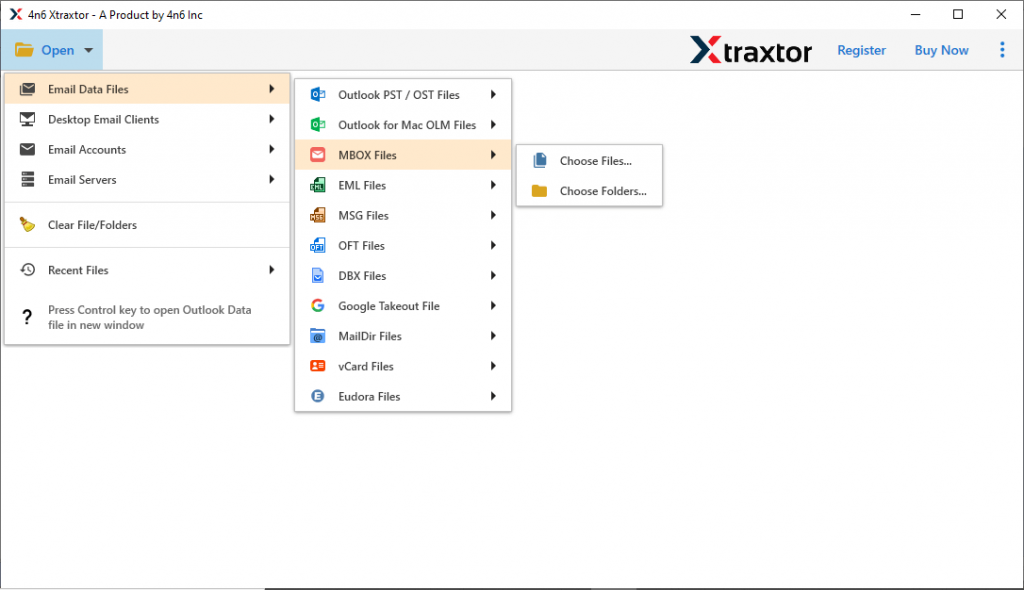
- Then, select Open >> Email Data File >> MBOX File >> Select File or Folders.
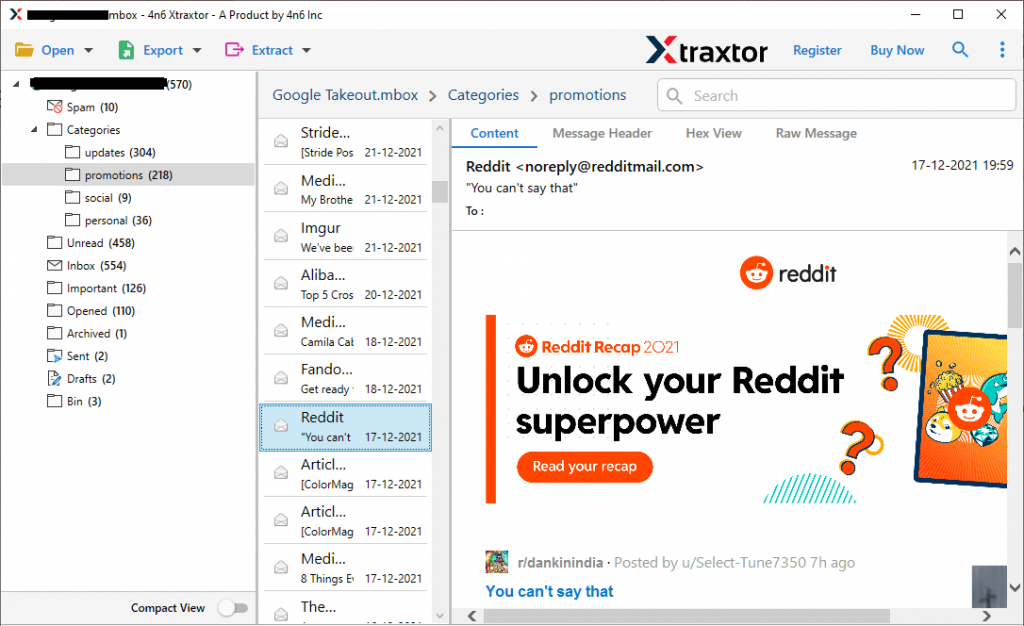
- Here you can view your emails before transferring them.
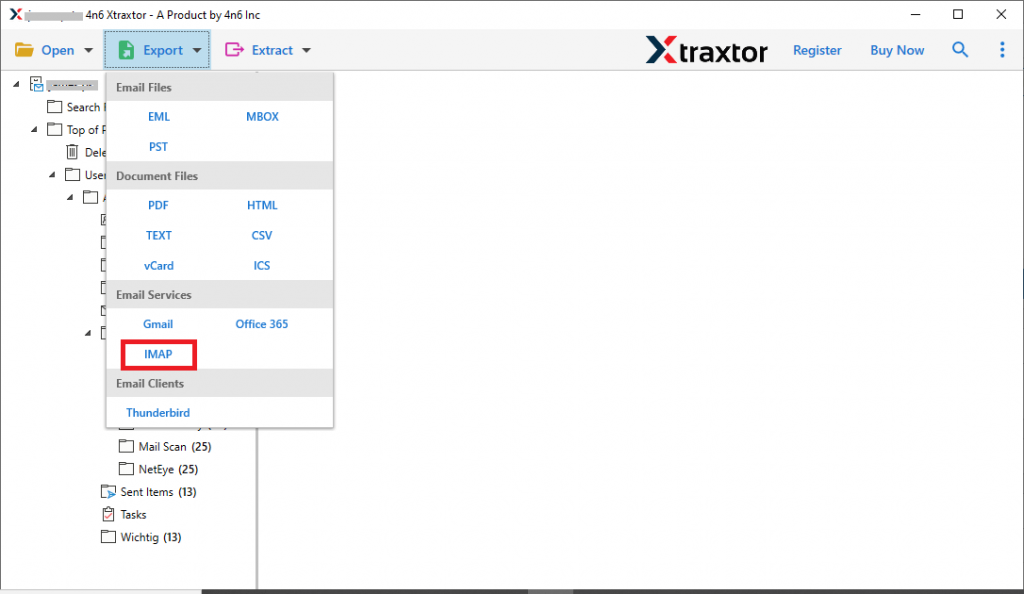
- Click on Export and choose the IMAP option.
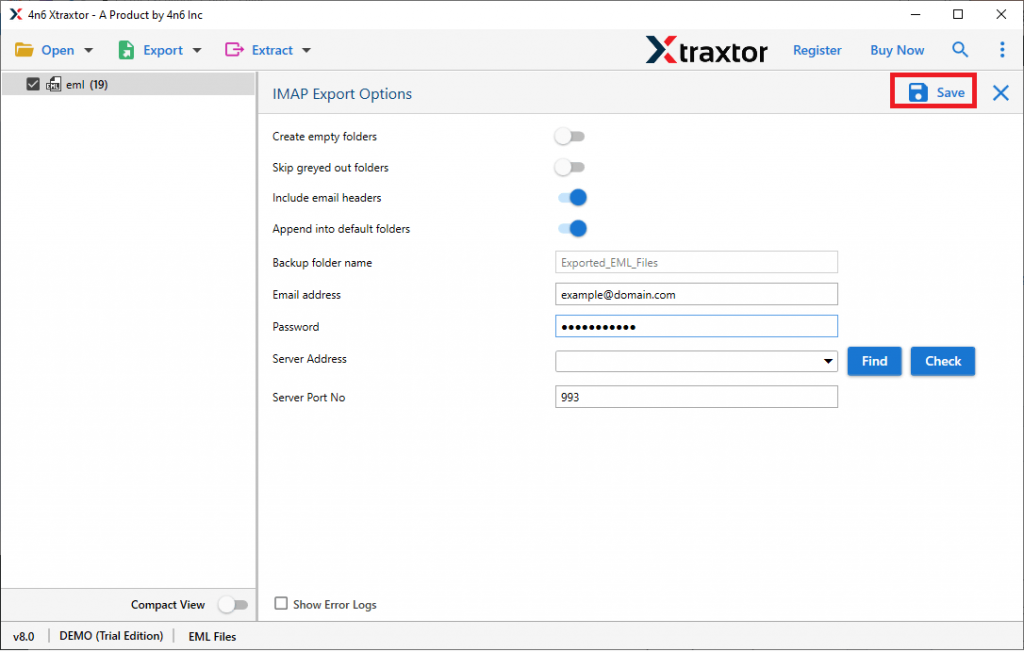
- Enter your Outlook.com login details and hit the Save button.
Done! Here you import MBOX to Outlook Online with a few simple clicks. Using this tool you can also convert MBOX to PST and all other file formats.
Benefits of Using SysConverter
There are various prominent features of this tool, some of them are –
- Directly import MBOX to Outlook Web Access in a few simple clicks.
- Simple and user-friendly interface for both technical and non-technical users.
- Advance filter options – to, from, cc, bcc, name, date, time, etc.
- Convert MBOX to PDF, CSV and all other data-saving options.
- Maintain email folder and sub-folder hierarchy and structure.
- Preserve email key attributes and elements while importing them.
- Import MBOX to Gmail, iCloud, cPanel and all other webmail accounts.
- Works on Windows 11, 10, 7, Vista, XP and all other OS editions.
- Allow to import selective email folders to OWA account without any hassle.
- Offers a free demo version of teh software to know its complete import process.
Importing MBOX file to Outlook Online is an easy process with the right technique. Here in this blog we simply the complete process for you. We also mention the step by step process to import MBOX to Outlook Web Access in a few simple clicks without any data loss. Try the tool and perform the transfer process effortlessly.