This blog will guide you to migrate MBOX file to Zoho Mail account in a few simple clicks. Read the complete guide to import MBOX to Zoho Mail account with attachments.
Today emails are an important part of day-to-day communication. Many times most of teh users download their emails and other mailbox data in a file format, one such format is MBOX. However, the data file can be easily corrupted or damaged, thus it is wise to store your important to secure your data. Zoho Mail is a popular email service that offers advanced features to manage your emails. That can be one of the reasons for users to import MBOX to Zoho Mail account.
Today in this article we will discuss the secure and instant solution to migrate emails from MBOX file to Zoho Mail account. If you are the among those who are looking for the best migration solution, then this article is for you.
How to Migrate MBOX to Zoho Mail Account Instantly?
Use the MBOX Converter tool and easily upload emails from MBOX file to Zoho Mail account in a few simple clicks. With its simple and user-friendly interface, any beginner can transfer their MBOX file to Zoho Mail account. There are various advanced filters – to, from, cc, bcc, name, date, time, etc. to import selective emails.
Additionally, you can also import MBOX to Gmail, Office 365, Yahoo Mail and many other webmail accounts. Along with that, there are various other features offered by this tool – selective email import, maintain folder hierarchy, preserve data integrity, etc. A free demo version o the software is available to know its complete working process.

Follow the Instructions to Import MBOX to Zoho Mail Account with Attachments –
- Launch the SysConverter for MBOX software on your Windows system.
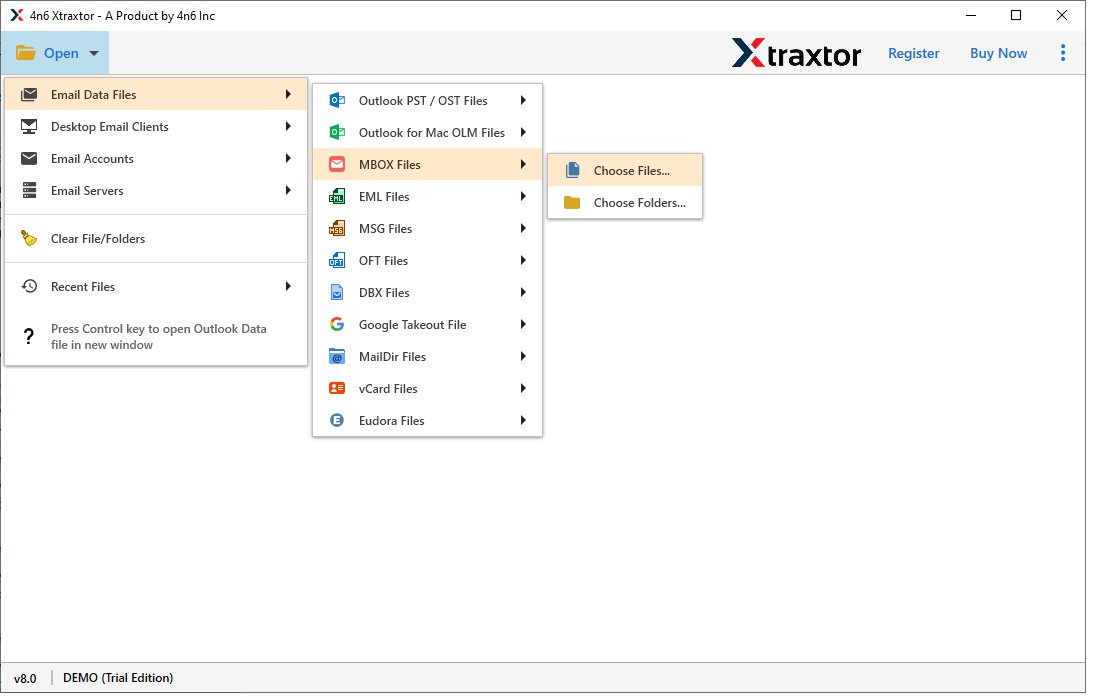
- After that, select Open >> Email Data File >> MBOX File >> Select File or Folders.
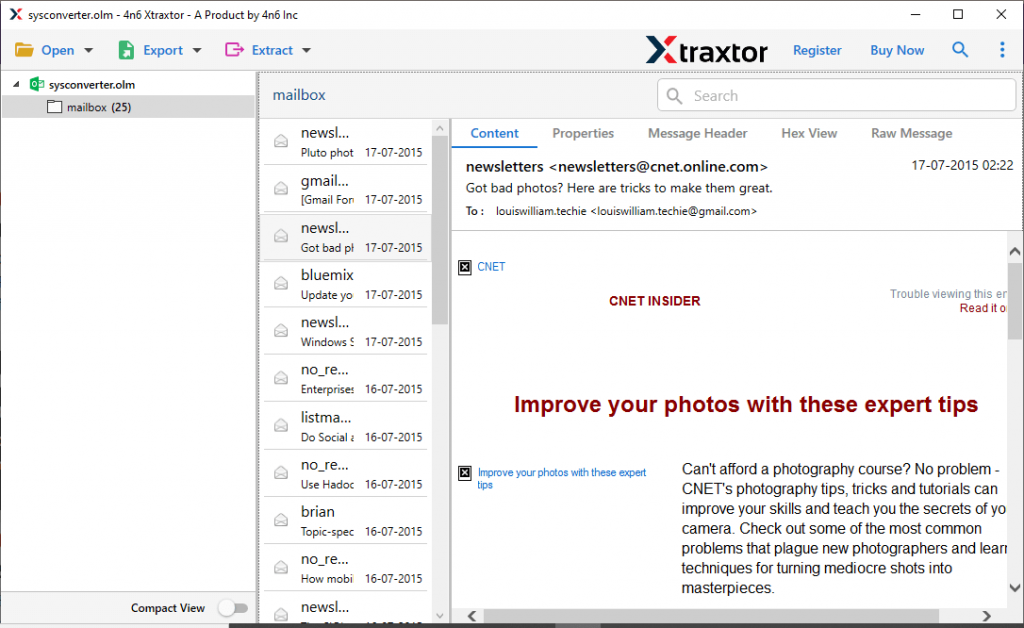
- Here you can view your emails before importing them.
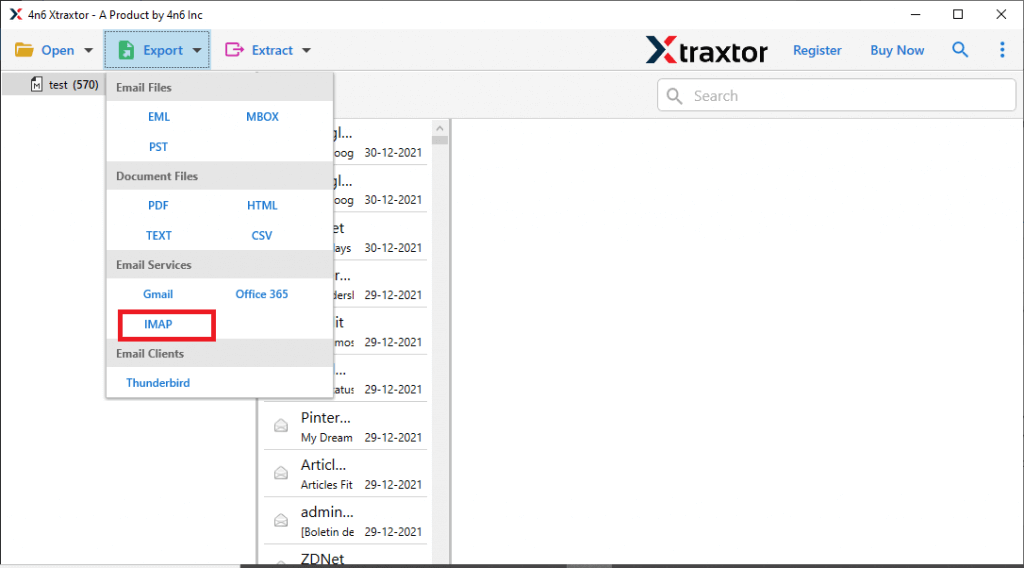
- Now click on Export and choose the IMAP option.
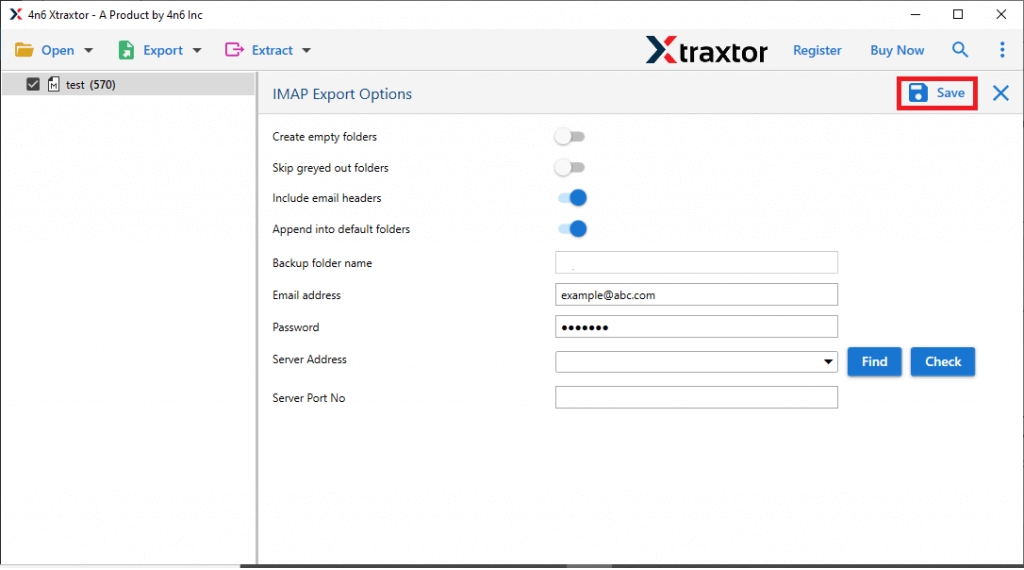
- Enter your Zoho Mail login details and hit the Save button.
Done! Here you import MBOX file to Zoho Mail account without any hassle.
Why Use MBOX to Zoho Migration Tool?
The software offers various advance features that allow efficient MBOX to Zoho Mail migration. Some of them are –
- It will batch import MBOX files to Zoho Mail account without any data loss.
- With its simple user interface, it is used by both technical and non-technical users.
- Using this tool you can also convert MBOX to PST, PDF, CSV and many other file formats.
- Maintain email folder and sub-folder hierarchy and structure.
- Allow to import MBOX to Office 365, Yahoo Mail, iCloud and many other webmail accounts.
- Preserve data integrity while migrate MBOX to Zoho Mail account.
- Works on Windows 11, 10, 7, Vista, XP and all other previous OS versions.
- Advance filter options – to, from, cc, bcc, name, date, time, etc.
- Support MBOX file created by Thunderbird, Eudora and all other email applications or servers.
- A trial version of the software available, try it and learn the complete working of the tool.
Conclusion
Here in this article, we mention the secure and efficient way to import MBOX to Zoho Mail account. We also mention the step-by-step description to simply the migrating process for you. Read the post and export MBOX file to Zoho Mail account in a few simple clicks without data loss.