Summary: Here in this blog we will discuss the alternative solution to repair PST file without Scanpst tool. Read the complete blog and repair your PST file data without affecting data integrity.
Microsoft Outlook is one of the most widely used email client. It is a powerful tool for managing emails, contacts, calendars and other data. It saves all the mailbox data in a PST file. Like other applications, Outlook can also face some errors, one of the main issues is a corrupted PST file.
Well, Outlook has its own tool to repair the data file. However, sometimes repair PST file scanpst not working, then how to repair PST file? Here in this article, we will discuss one of the efficient ways to repair the corrupted PST file without using the scanpst.exe tool.
What is ScanPST Tool?
Scanpst.exe (Inbox Repair Tool) is an inbuilt tool offered by Outlook to scan and repair corrupted PST file. The main purpose of this tool is to fix all the issues within the corrupted PST file. You can find the tool where your Office installation is located -( C:\Program Files\Microsoft Office\root\OfficeXX). Find the exe file run it on your system and browse the PST file. Then click on the start button to initiate the scanning process.
Why I Cannot Repair PST File USing Scanpst.exe?
There are various senario where the Scanpst.exe tool fails to work. Although, it is a useful tool, it has its own limitations.
- It is designed to fix common issues in PST file. It will not be effective if your PST is severely corrupted.
- This tool doesn’t work on large-size PST file. It will repair files upto 2GB.
- Scanpst tool doesn’t support password-protected PST file. To repair the file, firstly you need to remove the password.
- There are the chances of data loss due to its incomplete repair process.
- It may not work if your PST file is created by Outlook’s older version.
How to Repair PST File Without Scanpst Tool?
SysConverter for PST is a secure and efficient tool to repair corrupted PST file without using the ScanPST tool. This PST Converter tool support PST file from Outlook 2021, 2019, 2016 and all other previous versions. You can repair corrupted, encrypted or password-protected PST file without any hassle.
Additionally, using this tool, you can also convert PST to MBOX, PDF, CSV and many other data files. Moreover, you can view your PST file data before repairing or exporting them. It is compatible with Windows 11, 10, 7, Vista, XP and all other OS versions. You can also use the demo version of the software to analyse its working.

Follow the steps to repair PST file without using Scanpst.exe tool –
- Launch and run the SysConverter for PST software on your system.
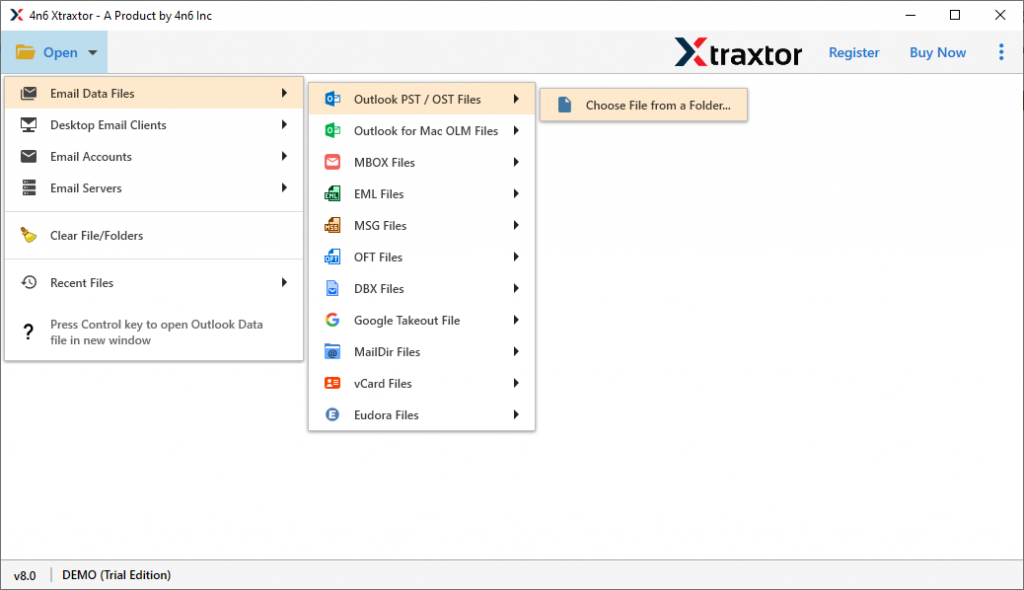
- Select Open >> Email Data File >> PST File >> Select File from Folder.
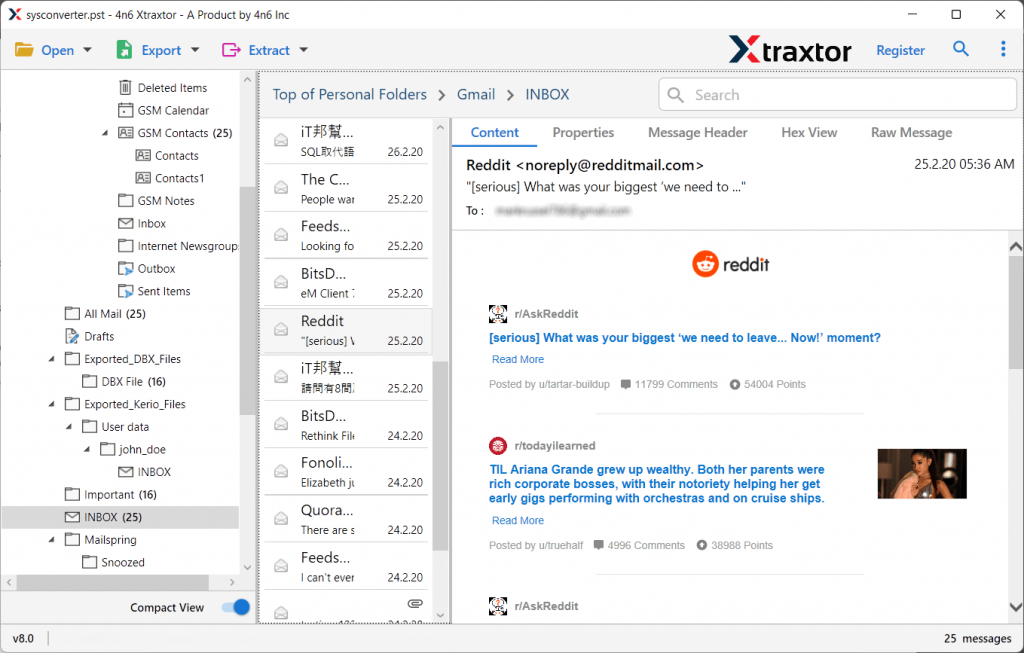
- Here you can view your emails and other data before repairing it.
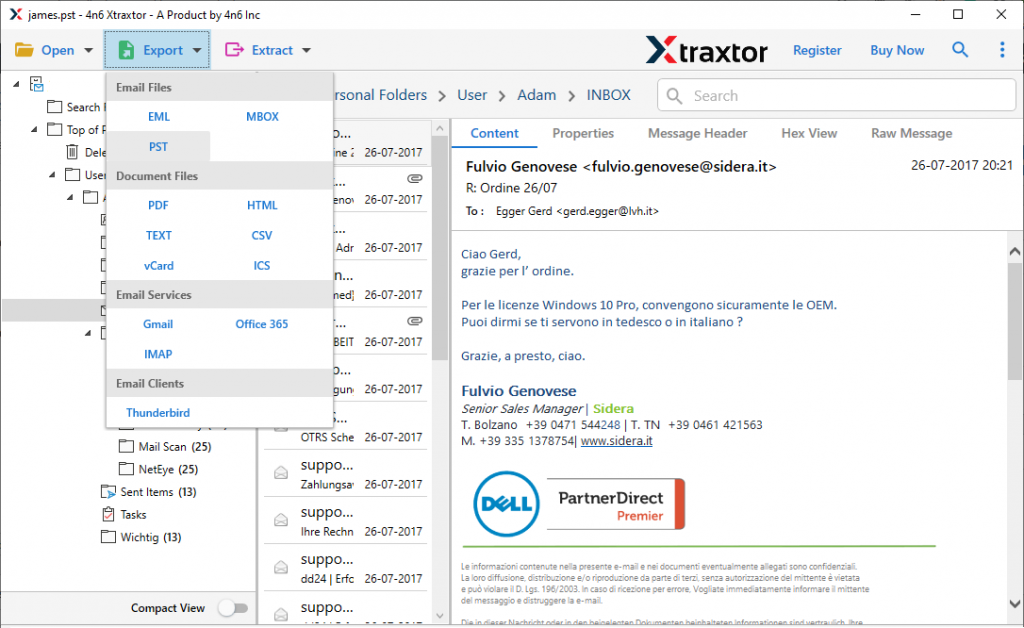
- hen click on Export and choose the PST option.
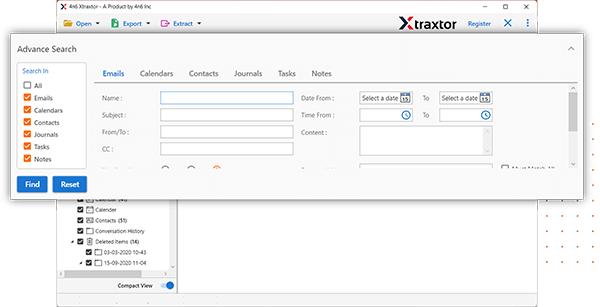
- Apply the filter options and export selective emails.
- Browse the location to save the exported data file and hit the Save button.
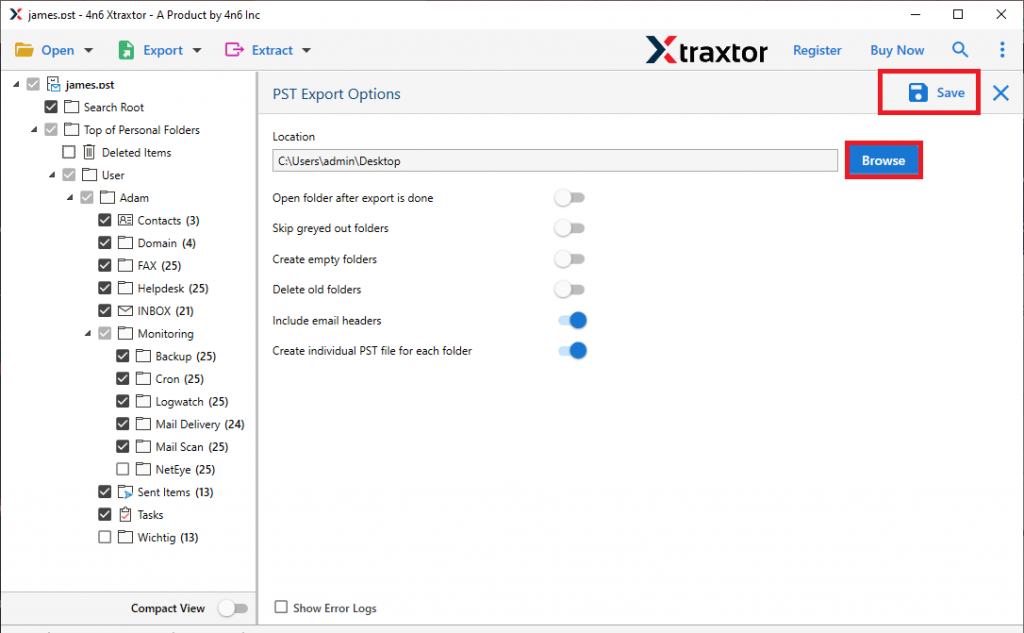
Done! Here you have a healthy PST file with all your data without modification.
Why Use SysConverer to Repair PST File?
- This tool repairs corrupted, password-protected and encrypted PST file without any hassle.
- Provide a healthy and error-free PST file
- Allow to export PST file to PDF, CSV, EML and other data file.
- It provides to view your PST file data before repairing it.
- Advance filter options – to, from, cc, bcc, name, date, time, etc.
- Allow to import PST to Shared Mailbox Office 365, Gmail, Yahoo and all other webmail accounts.
- Compatible with Windows 11, 10, 7, Vista, XP and all other editions.
- A free demo version of the software is available to know its working.
Conclusion
A corrupted file can be difficult to repair if your scanpst.exe tool doesn’t work. Thus you need a third-party tool to repair your PST file. Here in this blog, we discuss the secure and efficient way to repair PST file without ScanPST tool. You can try the demo version of the software and fix the error in your PSt file.