This blog guide you to move OLM files to Yahoo Mail account with complete data. If you are among those who are looking for an instant solution to import OLM to Yahoo Mail, then this blog is for you.
The outlook email client is designed for both operating systems – Windows or IOS. When Outlook is configured in the Mac system, it stores its data in .olm file format. OLM files save email messages, contacts, calendars, journals, tasks and other mailbox components.
However, with system dependency, most users prefer cloud-based email services. Yahoo Mail is the first choice for many users. However, to access the OLM file emails in the webmail account, the user needs to import OLM files to Yahoo Mail account.
Now the question is Why Yahoo Mail?
Benefits of Using Yahoo Mail
1. As Yahoo supports IMAP/POP protocol, users can access their emails on any web browser from any system.
2. The user will get I TB storage to save your important data.
3. Advanced Spam Management.
4. 2-step verification to ensure your email account security.
5. Multiple filter options to find emails.
6. And many more.
Now without any further delay, let’s know the OLM to Yahoo import process.
How to Import Multiple OLM Files Into Yahoo Mail Instantly?
Before we start, users need to know that Yahoo doesn’t give an option to manually open OLM file in its interface. Therefore, this situation requires the use of a third-party solution. One such tool is OLM Converter, a unique way to move various OLM file data into Yahoo webmail account.
This tool is a secure way to import OLM to Yahoo Mail account without an error. Along with that users can also apply the email filters ( to, from, subject, date, time, etc) and find the emails from the specific field and import them. Using this utility, you can also import OLM to Office 365, Gmail and all other webmail accounts. Most importantly during this import process, you will not lose a single bit of your data.

Follow the given instructions to import OLM to Yahoo Mail effortlessly –
- Install and run the SysConverter for OLM tool on your system.
- Click on the Open button and select the needed options.
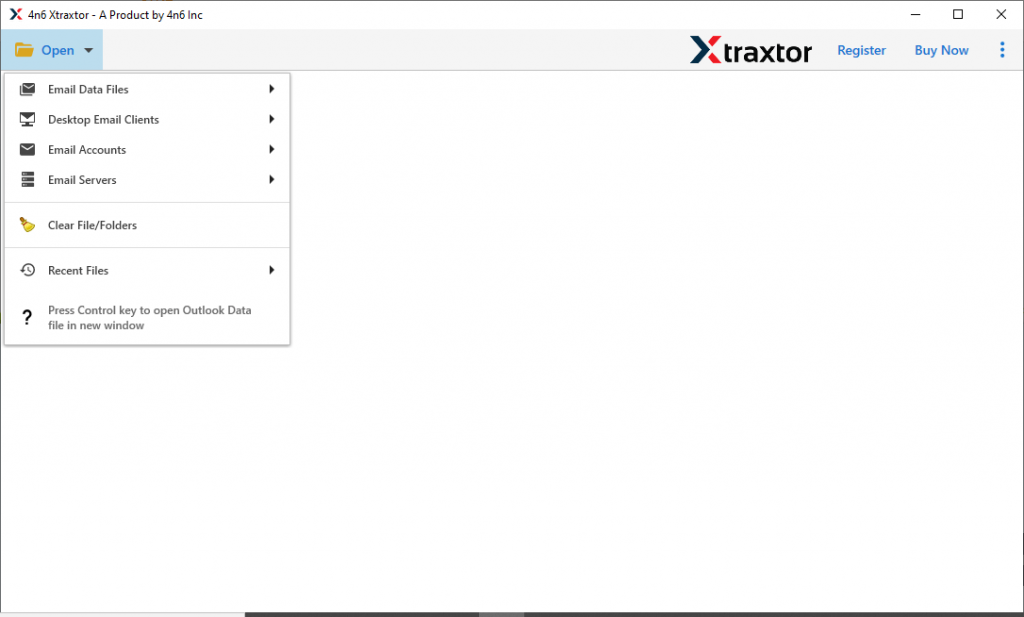
- Now Email Data File >> OLM File >> Select File or Folder.
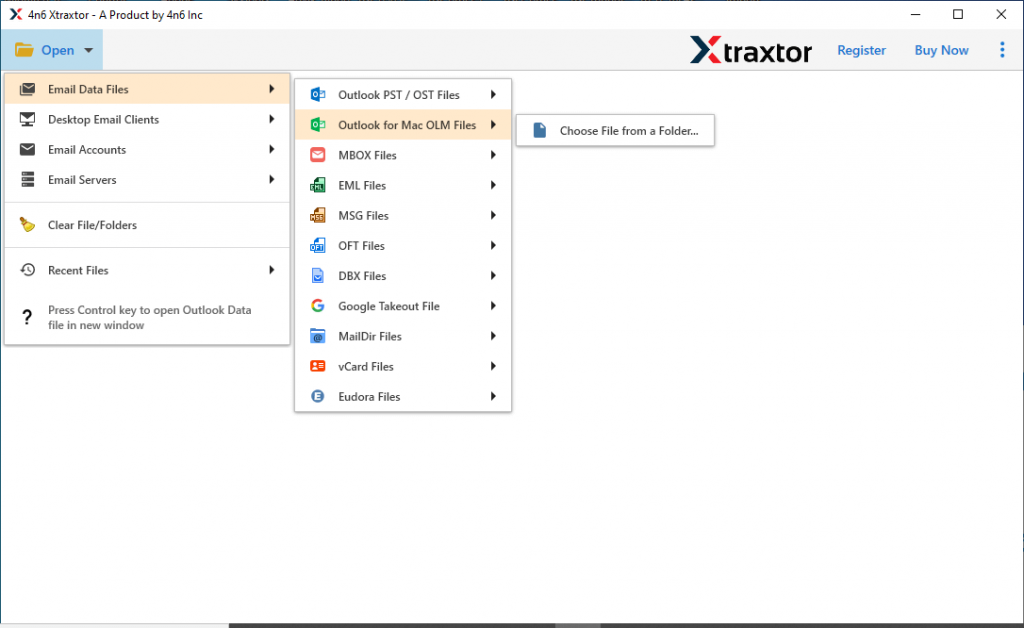
- After loading the .olm files, this tool preview all the emails into its interface. Select the required email folder that needs to move.
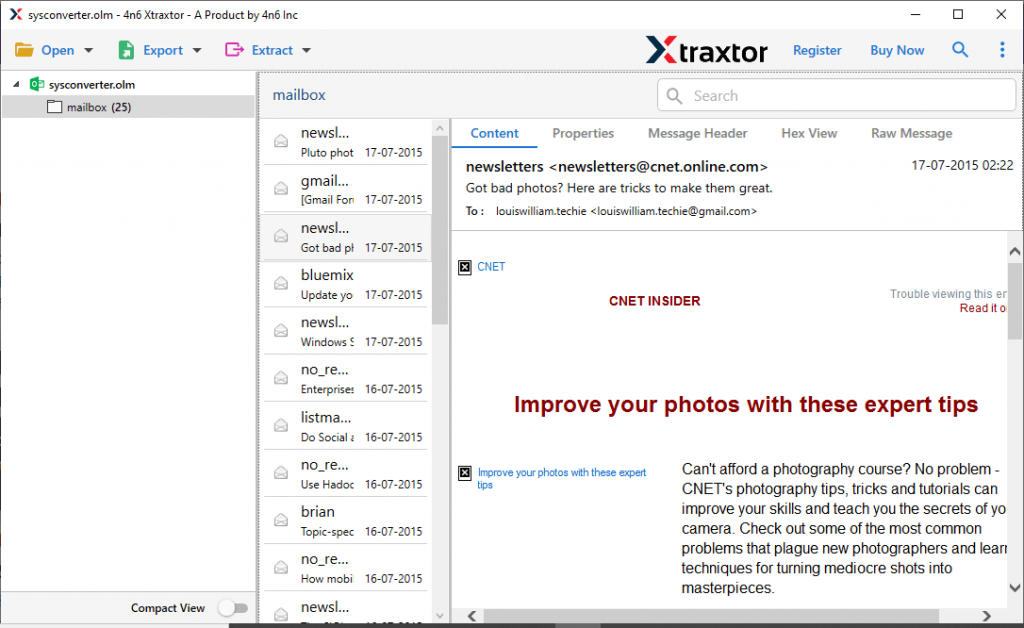
- Here click on the Export and select the IMAP option.

- Enter your Yahoo Mail login details and click on the Save button.
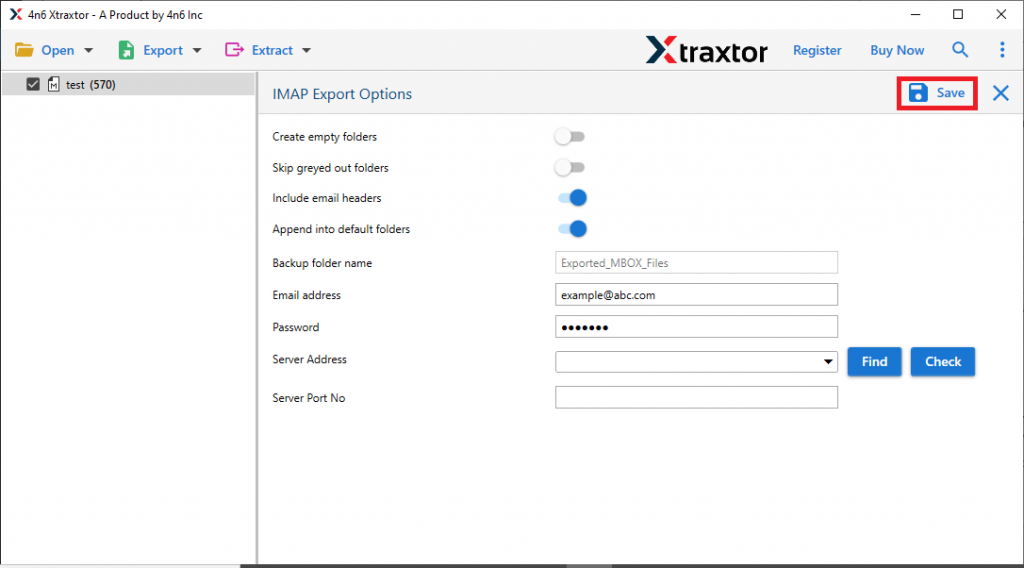
Here completes the process. Now you can open OLM files into Yahoo Mail account with ease.
Reasons To Choose OLM to Yahoo Import Tool
There can be various reasons to opt for this automated tool, some of them mention here.
Simple Graphical Representation: This software is designed with easy graphics so that even novice users can operate it. Anyone can operate this tool and import OLM to Yahoo webmail account without any technical assistance.
Windows OS Support: OLM to Yahoo Import Tool is designed to be compatible with all versions of the Windows operating system. Users can run this software on Windows 11, 10, 8, Vista, XP and all other previous versions.
Specific Email Import: The software offers an email filter option that allows users to locate the specific email. Users can apply various filters such as – to, from, subject, has attachments, date range, time, and any more. In this way, anyone can find the required emails and import only them.
Extarct Information: With the help of this tool you can also save certain information in text format. You can extract attachments from OLM file along with email addresses, phone numbers and associated email addresses and phone numbers.
Move OLM to Webmail Account: This software with its advanced algorithm, allows users to import OLM to Gmail, Office 365, Yandex, GoDaddy, and all other cloud-based email accounts.
Conclusion
After reading this article, you will learn an instant and safe way to import OLM to Yahoo Mail without data loss. We also mention the step by step guide to import multiple .olm files into Yahoo Mail account. For more details, install the demo version of this tool and try to open OLM files in Yahoo webmail account by yourself.