Are you looking for a way to move Outlook for Mac OlM file to Gmail webmail account? If your answer is Yes, then we are here to provide a simple and workable solution to import OLM to Gmail account without any data loss.
OLM is a Mac Outlook data file to save its mailbox data. This file can only be accessed in the Mac Outlook interface only. Thus it is not possible to open OLM files into Gmail account. On the other hand, even Gmail doesn’t support this file format.
Now you are wondering Is it even possible to import OLM file to Gmail?
If you are also wondering the same, then don’t worry It’s possible to import OLM to Gmail account. To know how? read the complete article.
Before that let’s analyse the user query to know in which situation the user tries to move their .olm file data.
I have tried to connect my account to Gmail but doing so I lost all folders. So I created a .olm file from outlook hoping I could import it into Gmail so I kept all folders and orders. Looking at Google, it seems to be no straightforward import solution… Can anyone solve my issue and provide me with a secue and direct way to move OLM files to Gmail account?
How to Import OLM File Into Gmail With Attachments?
If you have OLM file on your system and no Mac system. Still want to open OLM to Gmail, then you need the OLM Converter tool. This utility easily moves all the emails from .olm file into the Gmail account in a few steps. Most importantly you will not need to install Outlook or Mac system. Use this tool on you any Windows OS and import OLM to Gmail account directly. Along with that users can also select only important email folders and move them in a few minutes.
Along with that users can also use the email filter option to open emails from particular fields. Above that users can also import OLM to Office 365, Yahoo, Yandex, GoDaddy, and other webmail accounts. Now let’s check how this utility works. To personally know the process, install the demo version of the software and follow the provided guide.

Follow the Steps to Upload OLM File to Gmail Account –
- Download and load SysConverter for OLM tool on your Windows OS system.
- Click on the Open button and choose the required field.
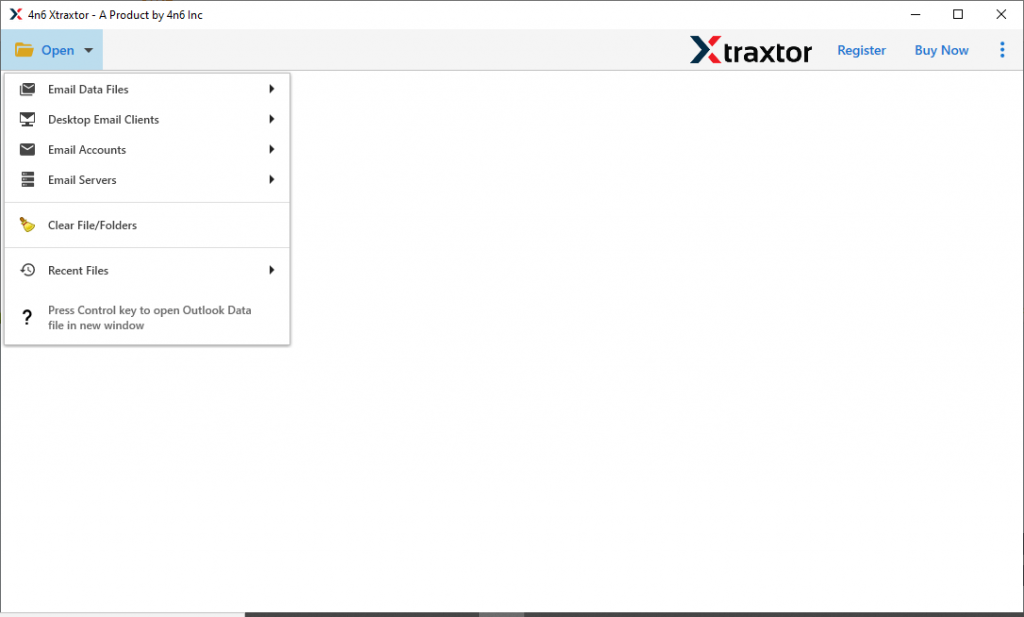
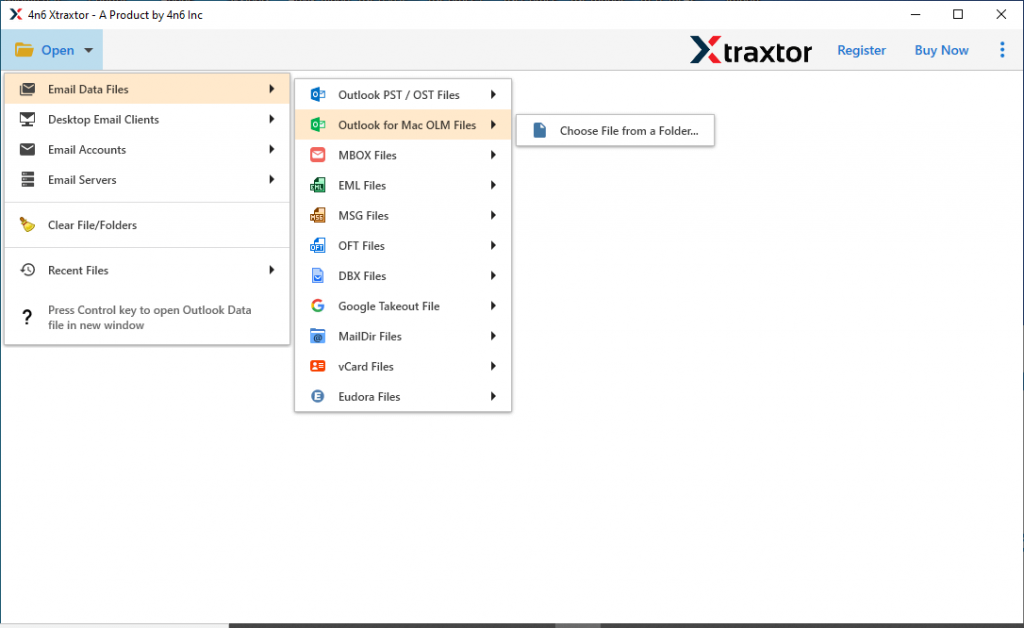
- Now select Email Data File >> OLM File >> Select File from Folder.
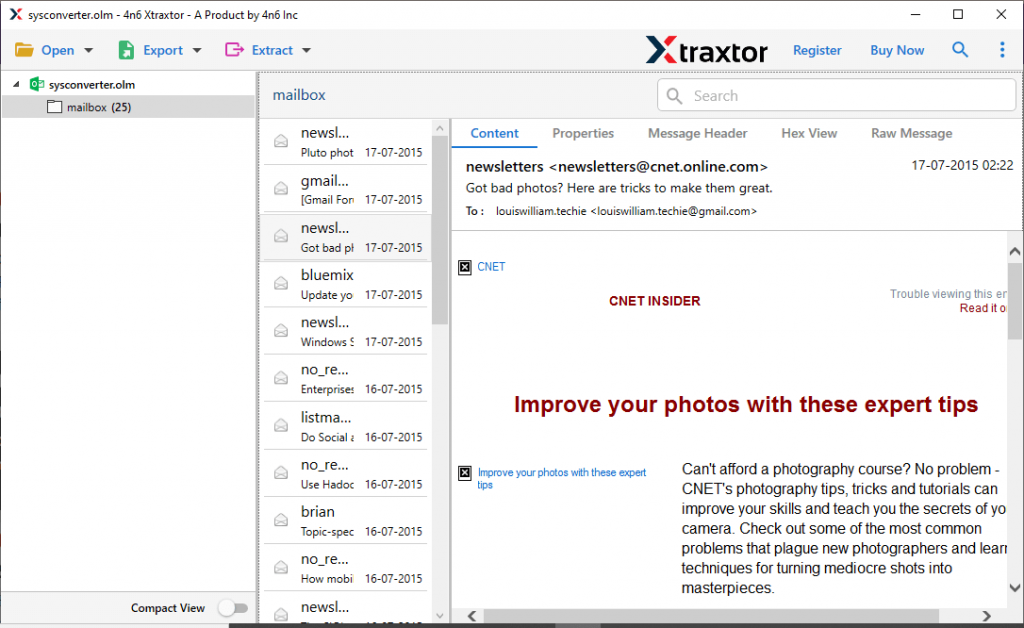
- Here you can read your emails and choose the email folder that needs to move.
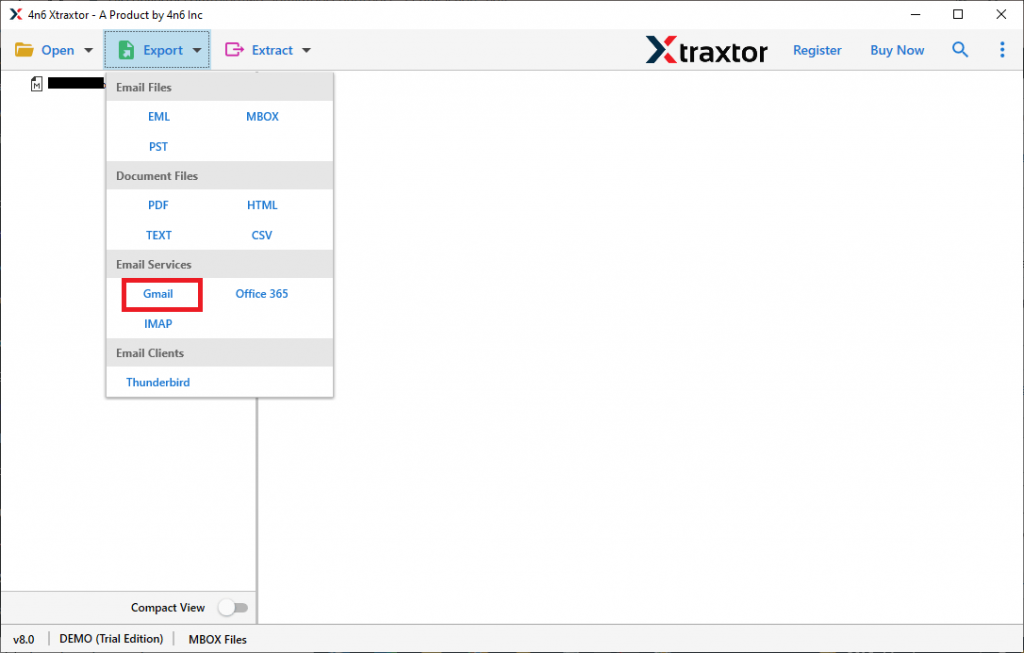
- After that, click on the Export and opt for the Gmail option from the given list.
- At last, enter your Gmail login details and then click on the Save button.
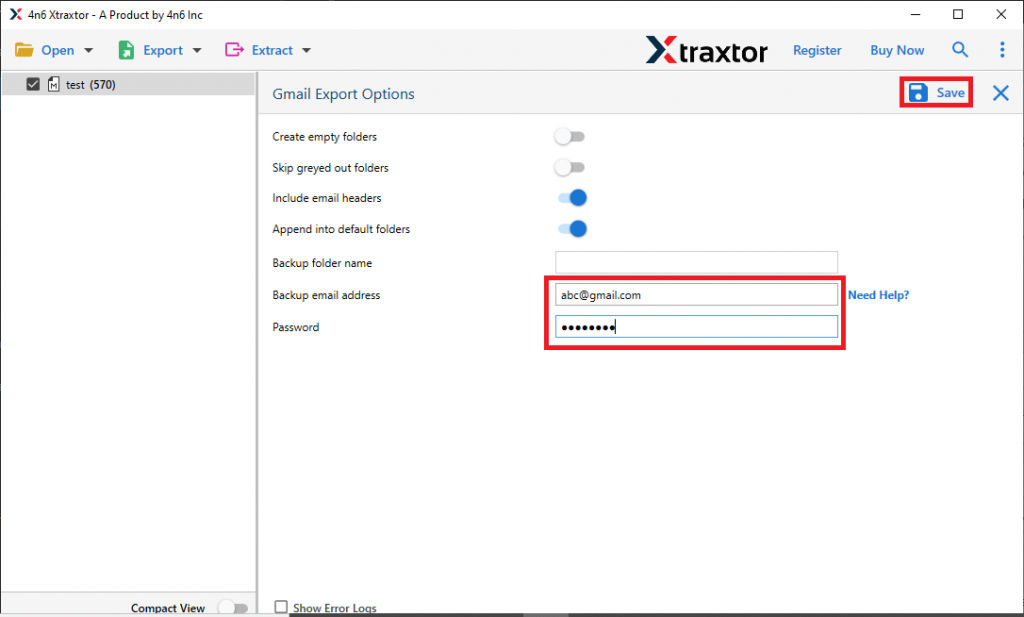
All Done! This software easily import OLM to Gmail in simple six steps. Now let’s discuss the other outstanding features of this tool.
What Special About OLM to Gmail Import Tool?
Among the many outstanding features of this tool, some of them are mentioned here. Have a look at them.
Open OLM FIle With Attachments: This tool offers an option to add Outlook for Mac data files in its interface. The user chooses the file from the folder and transfers them into a Gmail account. Along with emails, this utility also transfer complete attachments from mailbox data.
Windows OS Compatibility: The OLM to Gmail Import tool is a Windows-based utility. Users can install and run this tool on Windows 11, 10, 8, Vista, and all other previous versions without facing any technical issues.
Selective Email Import: While uploading the .olm file into the software interface user can read their emails. After that select the required email folder and move them into your Gmail account. In this manner only important data will be imported.
Move OLM to Webmail: This utility allows users to move their emails into another webmail account. Using it you can import OLM to Yahoo, Office 365, Yandex, GoDaddy, and other cloud-based email accounts.
Conclusion
In this article, we analyze a user query and know why they want to import OLM to Gmail account. In response to this query, we are describing a step-by-step solution that allows the user to move multiple Mac Outlook data files into a Gmail account with complete data without any modification. If you want to save your time and energy, use the tool OLM Converter mentioned in this blog post.