Importing emails from one mailing platform to another became the common practice there, so the search for methods to perform this import process is increasing. One such task we will discuss in this write up where users want to import PST to Windows Live Mail account.
If you are among those who are looking for a way to import Outlook PST to Windows Live Mail, then read the article to the end. Before we move further and discuss the way to open the Outlook PST file into the WLM account, let’s know about both of them.
PST is a file format that is particularly used by Windows Outlook to save its mailbox data. This file contains email messages, contacts, calendars, journals, tasks, and all other mailbox data. PST can be imported or exported in Outlook only.
While on the other hand Windows Live Mail is a free desktop-based application. It runs on Windows 7 and Windows Server 2008. However, one can use this email client on their Windows 7 and 8 OS versions.
Windows Live Mail support the EML file format, thus if you want to open PST into a Windows Live Mail account, you need to convert PST to EML file format. After that, it will be easy to read Outlook PST file emails into Windows Live Mail account.
Let’s check a user query and know in which situation one wants to import PST to Windows Live Mail account.
Now the question is Is there any method to perform the import process instantly and without any data loss. Don’t worry, today in this article we will discuss the secure and efficient solution to move PST file to Windows Live Mail account with attachments.
How to Import PST to Windows Live Mail Instantly?
If you are looking for a manual way to move PST files to WLM account, then unfortunately there is no direct manual way for it. Thus you need a third-party solution that securely performs the PST to WLM import process instantly. One such tool is PST Converter software, a complete solution that import emails from PST to WLM account. Along with that, this tool import large size PST file without any data loss and alteration.

Steps to Import PST Emails to Windows Live Mail-
- Install and run SysConverter for PST software on your system.
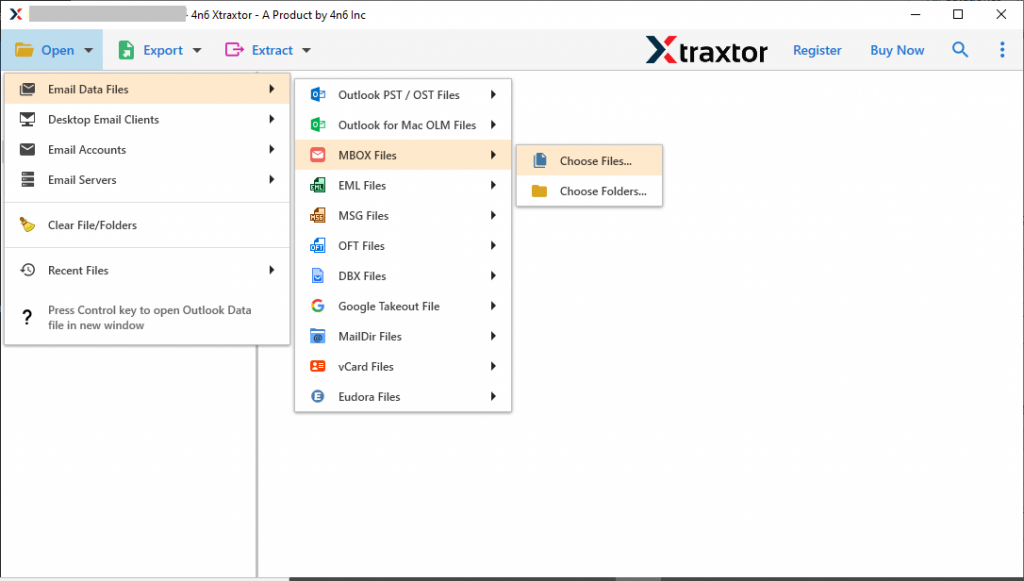
- Click on the Open >> Email Data File >> PST File >> Select File from Folder.
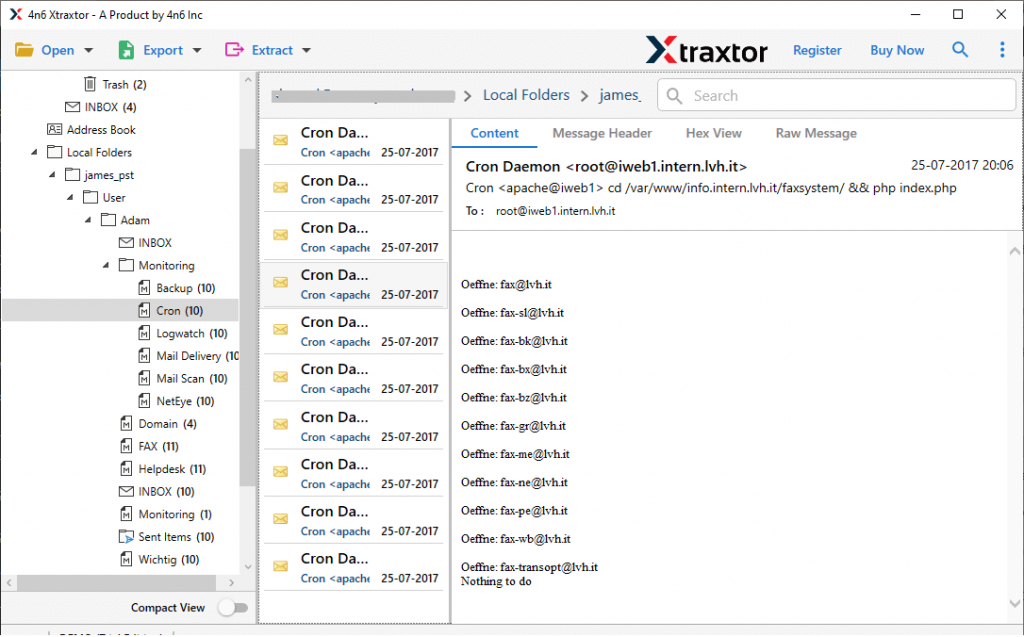
- Here you can read and view your PST file emails.
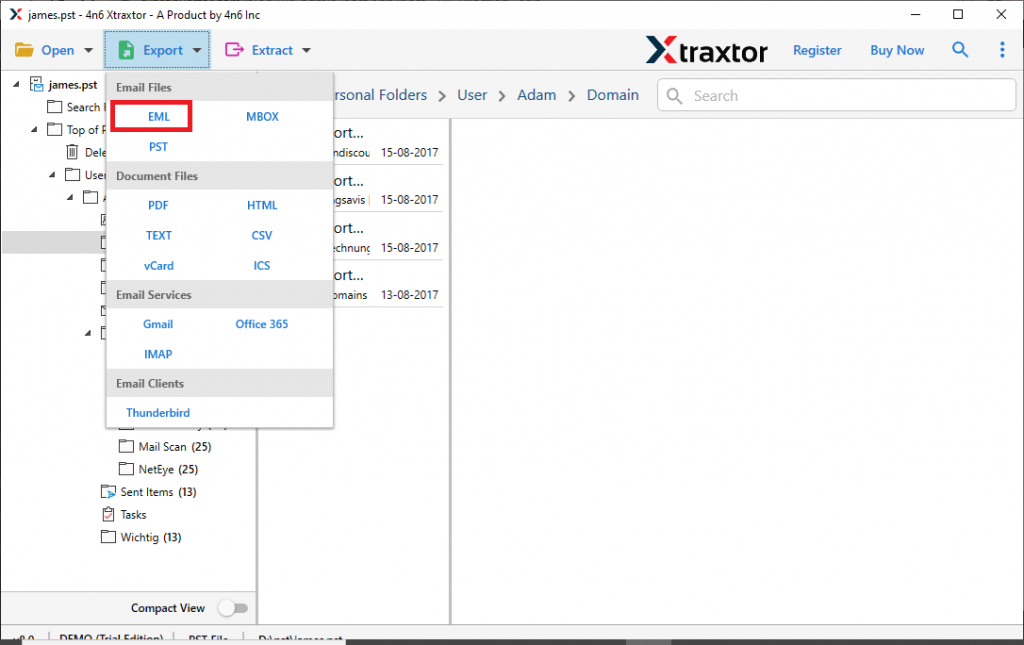
- Now hit on Export button and choose EML as a saving option.
- After that, you can select the email folder if you don’t want to import complete mailbox data.
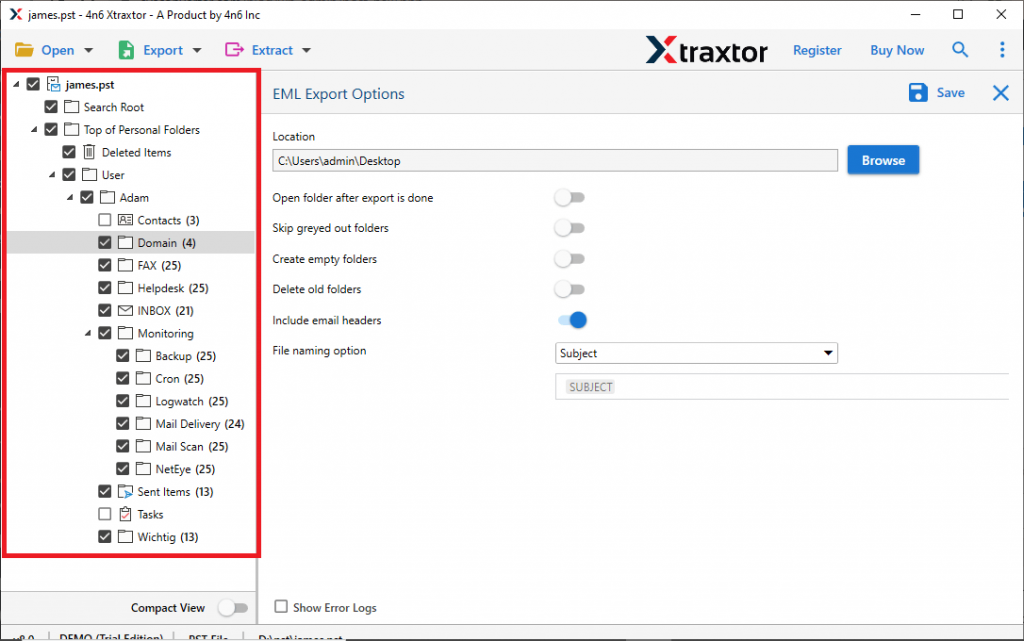
- At last, browse the targeted location and hit on the Save button.

All Done! Here you have an EML file on your system. Now you can import them into Windows Live Mail with ease.
Import EML to Windows Live Mail
To move converted .eml files into a Windows Live Mail account, follow the given instructions.
- Open the Windows Live Mail application on your system.
- Go to File >> Import Messages >> Windows Live Mail.
- Click on the Browse button and locate the .eml files and hit on the Next button.
- You can either select the entire folder or a specific file.
- At last, clcik on the Finish button to start the import process.
Now, here you successfully import PST to Windows Live Mail account with attachments.
Why PST to Windows Live Mail Converter?
With this tool, there are various outstanding features that make it a unique entity. Some of them are mentioned below.
- Import PST File to WLM with Attachments: This tool transfer PST file email along with attachments. Whether an email has single or multiple attachments, this tool will save all of them without any alterations.
- Email Filter Options: This PST to Windows Live Mail Converter offers various filter options to make the import process more selective. Filter options offered by the software – to, from, subject, date range, time, property id & name, name, content, and many more to choose from.
- Preserve Email Attributes: The importing tool import PST to Windows Live Mail with emails complete properties. It will uphold all the key elements such as to, from, subject, hyperlink, inline images, attachments, and other components.
- Move PST to Webmail Accounts: Using this tool you can import PST to various webmail accounts including Gmail, Yahoo, Google Workspace, Office 365, etc. All these saving options you will get in a single interface.
- Windows-Based Utility: This tool is designed for Windows-based users. One can install and run this software on Windows 11,10, 8, and all other previous versions without any issue.
Conclusion
Since email is an essential part of communication, it matters. Emails need to be imported when users switch from one mail platform to another. One of the situations we discuss in this blog is when a user wants to import PST to Windows Live Mail. Since there is no direct manual way to perform this import process, a third-party solution is required. One of the best solution SysConverter for PST, we discussed and wrote a complete workaround in this article.