Are you looking for a way to import .pst file into Roundcube account? If yes, then here is the complete guide that helps you to import PST to Roundcube webmail account. at the end of the article, you are able to upload Outlook PST into Roundcube account.
Roundcube is a free email service incorporated with a website hosting account. It provides many facilities that this offered by webmail server. Since Roundcube is a webmail account that provides cloud base emailing facilities, most of the users switch from Outlook.
However, they don’t know how to import PST to Roundcube. If you are among those, then don’t worry we are here to discuss the solution to upload Outlook .pst into Roundcube account.
Without any further delay, let’s dive in and learn the process of PST to Roundcube import.
Methods to Upload PST File to Roundcube
Unfortunately, there is no direct manual way to move Outlook .pst file into Rouncube account. Don’t worry, you can still import the mailbox data. In this write-up we will discuss two ways to save PST file emails in the webmail account.
#1. Upload PST Emails to Rouncube Without Outlook
#2. Manually Transfer PST File to Roundcube Account
Let’s discuss both the given solutions to import PST file into Roundcube account.
How to Import PST to Roundcube Instantly?
In some cases where user have a .pst file but doesn’t have an Outlook email client or they instantly want to perform the import process, then it is best to use third-party software. One such tool, the PST Converter software is specially designed to transfer Outlook emails and other mailbox components into Rouncube account without any hassle.
This automated tool efficiently import PST emails, contacts, calendar, journals, and other data into a webmail account without any data loss. The PST to Roundcube Import tool smartly moves mailbox data without affecting its hierarchy and structure. Along with that, you can also import PST to Rackspace, Gmail, Office 365, Google Workspace and other webmail accounts.

Follow the simple steps to Transfer Outlook PST File to Roundcube –
- Download and install SysConverter for PST tool on your system.
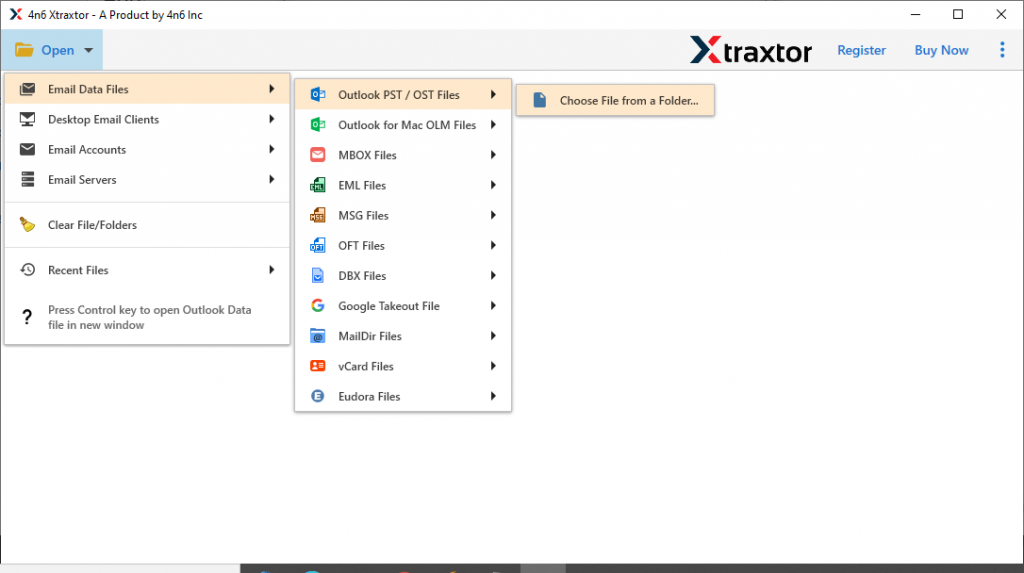
- Click on Open >> Email Data File >> PST File >> Select File from Folder.
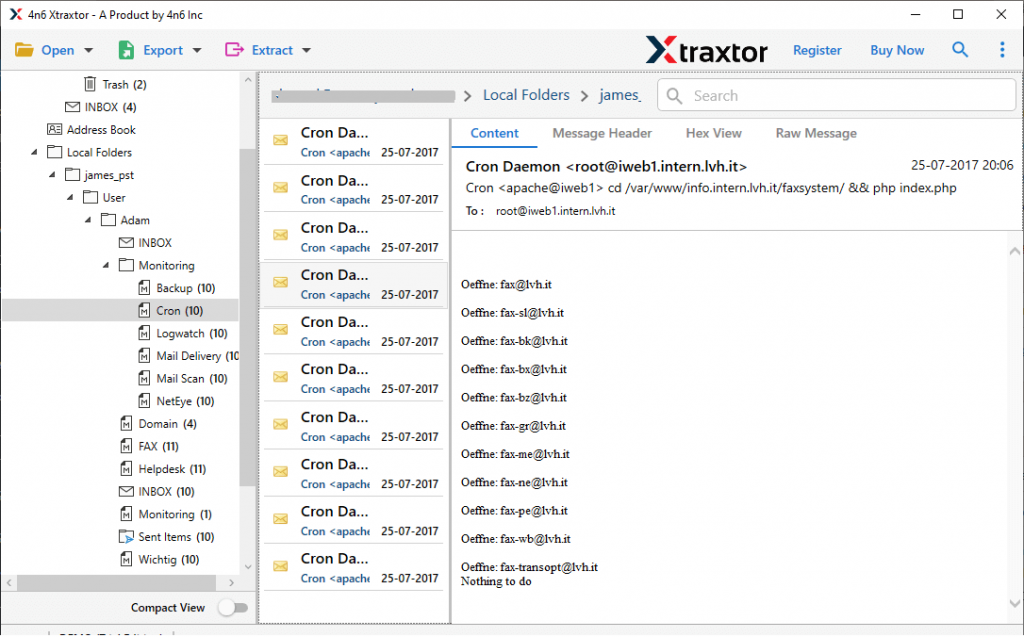
- After uploading the data file, this tool scans it and shows all the emails in its interface.
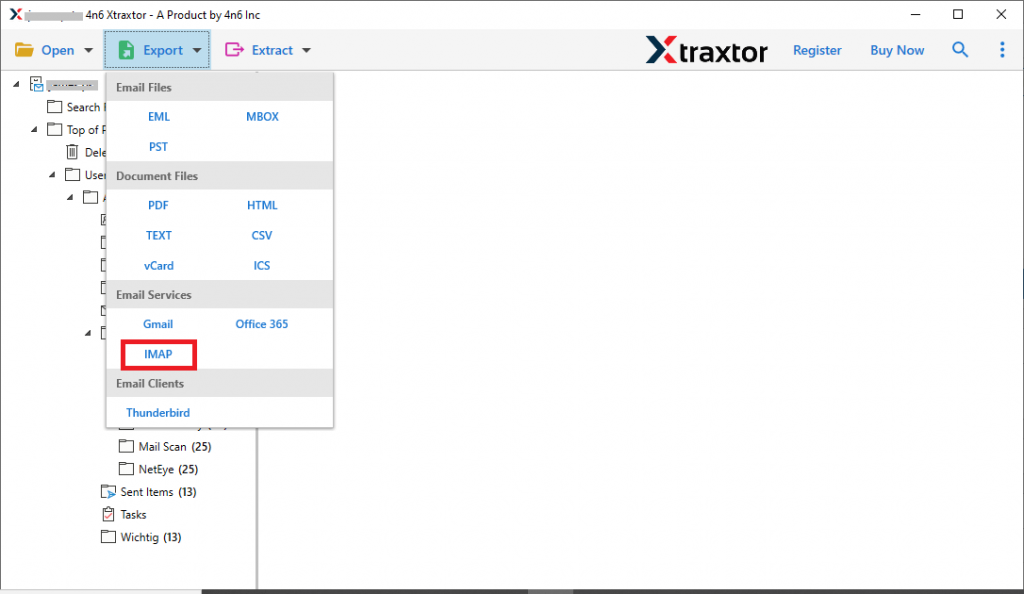
- Now click on Export and choose IMAP as a saving option.
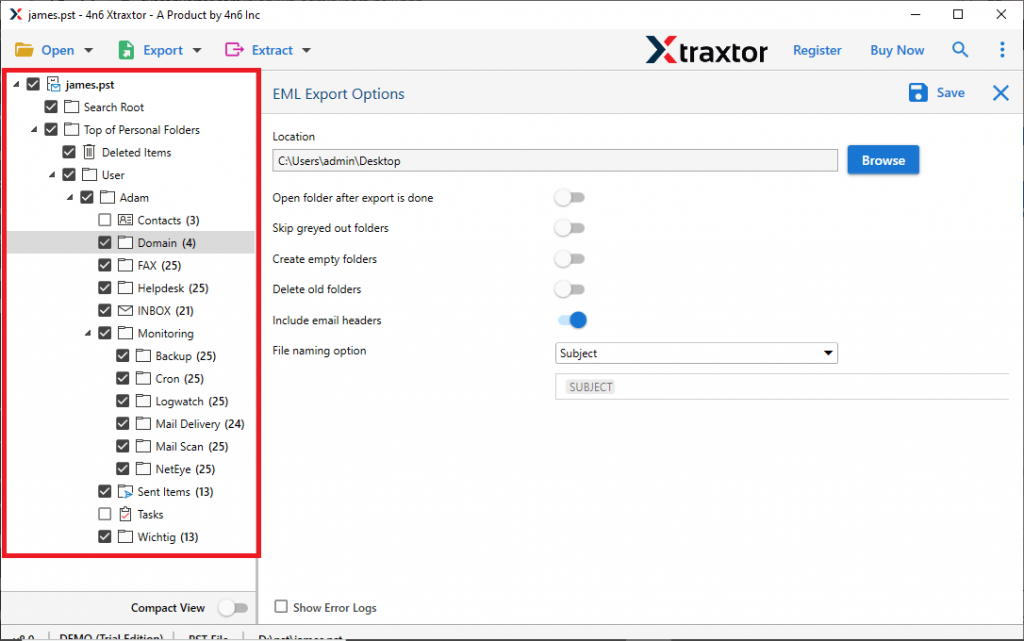
- Here you can select the email folder that you want to import.
- At last, enter your Roundcube email address and password, then hit on the Save button.
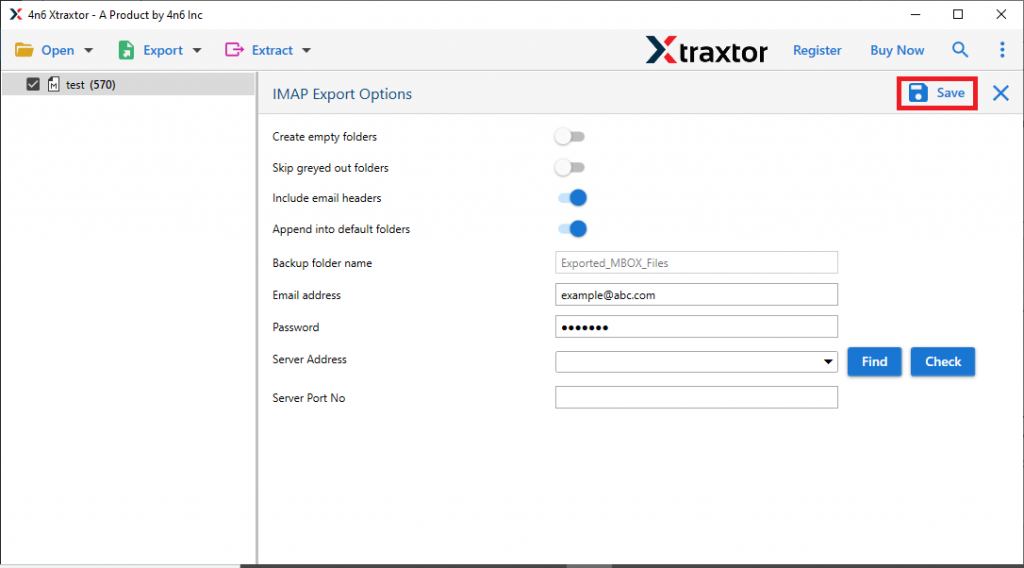
Here completes the import process. Now you can read PST emails into Roundcube without any hassle. Although this software is capable enough to import PST to Roundcube without affecting the email integrity. Still, if you want to use the manual way to import PST emails, then in the next section we will discuss the native approach for it.
How Import PST to Roundcube Using Outlook?
In this manual way, we will use the Outlook email client and configure the webmail account with it. After that, you need to transfer Outlook .pst files into the Roundcube account. Let’s check the working process of this native way.
Step 1: Configure Roundcube With Outlook
To set up your IMAP account with the desktop application, follow the given instructions.
-
- Open the Outlook email client on your system.
- After that, go to File >> Add Account.
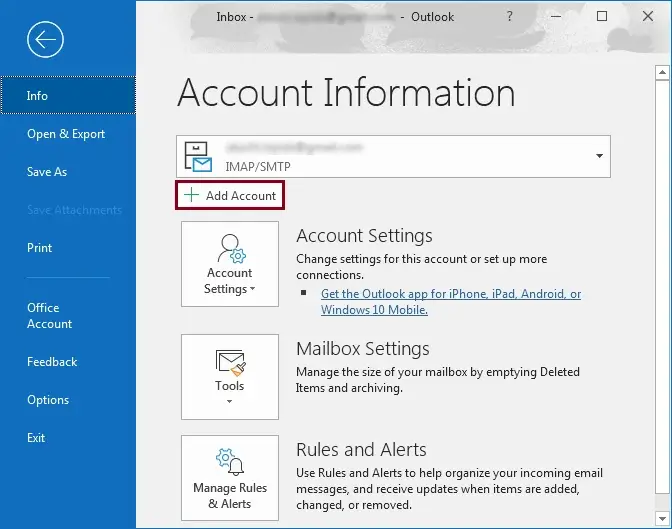
- In the next window, enter your webmail email address and select “Let me set up my account manually” and click on Connect.
- On the next screen clcick on the IMAP option.
- After that enter the given values in the respective fields and click on Next.
Incoming Mail Server: mail.domain.com Port Server: 993
Outgoing Mail Server: mail.domain.com Port Server: 465
Encryption Method: SSL/TLS (In both cases)
- Enter your Roundcube mail password and click on Connect button.
- At last, you will find the “Account successfully added” message, hit on the Done button.
Now your Roundcube Webmail account is configured with Outlook. you will find your webmail emails and other data in the email account interface.
Step 2: Move Outlook PST to Roundcube
To upload the Outlook emails to your webmail account, you first need to import PST file into Outlook interface. Let’s understand the process in detail.
- Open Outlook email client.
- Click on file >> Open & Export >> Import/Export.
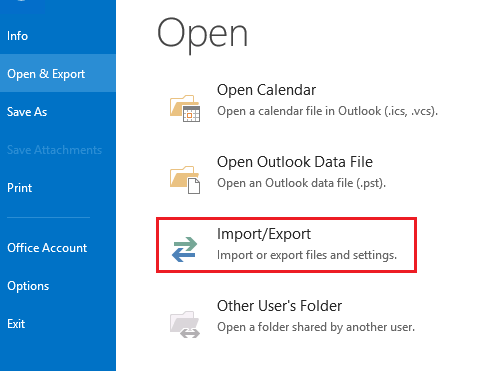
- Then, select Import from another program and file >> Outlook Data file (.pst).
- Locate the .pst file from your system and click on the Open button.
- Select the email folder that you want to import and hit on Next.
- Now you have .pst file in your Outlook account. After that, select the email file and drag & drop it under the Roundcube id label.
Finish! Here you import PST to Roundcube webmail account with ease. However, there are some limitations to this manual method.
Loopholes With Manual Method
- It will import limited PST emails to Roundcube account.
- High chances of data loss if you try to import large size PST file.
- Required technical knowledge and assistance to configure your webmail account to the email client.
- No filter option to import select emails from the mailbox folder.
- Mailbox hierarchy and structure may affect during the import process.
To avoid these limitations we recommend using the automated tool we mention in the above section.
Why Use PST to Roundcube Import Tool
There are various benefits of using this importing tool, some of them mention here,
Email Filter Option: With this software, there are various email filter options that will help to import only selective emails from the entire mailbox data. You can apply various filters such as – to, from, subject, bcc, cc, date range, has attachments, and many more.
Maintain Mailbox Hierarchy: This tool preserves mailbox structure and hierarchy when importing Outlook emails. After the import process is complete, you will find your emails are in the same order and folders as the originals.
Upload PST File into Cloud: The import tool not only move PST file into Roundcube, but to other webmail accounts as well. You can import PST to Exchange, Gmail, Office 365, Google Workspace, and many more.
Windows-Based Utility: This tool is designed for Windows-based users. It can be installed and run on Windows 11, 10, 8, Vista, XP and all other previous versions.
Conclusion
Importing PST to Roundcube Webmail account is the common query of most of the users. In response to that, in this write-up we describe two workable solutions to import PST to Roundcube account. Both the solution can perform the transferring process, you can decide which method suits you best and apply it.