Today in this blog we will discuss the best ways to export Zoho email to PST file along with attachments. Read the complete blog and perform Zoho to PST migration without any data loss.
Zoho Mail is one of the popular email service providers that can be used by both individuals and businesses. There are various advanced features offered by this tool, however, there can be a time when users want to export emails from Zoho Mail to PST file. Nonetheless, there are other file formats to save Zoho Mail data, but the most common format is the PST file. This data file is solely used by Outlook, this can be the main reason to export Zoho email to PST format.
Why Need to Export Zoho Mail to PST File?
There can be various reasons for Zoho to PST migration depending on user needs. Some common reasons might be –
- When you backup Zoho Mail to PST format, you will have a copy of your important data. It will help to overcome uncertain situations likely accidental deletion, virus attack, etc.
- If you are switching to any other mailing platform, then the exported data file makes your work easy.
- Exporting Zoho emails to PST file helps you to free up your mailbox space. Then it is easy for you to receive new emails when your storage capacity is full.
How to Backup Zoho Mail to PST File Manually?
To manually export Zoho email to PST file, you will need to install the Outlook application on your system. If you already using the Outlook application, then follow the given steps –
1. Add Zoho Mail to Outlook
- Open your Outlook email client in your system.
- Then, navigate to File >> Add Account.
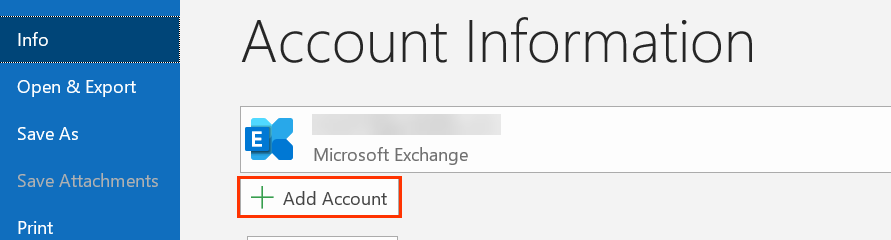
- Enter your Zoho Mail email address and click on the Connect button.
- Outlook will automatically configure your mail account.
- Then, enter your password and click on the OK button.
- Finally, select the Finish button.
2. Export Zoho Mail to PST
- Restart your Outlook application.
- Then go to File >> Open&Export >> Import/Export.
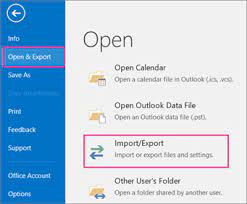
- Select Export to a file >> Outlook Data File.
- Select your Zoho Mail email id and click on the Next button.
- Browse the location to save data file and hit on the Finish button.
Done! Here you export Zoho email to PST file. Regardless, this manual approach has certain limitations.
Limitation of Manual Approach
- Configuring Outlook with Zoho Mail requires technical knowledge.
- If the Import Export option greyed out Outlook, then this method will not work.
- No assurance of data integrity or maintaining folder hierarchy.
- No email filters to export selective Zoho emails to PST file.
How to Export Zoho Email Folders to PST File?
SysConverter Email Backup Wizard is the solution for efficient and secure Zoho Mail to PST migration. There are various advanced filter options – to, from, cc, bc, name, date, time, has attachments, etc. You can also apply filters by categories – email, contacts, journals, calendars, notes, etc.
Additionally, using this tool you can also export Zoho emails to PDF, CSV, EML, MBOX and many other file formats. With its simple user interface, any novice user can perform the export process without any hassle. It also allows to migrate Zoho Mail to Gmail, Yahoo and many other webmail accounts. You can also access a free trial version of the software to evaluate how it operates.

Follow the Simple Steps to Export Zoho Email to PST File with Attachments-
- Launch this software on your system.
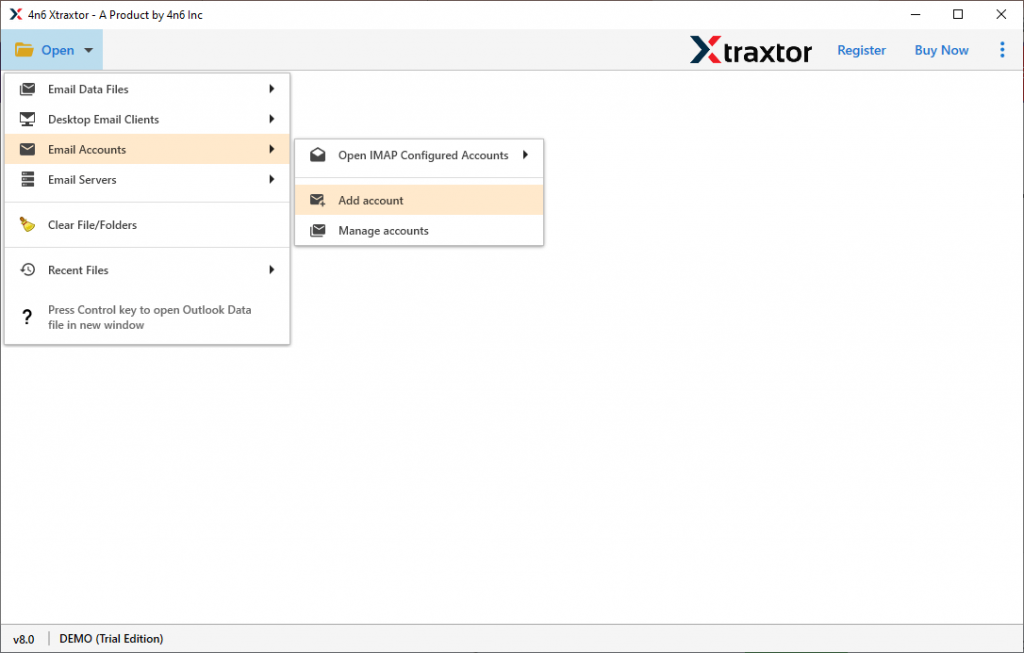
- Then, select Open >> Email Accounts >> Add Account.
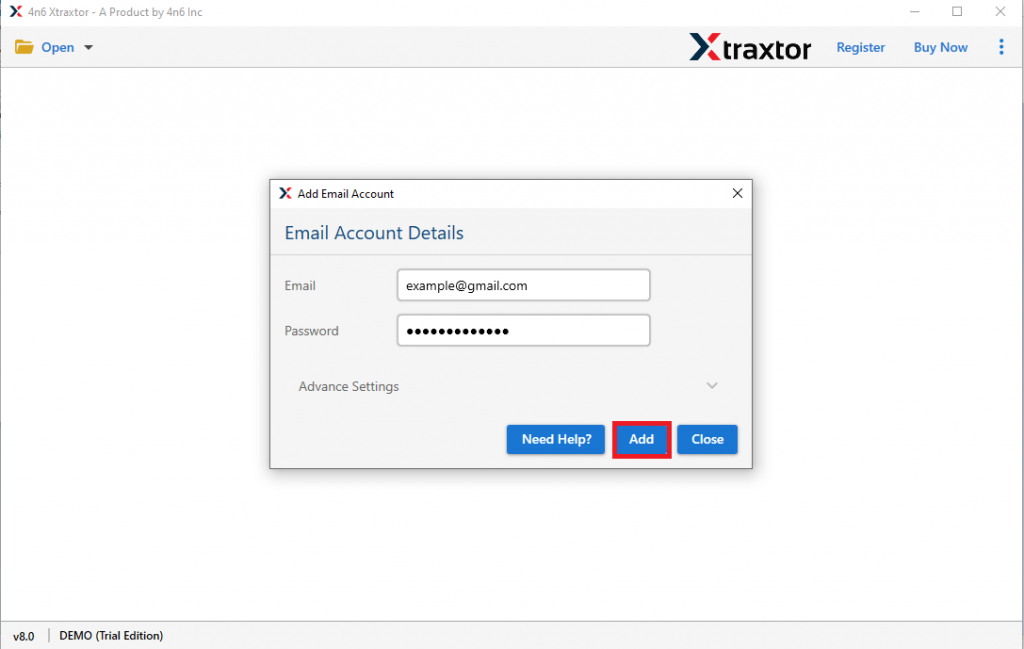
- Enter your Zoho Mail login details and hit the Add button.
- Here you can view your mailbox data before exporting them.
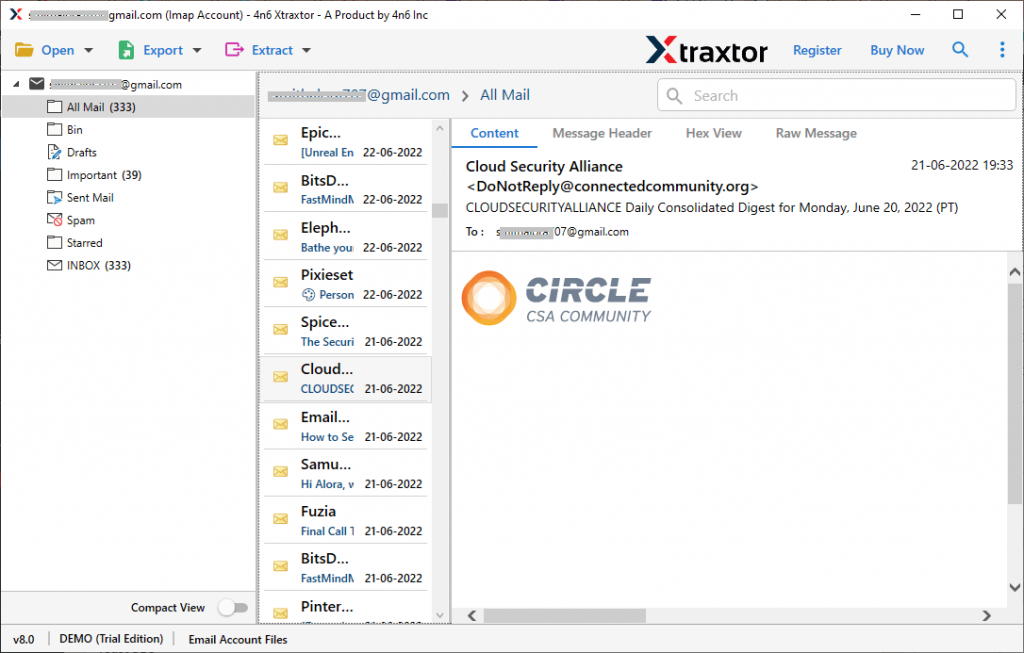
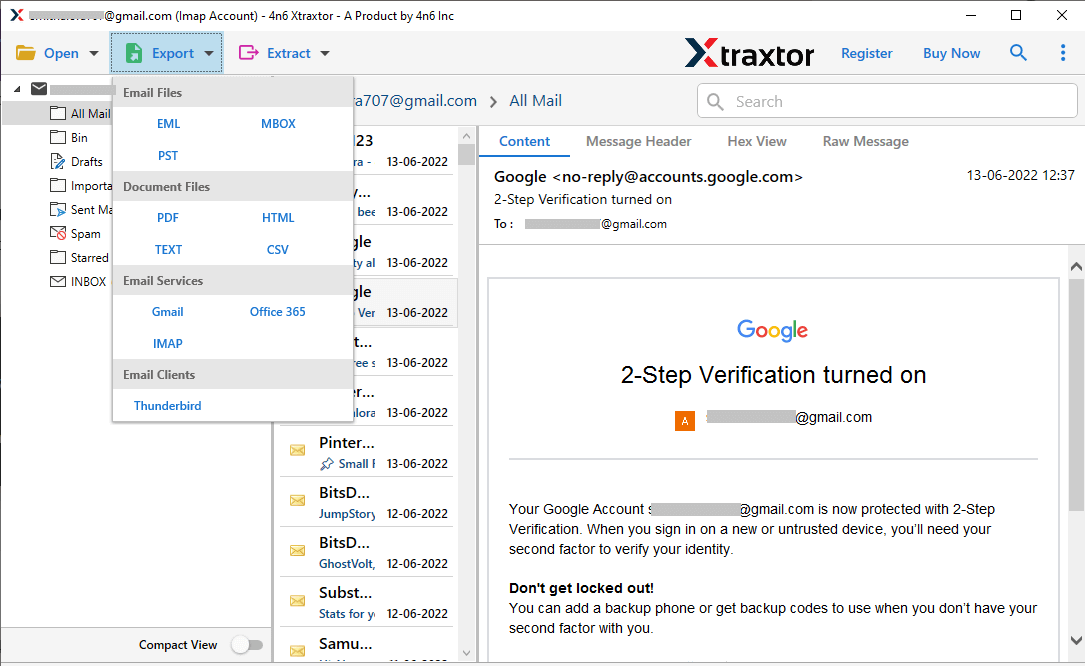
- Click on Export and choose the PST from the given option.
- Browse the targeted location and hit on the Save button.
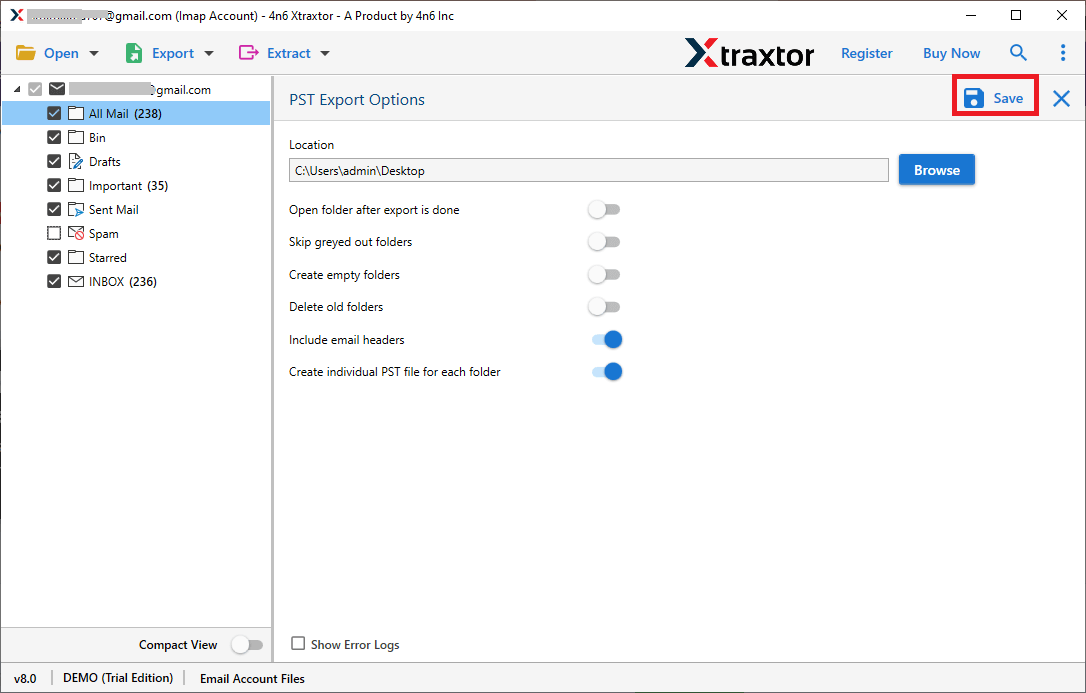
Done! Here you backup Zoho Mail to PST file in a few simple clicks.
Why Use Zoho Mail to PST Migration Tool?
There are various prominent features offered by this tool, some of them are-
- Directly export Zoho email to PST file at once without any data loss.
- Offer advance email filters – to, from, cc, bcc, name, date, time, etc.
- Maintain email folders and sub-folders hierarchy and structure while exporting data.
- Allow viewing emails while backup them in a PST file
- Preserve data integrity, email key elements and attributes.
- Allow to export selected email folders from Zoho Mail account to PST file.
- Export Zoho emails to MBOX, CSV, EML and all other file formats.
- Works on Windows 11, 10, 7, Vista, XP and all other previous OS versions.
- Simple and easy-to-use interface for both technical and non-technical users.
- Migrate Zoho Mail to Office 365, Yahoo Mail, Hotmail and all other webmail accounts.
- A free demo version of the software is available to analyze the complete export process.
Conclusion
Exporting Zoho email to PST format is a straightforward process with right approach. Here in this blog we mention two workable solutions to export Zoho Mail to PST file along with contacts, calendars and all other mailbox data. Try the given solution and perform Zoho Mail to PST migration without any hassle.