Are you looking for a secure way to export emails from Windows 10/11 Mail to PST format, then this blog is for you. Read the compleet blog and export Windows 11 Mail to PST format without any hassle.
In this digital era, email communication become an integral part of both individual and professional lives. Sometimes a situation can arise where there will be a need to transfer emails to another platform, in that case saving emails in a file format is the best bet. Therefore many of the users looking for a way to transfer Windows 10 Mail to PST format.
Reasons to Export Windows 11 Mail to PST Format?
There can be various reasons to export emails from Windows mail account depending on the user’s need. Some of the common reasons are –
- By creating a PST file users have a backup copy of Windows 10 Mail account data. Therefore it can be used in any emergency.
- If the user wishes to migrate to Outlook, then the PST file is teh ideal one. Since .pst can easily open in it.
- PST file enable users to access their archived emails after changing the email client.
Manually Transfer Windows 11 Mail to PST Format?
To manually move your emails, first, you need to add your Mail account to your Outlook profile. After that, follow the given instructions –
- Open your Outlook profile and add your Windows 11 Mail account to Outlook interface.
- Then, navigate to File >> Open&Export >> Import/Export.
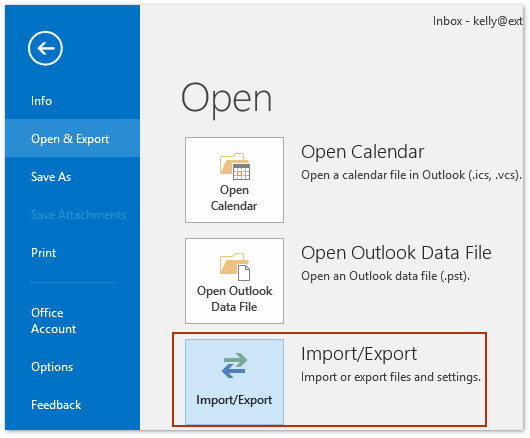
- Choose Export to a file and select Outlook Data File (.pst). Then click on the Next button.
- Select the mailbox you want to export.
- Browse the targeted location and hit the Finish button.
Done! Here you export Windows 11 Mail to PST format manually. However, there are few drawbacks with this approach.
Limitations Of Manual Approach
- Required technical knowledge to configure Outlook with Windows 11 Mail account.
- If your Outlook import/export greyed Out then this method will not work.
- No filter option to export selective emails.
- High chances of data loss while saving emails.
How to Export Windows 10/11 Mail to PST Instantly?
Try the Email Backup tool and save emails from Windows 11 Mail account to PST file with ease. With its advanced capabilities, especially with selective export, email filters, preserve data integrity and many other features. With its reliable approach, you cna perform the export process without any data loss. It will directly transfer emails from the mail account in a few simple clicks.
Using this tool, you can also export Windows 10 Mail to different file formats as well. With this software, there are various email filters – to, from, cc, bcc, name, date, time, etc. One can also use the demo version of teh software to know the complete workings of the software.

Follow the steps to Export Microsoft Mail to PST Format –
- Launch the software on your Windows system.
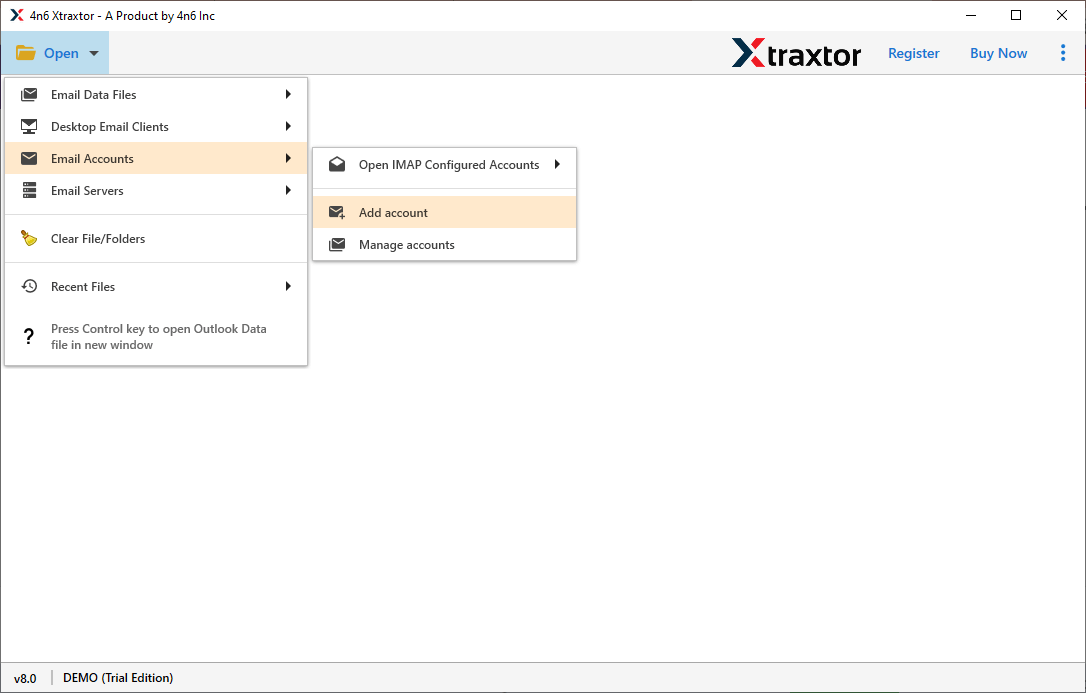
- After that, select Open >> Email Account >> Add Account.
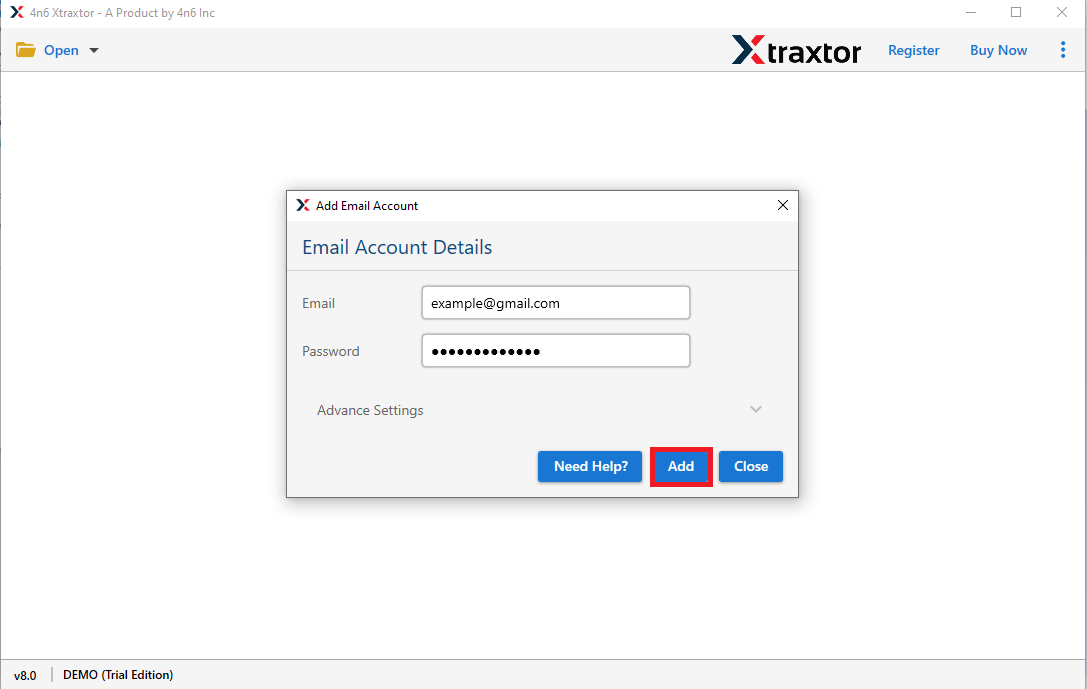
- Enter your Windows 11 Mail login details and hit the Add button.
- Here you can view your emails before exporting them.
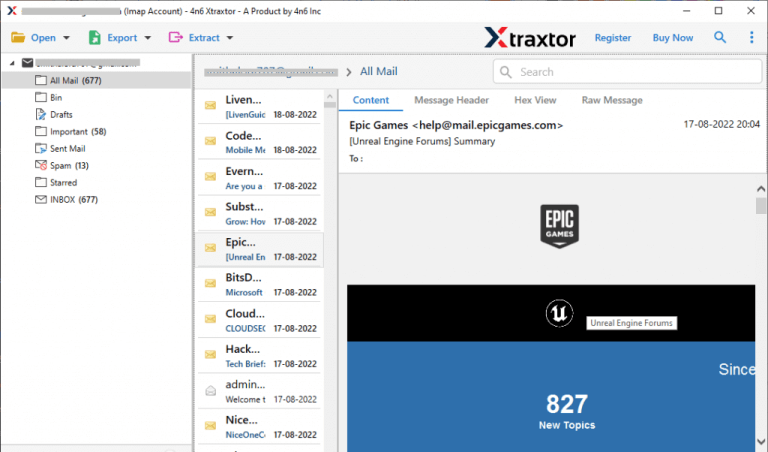
- Click on Export and choose the PST option.
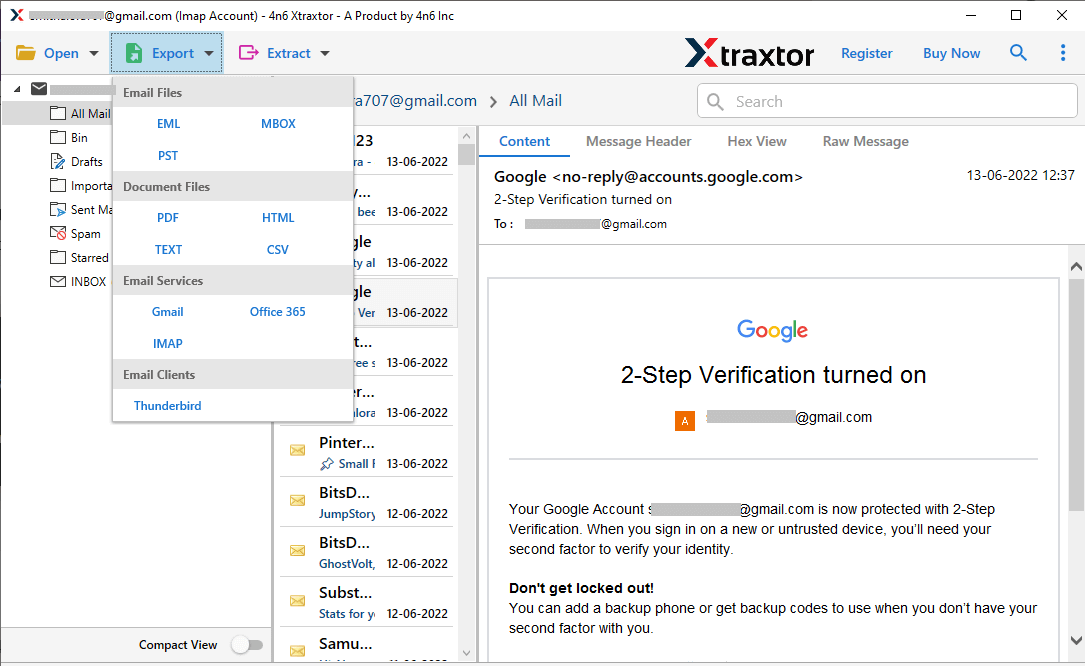
- Select the email folders you want to transfer.
- Browse the location to save the exported data file and hit the Save button.
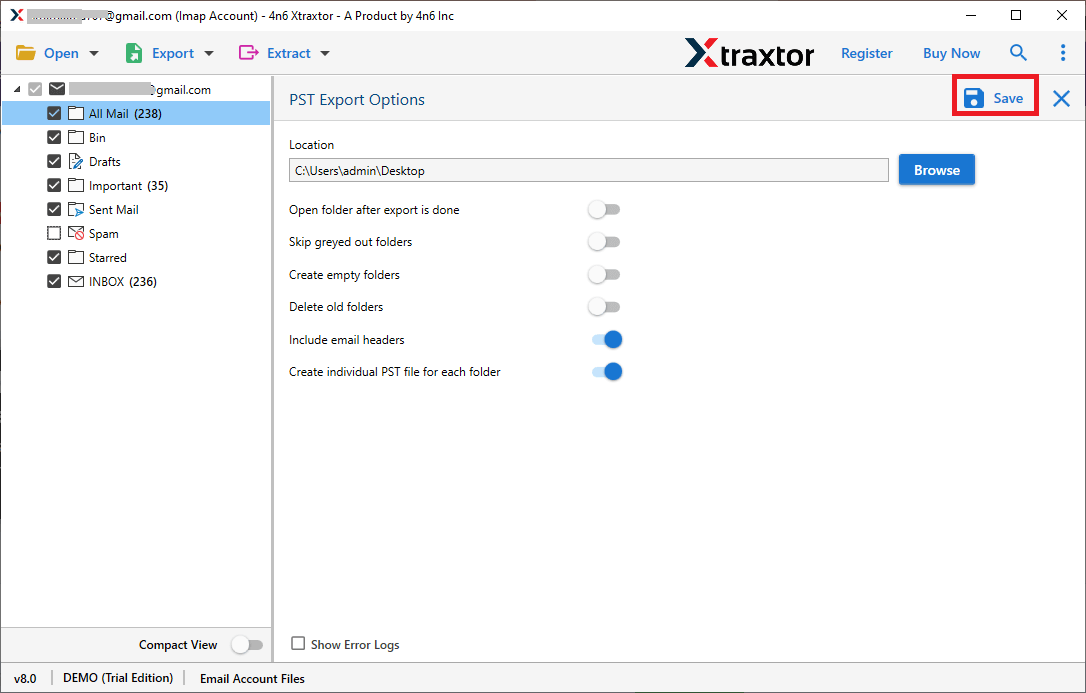
Done! Here complete the export process in a few simple clicks without any hassle.
Why Use SysConverter Software?
There are various prominent features offered by this tool, some of them are –
- Export emails directly from your mail account in a few clicks.
- Allow to export Windows 11 Mail to MBOX, PDF, CSV, EML and other file formats.
- Preserve email folder and sub-folder hierarchy and structure.
- Retain email key elements and attributes.
- Advance filter options – to, from, cc, bcc, name, date, time, etc.
- Allow to migrate Windows 11 Mail account data to various webmail accounts.
- Simple user interface for both technical and non-technical users.
Conclusion
In this article, we explore two effective methods to export Windows 10 Mail to PST format, including attachments. You have the option to employ the manual approach for this task. However, it’s important to note that the manual technique has its limitations. Consequently, we suggest considering an automated approach for a more secure and optimal export process.