Summary: Here in this blog we discuss “Can Evolution Mail export to PST?” This blog is all about the best and most secure way to export Mail from Evolution to Outlook PST file. Read the complete blog and perform teh export process without any hassle.
Evolution is a popular email client for Linux systems. It offers a feature-rich environment for managing emails, calendars and contacts. However, when a user switches from Linux to Windows system and prefers Outlook, then they want to export emails from Evolution to Outlook. In that case, you need to save your mailbox data into a PST file.
Hello there! Can anyone please guide me through the complete process of exporting Evolution emails to Outlook PST file? Since I am switching from a Linux system to Windows and want my complete email data. Please tell me the complete process to Export Mail from Evolution to Outlook.
Why Need to Export Evolution Emails to Outlook?
Exporting Evolution emails to Outlook mainly depends on the user’s preference. Some of the common reasons for the export are –
- If you are moving from a Linux system to Windows, then Outlook is the preferred email client.
- Outlook is the widely used email client in a corporate environment. That can be the reason why users want to export Evolution Mail to Outlook PST format.
- With Outlook there are robust set of features for email management.
- After transferring Evolution emails to Outlook, you can easily migrate the data to different mailing platforms.
- Moreover, with Outlook you can use other applications integrated with Microsoft Office.
How to Export Mail from Evolution to Outlook PST?
To migrate Evolution emails to Outlook, firstly you need to export mailbox data into a .mbox file and then convert the data file into PST format. Then you can easily import the PST file into Outlook. For the conversion you will need a MBOX Converter tool since there is no manual way to complete the process.
SysConverter for MBOX is the secure way to convert MBOX to PST without any data loss. With this tool, there are various advance features including – selective email export, advanced filters, preserve data integrity, maintain folder hierarchy, etc. Moreover, if your data file is corrupted, then it will repair Outlook PST file without any hassle. You can use the demo version of the software and know its complete working.

Follow the steps to Export Evolution Emails to Outlook PST with Attachments –
Step 1. Export Evolution Mail to MBOX File
- Open your Evolution email client
- After that, go to the mailbox folders to view the email list.
- Then, click on Edit and choose the Select All option.
- Now, click on File and select Save as MBOX.
- Browse the location to save the exported data file.
Step 2: Export MBOX Emails to Outlook PST File
- Launch the SysConverter for MBOX software on your system.
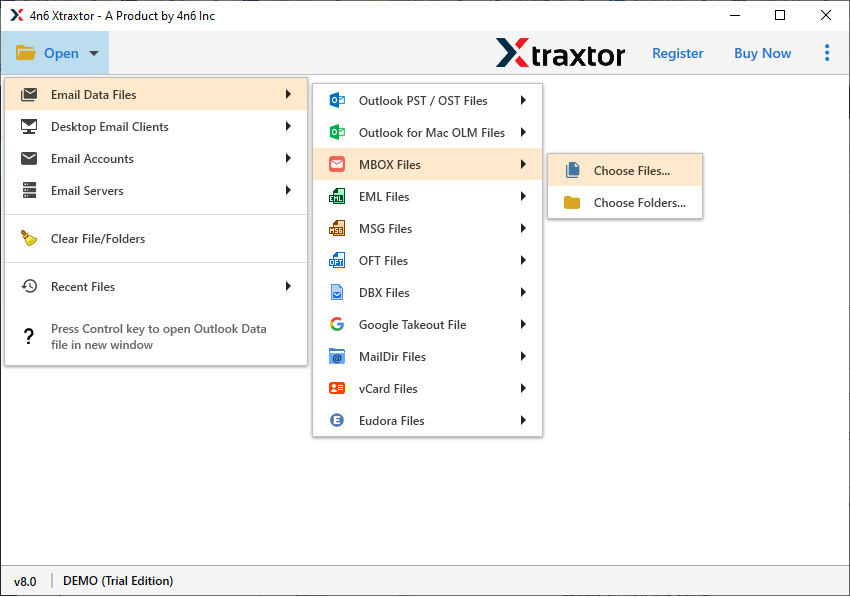
- Select Open >> Email Data File >> MBOX File >> Select File or Folders.
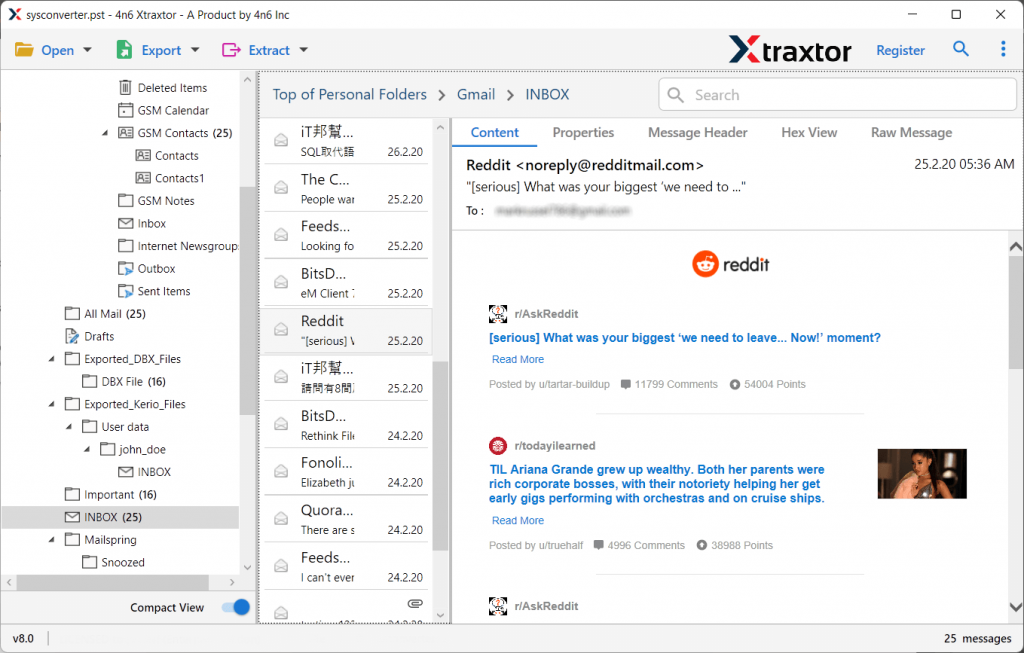
- Here you can view your mailbox data before exporting them.
- Click on Export and choose the PST option.

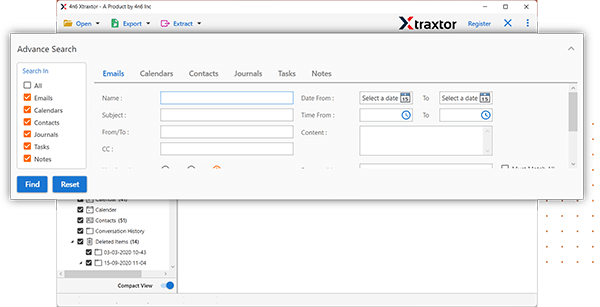
- Apply the filters to convert selective emails.
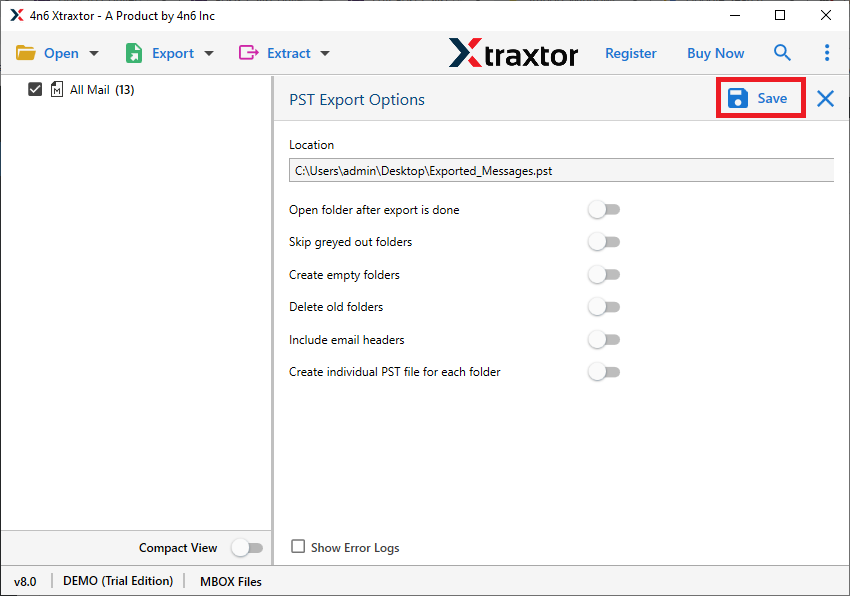
- Select the email folders you want to export.

- Browse the targeted location and hit on the Save button.
- Now, using the Outlook Import/Export tool, import the PST file.
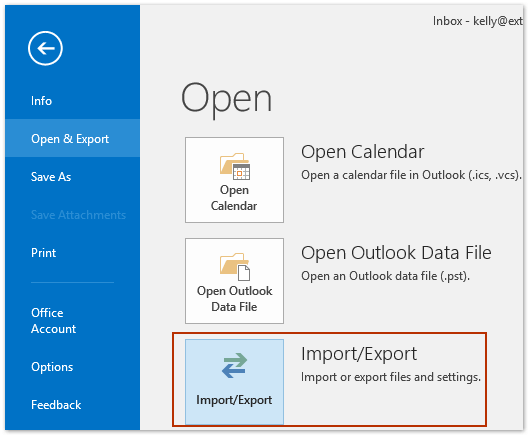
Done! Here you export mail from Evolution to Outlook PST without any hassle.
Prominent Features of SysConverter
- It allows to export Evolution emails to Outlook PST without any hassle.
- Using this tool, you can also import Evolution mail to different webmail accounts.
- Maintain email folder and sub-folder hierarchy and structure.
- It also convert MBOX to PDF, CSV, EML and other file formats.
- Allow to export selective email folders to Outlook PST as well.
- Works on Windows 11, 10, 7, Vista, XP and all other previous OS versions.
- Preserve data integrity and email key elements while exporting.
- A free demo version of teh software is available to know its working process.
Conclusion
Exporting emails from Evolution to Outlook PST is not a complex process with the right approach. Here in this blog, we mention a secure and efficient way to export mail from Evolution to Outlook PST in a few simple clicks. If you are among those who are switching from Linux system to Windows with Outlook, then you can try the approach mention in this post. By following these steps you can complete the exporting in a few simple clicks.