Overview: Are you a Thunderbird user and want to convert Thunderbird emails to MBOX format? If your answer is yes, then this article is for you. Today, in this blog post, we will learn two different ways to save Thunderbird emails in .mbox format.
Mozilla Thunderbird is a free and open-source desktop-based application that is capable enough to manage emails with efficiency. This email client saves all its mailbox data in an MBOX file format. This file format is widely used by many email clients such as Entourage, Apple Mail, SeaMonkey, Eudora, Spicebird, etc. Many users don’t know that they can export Thunderbird emails to MBOX format with ease.
Saving Thunderbird emails is something users need to do on a regular basis. In this way, you can protect your important data from corruption and virus attacks. If your computer suddenly gets damaged, there is a high possibility of data loss. To avoid such a situation you can convert Thunderbird emails to MBOX file format, you can easily access these emails.
How to Export Thunderbird Emails to MBOX File
There are several methods to easily save emails from Thunderbird to .mbox format. Here we will discuss two methods – manual and automated solutions. Let’s review how these approaches transfer mailbox data to a .mbox file.
Method 1: Manually Convert Thunderbird Emails to MBOX Format
Before we proceed further, you should know Thunderbird doesn’t have any inbuilt tool to export its emails in MBOX format. Hence you need to install an Add-on named as ImportExport Tool in your mailbox. It is a free plugin and can be installed very easily.
Steps to export Thunderbird to MBOX format
Follow the given instructions to save Thunderbird emails in a .mbox file using this add-on.
Step 1. Open Thunderbird and click on the gear button at the top right corner of the interface. Click on Add Ons.

Step 2. A new window will open, in the search bar type ImportExportTool NG.

Step 3. In the new Widow click on the “Add to Thunderbird” option in front of this tool.

Step 4. After successfully adding this tool, Right-Click on the folder you want to export.
Step 5. Here click on ImportExportTool >> Export Folder.

Step 6. Select the location to save the exported file.

Step 7. Now search the recently converted file at its saved location. Right-click on it and add its extension as .mbox.

Here you convert Thunderbird emails to MBOX with attachments. However, this method is not 100% reliable, it may lead to data loss and modification. For best and instant conversion read the next section of this write-up.
Method 2: Professional Approach to Export Thunderbird Emails to MBOX
Thunderbird Converter is an efficient and safe tool to convert Thunderbird to MBOX without compromising data integrity. This tool allows users to save mailbox data directly from configured email clients in .mbox format. If you want to convert selected Thunderbird emails, then this tool also provides a filter option to avoid unwanted conversions.
Furthermore, you can also use this tool and transfer emails from Thunderbird to Outlook, Windows Live Mail, Mailbord and many other desktop application. With its simple user interface, it is easy for anyone to convert Thunderbird emails to MBOX file in a few simple clicks. At the same time, this also converts Thunderbird emails to PST, PDF, CSV, HTML and other file formats in a single interface. Let’s check the working of this utility.

Steps to Save Thunderbird Emails in MBOX format
Follow the below-mentioned instruction for Thunderbird to MBOX conversion in a single attempt.
Step 1. Install and run ther SysConverter for Thunderbird software on your Windows OS.
Step 2. Click on the Open button to start the conversion process.
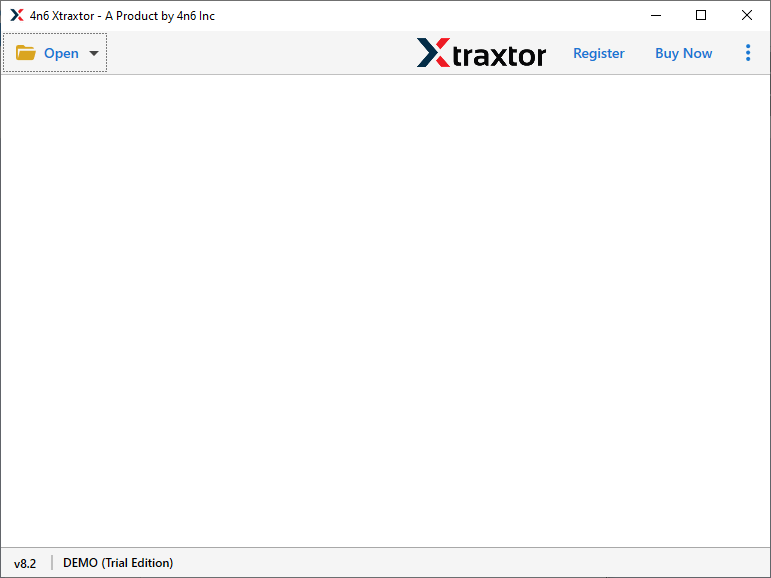
Step 3. After that, Desktop Email Client >> Thunderbird Account >> Open Thunderbird Configured Account.

Step 4. This tool scans your mailbox data and you can view it on its interface.

Step 5. Here click on the Export button and choose MBOX as a saving option.

Step 6. In the last step, browse the destination location and click on the Save button.

Here you successfully convert Thunderbird emails to MBOX format using this automated tool. However this tool has outstanding qualities, some of them are mentioned here.
Why Use This Thunderbird to MBOX Conversion Automation Tool?
- Export Thunderbird emails in a different format
This software offers multiple options to save Thunderbird emails in a single interface. This tool allows users to export emails from Thunderbird to MBOX and as well as you can easily convert Thunderbird emails to PDF, CSV, HTML, PST and other file formats. - Selective email conversion
This automated tool allows the user to perform selective Thunderbird email conversion. If you don’t want to export entire mailbox data, then this tool gives option to select a email folder that is important and need to convert into MBOX format. - Various Filter Options
With this tool there are various filter options that help for specific email conversions. t has a built-in filter option that helps users to avoid unwanted email conversions. It comes with filter options for a date range, to, from, subject, etc. - Preserve mailbox folder hierarchy
While exporting Thunderbird emails to MBOX format with this software, you can rest assured that you will get an exact copy of your mailbox structure. This utility ensures that the mailbox structure hierarchy is preserved and key email elements and attributes are preserved. - Supports Windows operating system
This Thunderbird Converter is compatible with all Windows OS versions. You can run this software on Windows 11, 10, 8, Vista and all previous versions without any glitches.
Conclusion
Here in this article, we will learn two methods to export Thunderbird emails to MBOX. However, the manual method has certain limitations as you need to install a plugin to perform this operation. In addition, you can only save limited emails from mailbox data. If you want to convert Thunderbird emails to MBOX in bulk, it is recommended to use Thunderbird Converter and save mailbox data to .mbox and other file formats.
You Can Also Read: How to Convert Thunderbird Emails to CSV Format?