This blog discusses the secure and efficient way to transfer email from GoDaddy to Bluehost account. Trad teh complete blog and migrate GoDaddy emails to Bluehost mailbox with attachments.
Transferring emails from one mail account to another is a common practice nowadays. However, this decision must be wise especially when you trying to transfer emails from one hosting provider to another one. Here in this blog, we will discuss one such solution where a user wants to transfer email from GoDaddy to Bluehost account without any data loss.
GoDaddy is the domain and web hosting provider that offers email service. Sometimes users want to switch from one hosting provider to another along with their complete database. However, to migrate GoDaddy emails to Bluehost is not a simple process to perform when your important data is at stake. Therefore, it requires a secure and error-free approach. Here in this post, we discuss one such solution to export GoDaddy mailbox data to Bluehost account.
Why Need to Transfer Email from GoDaddy to Bluehost Account?
Migrating emails from GoDaddy to Bluehost is required depending on various reasons. Some of them are –
- If you are using different hosting and want to consolidate them along with emails.
- Bluehost offers advance security features and a strong spam filter option.
- It provides competitive pricing for email hosting in comparison to GoDaddy.
- Bluehost offers different hosting plans with more generous storage space as compared to GoDaddy.
How to Migrate GoDaddy Emails to Bluehost Account?
To transfer emails from GoDaddy account to Bluehost mailbox, use SysConverter Email Backup Wizard on your system. Using this tool, you can directly transfer your emails from GoDaddy mailbox to Bluehost along with attachments. There are various email filters (to, from, cc, bcc, name, date, etc.) for selective email migration.
Along with that, you can also download emails from GoDaddy to hard drive with attachments. With its simple and user-friendly interface for both technical and non-technical users. A free demo version of the software is also available to know its complete working process.

Follow the Steps to Transfer Email from GoDaddy to Bluehost Mailbox with Attachments –
- Launch the SysConverter Email Backup Wizard on your system.
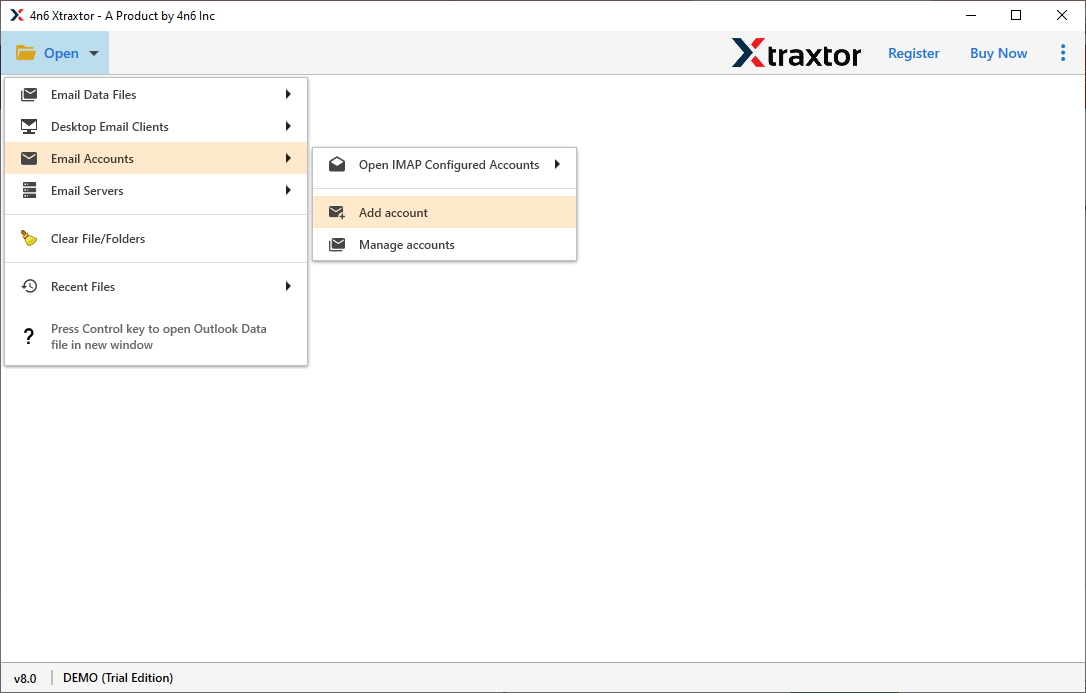
- After that, select Open >> Email Accounts >> Add Account.
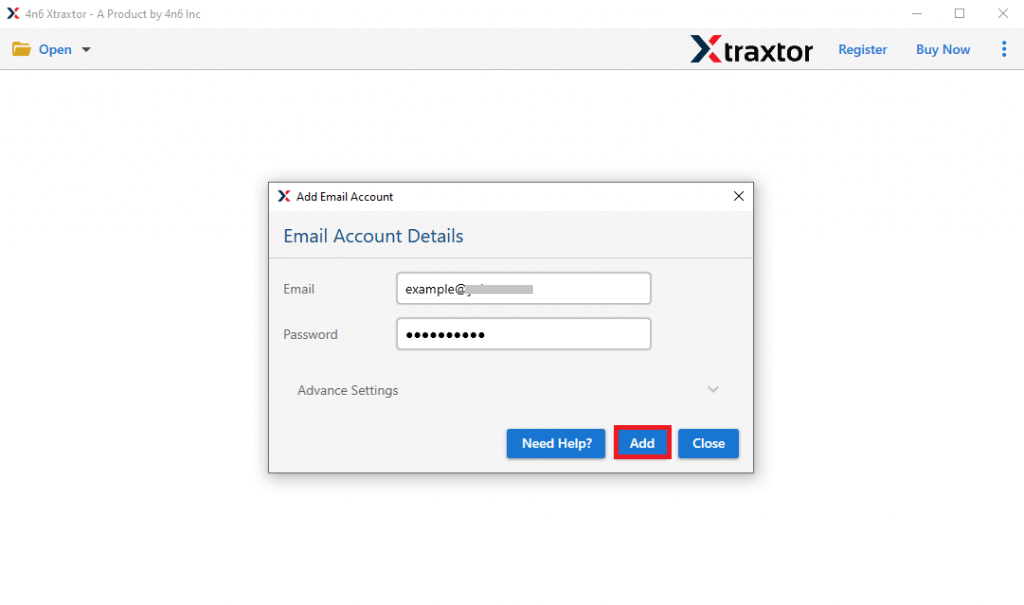
- Enter your GoDaddy email login details and hit on the Add button.
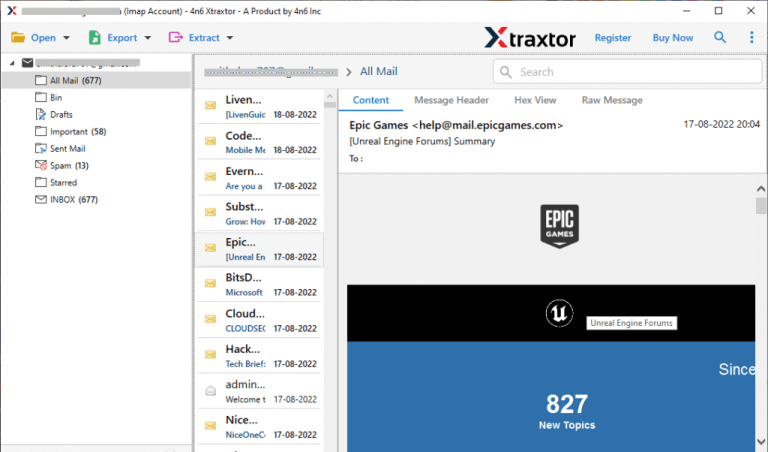
- Here you can view your emails before migrating them.
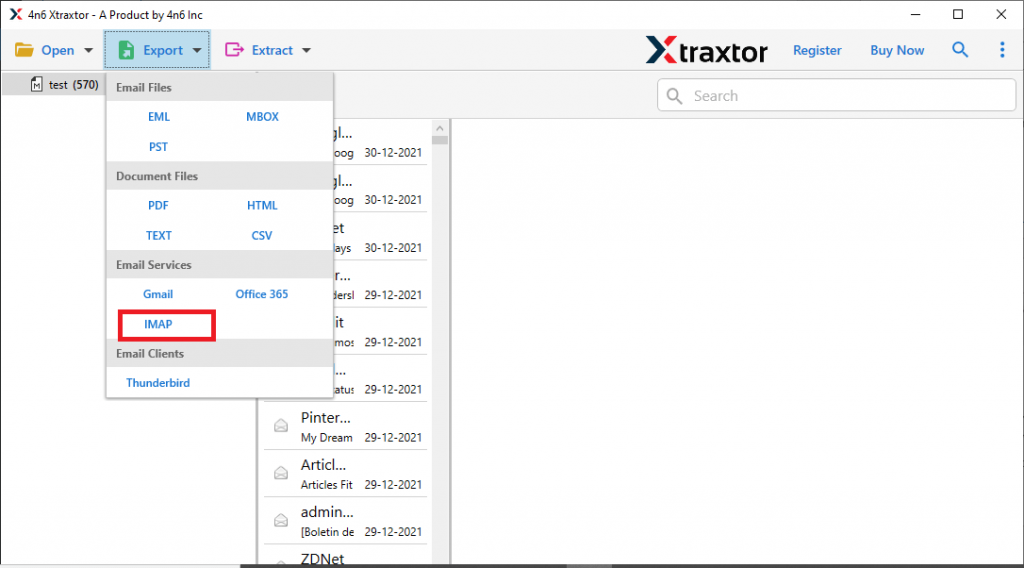
- Now click on Export and choose the IMAP option.
- Enter your Bluehost login details and hit on the Save button.
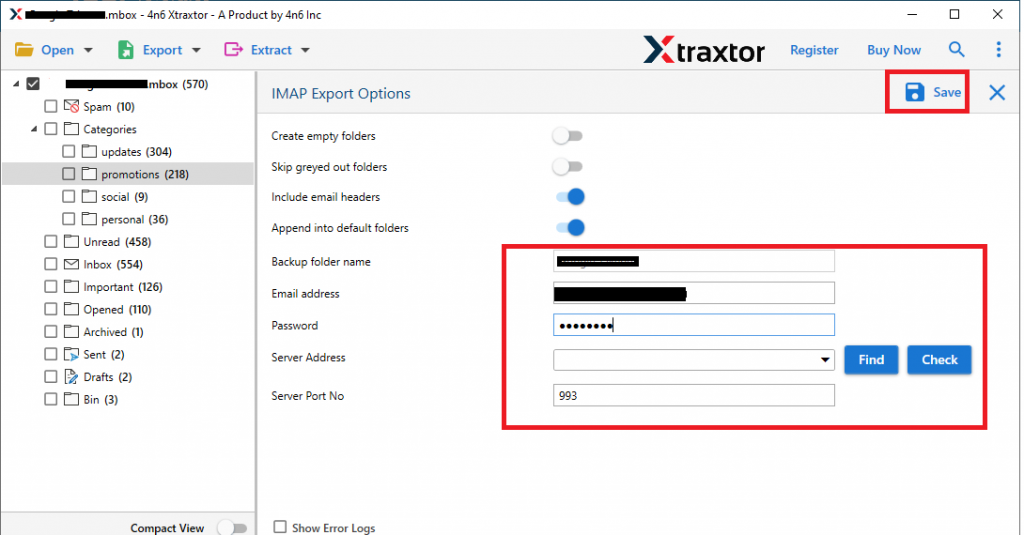
Done! Here you transfer GoDaddy emails to Bluehost account in a few simple clicks.
Why Use Direct Approach to Migrate GoDaddy to Bluehost?
It is best to rely on the expert solution to transfer emails from GoDaddy to Blusehost mailbox. Some of the prominent features of the software are –
- Directly migrate emails from GoDaddy to Bluehost mailbox without any data loss.
- Maintain email folder and sub-folder hierarchy and structure.
- Allow to export Godaddy emails to PST, PDF, CSV, EML and many other file formats.
- Advance filter options – to, from, cc, bcc, name, date, time, etc.
- Using this tool you can also transfer GoDaddy emails to Office 365, Gmail, Yahoo and many other webmail accounts.
- Simple and user-friendly interface for easy and efficient email migration.
- Works on Windows 11, 10, 7, Vista, XP and all other OS versions.
- Preserve email key elements and attributes along with data integrity.
- A free trial version of the software to know the complete working process.
Both GoDaddy and Bluehost offer email hosting service that includes custom email addresses, advanced security and many other features. It depends on the users which they want for their hosting. In the same way, there can be various reasons why users need to transfer email from GoDaddy to Bluehost. To make the migration process simple we discuss the step-by-step guide along with the proper screenshot, You can try the solution and transfer your mailbox data.