Summary: In this blog, we will discuss the step-by-step process to export Outlook Calendar to Google Calendar without any hassle.
In this digital age, calendars play an important role in saving important events and appointments. There are many users who rely on different applications to stay organized. Switching between them sometimes can be confusing and affect your working flow. In that case, it is best to save your all calendar data in one place. If you are looking for a way to convert Outlook Calendar to Google Calendar, then this blog is for you. Read the complete blog and migrate your calendar data without any hassle.
Why Need to Move Outlook Calendar to Google Calendar?
There are various benefits of using Google Calendar for organizing appointments, important dates, etc. Some of the common reasons for migrating calendar data from Outlook to Google Calendar –
- Google Calendars can be accessed on different devices that are connected to the internet. Thus you can manage your calendar data from different devices will be flexible and convenient.
- You can share your Google calendar with your colleagues, friends or family with ease.
- It is easy to backup your calendar data so that you can avoid uncertain situations.
- With its user-friendly interface, it is easy to use for those who are new to this platform.
- Google Calendar is a free service that comes with your Gmail account.
- Google Calendar also offers advanced features like goals, smart scheduling, event attachments, etc.
How to export Outlook Calendar to Google Calendar? Firstly download all your Outlook calendar data to your system. After that, in Google Calendar, import the exported data file using the Import tool.
Let’s move ahead and discuss the best possible ways to perform the migration process without any hassle.
Method 1: How to Import Outlook Calendar to Google Calendar?
- First, open your Outlook application on your system.
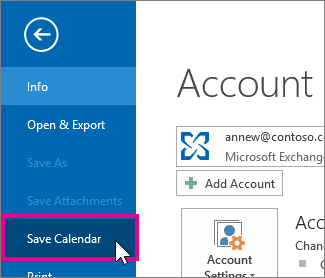
- Then, click on File >> Save Calendar.
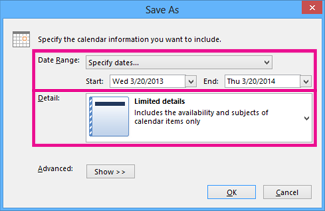
- Select the date range and click on the OK button.
- Then, login to your Gmail account using your credentials.
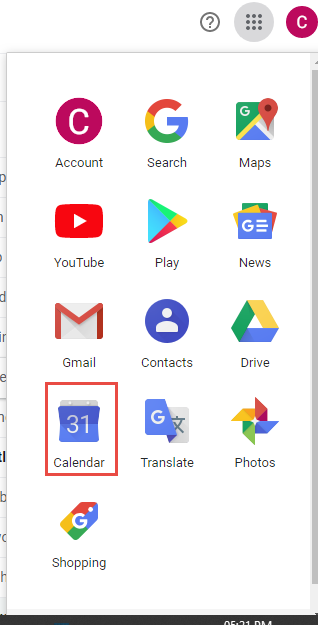
- After that, click on the Menu button on the top right corner of the screen and choose the Calendar option.
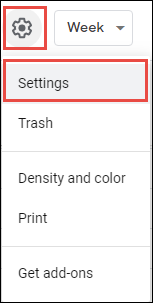
- Then select the Setting option after clicking on the Gear icon.
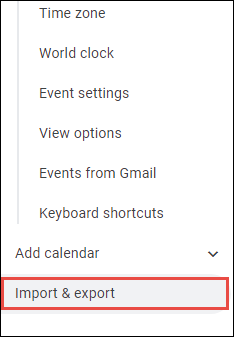
- A new menu will open, select the Import&Export option from it.
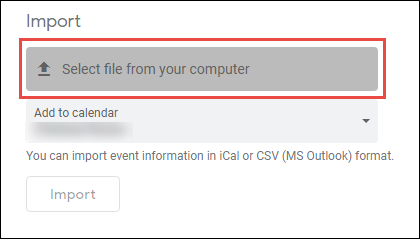
- Click on Select file from your computer and browse the exported file from your Outlook application.
Here you manually export Outlook Calendar to Google Calendar. However, there can be some limitations to this approach. There is no option to export selective calendar data from Outlook to Google Calendar. Moreover, there are chances of data loss while performing the migration process.
Method 2: How to Convert Outlook Calendar to Google Calendar Instantly?
Using Outlook Converter you can swiftly save Outlook Calendar data to Google Calendar in a few simple clicks. With this automated tool, there are various filter options including to, from, cc, bcc, name, date, etc to export selective calendar data. With its simple user interface both technical and non-technical users can perform the migration without any hassle.
Additionally, using this tool you can also export Outlook emails to Gmail and many other webmail accounts. It also offers some other efficient features – preserve data integrity, maintain hierarchy, etc. Moreover, it will automatically detect your Outlook profile and directly transfer it to your Google account with ease. You can also try the demo version of teh software to know the working of the software.

Follow the Simple Steps to Export Outlook Calendar to Google Calendar-
- Launch the SysConverter for Outlook software on your system.
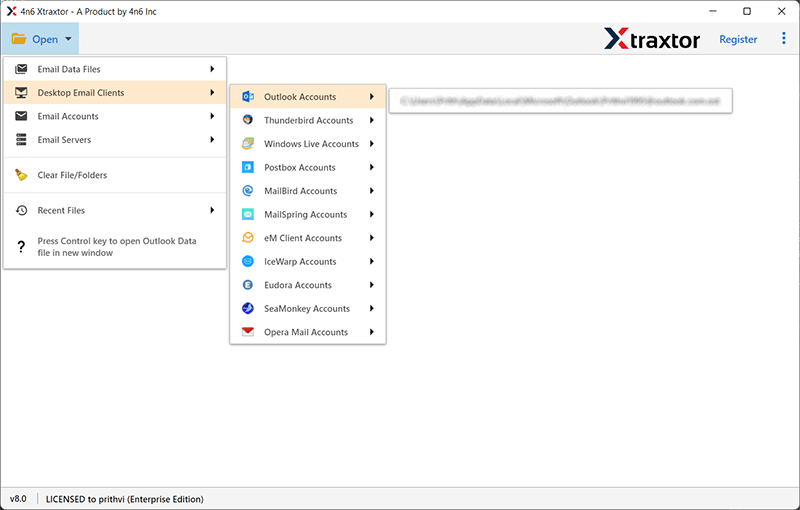
- Then, select Open >> Desktop Email Client >> Outlook Account >> Configured Outlook Account.
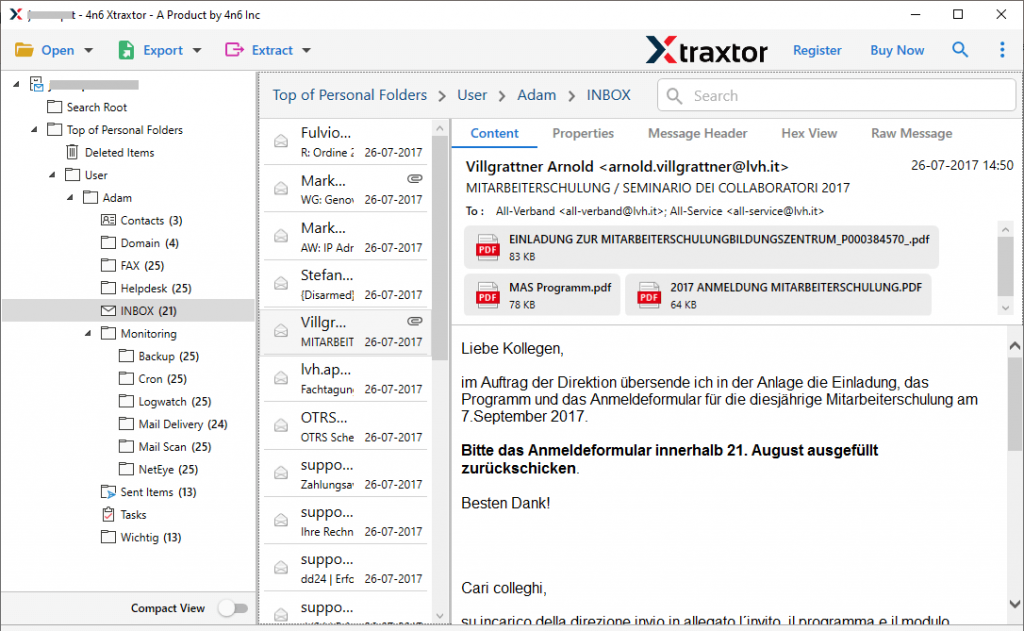
- Here you can view your mailbox data before exporting them.
- Click on Export and choose Gmail from the given options.
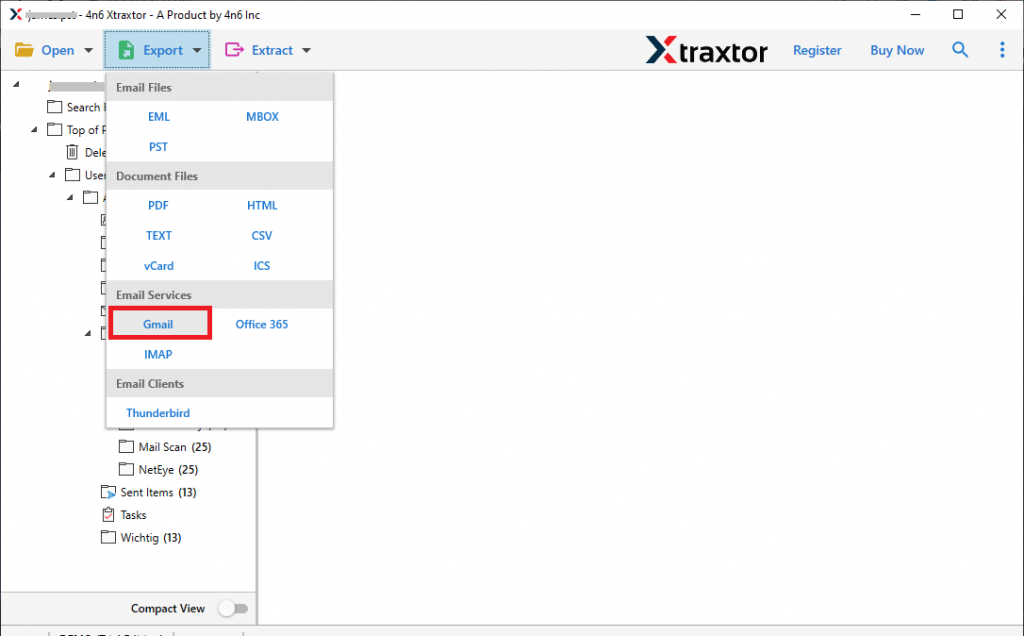
- Here select the calendar folder to export to Google Calendar.
- Enter your Gmail login details and hit on the Save button.
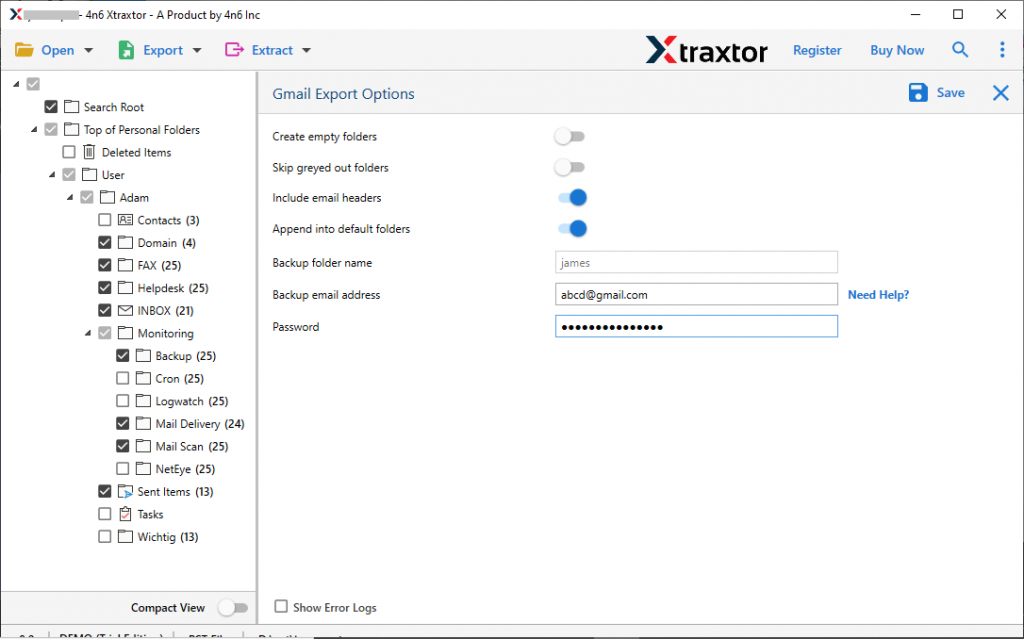
Done! Here you export Outlook Calendar to Google Calendar in a few simple clicks.
Why Use SyConverter Over Manual Solution?
There are various prominent features offered by this tool, soem of them are –
- It will instantly save Outlook Calendar to Google Calendar without any hassle.
- Support Outlook 2021, 2019, 2016 and all other editions.
- Advance filter options for selective migration.
- You can also export Outlook emails to PDF, CSV, EML and many other file formats.
- Automatically detect your Outlook profile and export its data in a few clicks.
- Compatible with Windows 11, 10, 7, Vist and all other versions.
- Simple user interface that can easily operated by novice users.
- A free demo version of the software to analyse its working.
Conclusion
In this blog, we discuss the different approaches to export Outlook Calendar to Google Calendar with ease. You can either manually export the calendar data or use the automated tool for that. Here we mention both the solutions, know you decide which one is best for you.