Most users nowadays, switch their mailing platform, thus migrating their mailbox data. Now the question arises – Is there any manual solution to migrate Gmail to Zoho Mail?
The answer is No, there is no manual solution for Gmail to Zoho Mail migration. However, you can use a third-party solution to move emails from Gmail to Zoho Mail account.
Let’s know the process of importing Gmail mailbox data to Zoho Mail without any data loss.
How to Migrate Gmail Emails to Zoho Mail?
Downlaod SysConverter Gmail Backup Tool on your Windows system. Using this software you can import Gmail to Zoho Mail account in a few simple clicks. With this automated tool, many advanced filter options allow you to migrate selective emails from your Gmail account.
Download the trial version of the software and know the migration process.

Steps to Migrate Gmail to Zoho Mail
Step 1. Install and launch the software on your system.
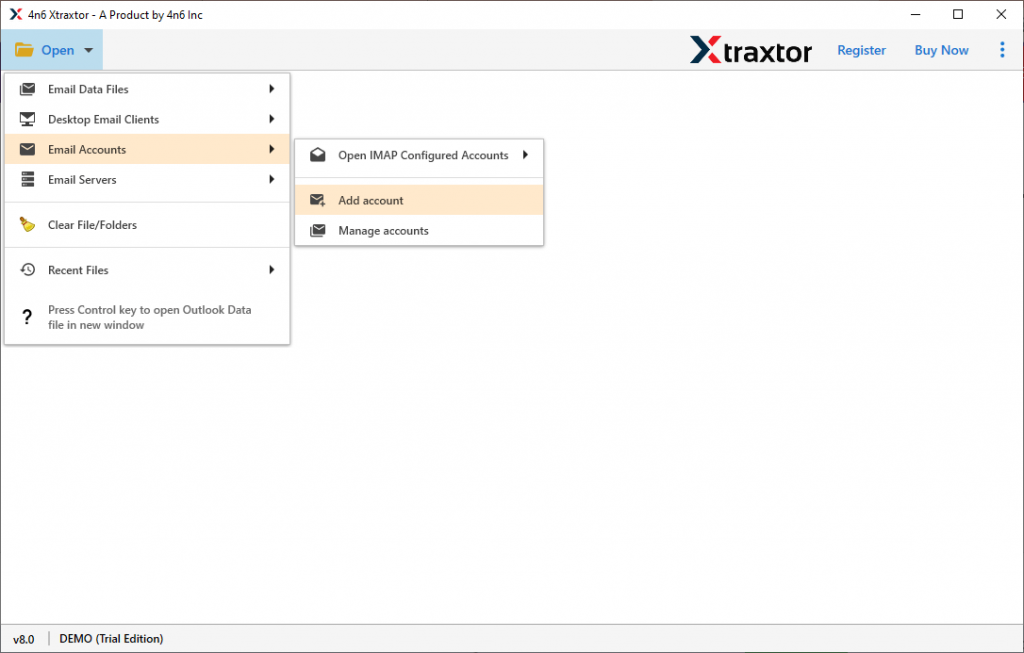
Step 2. Select Open >> Email Accounts >> Add Account.
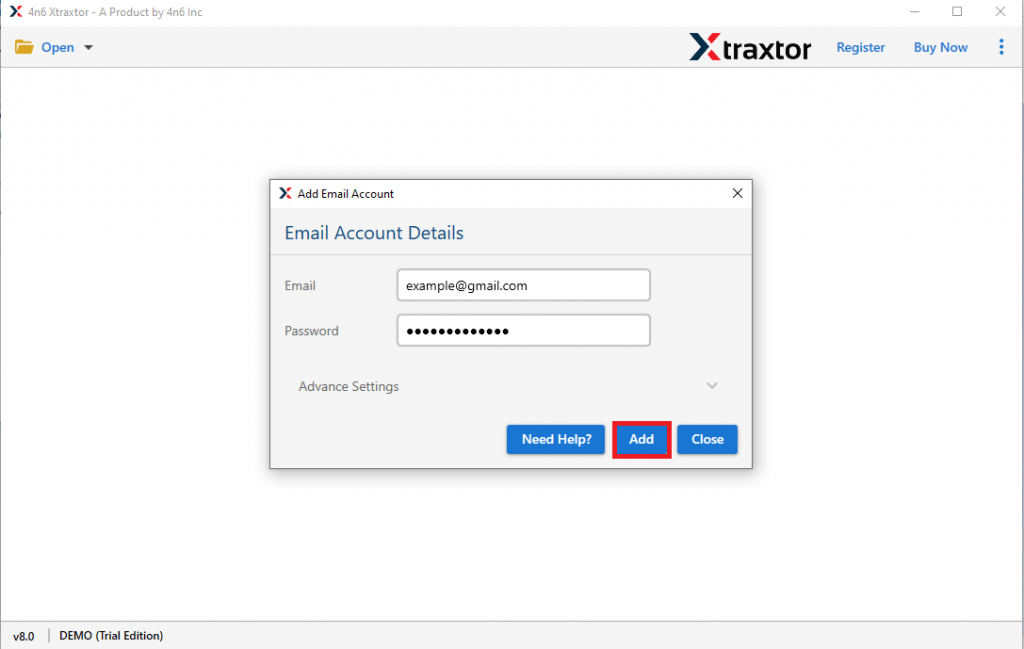
Step 3. Enter your Gmail login details and click on the Add button.
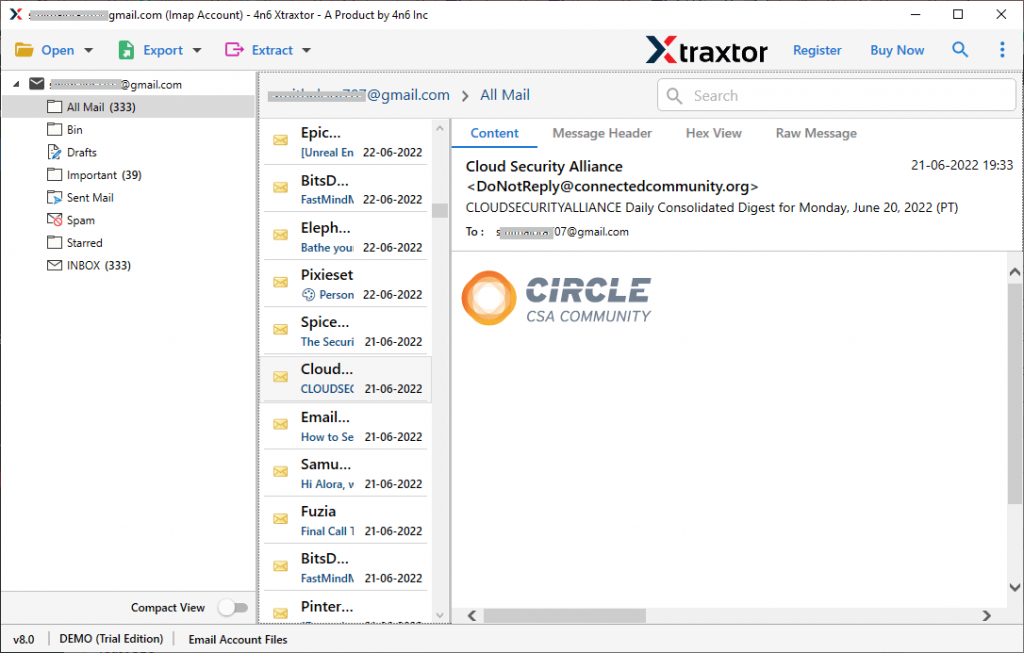
Step 4. Now you can view all your Gmail emails in the software interface.
Step 5. Click on Export and choose the IMAP option.

Step 6. Here you can select the email folders if you want to migrate a specific folder.
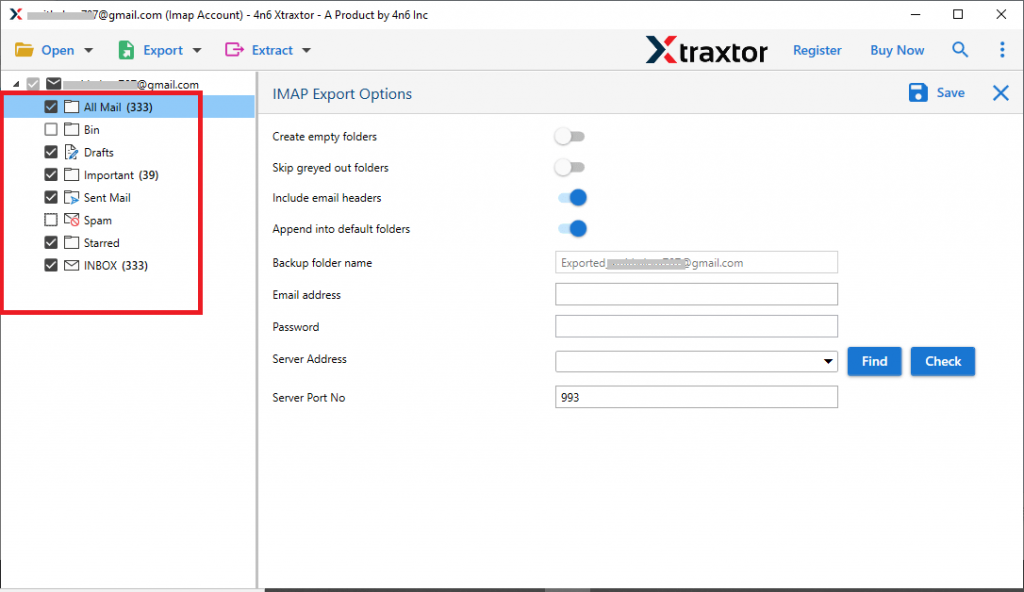
Step 7. At last, enter your Zoho Mail login details and hit on the Save button.

All Done! Here you migrate Gmail to Zoho Mail with complete mailbox data.
Why Use Gmail to Zoho Mail Migration Tool?
There are various benefits of using this migration software, some of them mention below –
- Preserve Email Attributes: While migrating Gmail emails to Zoho Mail using an automated tool, then there will be no alteration to your email attributes. It will preserve email key elements such as – to, from, cc, bcc, subject, content, inline image, hyperlinks, attachments, etc.
- Transfer Gmail Emails to Cloud Servers: With this Gmail to Zoho Migration tool, you can import mailbox data to other webmail accounts as well. It will efficiently migrate Gmail to Yahoo, Office 365, Yandex, and other cloud-based email accounts.
- Windows-Based Utility: This automated tool is a Windows-based utility that can be run on all the systems. You can install and use this tool on Windows 11, 1o, 8, Vista, XP, and all other previous OS versions.
- Different File Saving Options: The software also offers different file formats to save Gmail emails and other mailbox data. You can use this utility and export Gmail to PDF, MBOX, PST, EML, and other formats as well.
- Easy to Use Tool: With its simple graphical interface this tool can be operated by anyone without any issue. Even a novice user utilises this tool and performs the migration without any issues.
Conclusion
This blog discusses how to migrate Gmail to Zoho Mail instantly using an automated tool. Along with that we also describe the step-by-step guide to demonstrate Gmail to Zoho Mail migration process. You can use the demo version of this software and transfer emails from Gmail to your Zoho Mail account with ease.