Summary: This blog will guide you to import emails from Outlook to cPanel mail account. If you also want to import PST to cPanel webmail account with complete mailbox data, then you are in right place. Read the complete post and at the end, you are able to import emails from PST file to cPanel mail account.
cPanel is a web hosting control panel that helps manage your website activity. Apart from that, you can also use the email service provided by the hosting company. Since the webmail service is integrated with the hosting platform, most users prefer a cloud-based email server with a desktop application.
In some cases, most users want to import Outlook emails into a cPanel webmail account. For all those who want to import PST to cPanel Mail, we will discuss an instant solution in this article.
Without further ado, let’s move directly to the main issue and move PST emails to cPanel.
How to Import PST Emails to cPanel Email Account
One of the easy and secure ways to import PST file emails to cPanel is to use a trusted third-party solution. PST Converter is an efficient utility that allows to import large size PST file without any data loss. Along with that you can also import selective emails from PST file and avoid unwanted email transfers. In addition to it, this tool also import PST to Roundcube, Rackspace, Exchange, Office 365, and all other webmail accounts.
While importing PST file emails to cPanel account this tool maintains mailbox hierarchy and structure. This import tool also offers many file formats to save Outlook emails and other components. It will convert PST to PDF, MBOX, HTML, EML, MSG, and all other database files.

Simple Steps to Import PST to cPanel Mail Account with Attachments –
- Download and Run the SysConverter for PST on your Windows OS system.
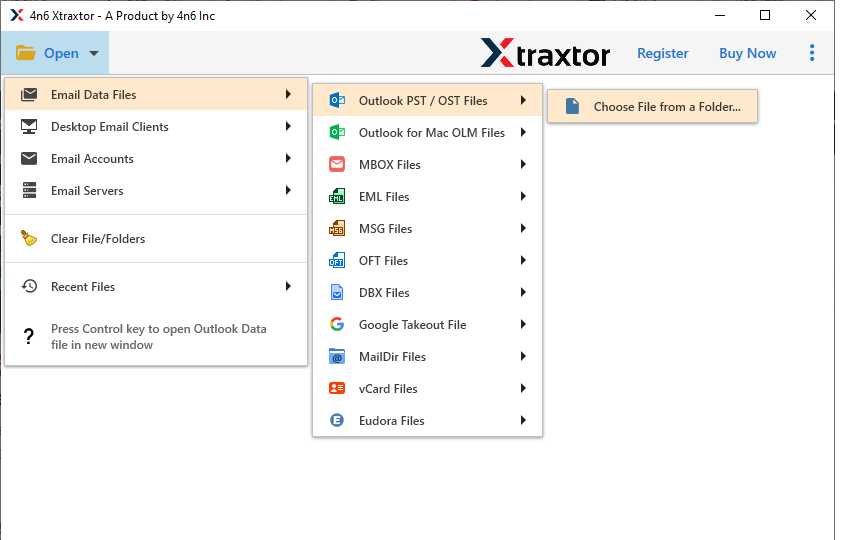
- Now select Open >> Email Data File >> PST File >> Select File from the folder.
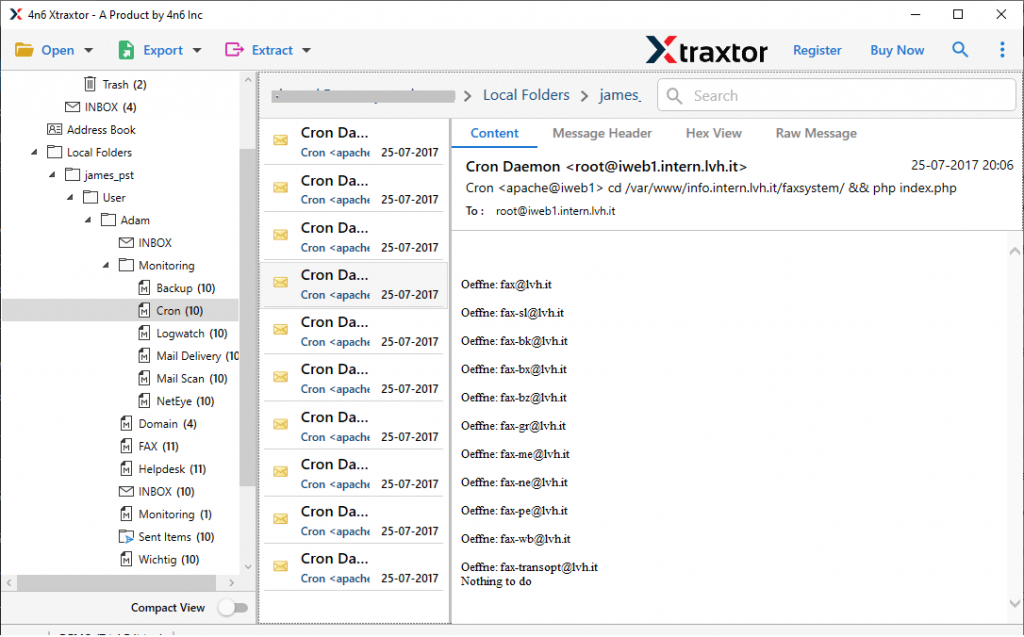
- After uploading the data file, this tool scans it and shows its content in its interface to read/view by users.
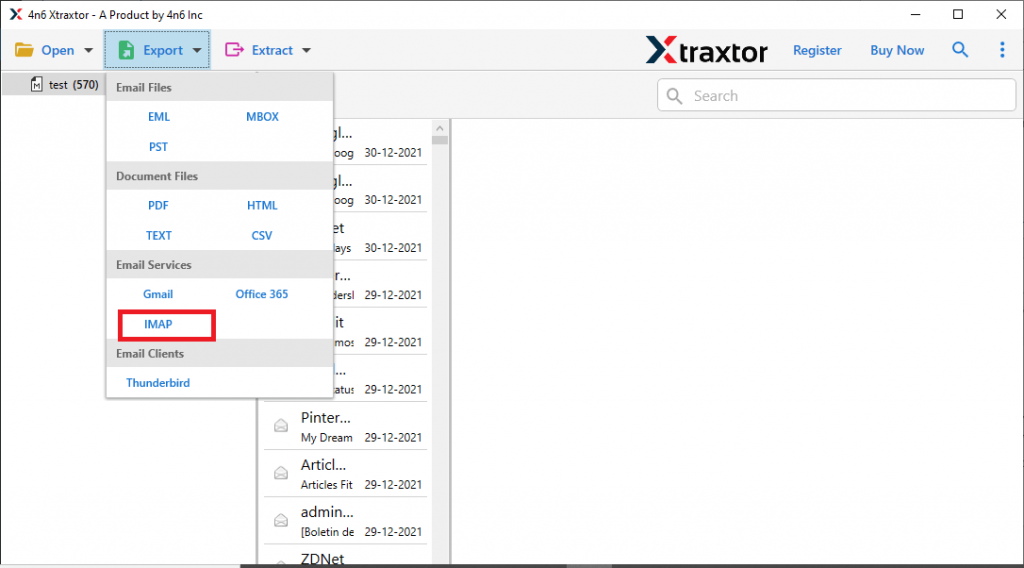
- Click on Export and select IMAP from the given options.
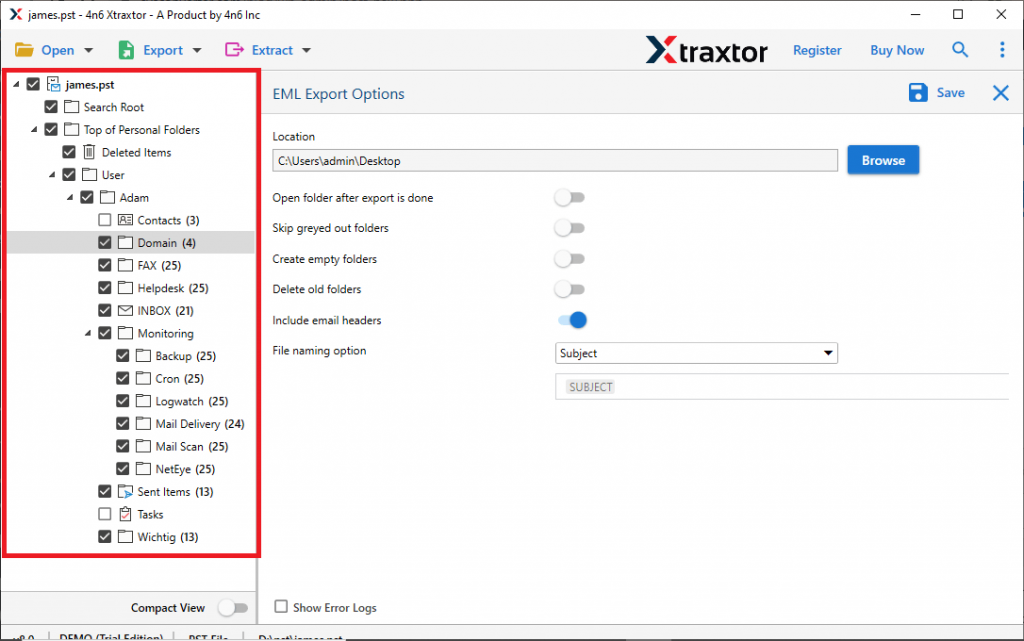
- Here you can select the email folders to import (If you want selective import otherwise select all).
- At last, enter your cPanel Mail login details and hit on the Save button.
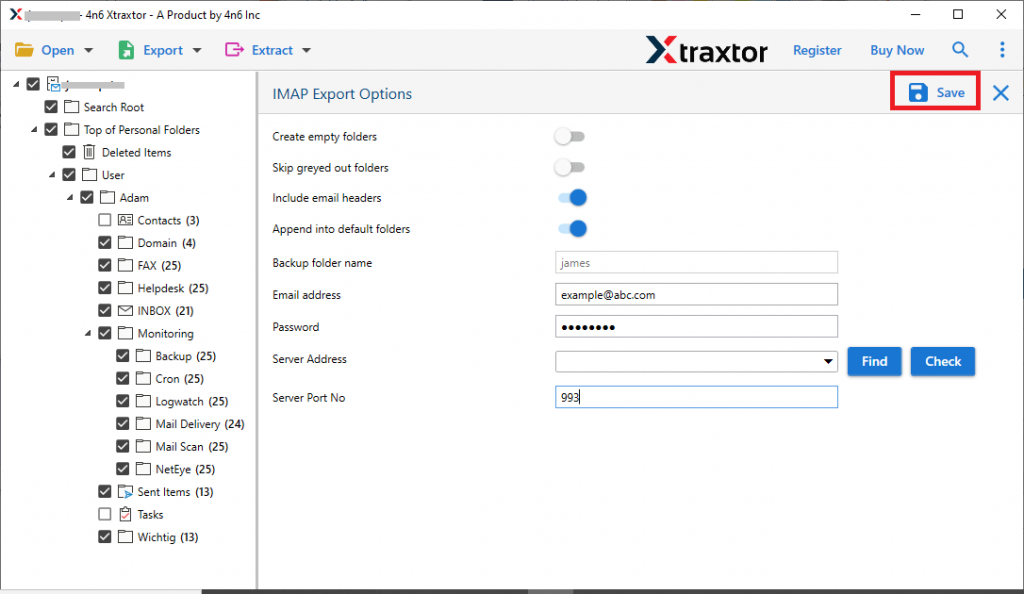
All Done! Here you import emails from PST file to cPanel Mail account within a few simple steps.
Benefits of Using PST to cPanel Import Tool
Use this automated tool to import PST emails to cPanel account with ease. For this import process, this utility offers various advanced features, some of them mention here.
Email Filter Option: With this utility, you will get various filter options to locate certain emails and transfer them into cPanel mail. You can apply filters like – to, from, subject, date range, time, has attachments, property id, name, content, and many more.
Windows Bases Utility: This PST to cPanel Import tool support the Windows-based operating system. It will be compatible with Windows 11, 10, 8, Vista, XP and all other previous OS versions.
No File Size Restrictions: If you have a large-sized PST file and want to transfer its data without any data loss, then this tool will do it for you. Using this software you can efficiently import large-size .pst file without altering their content.
Easy to Use Tool: With simple user graphics, any user can operate the software and import PST emails to cPanel Mail account. Users do not need technical knowledge to operate the software, the process is self-explanatory and easy to use.
Maintain Mailbox Hierarchy: While importing PST file data, this software ensures to preserve mailbox folder and sub-folder structure. Along with that it also holds the email key elements and attributes, such as – to, from, subject, inline images, attachments, signature, etc.
Conclusion
Importing Outlook emails to cPanel is a challenging task, still, it is still possible to perform the transfer process. To make the transferring process easy we suggest an automated tool that securely and efficiently import PST to cPanel account without data loss. You can use the demo version of this tool to experience its working.