I have a PST file and want to move all its data including emails, contacts, and calendars to Yandex.Mail account. I have tried many ways but with no satisfying result. Can anyone suggest to me an instant solution to import PST to Yandex Mail with attachments?
There are many cases where users want to import PST emails to Yandex.Mail account. If you are also encountering problems while importing PST file into Yandex webmail account, then this article will guide you to import Outlook PST into Yandex Mail with attachments.
Yandex Mail is a Russian free email service developed by Yandex. It offers various advanced services including spam filtering, checks for viruses, email translation, mail sorting, free 10 GB of cloud storage, and many more.
Although Yandex.Mail doesn’t have any option to open PST file, still, with the right techniques, you can perform the import process. One such approach we are going to discuss in this blog write-up.
How to Import PST Emails to Yandex Mail With Attachments
Use PST Converter to move emails from PST file into webmail account with complete attachments. Using this software any novice user can import PST to Yandex Mail without any technical help. This tool is smart enough to maintain mailbox hierarchy and structure during importing. Along with that, it holds all the email’s key elements and properties such as – to, from, subject, inline images, attachments, etc.
Downlaod the demo version of the software and know its working process.

Steps to Import PST File into Yandex.Mail
- Download and Run the SysConverter for PST on your Windows OS system.
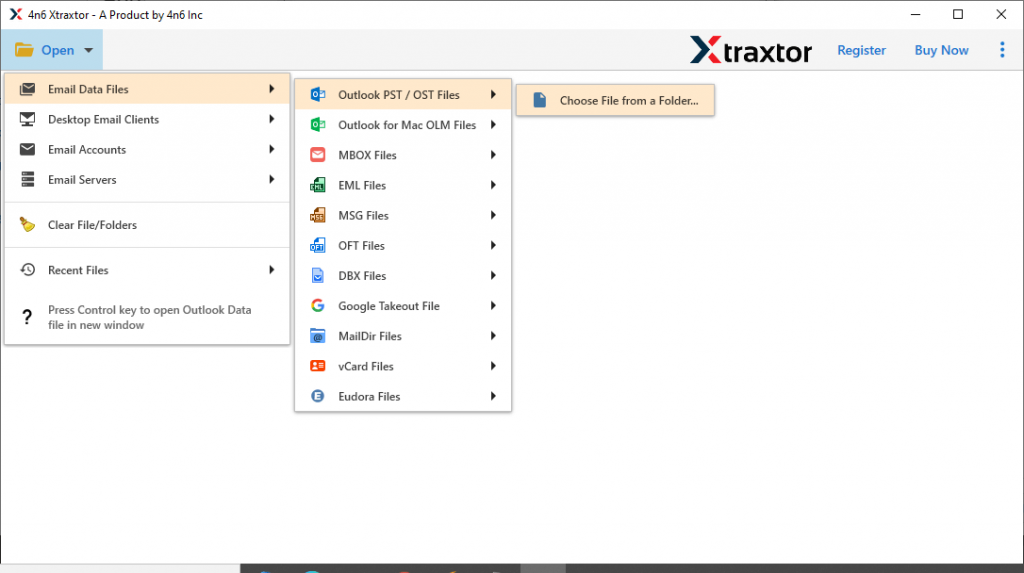
- Step 2. After that select Open >> Email Data File >> PST File >> Select File from Folder.
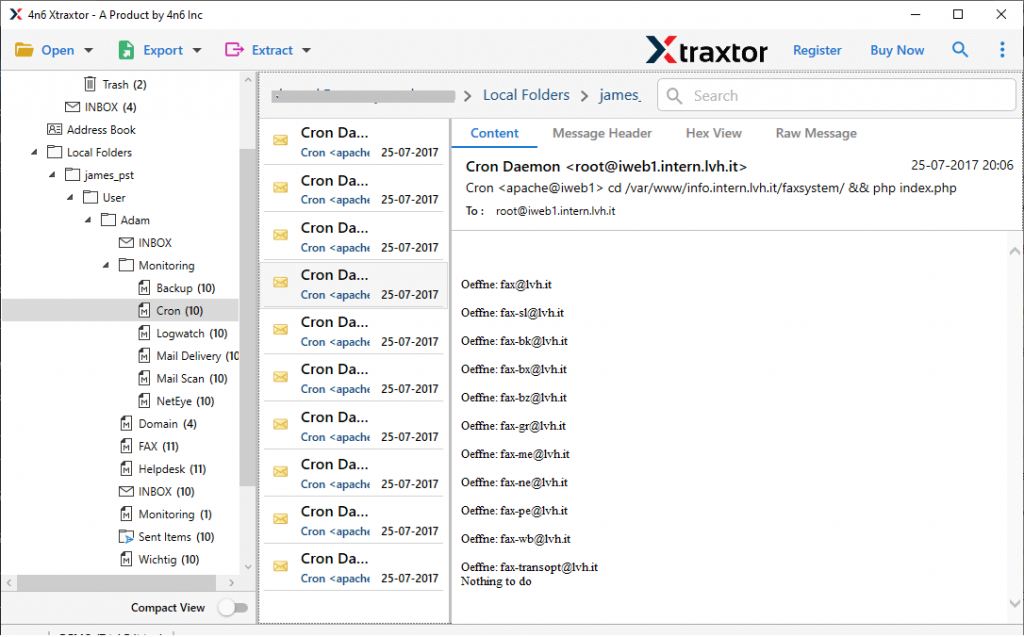
- Here the tool scans the data file and shows all the emails and other components in its interface.
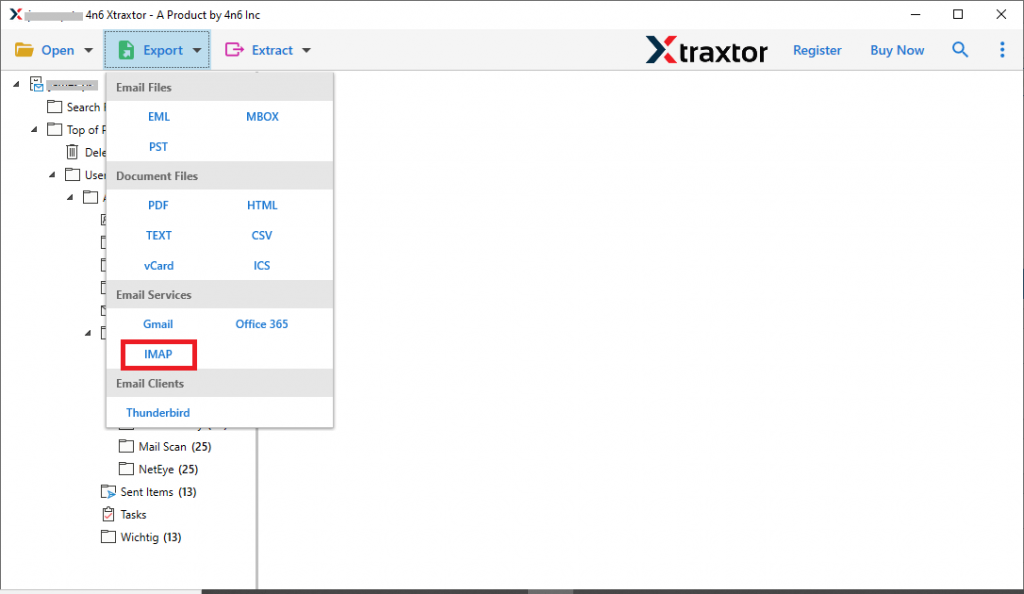
- Click on Export and choose IMAP as a saving option.
- Now you can select the email folders that you want to import.
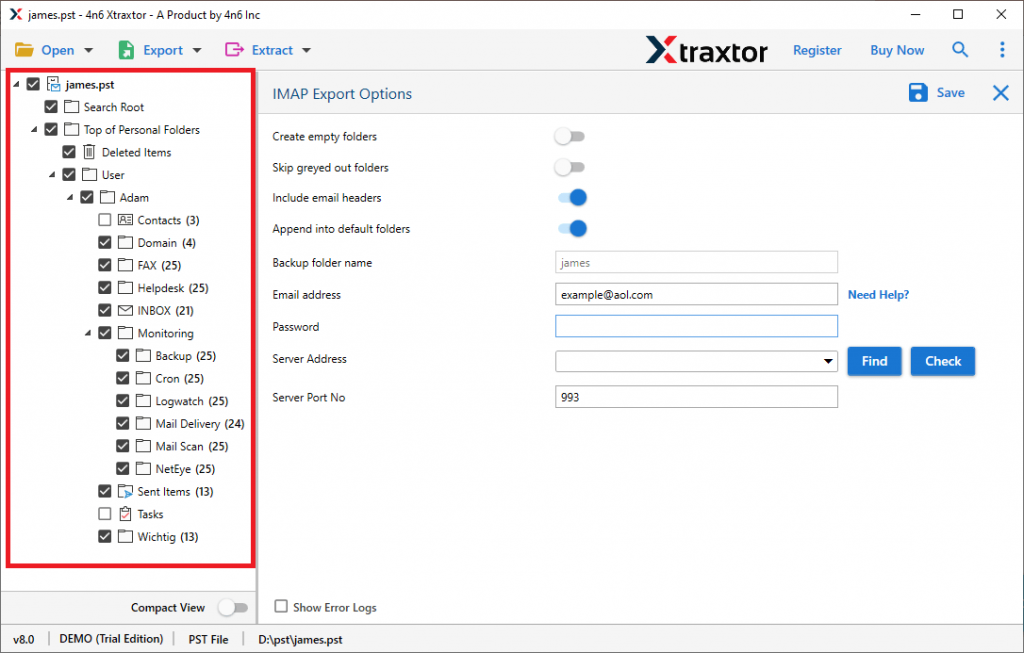
- At last, enter your Yandex.Mail login details and hit on the Save button.
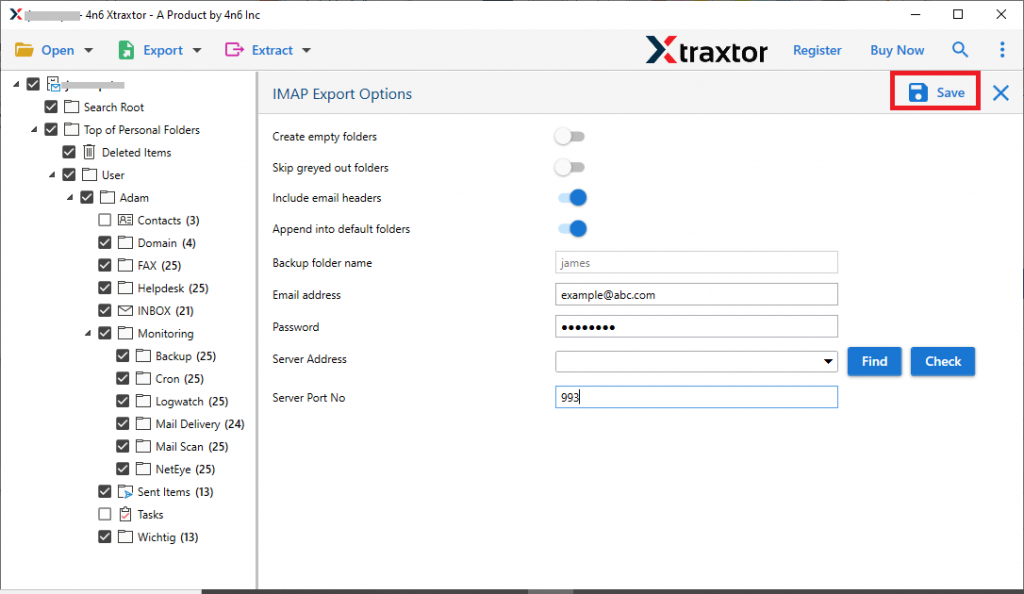
Finish! Here you import PST to Yandex Mail along with attachments.
Benefits of Using SysConverter Tool
There are various benefits of using this automated tool to move PST emails to Yandex Mail account. Some of them mention here,
- No File Size Restriction: With this import tool you can transfer large-size PST file to a webmail account. Most importantly while performing the import process, you will not lose a single bit of your data.
- Maintain Hierarchy: This tool preserves email hierarchy during the transferring process. Along with that it also preserves the email folder and sub-folder structure.
- Multiple Saving Options: Along with importing PST emails to Yandex Mail, this tool also export them into other formats. Using this software you can also convert PST file to PDF and many other file formats.
- Email Filter Options: There are various filter options that come with this automated tool. You can apply filters such as – to, from, subject, has attachments, date range, time, content, name, and many more.
- Windows-Based Utility: The automated tool supports Windows-based OS systems. You can use this software on Windows 11, 10, 8, Vista, XP, and all other previous versions.
- Move PST to Other Webmail Accounts: Using this automated tool, you can migrate emails from PST to Gmail, Google Workspace, Office 365, and all other webmail accounts.
Conclusion
Importing PST file to Yandex.Mail is not an easy task to perform. For a secure and efficient import, you need a reliable approach. One such tool we mention in this blog write-up. Using this stool you can import PST to Yandex Mail wit all attachments. With its simple user interface, you can swiftly transfer Outlook PST file to Yandex.Mail account with ease.