How to export emails from Thunderbird to Gmail? It is a common query asked by many users who want to migrate Thunderbird email folders to Google Mail account. Read the complete article and transfer emails from Thunderbird to Gmail account with attachments.
“I have saved all my important emails in a folder in my Thunderbird account. Now I want to transfer that email folder to my Gmail account. Can anyone suggest a safe way to migrate Thunderbird to Gmail without any data loss?”
“Can I Transfer emails from Thunderbird to Gmail account along with attachments?”
These are the few common user queries, where one wants to export Thunderbird emails to Gmail mailbox. Without any further delay, let’s move ahead and know how to perform the export process.
How to Export Emails from Thunderbird to Gmail
In this write-up, we will talk about two ways to transfer emails from Thunderbird to Gmail account. Both methods are capable to move Thunderbird emails to Google Mail account. Choose the best option that will efficiently solve your email transfer issue
#1. Manual Way to Export Thunderbird Emails to Gmail
#2. Move Emails from Thunderbird to Gmail Account
Let’s move and transfer all email folders to Gmail account using both the above-mentioned solution.
Method 1: Transfer Emails from Thunderbird to Gmail Manually
To export emails from Thunderbird to Gmail account via the native approach, you need to configure your Gmail account with Thunderbird and then move your emails.
Step 1. Login to your Gmail account.
Step 2. After that, click on the setting icon and choose the See All Setting option.
Step 3. Then under the Forwarding and POP/IMAP label, clcik on Enable IMAP option.

Step 4. After that, open your Thunderbird email client on your sysetm.
Step 5. Clcik on Tool >> Account Setting.

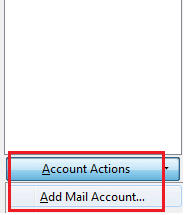
Step 6. Then, under the Action section choose Add Mail Account option.
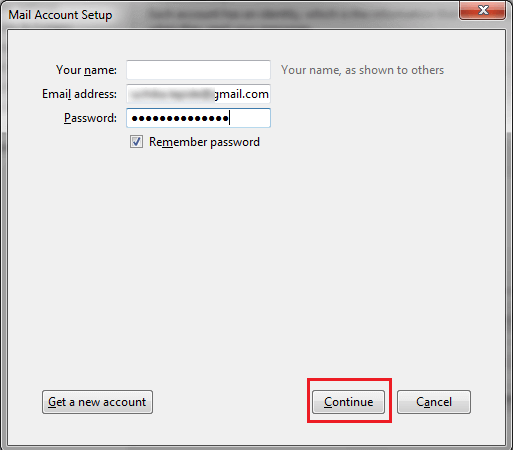
Step 7. Enter your Name, Email Addresses, and Password and click on the Continue button.
Step 8. Click on the IMAP (remote folders) and it will take some time. After that, click on Done.

Step 9. Now select the email item and transfer them under the Gmail lable.
Here you use the manual method to transfer emails from Thunderbird to Gmail account. However, this native solution isn’t the best way to export Thunderbird emails to your Gmail account. This method has certain limitations.
Loopholes With Manual Solution
With this solution, you tend to face certain limitations. some of them mention here –
- High chances of data loss
- There can be alterations in the email folder and sub-folder hierarchy.
- No filter options to transfer specific Thunderbird emails to Gmail account.
- Many other.
To avoid all these limitations, you can opt for the automated solution we are going to discuss in the next blog section.
Method 2: Export Emails from Thunderbird to Gmail with Attachments
Use SysConverter for Thunderbird tool to directly transfer emails from Thunderbird profile to Gmail account without any data loss. This Thunderbird Converter will securely migrate Thunderbird folder to Gmail without affecting email integrity. Along with that, using this tool you can export emails form a specific date, time, subject, cc, bcc, name, subject, etc.
Additionally, using this tool you can also use this tool and convert Thunderbird emails to PST, PDF, CSV, and many other file formats as well. This automated tool preserves the email folder and sub-folder hierarchy during Thunderbird to Gmail migration process.

Process to Transfer Thunderbird Emails to Gmail Account
Follow the instructions and export Thunderbird emails to Gmail account along with attachments.
Step 1. Install and Run SysConverter for Thunderbird software on your system.
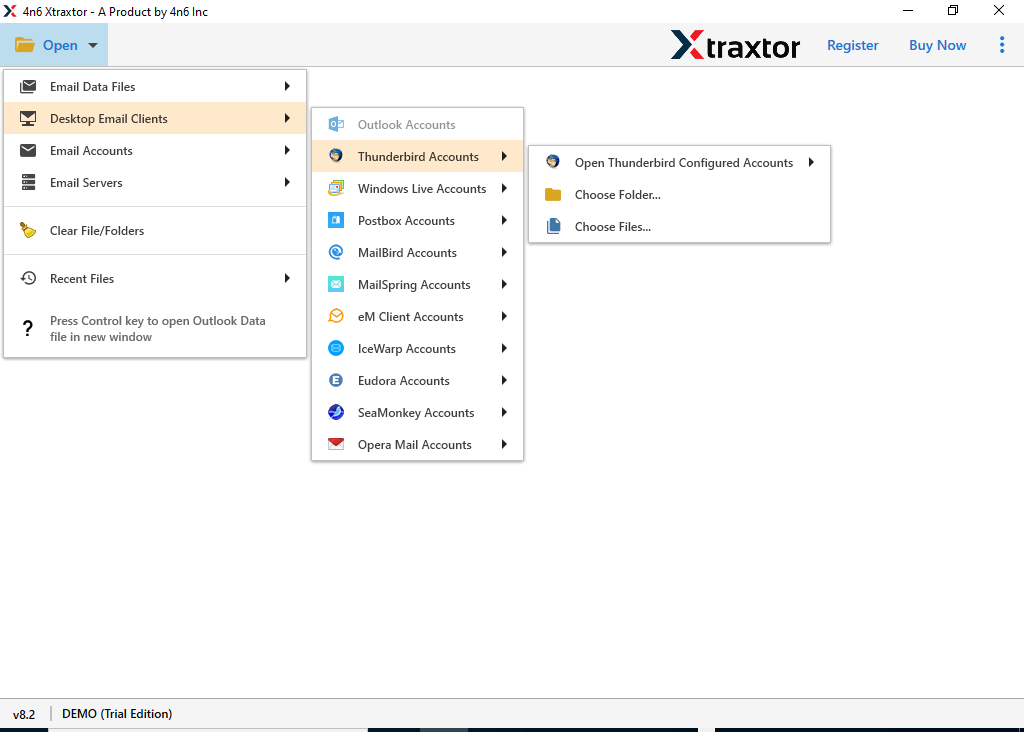
Step 2. After that, select, Open >> Desktop Email Client >> Thunderbird Account >> Configured Account.
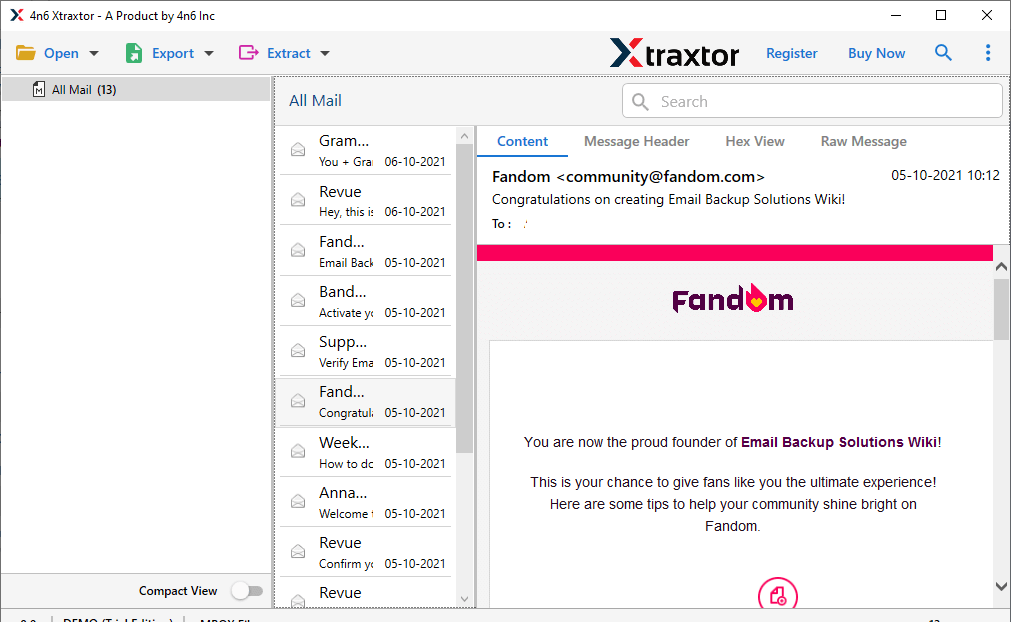
Step 3. Here you can view your emails before transferring them.
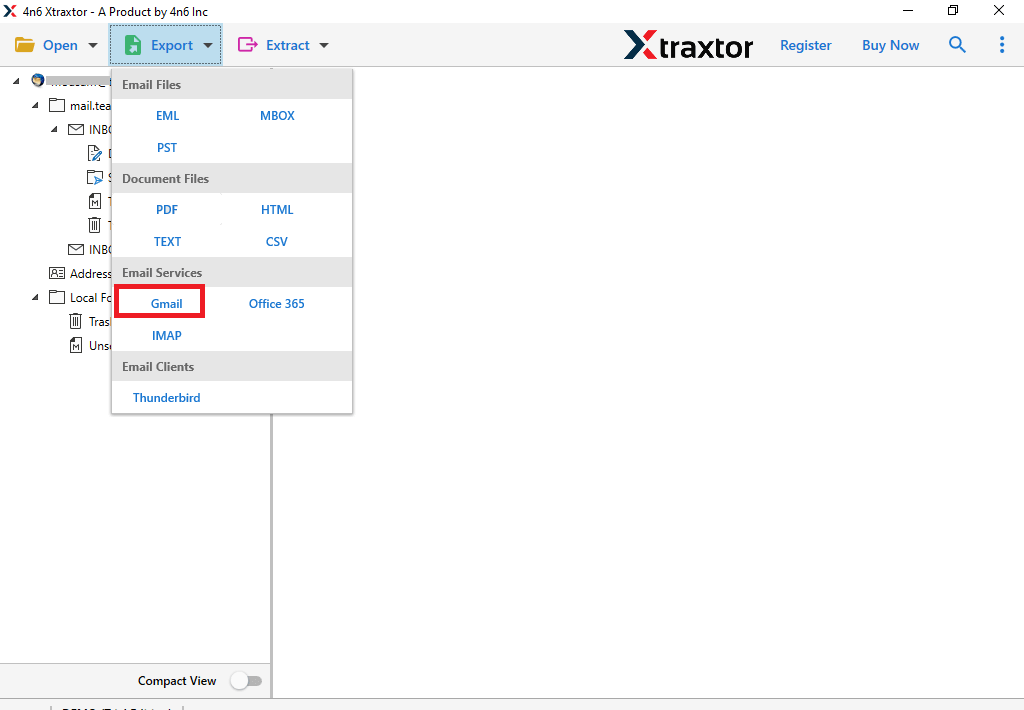
Step 4. Click on Export and choose the Gmail option.
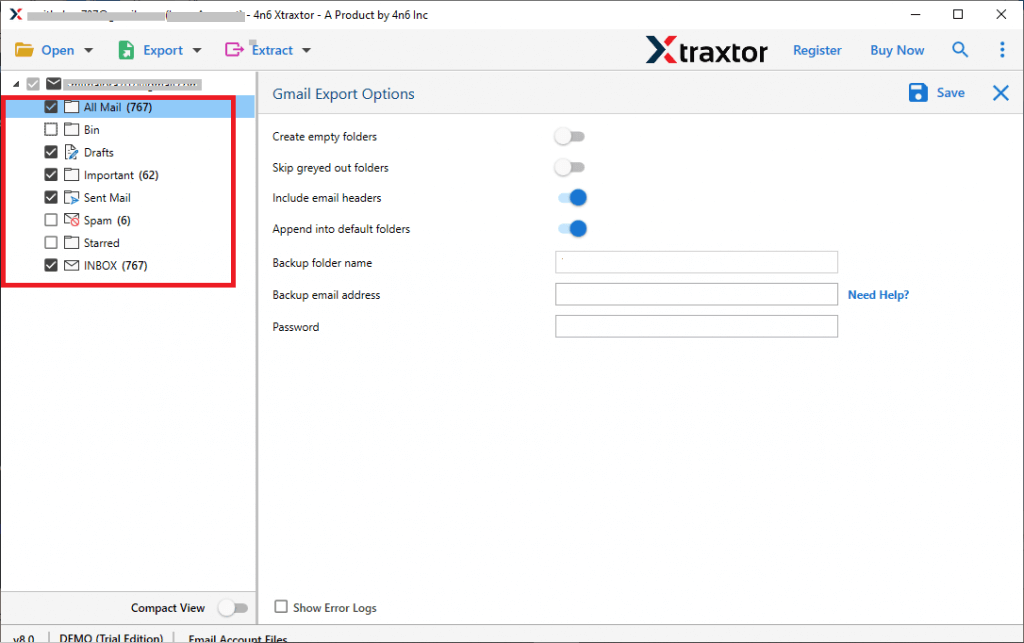
Step 5. If you want to export selective email folders, then you can choose them.
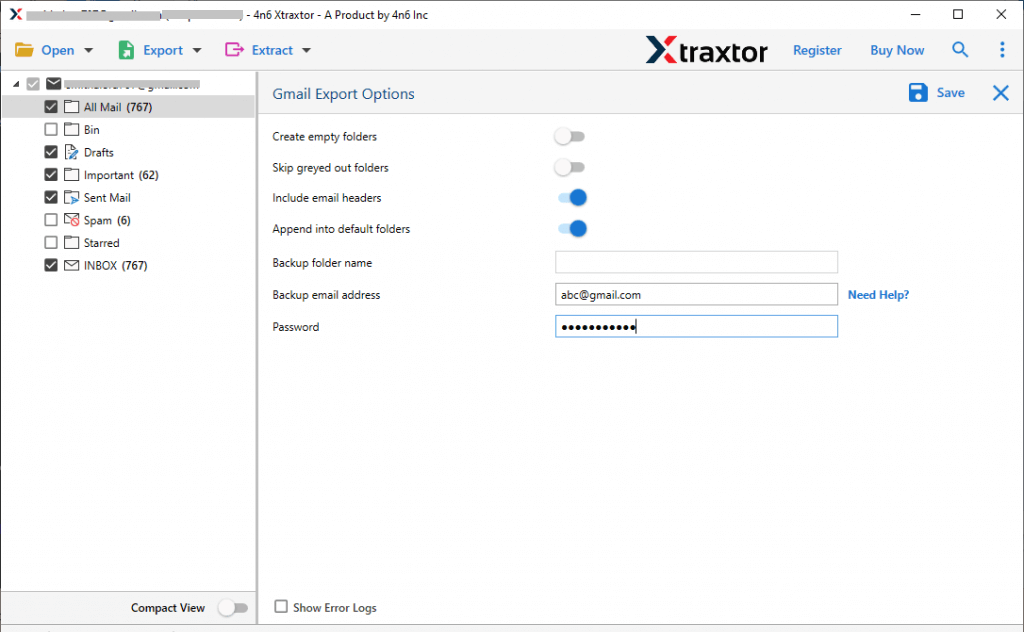
Step 6. At last, enter your Gmail login id and password and hit on the Save button.
Done! Here you transfer emails from Thunderbird to Gmail mailbox in a few simple steps without any data loss. You can use the demo version of this software and migrate Thunderbird email folders to Gmail account with ease.
Conclusion
Transfer emails from Thunderbird to Gmail is the common query asked by users. This blog solves the user query and export Thunderbird emails to Gmail without any data loss. We mention manual as well as an automated way to import Thunderbird to Gmail account. Hope this article helps you in the migration without any hassle.