In this blog, we will discuss the easy and secure way to move data from one cPanel to another cPanel account. If you are among those who want to switch from one cPanel account to another with emails, then this blog is for you. Read the complete blog and move emails from cPanel to another cPanel account.
Migrating from one email account to another is a common practice when you are transferring emails from one cPanel account to another. One such situation is where users want to move emails from one cPanel to another with complete data. Before you start to migrate emails from one Cpanel to another one, there are few important points you need to consider.
Before you move ahead consider these points to smoothly move emails from cPanel to another cPanel account.
- Firstly backup your mailbox data locally on your system. If the migration process goes wrong, then you will have a copy of your important data.
- Check your both email accounts if they are sending or receiving emails.
- Ensure that your IMAP/POP settings are correctly done.
How to Move Emails from One cPanel to Another cPanel Manually?
This migration process will be done in two different steps.
1. Download cPanel Emails (Original Account)
- Login to your cPanel account using your login details.
- After that, go to File >> File Manager.
- Then, right-click on Mail and choose the Compress button.
- Select the Zip Archive option from the Compress Panel and choose the Compress File option.
- Now check the compressed zip file is created under the Mail folder.
- Right-click on the Zip file and choose the Download option.
Here you have a copy of your mailbox data, now you need to transfer it to your other cPanel account.
2. Move Zip File to New cPanel Account
- Firstly, logout from your original account and login to your new account.
- Then navigate to File Manager >> Upload.
- Choose the zip file from your system.
- After that, right-click on the file and click on the Extract option.
Now all your emails from one cPanel account are transferred to another account. However, this manual approach is full of lengthy and technical steps.
How to Move Emails from cPanel to Another cPanel?
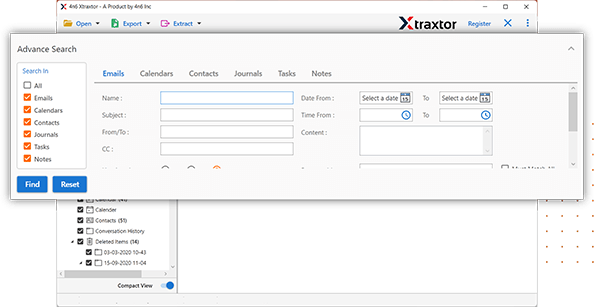
Try SysConverter Email Backup Wizard and move emails from one cPanel account to another cPanel mailbox in a few simple clicks. This tool will directly migrate emails from your cPanel mailbox to another without any hassle. There are various filters – to, from, cc, bcc, name, date, time, has attachments and many more to choose from.
Additionally, you can use this tool and migrate cPanel emails to Gmail, Yahoo Mail and other webmail accounts. You can use this tool on your Windows 11, 10, 7 and all other previous OS versions.

Follow the steps to transfer data from one cPanel to another cPanel –
- Launch the SysConverter Email Backup Tool on your system.
- After that, Open >> Email Accounts >> Add Account.
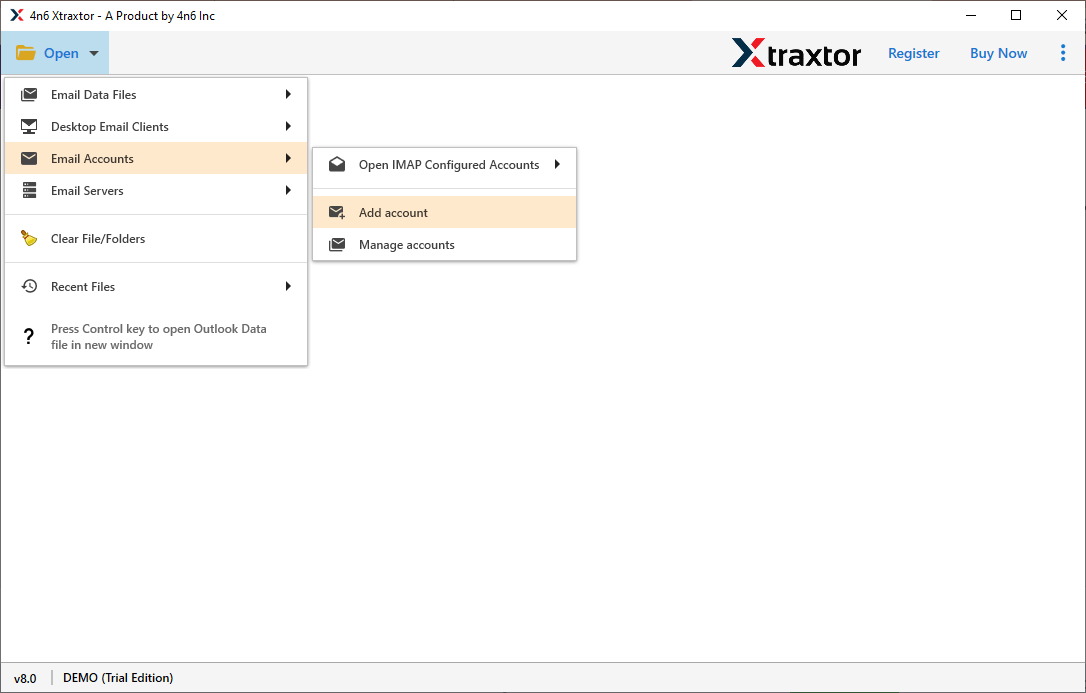
- Enter your cPanel login details (the original one from which emails need to be moved).

- Here you can view your mailbox data before moving them.

- Click on Export and choose the IMAP option.
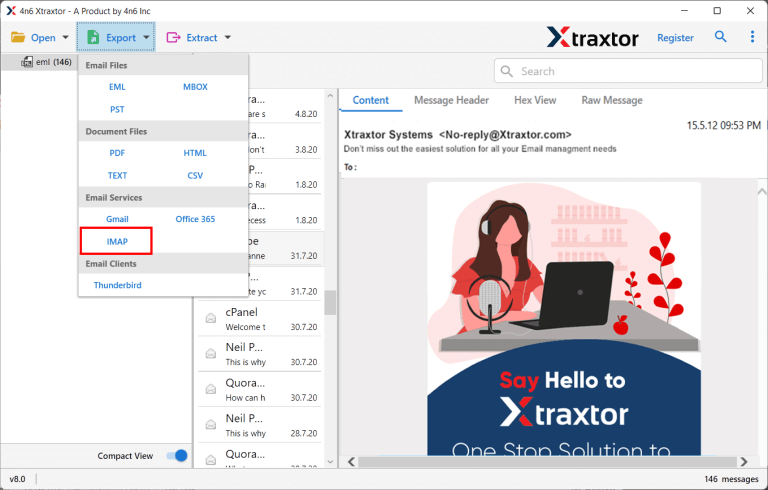
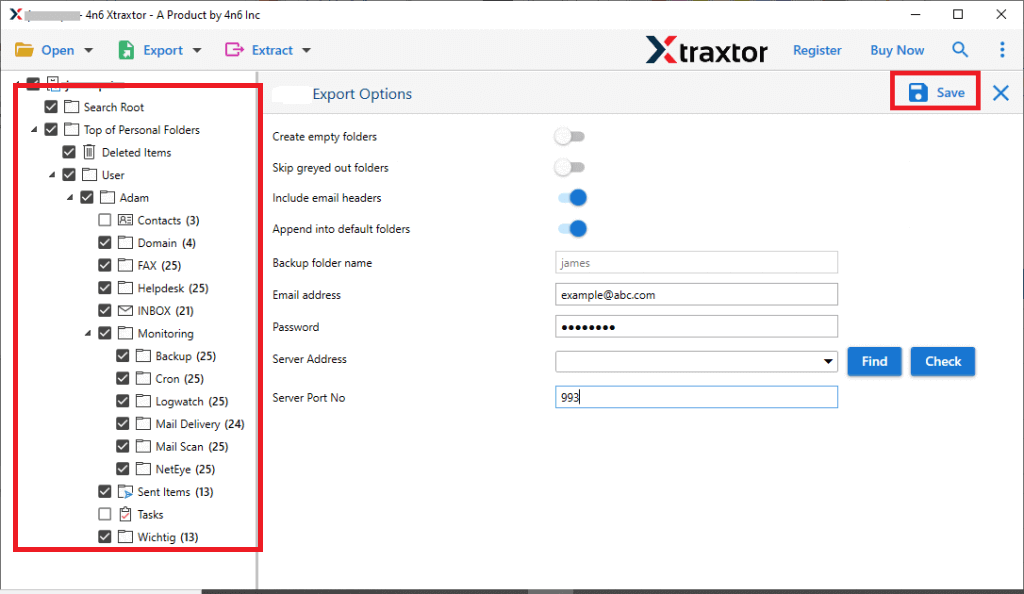
- Select the email folders you want to transfer to a new account.
- Apply filters to move specific emails and avoid unwanted migration.
- Enter your cPanel login details (the targeted account) and hit the Save button.
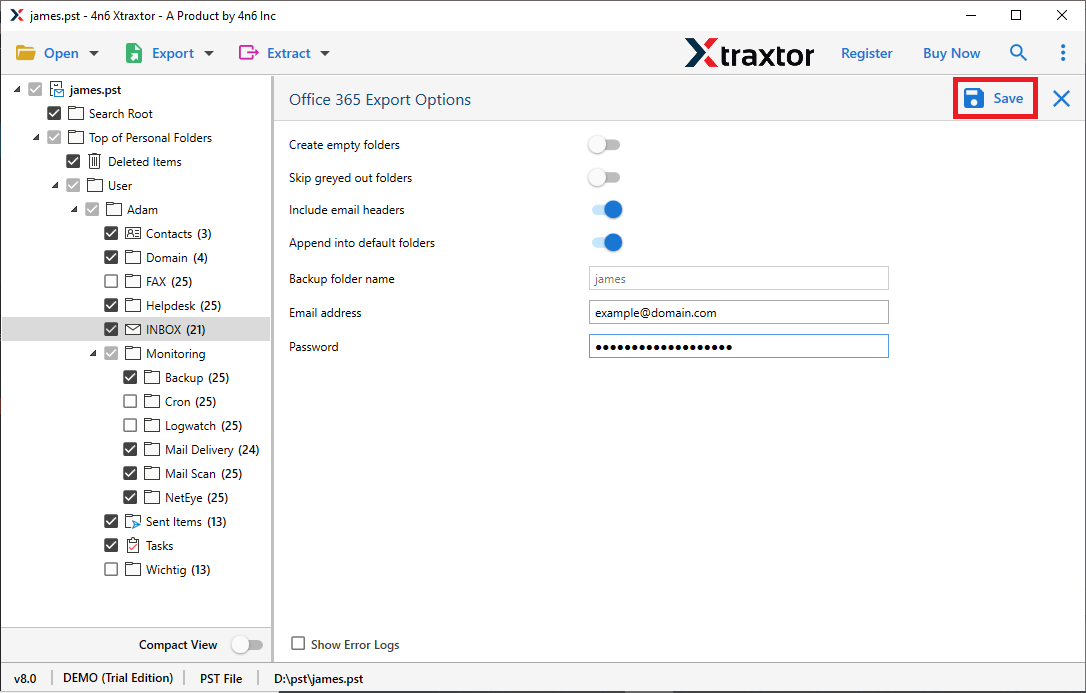
Done! Here you move emails from cPanel to another cPanel account in a few simple clicks. It will directly migrate all the data to your mailbox account without any data loss.
Why Use SysConverter Email Backup Tool?
- Instantly move emails from cPanel to another cPanel without any data loss.
- Allows to preview cPanel emails before migrating them to another cPanel account.
- Maintain email folder and sub-folder hierarchy while backup emails from cPanel with attachments.
- Allow to migrate emails from cPanel to various other webmail accounts.
- Advance filter options – to, from, cc, bcc, name, date, time, has attachments, etc.
- Preserve email key elements and attributes while transfer data from one cPanel to another cPanel account.
- Compatible with Windows 11, 10, 7, XP and all other older versions.
- A free demo version of the software to check it working.
Conclusion
Migrating emails from one cPanel account to another cPanel is a straightforward process only if you use appropriate process. Here in this blog we discuss two different ways to move emails from cPanel to another cPanel account. One such solution we discuss in this post, try it and migrate your cPanel emails without any hassle.