This tutorial will guide you to migrate Gmail to Yahoo Mail. Read the complete post and know the complete Gmail to Yahoo migration process.
Here we will discuss two workable solutions to migrate emails from Gmail to Yahoo Mail account. Let’s check out both solutions.
How to Import Gmail to Yahoo Mail for Free?
In this section, we learn about two different ways to import email form Gmail to Yahoo Mail free of cost. Let’s check out what are they.
Approach 1: Forward Gmail Emails to Yahoo Mail
Here in this step you can use the Forward setting of the Gmail and move all your Gmail emails to Yahoo Mail account. For that follow the given instructions –
1. Login to Gmail and click on Setting gear then select the See all Setting option.
2. Now choose Forwarding & POP/IMAP and under the Forwarding label click on Add a Forwarding Address.
3. After that enter your Yahoo Mail email address and click on the Next button.
4. A pop-up window will appear, clcik on Proceed.
5. After that a code for ID Confirmation is sent to your Yahoo Mail.
6. Open your Yahoo Mail, read the email and copy the code.
7. Again, go back to Gmail and in the setting section paste the confirmation code and click on Verify button.
8. After that select Forward a copy of Incoming Mail and then choose the Yahoo Mail id from the drop-down box.
9. Finally hit on the Save Changes button to start the forwarding process.
Done! Here you migrate Gmail to Yahoo Mail manually using Gmail Forward settings. There is one other way to import emails from Gmail to Yahoo Mail account.
Approach 2: Add Gmail Account to Yahoo
Yahoo Mail offers an option to add a mail account to access your emails in a single interface. Follow the instructions for that –
1. Open your Yahoo webmail account and clcik on Settings>> More Settings.

2. Under the Mailbox label click on Add Mailbox option.

3. Select Google from the other webmail servers.
4. Now enter your Gmail login id and password.
5. In the pop-up screen re-enter your Gmail login details.
6. After you log in, click on Proceed button.
Done! Here complete the Gmail to Yahoo Mail transfer process using the manual method.
How to Migrate Gmail to Yahoo Mails?
If you want an instant solution to move Gmail to Yahoo Mail, use SysConverter Gmail Backup Tool software on your system. This utility will efficiently migrate Gmail emails to Yahoo Mail account without any data loss. If you want to migrate selective emails from your Gmail account, then you can sue the filters option of the software.
Download the free version of teh tool and try it.

Steps to Transfer Gmail Emails to Yahoo Mail
1. Download and run the automated tool on your Windows OS system.
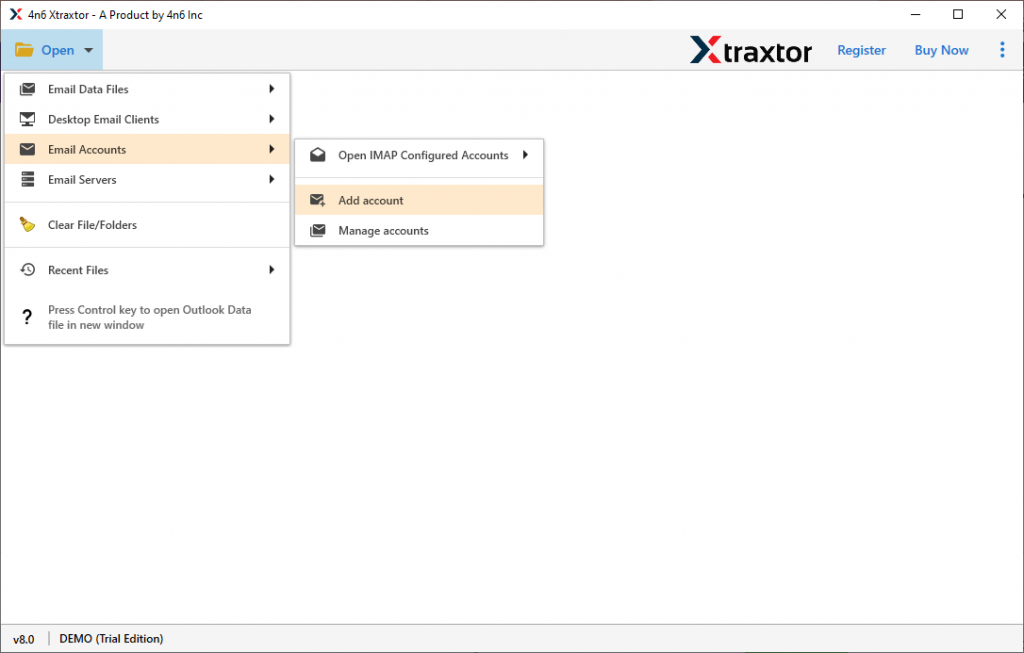
2. Here select Open >> Email Accounts >> Add Account.
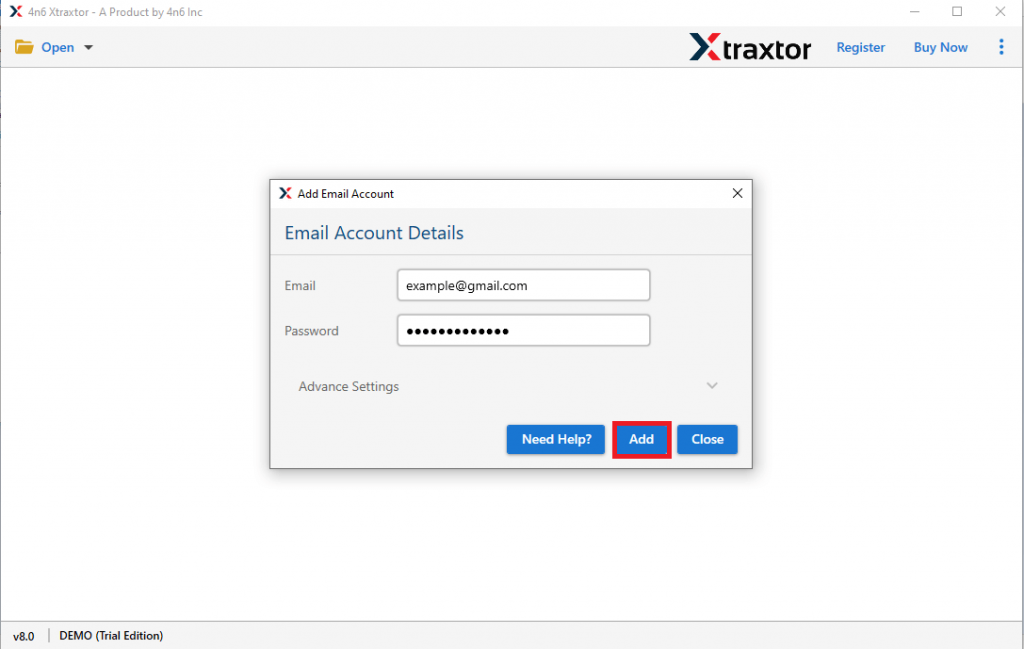
3. Enter your Gmail login address and password and click on Add button.
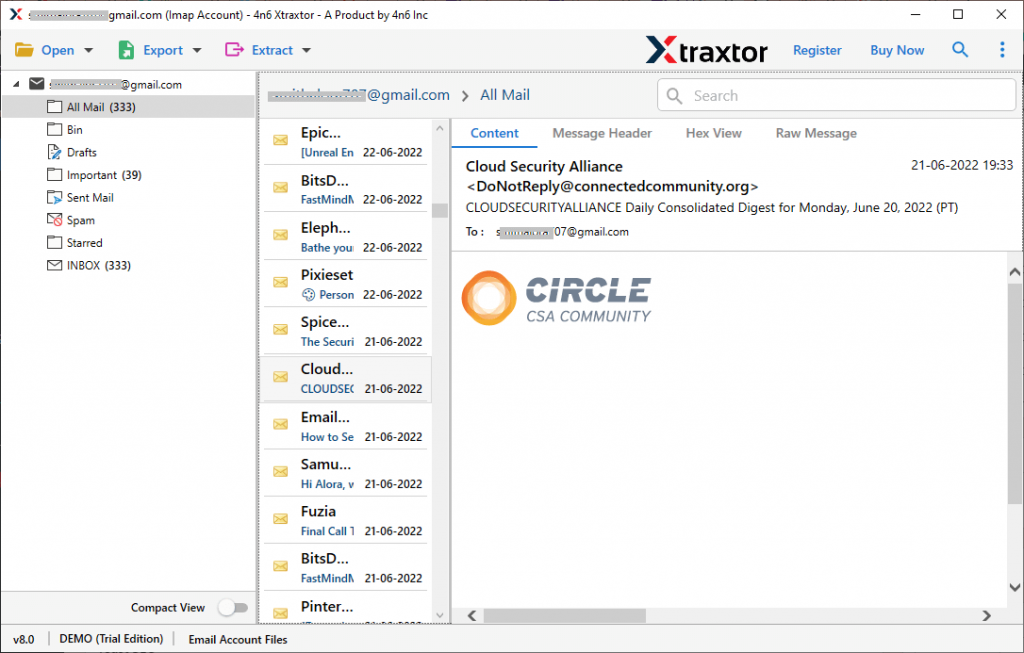
4. Here you can view all your Gmail emails and read every email from the mailbox.
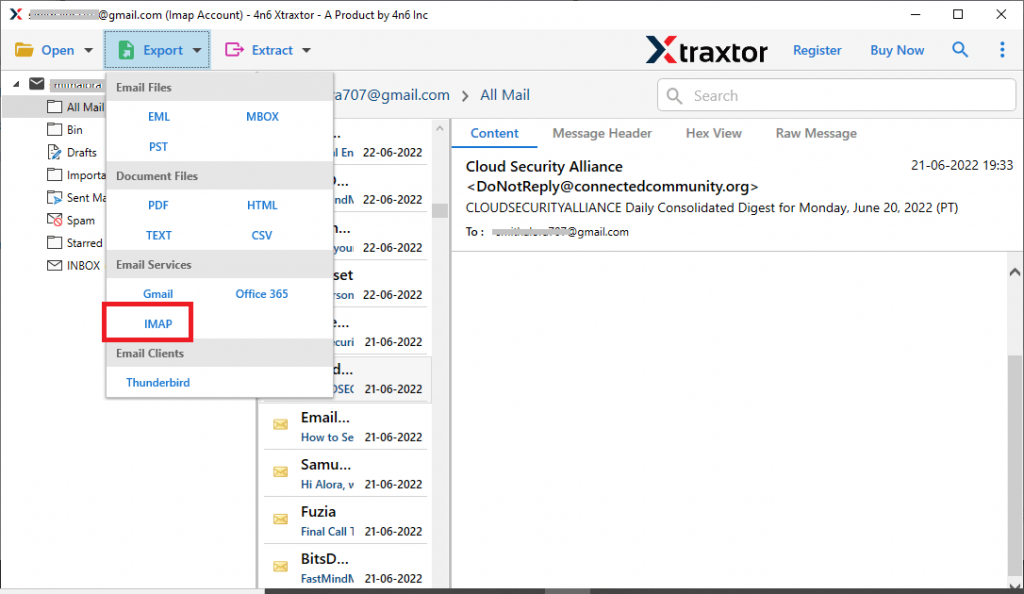
5. Click on Export and choose the IMAP button.
6. Now you can select the email folders that you want to migrate.

7, At last, enter your Yahoo Mail login details and hit on the Save button.
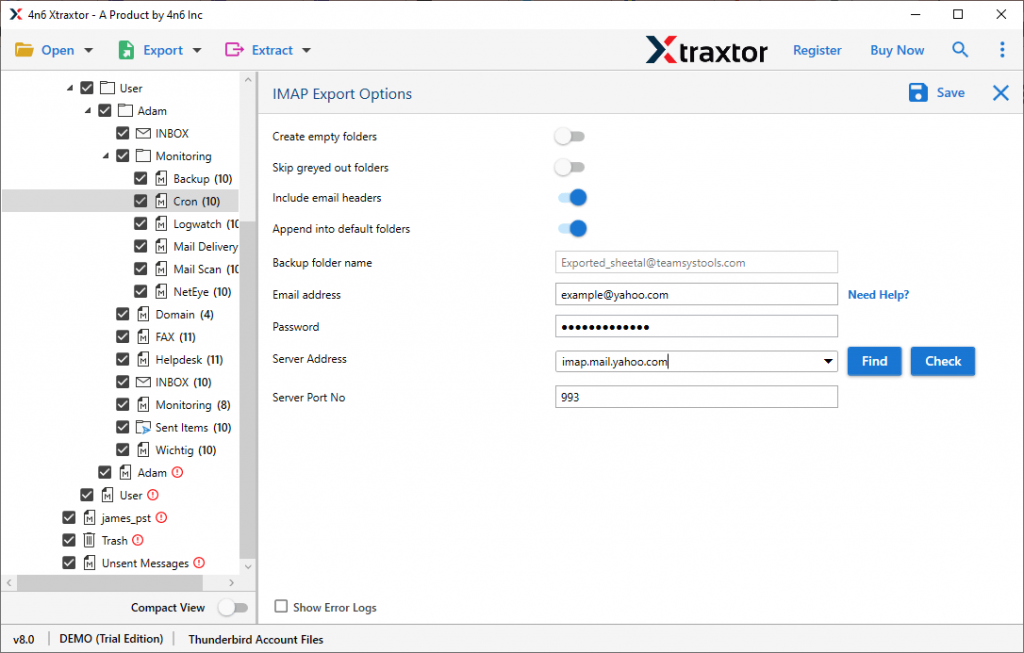
Done! Here you import emails from Gmail to Yahoo webmail with complete mailbox data. You can use the demo version of this software and import Gmail to Yahoo Mail account in a few simple clicks.
Why Use Automated Tool?
With this software, there are various outstanding features –
- Migrate emails without affecting data integrity.
- Maintain email folder and sub-folder hierarchy and structure.
- Advance filter option to migrate selective Gmail emails to Yahoo Mail.
- Allow to migrate Gmail to another Gmail account as well.
- Works on all Windows OS systems.
Conclusion
When you are trying to migrate Gmail to Yahoo Mail account, make sure to use a secure approach so that there will be no data loss. In this blog, we mention manual as well as automated ways to transfer Gmail emails to Yahoo webmail account. You can opt for any of these given solutions and perform the migration process.