Summary: This blog will guide you to effortlessly import Zimbra Mail to Outlook with ease. If you want to import your emails from Zimbra account to Outlook, then this blog is for you. Read the complete post and perform Zimbra Mail to Outlook import in a few clicks.
Zimbra and Outlook both are email applications that are used for managing emails. However, with Outlook’s advanced and robust features many users prefer it over any other application. However, be it any of the email clients you are using, importing emails without losing them is important. Here we will discuss the instant and secure way to convert Zimbra Mail to Outlook without any hassle.
How do I Transfer Emails from Zimbra to Outlook?
For that, first, you need to export your Zimbra mailbox data and then you need to convert Zimbra TGZ to PST file. After that, you can easily import it into the Outlook interface. Now without any further delay, let’s process and complete the import process.
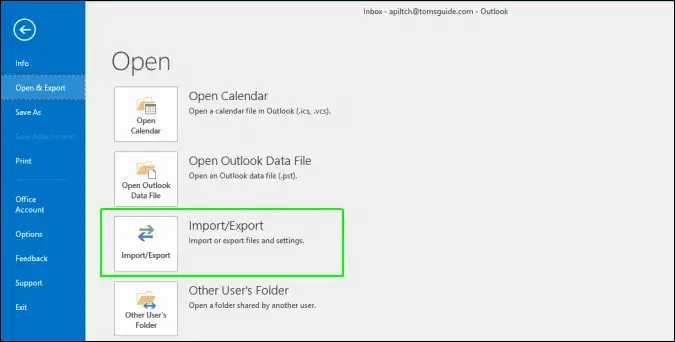
For converting, you can use the Zimbra Converter tool. The software will instantly convert Zimbra emails into Outlook data file without any hassle. After the conversion, using Outlook Import/Export tool you can easily upload the data file and access your data.

Steps to Import Zimbra Mail to Outlook With Attachments
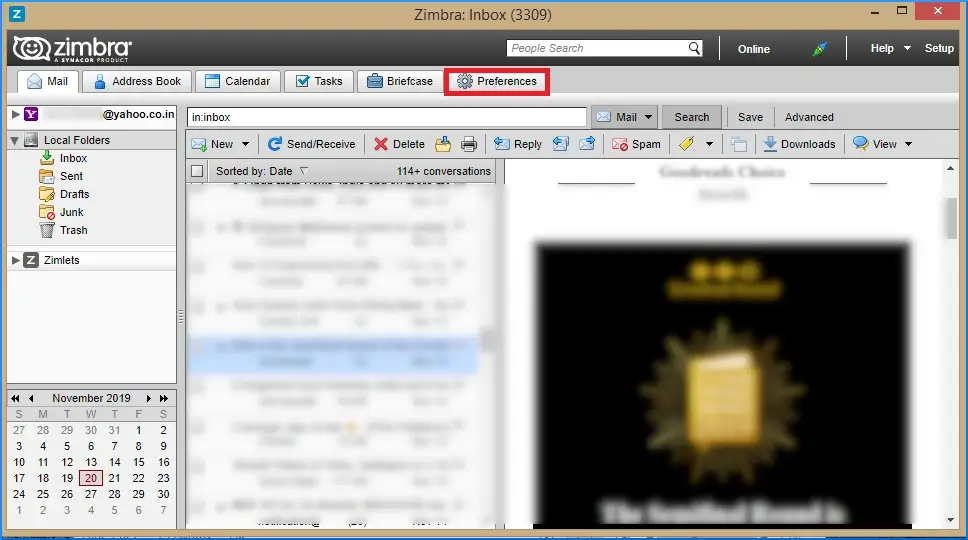
1. Open your Zimbra Account and click on Preference.
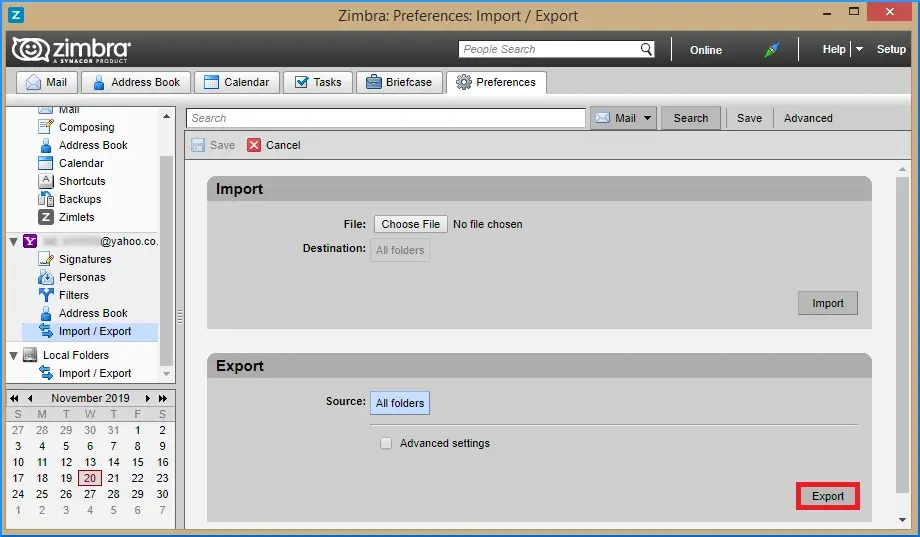
2. Then, select Import/Export >> In Export select All Folders.

3. Select the folder and clcik on Export. Now you have a Zimbra .zip file.
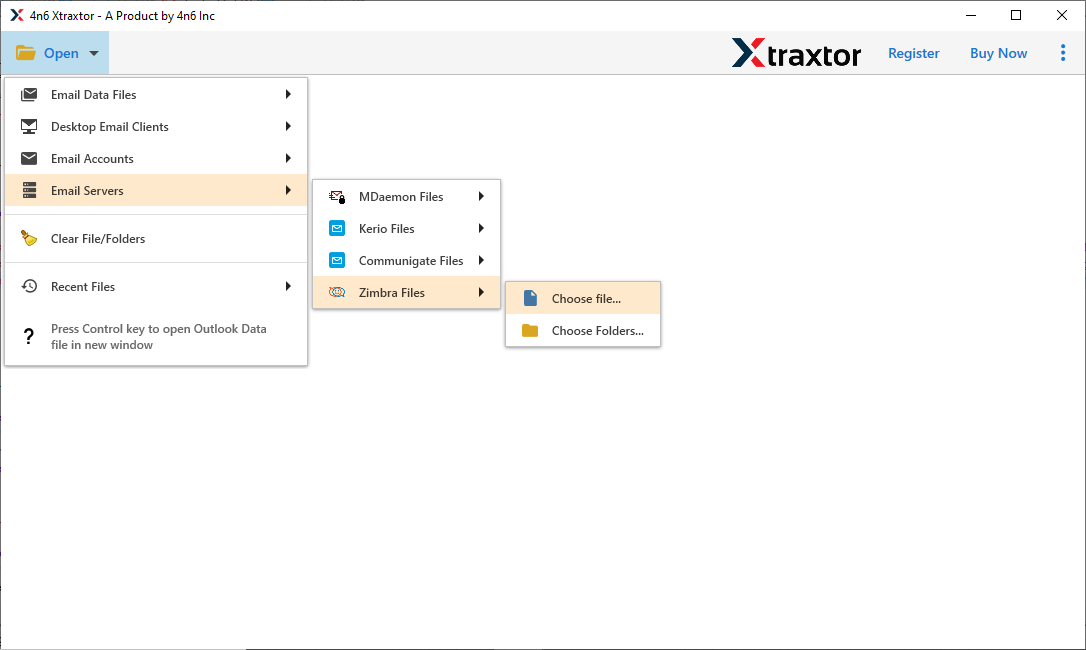
4. Now run SysConverter for Zimbra on your system.
5. Then click Open >> Email Server >> Zimbra Files >> Choose File.
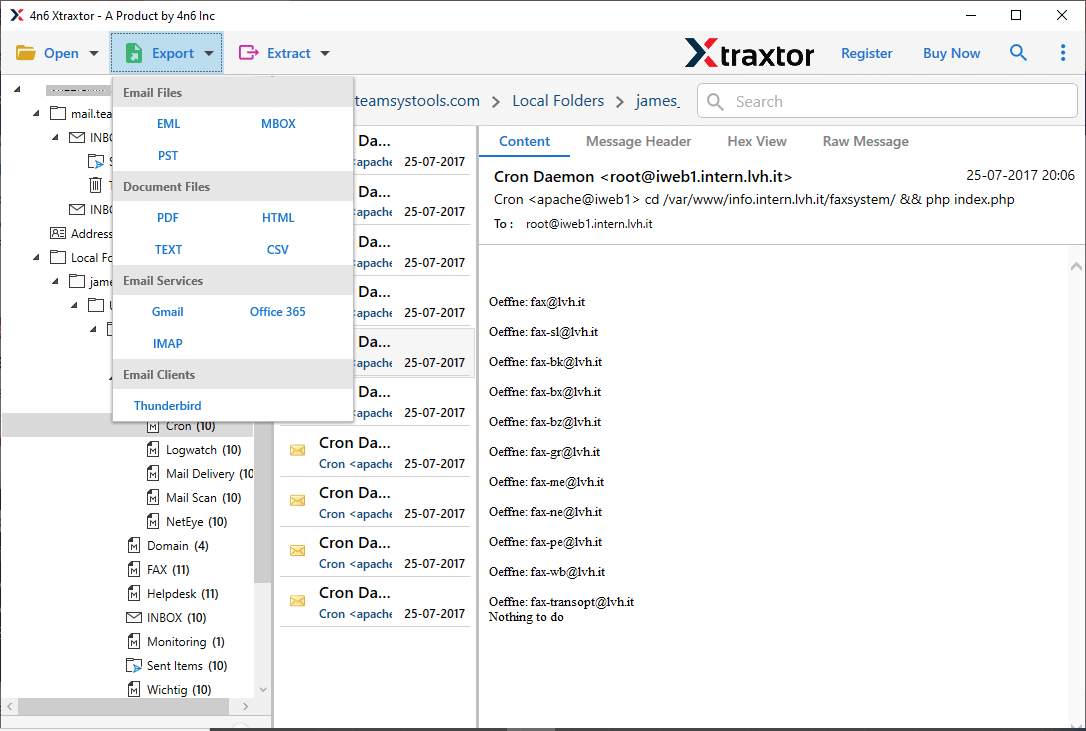
6. Click on Export and choose the PST option.
7. Browse the targeted location and hit the Save button.
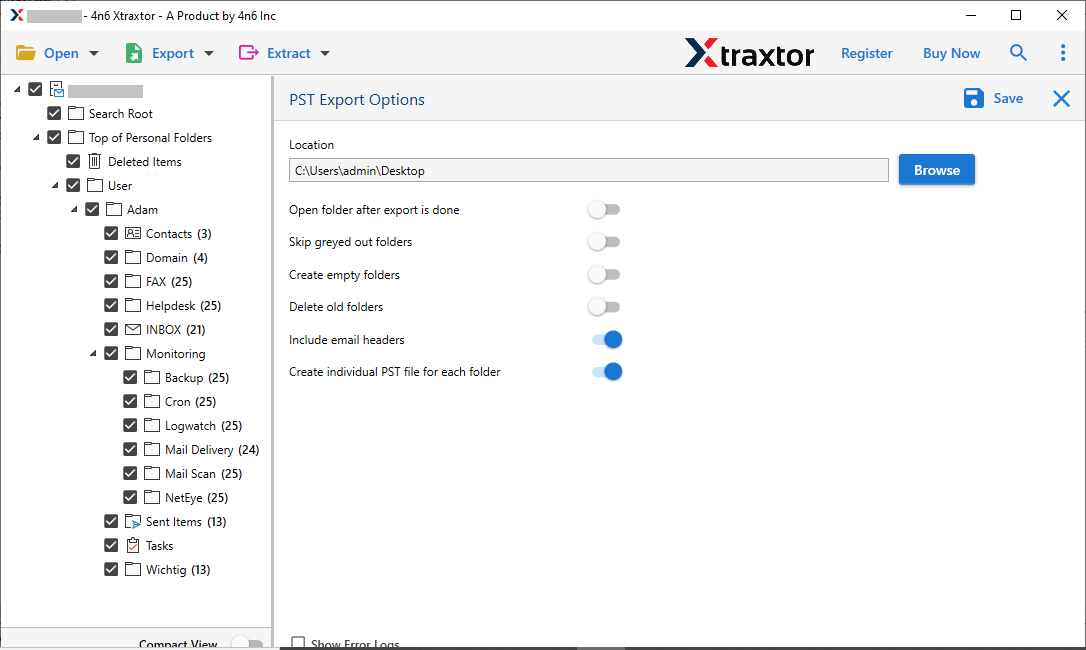
8. Now in Outlook, using Import/Export tool import PST to the Outlook interface.
Done! Here you import Zimbra Mail to Outlook in few simple clicks. Using this tool you can also import Zimbra emails to other mailing platforms as well.
Why Choose Zimba Mail to Outlook Converter?
There are various prominent features offered by this tool, some of which includes –
- Maintain email folder and sub-folder hierarchy and structure.
- Preserve email key elements and attributes.
- Allow to batch convert Zimbra data files into Outlook and others.
- Advance filters to import selective emails only.
- Preview mode to read emails before importing them.
- Allow to export Zimbra to Gmail and many other webmail accounts.
- Compatible with all Windows OS systems.
- Using this tool you can also extract attachments, email addresses or phone numbers from Zimbra Mail.
- Offers to convert Zimbra Mail to different file formats.
- Simple and user-friendly interface for both technical and non-technical users.
Conclusion
Here in this post, we discuss the secure and efficient way to import Zimbra Mail to Outlook without any hassle. The mentioned tool will effortlessly transfer your Zimbra emails without affecting your mailbox data. Try the tool for free and know its complete working process.
Frequently Asked Questions
Q: Can I import my contacts and calendar entries along with my emails?
Yes, the tool will import Zimbra emails, contacts and all other mailbox data without any hassle.
Q: Will I lose any data during the migration process?
No, there will be no data lost while you import Zimbra Mail to Outlook.