Summary: This write is composed as a guide to move PST file to Thunderbird account. If you are looking for a way to import PST to Thunderbird, then read the article and learn different ways to perform this import process.
PST is an Outlook property file format to store mailbox data including messages, contacts, calendars, journals, etc. Although Outlook is a feature-rich email client, to access all these features one needs to pay for it.
Sometimes a situation arises when a user finds it difficult to spend this much amount and tends to switch to a freeware email client.
In that case, What is better than Mozilla Thunderbird?
Now you are wondering Can Thunderbird import PST files?
The answer to this question is Yes. It is possible to transfer PST file data to the Thunderbird account without any data loss.
Hello! I recently found some .pst files on my local drive and I want to know what they contain. However, I am unable to access this file as PST is an Outlook format and I use the Thunderbird email key. On top of that, I never try to transfer any files to the mail app. Can I import PST to Thunderbird? If so, then how? Please suggest to me any workable solution that will solve my problem.
Analysing the above user query, it is clear that the user eagerly wants to move PST to Thunderbird account. Thus without further delay, let’s dive in and know the different workable solutions to transfer the email data files to Mozilla Thunderbird.
How to Import PST to Thunderbird Without Outlook?
If you have a PST file and want to transfer it to your freeware email client, then PST Converter is the solution for your import process.
This tool is a simple, secure and reliable solution to save .pst file data into a Thunderbird account without any data loss. It will efficiently transfer multiple PST files to Thunderbird in a single attempt. Most importantly while importing emails and other data, this tool maintains mailbox folder and sub-folder structure and hierarchy. The best part of using this software is that it directly transfer your PST file into configured Thunderbird account.
Along with that, it offers other interesting features such as advanced search, selective email import, and many more. Using this tool you can also import PST to Office 365, Gmail, Yahoo, Google Workspace, and other webmail accounts without facing any glitches.

Follow the Steps to Export PST File to Mozilla Thunderbird
- Install and run this software on your Windows OS system.
- After that click on the Open button for further selection.

- Now select Email Data File >> PST File >> Select File or Folder.

- Here you can read your emails and select which folder you want to import.
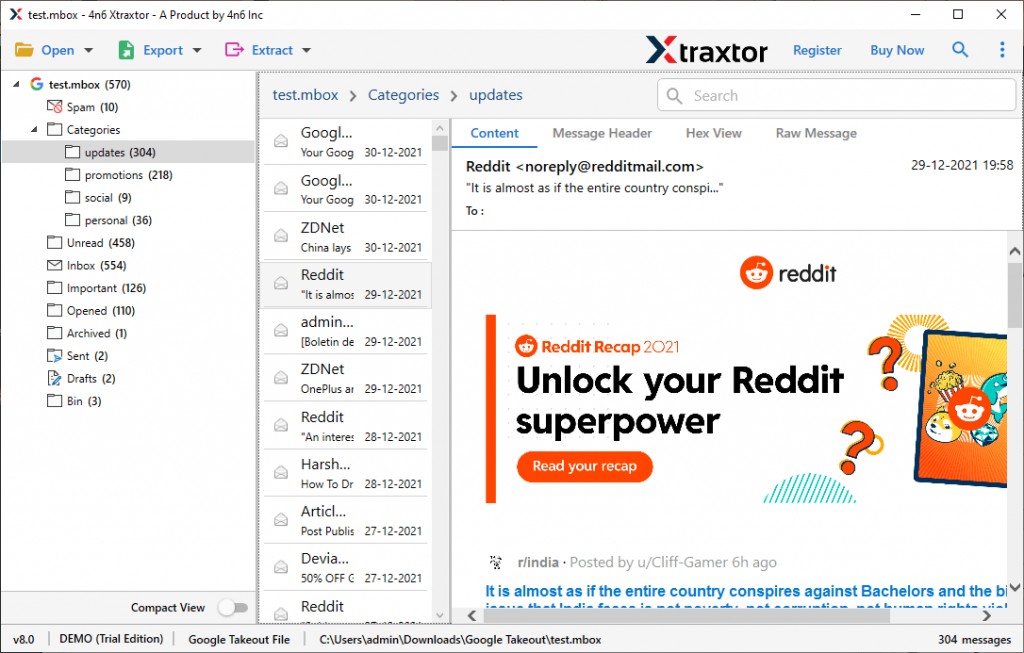
- Step 5. Click on the Export and choose Thunderbird from various options.

- After selecting the saving option, this tool automatically browses the location where your Thunderbird mailbox data is stored. Then click on the Save option and complete the import process.
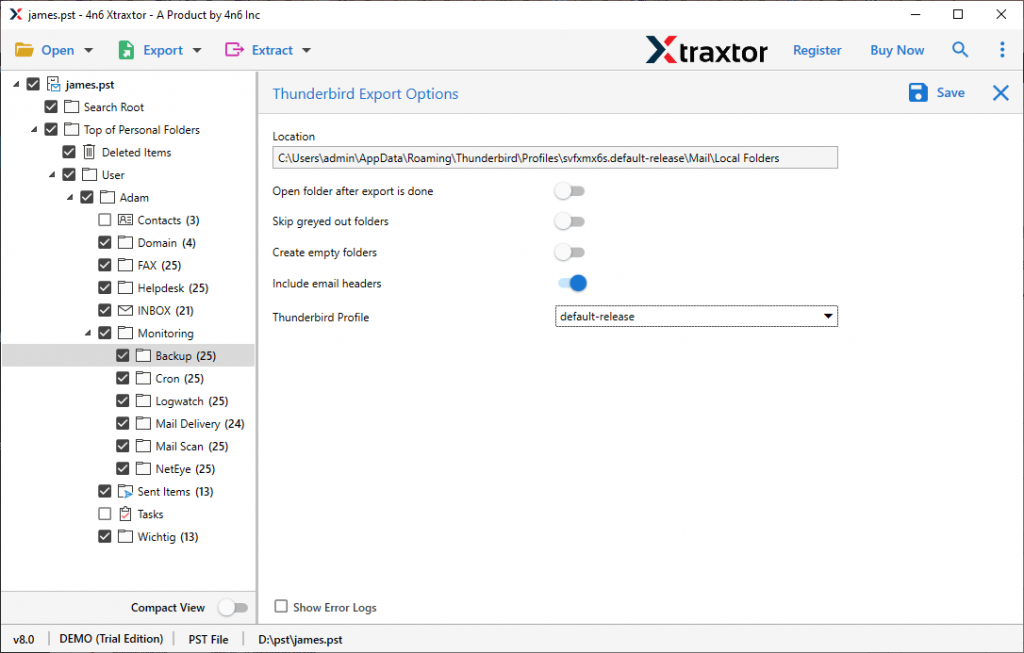
Here is the complete process of PST to Thunderbird transfer with an expert tool. Users can use the demo version of this tool to perform above mention steps.
Although this method itself is a complete workable and secure way to transfer .pst to Thunderbird, sure can also opt for a manual method also. To know that read the next section.
How to Import PST to Thunderbird Manually?
Here we will discuss two approaches to export emails from PST file to Thunderbird profile.
Solution 1: Gmail – Outlook Configuration
To perform this import process, firstly you need to upload PST file into Outlook. Then you need to configure your Gmail account to Outlook (It is preferred to create a new Gmail account). After that copy .pst file emails to Gmail. At last, configure that Gmail account to Thunderbird. Let’s know the process in a step-by-step manner.
-
- To begin with import PST to Outlook email client.
- After that, create a new Gmail account and step up it for configuration.
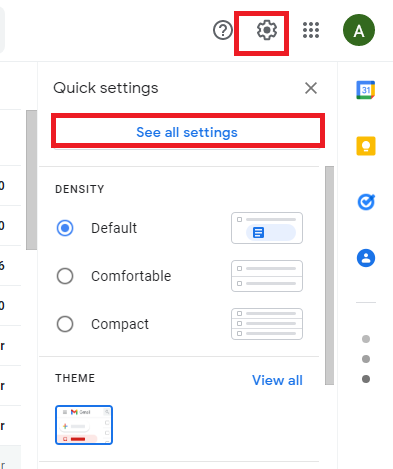
- In your Gmail account go to Settings>> See all settings.
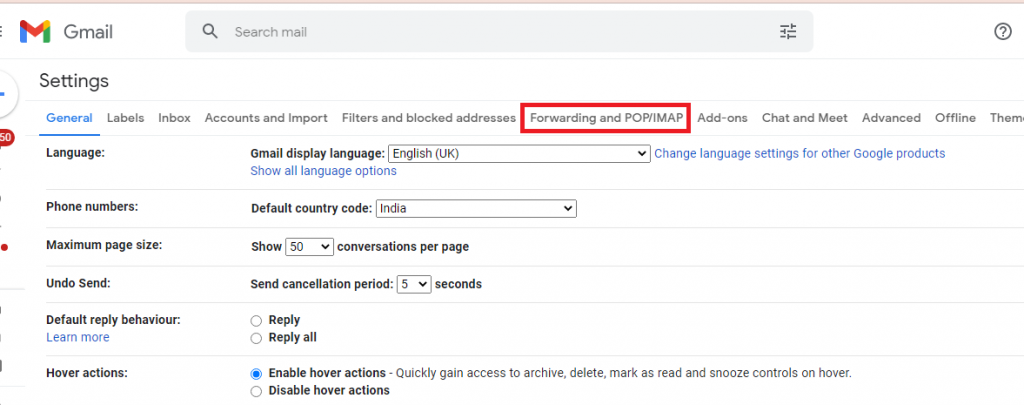
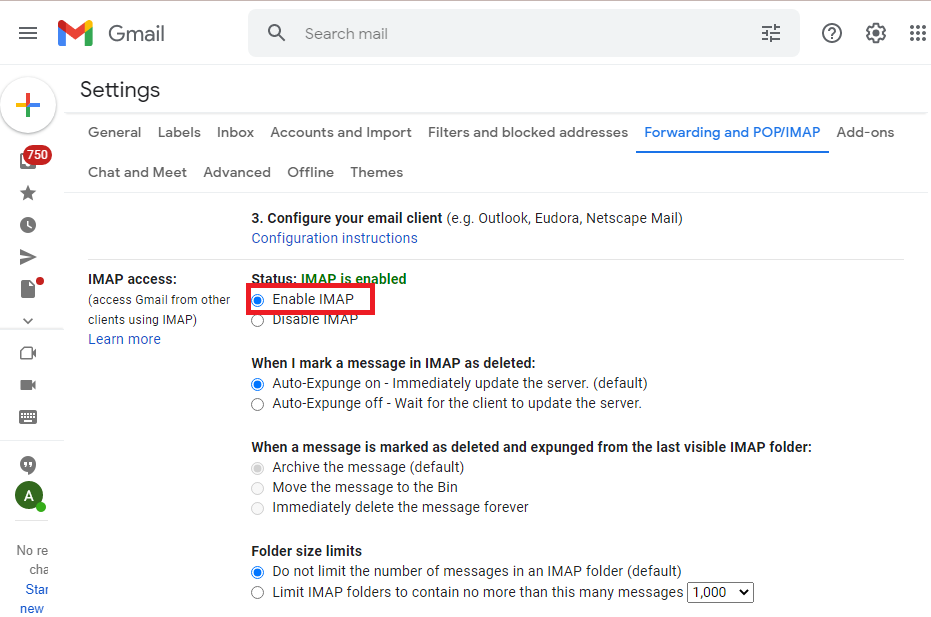
- Click on Forwarding and POP/IMAP and Enable IMAP under the IMAP access option. Click on the Save Changes option.
- Now open the Outlook email client and go to the File option from the menu bar.
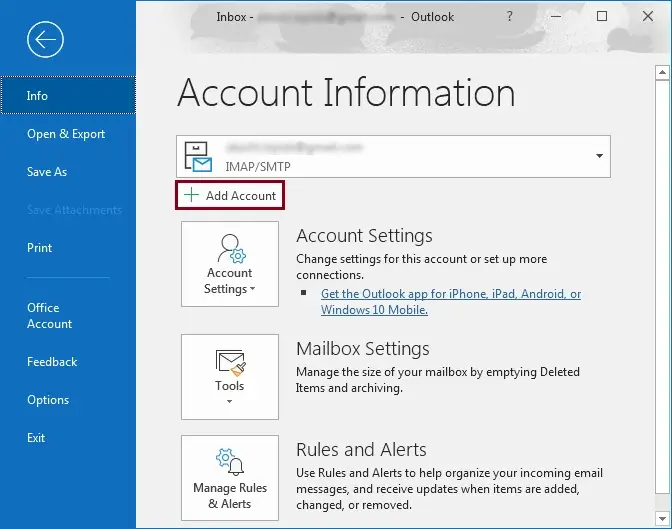
- Here click on Info >> Add Account.
- Enter your Gmail login details and click on Connect.
- A notification will show the account setup success.
- Now your Gmail is configured to Outlook. Create a new label and name it.
- After that copy, all emails from the PST file and paste them into the newly created label.
Here you transfer your PST file data to Gmail. Now move the emails from Gmail to Thunderbird. To do that, follow the below-given instructions.
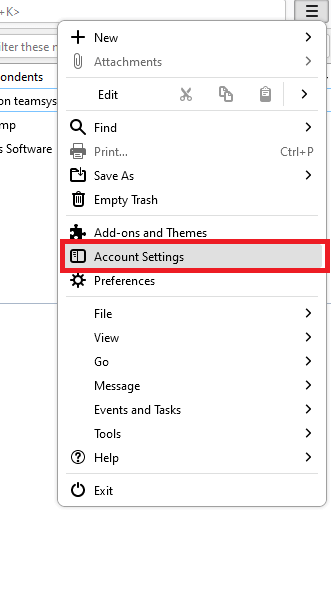
- Open Thunderbird and click the Gear option at the top right of the interface and select Account Setting.
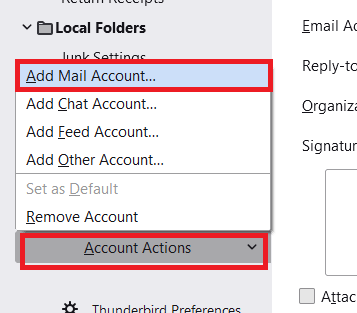
- Click on Account Action >> Add Account.
- Enter your Gmail login details and click on continue then Done.
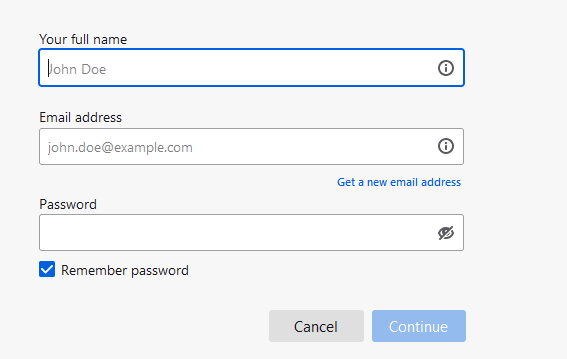
- A Gmail login window will appear, enter your Gmail id and password.
- Then click on allow to let Thunderbird to access your webmail account data.
- At last, click on OK and see your emails in the Thunderbird interface.
Here is the complete process to import PST to Thunderbird. There is one other method to perform this transfer process.
Solution 2: Native Way to Move PST Into Thunderbird
To start with, first, you need to import PST file to Outlook interface ( to know it, read the above solution). After that follow the given instructions.
- Open the Mozilla Thunderbird email client on your system.
- Now click on the Gear button and choose the Tool option.
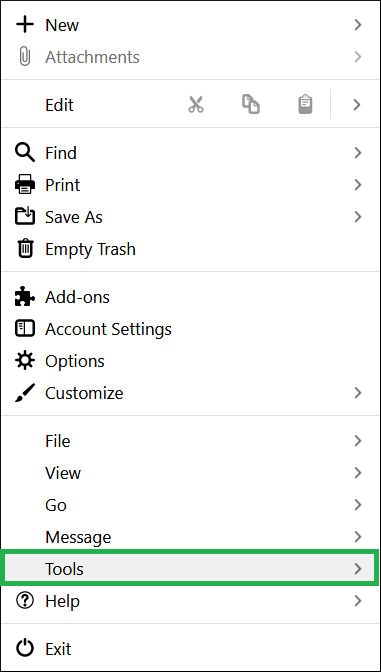
- After that click on the Import option.

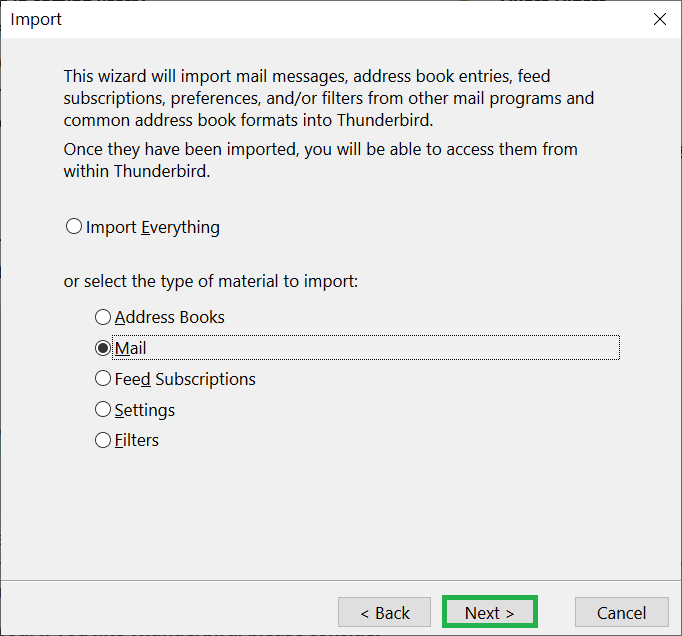
- Select the Mail option from the given list to import.
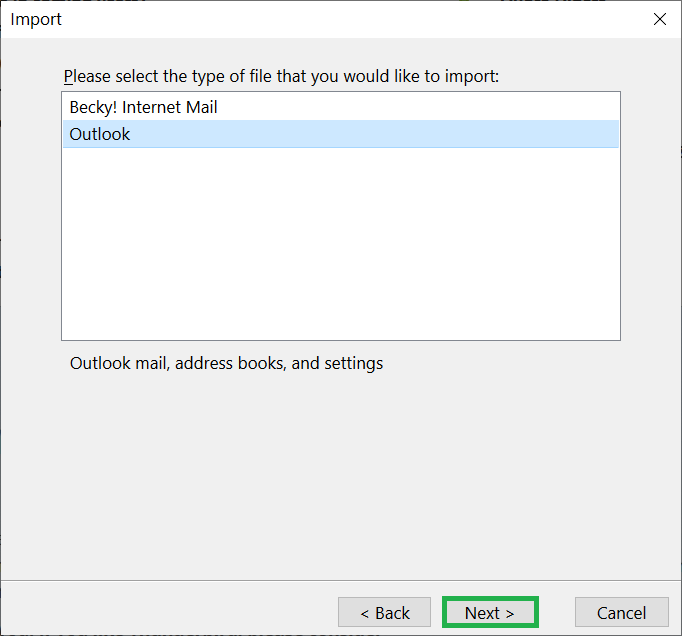
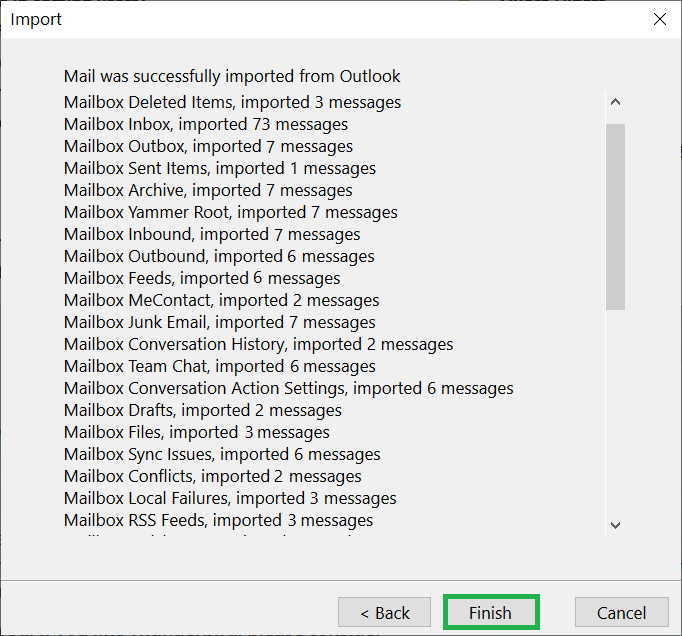
- Select Outlook and clcik on the Next option.
- At last, clcik on the Finish button.
However these manual methods can import PST to Thunderbird, but there are certain limitations to them. Some of the limitations are –
- These processes are lengthy and time-consuming.
- For configuration, you need technical assistance.
- If there is a large PST file to import, then there is a high chance of data loss.
- There is no email filter for selective email transfer.
- You can transfer a single PST file to Thunderbird, it is not capable of batch import in a single attempt.
- A sudden detachment can corrupt the PST file and damage the Thunderbird account.
To avoid all these limitations. it is recommended to use the PST to Thunderbird Import Tool. It is the best approach to transfer multiple PST files to Thunderbird without affecting data integrity and formatting.
Conclusion
This blog is all about the various ways to transfer PST file to Thunderbird. Here we discuss two methods – Automated or Manual. Both are capable of moving PST data to the Thunderbird account. However, the manual approach has certain restrictions. To overcome those limitations we mention automated software. You can use both solutions and find which one is right for you.