Learn how to import PST to SmarterMail account with attachments. Read this technical guide and import emails from PST file into your SmarterMail account without any hassle.
Importing emails from one place to another is common nowadays for better management. The same is the case when the user wants to import all the emails from PST file to SmarterMail account. As we know it is not easy to access PST file without using the email client, thus importing the data file into SmarterMail makes the access easy.
SmarterMail is a popular email service that offers various outstanding features and offers better email management. In this guide, we will walk through the automated way of importing PST emails to SmarterMail account. Before that let’s take a look at the user query.

Unfortunately SmarterMail doesn’t have any option to import PST file. However using any automated tool you can complete the task. Without any further delay, let’s move ahead and know the complete PST to SmaretrMail import process.
How to Import Emails from PST to Smarter Mail?
Try out SysConverter for PST to complete the importing. This PST Converter is the secure approach to import PST emails to SmarterMail in a few simple clicks. With its advance features and filters it is easy to transfer selective emails to SmarterMail mailbox effortlessly. To complete the importing, you need to add the PST file and add your SmarterMail login details. You can analyse the working of the software using the demo version of the software.
Click on the link below to download the free version of the software.

Steps to Import PST to SmarterMail
1. Run the Sysconverter for PST tool on your system.
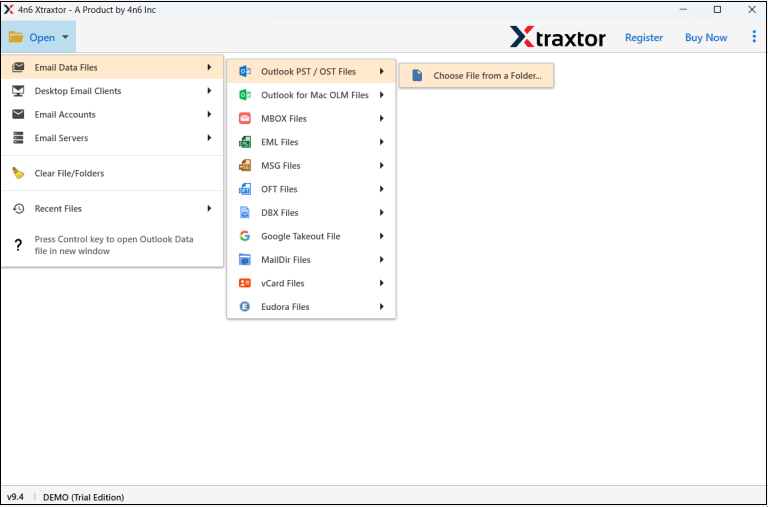
2. Click on Open >> Data File >> PST File.
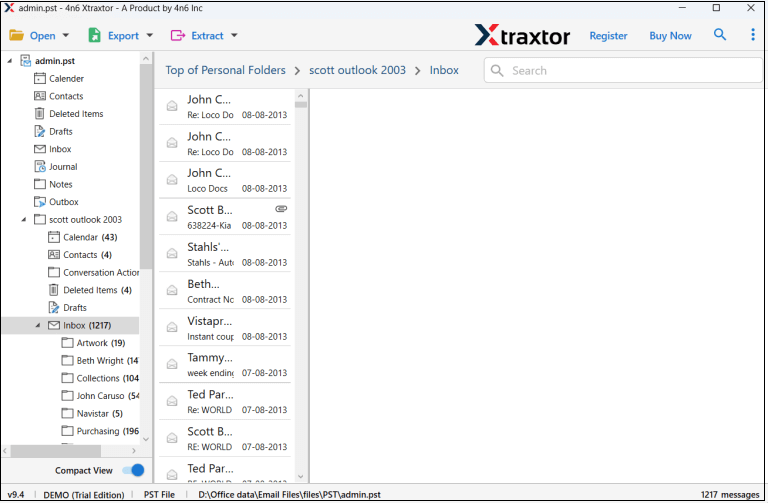
3. Here you can view your emails before importing them.
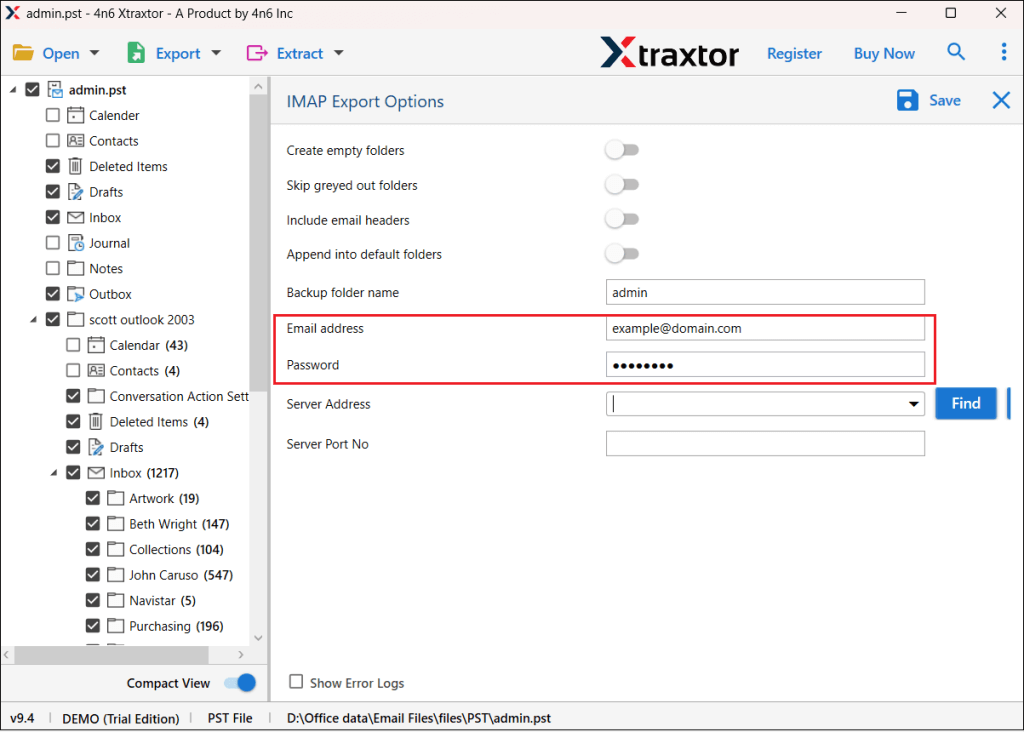
4. Click on Export >> IMAP option.

5. Enter your SmarterMail login details and hit the Save button.
Done! Here you import PST to SmarterMail in a few simple clicks. With this tool, there are various prominent features that make it unique. Some of them include –
- Maintain email folder and sub-folder hierarchy and structure.
- Allows to import selective email folders from PST file.
- Preserve email key elements and attributes.
- You can also import emails from PST to Gmail and many other webmail accounts.
- Effortlessly import large-sized or corrupted PST file into SmarterMail account.
- Advance filter options – to, from, cc, bcc, name, date, time, etc.
- Works on Windows 11, 10, 7 and all other previous versions.
- A free demo version is also available to know its working process.
Conclusion
Here in this post, we mention the step-by-step process of importing PST emails to SmarterMail account with attachments. Since we already mentioned that there is no manual approach to complete the importing. Thus to complete the process, we advise using the SysConverter for PST. You can use the free version of the software to know its proper working.