This complete article is all about the efficient and secure way to open MSG files into Thunderbird account. If you are also want to import MSG to Thunderbird, read the complete article.
Now a day’s there are lots of users looking for a way to move Outlook messages into Thunderbird. Thus we decide to put forth the complete guide to read multiple MSG files in Thunderbird with ease.
Before we move further let’s know the reasons behind this import process. After that, we will discuss the process for the same.
Why Need to Import MSG Files to Thunderbird?
There may be various reasons behind this import process depending on the needs of the user. As MSG is a single message file and managing all message files is a difficult job. Therefore, it is better to save them in free software that saves your mailbox data in a single file. Also, after moving .msg files to Thundrebird, it is easy to transfer these files to another email account that is configured with this email client. In the absence of the Outlook email client, the best option is to copy multiple MSG files into Thundrebird.
Let’s understand with user query and try to solve this issue.
“I use Thunderbird email client for email management. However, I recently received several .msg files that have some important data that needs to be transferred urgently. The problem is that I can’t read MSG files in the Thunderbird account. Can anyone suggest to me an instant way to do this import process?”
Note: Thunderbird doesn’t provide an option to import MSG files into its interface, thus you need a third-party solution for this MSG to Thundrebird import process.
How to Import MSG to Thunderbird Instantly?
Among various automated tools, MSG Converter is a secure approach to move various message files into Thunderbird email client. Using this utility users can easily move MSG files into Thunderbird without any data loss. While this tool import the messages, it preserves its key elements (to, from, subject, etc) and formatting. Most importantly this transferring process doesn’t affect the integrity of the .msg file data.
Some other features of this tool are – an advanced search filter, selective message import, simple user interface, and Windows compatibility. With this tool, you can also import MSG files into Outlook 2021, 2019 and other versions. All these characteristics we will discuss in the coming section in detail. Right now let’s know the working of this tool and save MSG files into Thunderbird.

Follow the Steps to import MSG Files Into Thunderbird in Bulk –
- Download and run SysConverter for MSG software in your Windows OS system.
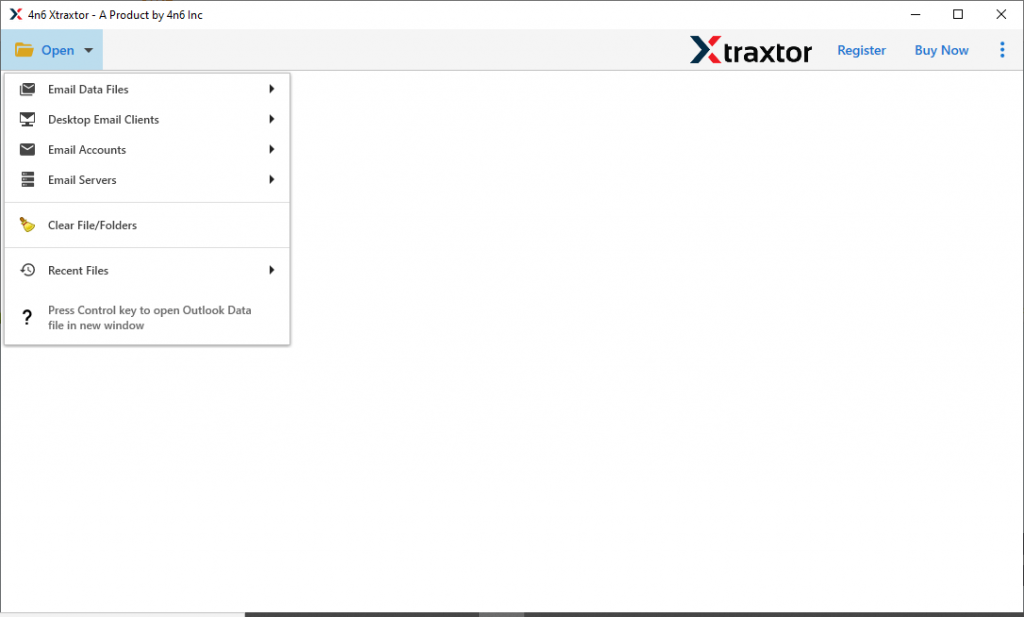
- Click on the Open button and choose for further process.
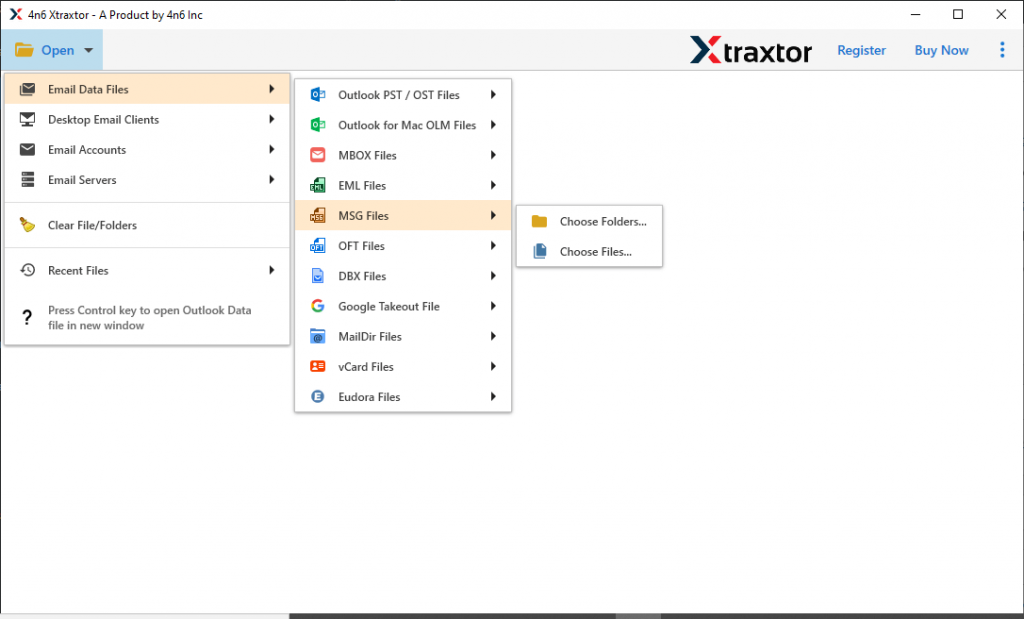
- After that select Email Data File >> MSG File >> Select File or Folder.
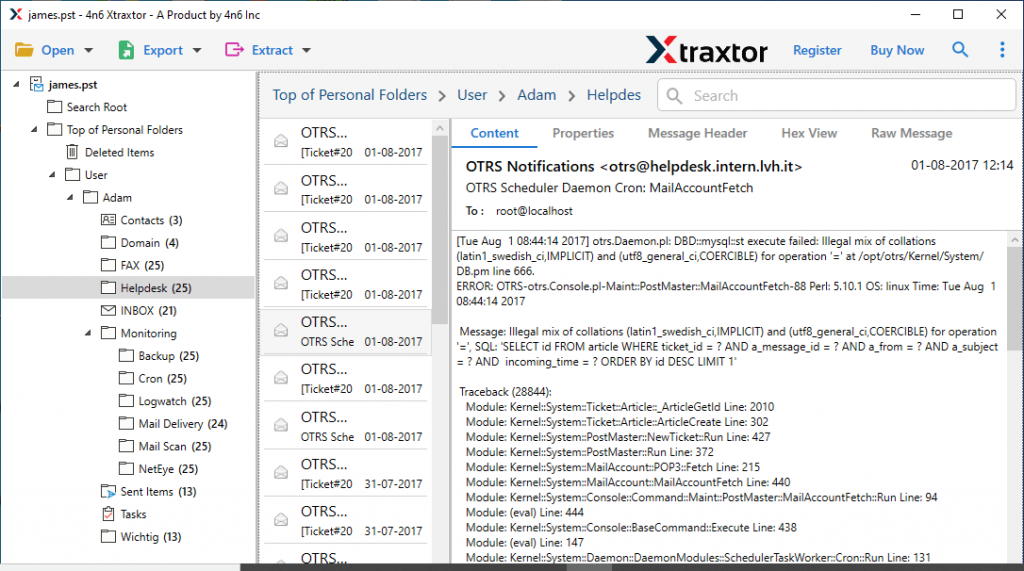
- Here read your messages and select which one is needed to import.
- Now click on the Export and opt for the Thunderbird.
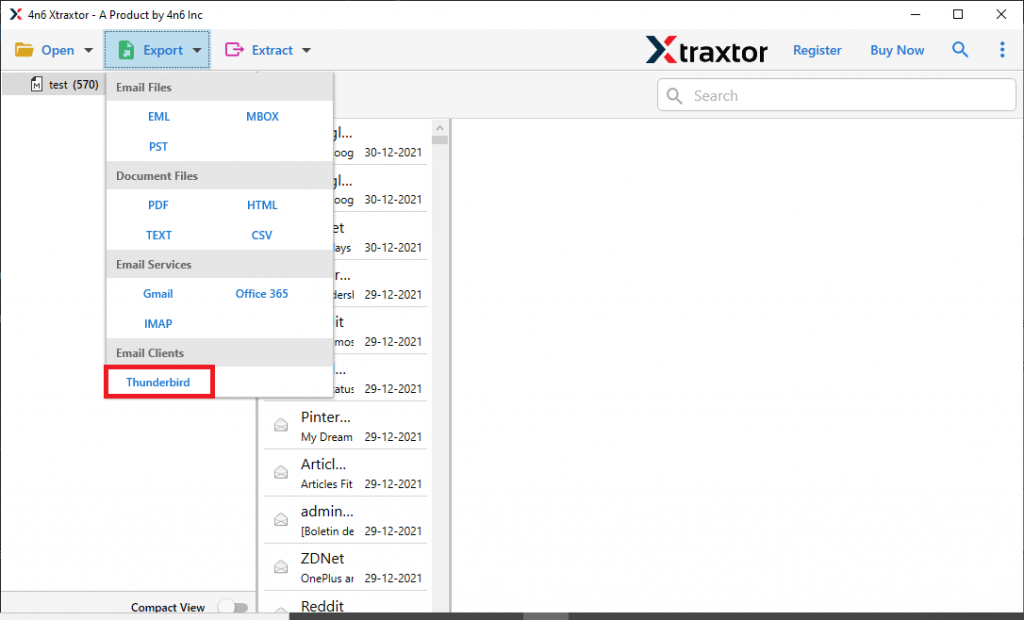
- This tool saves .msg files into a location where Thunderbird mailbox data is stored. At last, click on the Save button.
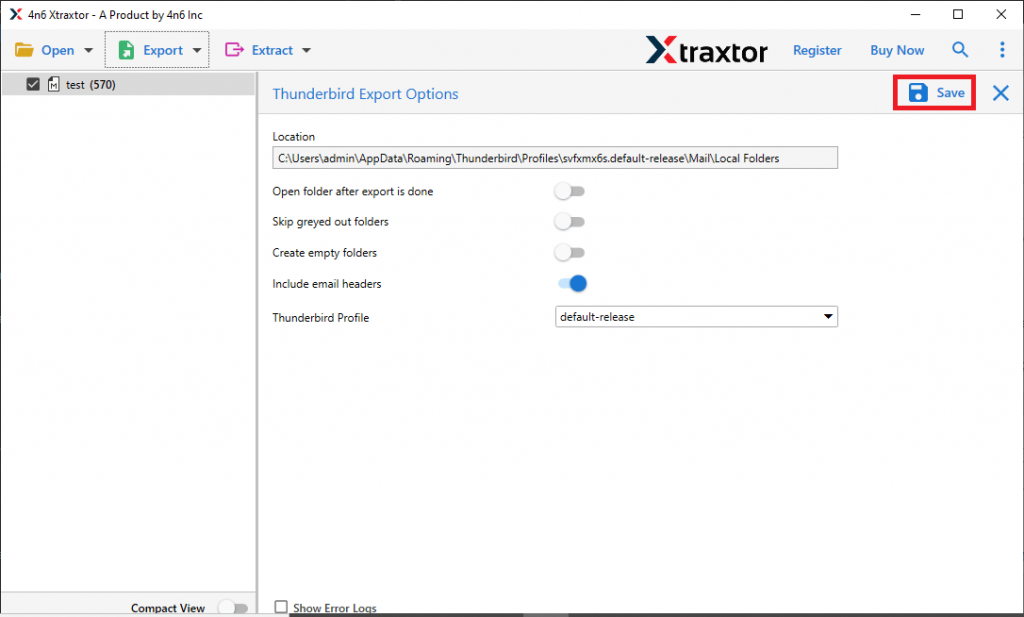
Here Completes the process in a few simple steps. Users can also use the demo version of this tool and try to import MSG to Thunderbird email client.
Why Choose MSG to Thunderbird Import Tool?
Some of the outstanding features of this software are mentioned here. Have a look at them.
Search Option: With this tool comes a search filter that helps to find messages from the data file. Users can apply filter such as – to, from, subject, content, c, bcc, has attachments, date range, and many more.
Simple User Interface: This MSG to Thunderbird Import tool is programmed with simple graphics so that it is easy to use. With its self-explanatory work, even novice users can operate this tool and move MSG files to a Thunderbird account.
Open MSG Files Into Webmail: With the help of this tool, users can also import MSG to Office 365, Gmail, Yahoo Mail, Google Workspace, and many more. It directly transfers the message content into these webmail email account interfaces without facing any glitches.
Support Windows OS: This MSG to Thundrebird Import tool is compatible with all Windows OS versions. It can be easily operatable on Windows 11, 10, 8, XP, Vista, and all other previous versions.
Conclusion
In this write-up, we discuss a secure way to import MSG to Thunderbird with no data loss. Along with that we also mention the step-by-step procedure to move multiple .msg files into Thundrebird interface with respective screenshots. Try the demo version of this tool and after satisfactory results move to the licensed version.