Summary: This blog is all about the process to transfer MSG files to Outlook 2021 interface. Read the complete article and know the secure way to import MSG files into Outlook 2021 interface.
A file with a .msg extension is the Outlook data file used to save a single message. It stores email messages along with complete components including attachemnts. The prime purpose of Microsoft to introduce MSG files is to allow its users to share information such as messages, appointments, events, contacts, tasks.
In case you drag and drop an email from the Outlook interface to your system desktop, then it will create a .msg file.
Now we know that we can create a single .msg file using the drag-and-drop method. However, the question is – Can we import MSG files to Outlook 2021?
If you are also seeking an answer to this question, then the answer to your question is Yes you can open MSG to Outlook 2021 account.
Without any further delay, let’s move to MSG to Outlook 2021 process.
How to Import MSG Files in Outlook 2021 Manually?
In this section, we will learn two different methods to import MSG files into Outlook 2021 account. Let’s know those methods one by one.
1. Drag and Drop MSG Files into Outlook 2021
Follow the below-given instructions to open multiple MSG files into Outlook 2021 interface.
- Open the Outlook 2021 application on your system.
- Create a new folder under your mail section with a specific name.
- After that go to the location where MSG files are stored. and select all of them.
- Now drag the selected messages and drop them into the newly created folder in Outlook 2021.
When the process is completed, you will find your messages in your Outlook 2021 interface.
2. Copy MSG Files and Paste them into Outlook
- Open Outlook 2021 on your system.
- Now move to the location where .msg files are stored.
- Please select all the messages and copy them.
- Now create a new folder in Outlook under your mail section.
- After that past all the MSG files into this folder.
- Here you go, you will find your MSG file in the Outlook interface.
Here complete the MSG to Outlook 2021 import process.
Before you try these manual methods, you should read this.
Both above manual methods can open limited MSG files into Outlook 2021. If you try to transfer multiple messages, Outlook can stop responding. Most importantly you can corrupt your .msg file or corrupt them. Along with that, there is no assurance of keeping message format or integrity intake.
How to Import MSG Files into Outlook 2021 Instantly?
Since manual solutions have drawbacks, thus it is best to rely on the export approach. One such way is the use of the MSG Converter tool. This alternative tool is specially designed to transfer multiple MSG files to Outlook and other mailing platforms without any data loss.
User doesn’t need to worry about their message integrity and formatting while using thsi tool to import multiple MSG files to Outlook 2021. Along with that, you can also import MSG to Thunderbird, Windows Live Mail and other webmail accounts. Most importantly you will not lose any single bit of your data.

Follow the Steps to open MBOX files to Outlook 2021 –
- Install and run SysConverter for MSG tool on your system.
- Click on the Open button and proceed further.
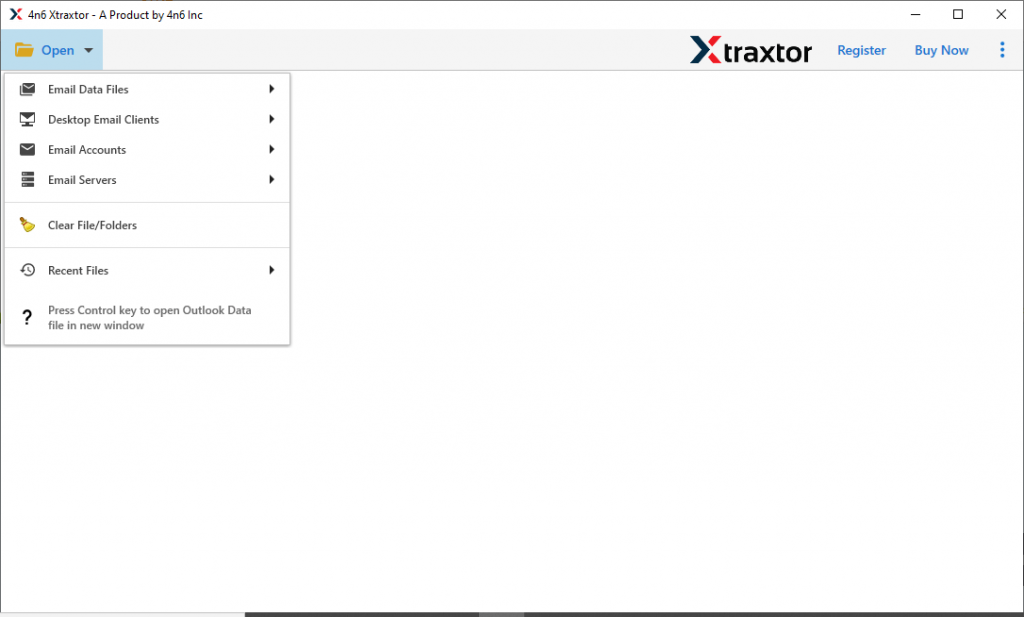
- Now select Email Data File >> MSG Files >> Choose Files or Folder.

- Read your messages and select those that need to be imported.

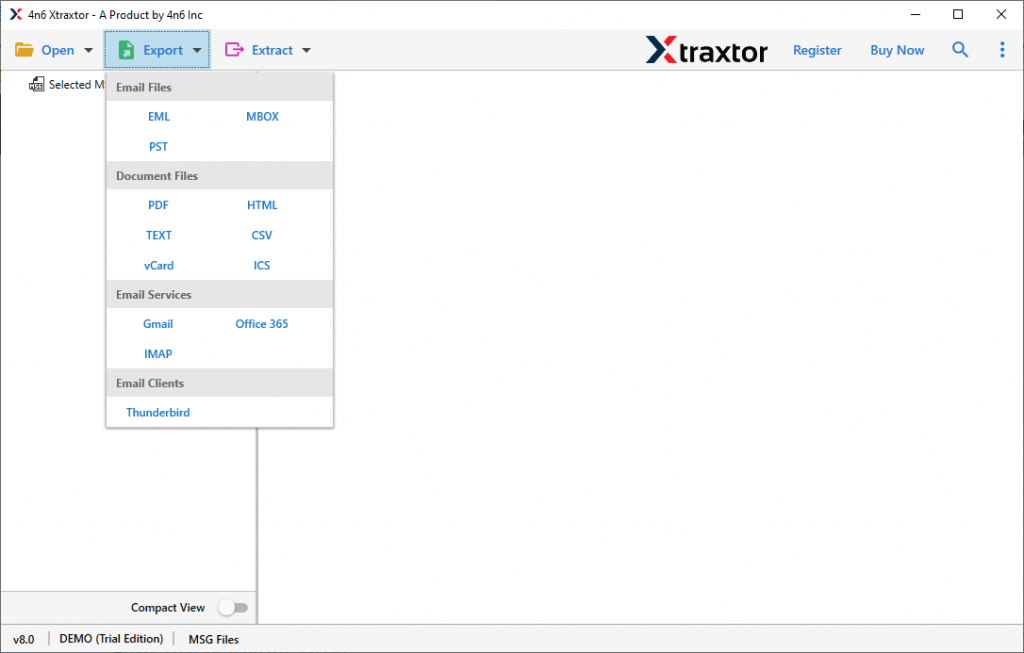
- Here click on Export and choose PST format.
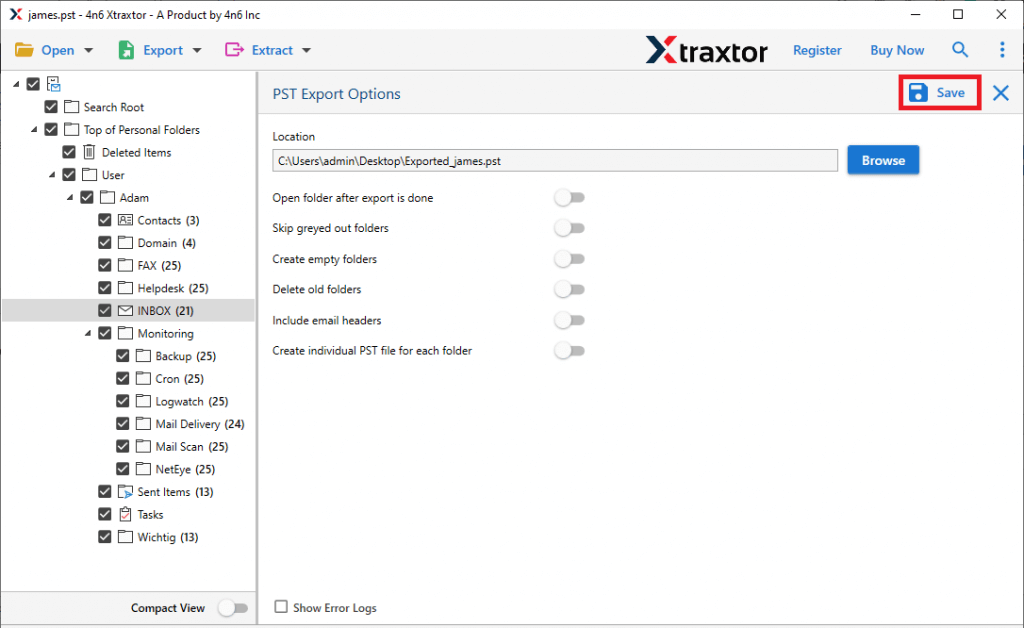
- At last, browse the location to save the data file and hit on the Save button.
- Open Outlook 2021 and click File >> Open & Export >> Import/Export.
- Select Import from another program and file >> Outlook Data File (.pst).
- Finally, locate the PST file and select the folder that needs to be imported. After that click on the Finish button.
After that import this PST file into Outlook 2021 interface using the Import/Export tool. To do that follow the below steps.
Here complete the MSG to Outlook 2021 import process. Now you can access your MSG files data in Outlook.
Conclusion
This article guides you – How to Import MSG Files into Outlook 2021? In response to this question, we mention two different methods – Manual and Automated. However, the given native method has drawbacks, thus it is recommended to use MSG to Outlook Import tool. Fort multiple MSG files import, this utility is ideal. To know about it, try the demo version of this software and try to read MSG files to Outlook 2021 account.