Looking for an instant solution to migrate MDaemon to Office 365 account? If yes, then read the complete article and learn the way to import MDaemon emails to Office 365 account with attachments.
MDaemon is a popular mailing platform used by many professionals for sending/receiving emails. This application support use POP3/IMAP protocol for incoming message and SMPT for sending emails. It also includes services such as groupware data such as contacts and calendar events.
On the other hand, Office 365 is a webmail service, with many advanced mailing services used by many extensive enterprises. If you opt to import MDaemon emails to Office 365, then you choose right. Office 365 users get better email management, advanced security, smart spam detection, and many more.
However, before we move ahead, note that there is no manual way to migrate MDaemon emails to Office 365. For that, you need to rely on a third-party solution.
Let’s check a user query to understand the user intent behind this import.
With this user query in mind, let’s discuss the instant way to move mailbox data to Office 365 account.
How to Import MDaemon Emails to Office 365 Instantly?
For seamless and hassle-free MDaemon to O365 import use the MDaemon Converter tool. This easy-to-use utility allows users to move multiple MDaemon data files into Office 365 account in a single attempt. Using this tool anyone can move their mailbox data without any technical assistance. Moreover, after the import process completion, you will get your entire data without compromising its integrity.
In addition to these, this utility maintains a mailbox hierarchy and offers different filter options to search emails and selective email import. Furthermore, you can import MDaemon emails to Gmail, Exchange Server, and another webmail account in a single interface.

Follow the steps and migrate MDaemon to Office 365 with attachments –
- Install and run this tool on your Windows OS system.
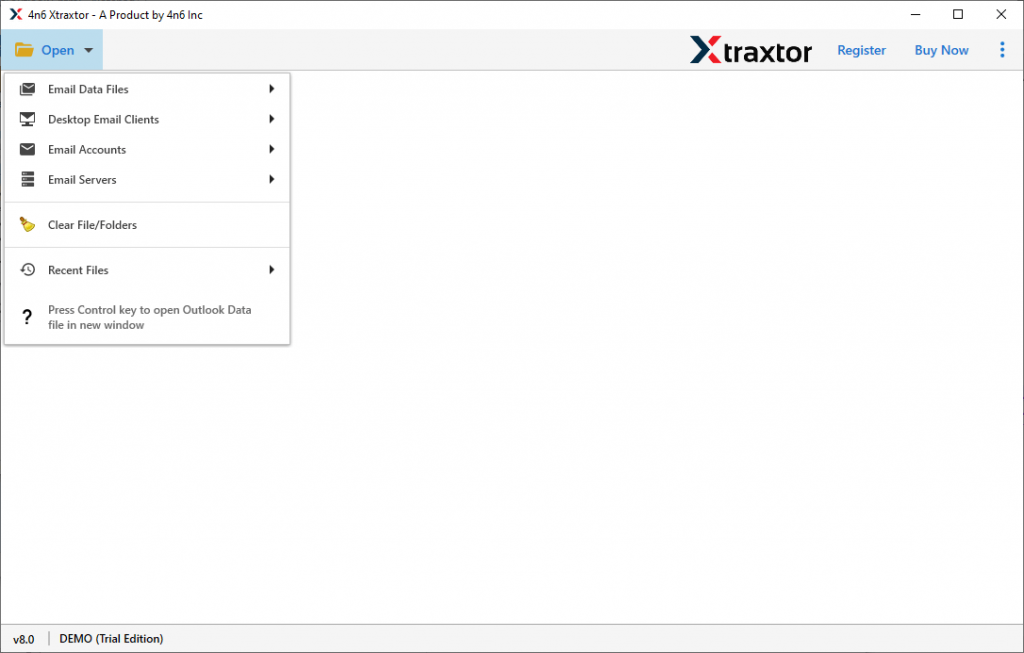
- Click on the Open button and select the required field.
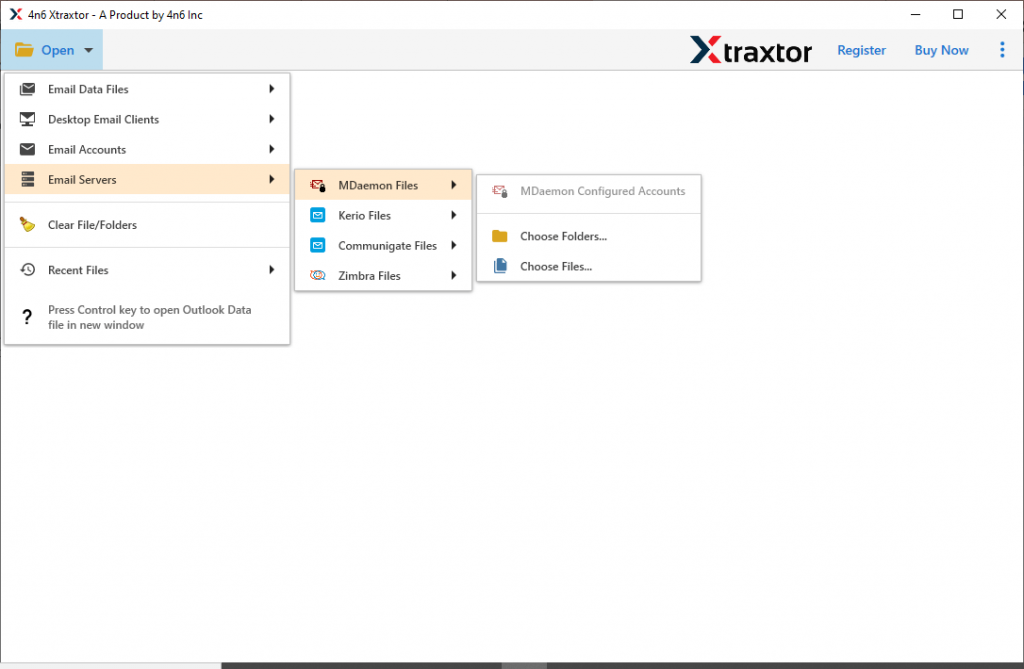
- Select Email Server >> MDaemon File >> Select Applicable Option.
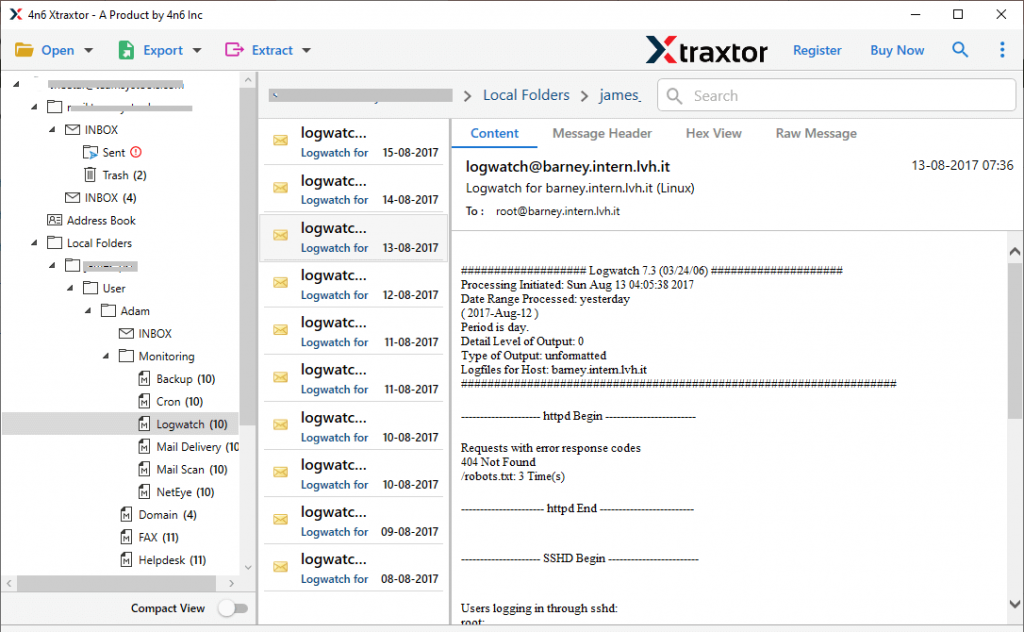
- Here you can view your emails and decide which email folder is important and need to import.
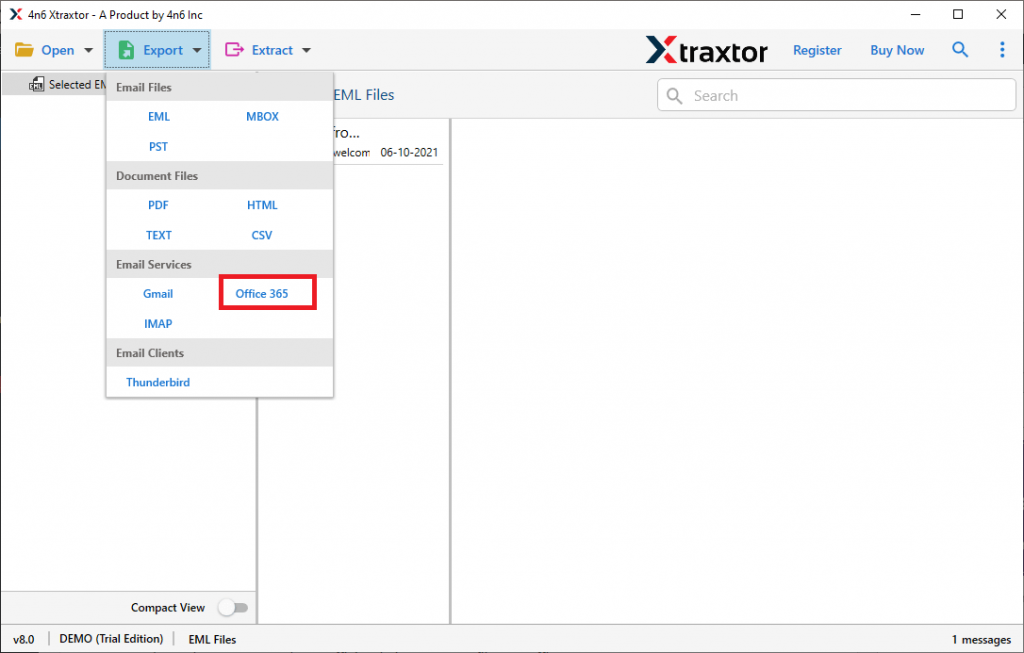
- Now click on the Export button and opt for Office 365 account.
- At last, enter your Office 365 account details and hit on the Save button.
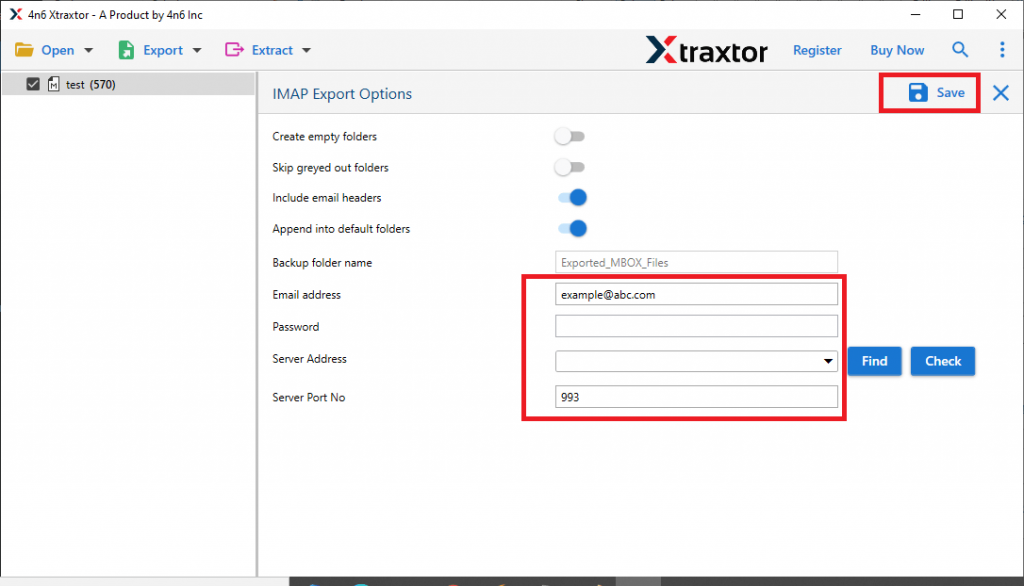
Here complete the MDaemon to Ofice 365 import process. Now you can access the MDaemon emails in your Office 365 account.
Features Of MDaemon to Office 365 Migration Tool
Some of the outstanding features of this automated tool are mentioned here. Have a look at them.
Import Emails In Bulk: This migration tool offers an option to select the folder that contains multiple data files. In this way, users can transfer multiple MDaemon emails into Office 365 account in a single attempt. Most importantly you will not lose a single bit of your data.
Different Saving Options: With this tool, you can also convert MDaemon emails to PST, PDF, CSV and many other file formats. All the saving option will be present in a single interface.
Maintain Mailbox Hierarchy: While migrating MDaemon emails to O365, this tool makes sure to maintain the mailbox folder or subfolder hierarchy. Along with that, this software upholds email key elements and properties during the import process.
Easy To Use Tool: With a simple and interactive user interface, it is easy to operate this utility. Novice users can import MDaemon emails to Office 365 accounts without any technical assistance.
Windows Support Tool: This MDaemon to Office 365 migration tool is compatible with all Windows OS versions. You can install and run this software on Windows 11, 10, 8, and all other previous versions.
Import MDaemon Emails to Cloud: The importing tool also import MDaemon emails to Exchange, Gmail, Yandex, and other webmail accounts without facing any glitches.
Conclusion
As we analyze the situation, we can conclude that the user may want to switch to a more secure email platform. Therefore, import MDaemon emails to Office 365 account. In this article, we discuss the complete process to migrate MDaemon to Office 365 account with a pictorial description. You can also use the demo version of this software and move emails from MDaemon to Office 365 without data loss.