Summary: In this article, you will find the secure and reliable approach to save MDaemon emails in PST file. If you are also looking for a solution to convert MDaemon emails to PST, then read this article till the end.
Converting emails from webmail account to PST file without data loss and affecting its integrity. Is it possible? Yes, it a very much possible to export MDaemon emails to .pst file in simple steps.
However, to perform this conversion process, you need to use the proper method that provides a fast and accurate result.
Although, MDaemon is the best email platform for small business users. However, when small business owners want to expand their miniature business to a large scale, it is better to use the right application. What will be best other than Outlook? Thus one needs to convert MDaemon emails to PST file format that is supported by this desktop application.
Before we move ahead and discuss the way to export MDaemon to PST, let’s take a look at some user query and understand the intent of users behind this conversion process.
“Is there any way to convert MDaemon emails to PST without Outlook installation? “
The above-mentioned queries state the user’s intent to export MDaemon emails into Outlook data file (.pst). Without any delay, let’s know the instant and secure way to perform this conversion.
How To Export MDaemon Emails to PST Format With Attachments?
If you are looking for a manual way to transfer MDaemon emails into PST file format, then you should know that there is no native method to do this conversion process. Thus, the only option is a third-party solution that is specially designed for it.
Use MDaemon Converter software, which allows you to export all mailbox emails into PST format with all attachments. This smart tool is capable enough to locate your configured MDaemon account and transfer its emails into .pst format. Along with that, you can also upload multiple data files and export MDaemon emails to PST in bulk without any data loss.
With this tool, you will get some other features such as – an email filter option, selective email export, maintaining an email folder or subfolder hierarchy, and many more.

Follow the given steps and convert MDaemon emails to PST format –
- Download and run this tool on your system.
- Click on the Open drop-down menu and choose from the given options.
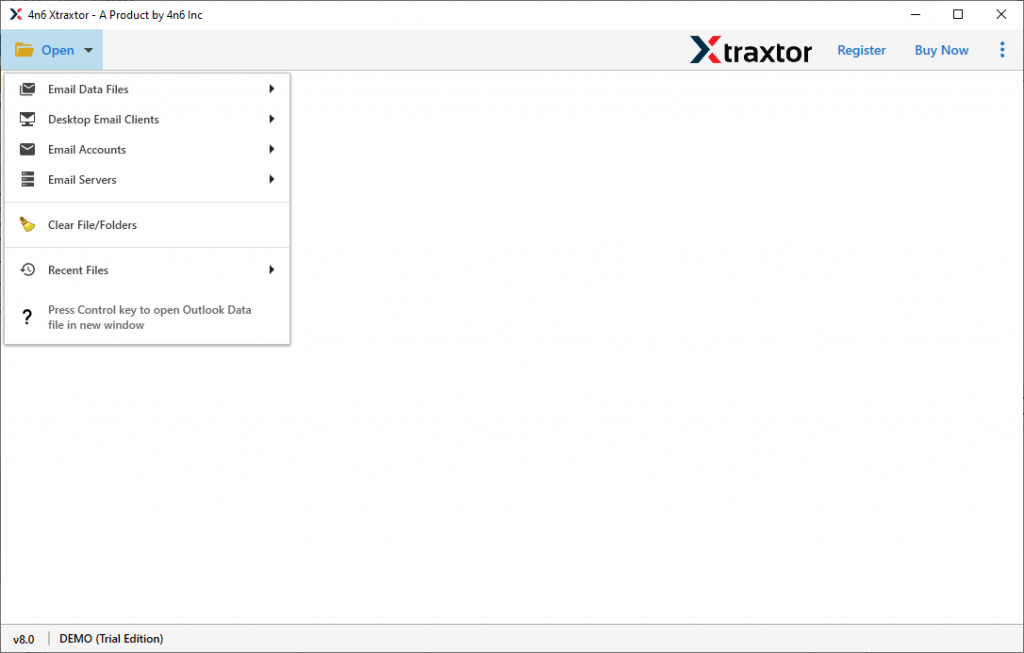
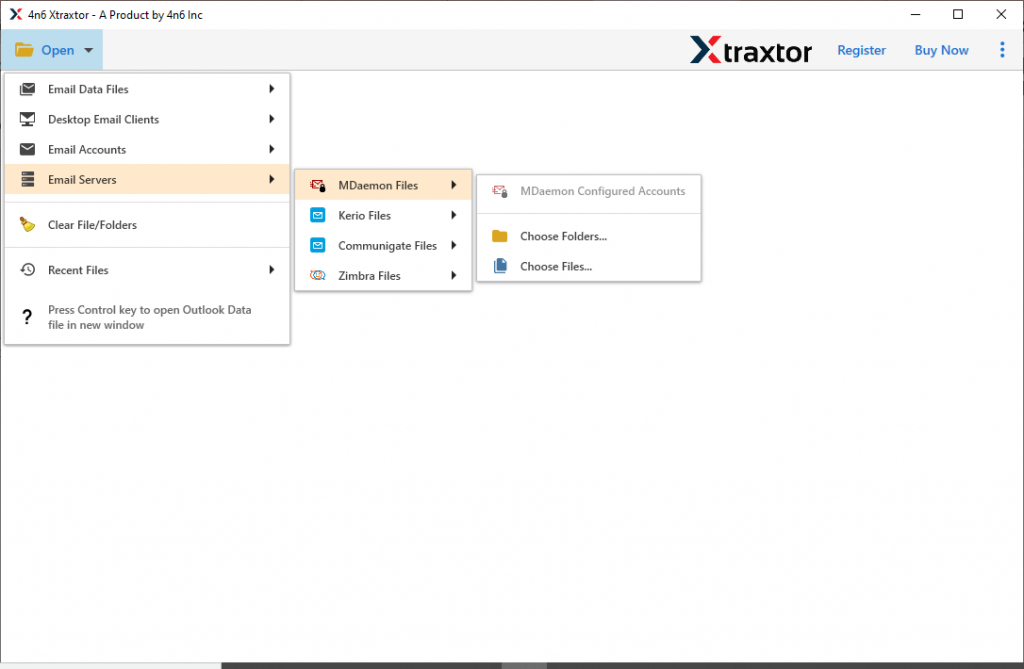
- Select Email Server >> MDaemon File >> Open Configured Account or Select File/Folder.
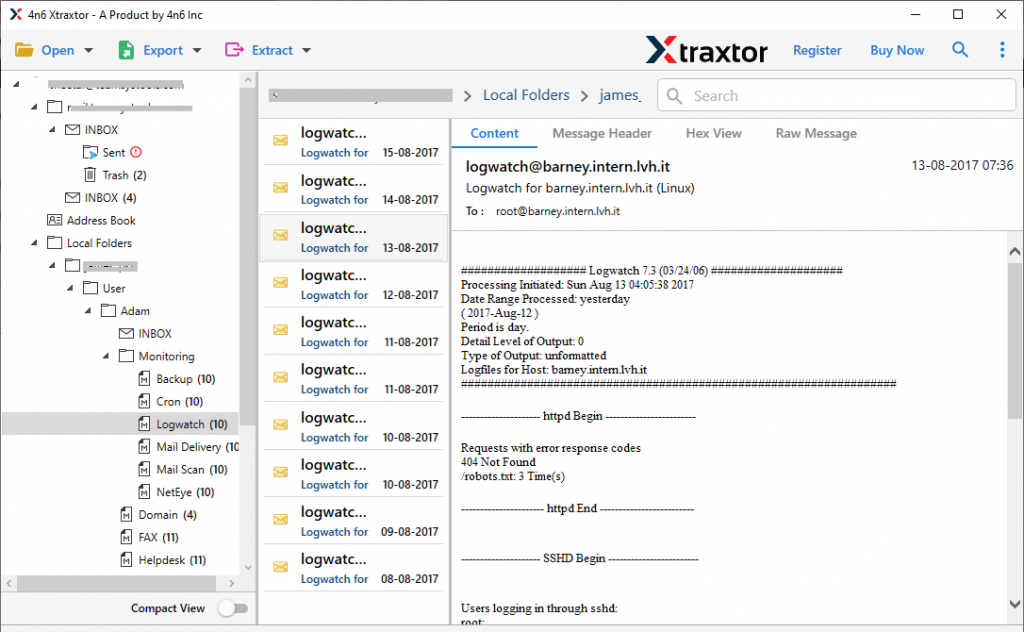
- Here view your emails and select the email folder that needs to convert.
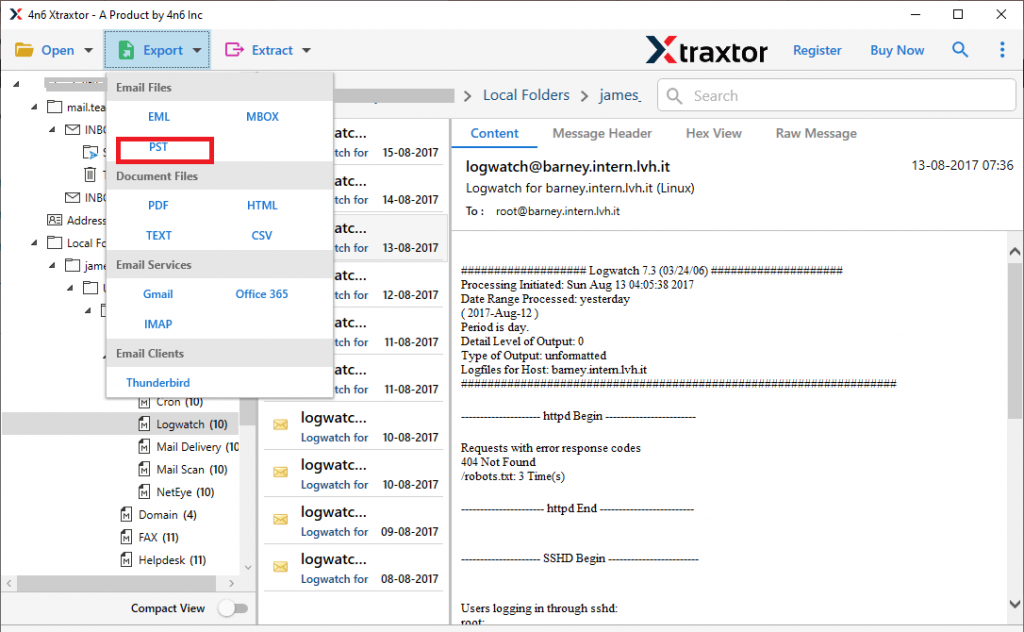
- Now click on the Export and opt for PST format.
- In the last step, browse the saving location and hit on the Save button.
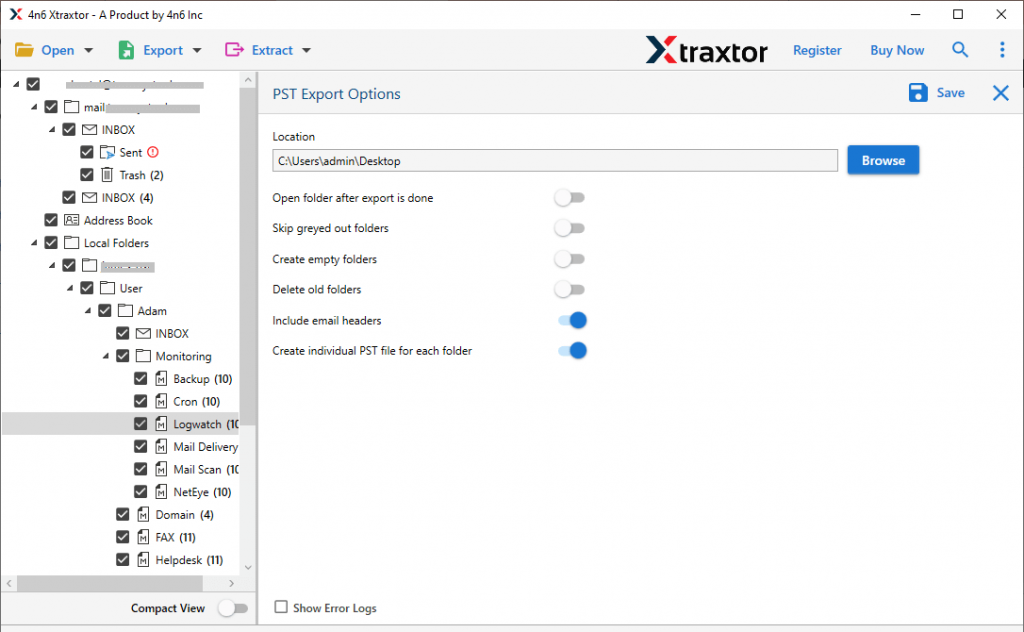
All Done! Here you convert MDaemon emails to PST format in simple six steps. You can also do this conversion process yourself, try the demo version of this software and experience it for yourself.
Why MDaemon to PST Converter?
This utility offers multiple outstanding features that make it stand out among other tools. Know some eye-catchy qualities of this automation tool.
Export MDaemon Emails In Bulk: If the user has multiple data files on their system and wants to export them into PST file, then the tool can perform batch conversion. It transfers multiple emails from MDaemon to PST without any data loss.
Email Filter Option: With this tool, you will get an advanced filter option, using which you can convert emails from a specific field. Various filters offered by this tool are – to, from, subject, cc, bcc, has attachments, date range, time, property id, and many more.
Export Emails From Configured Account: This converting tool is designed with an advanced algorithm, that easily detects the configured MDaemon account on your system. After detecting the account, this too loads its emails and convert them into PST format without facing any glitches.
Move MDaemon Emails to Cloud: With the help of this software, you can easily transfer MDaemon emails to webmail accounts. This tool efficiently import MDaemon emails to Gmail, Yahoo, Yandex, Office 365, and other web-based email accounts without any issue.
Easy to Use Tool: This MDaemon to PST Converter comes with a simple graphical interface that makes the conversion process as simple as ABC. With the self-explanatory feature, even novice users can convert MDaemon emails to PST format without any technical assistance.
Windows-Based Utility: The converting tool is designed for Windows-based OS systems. It is compatible with Windows 11, 10, 8, Vista, XP, and all other previous versions without any technical issues.
Conclusion
In this article, we learn a safe and efficient method to export MDaemon emails to PST format. With the help of the aforementioned automated tool, users can perform the batch conversion without data loss or modification. Along with that, you will get the converted file in the same format as the original with all the key attributes and elements of the email. Hope at the end of the article, you know – How To Convert MDaemon Emails to PST Format.