Are you looking for a way to import MBOX to Hotmail account? If yes, then this post is for you. Read this technical write-up and effortlessly import MBOX emails to Hotmail account with attachments.
MBOX file which stands for Mailbox is a standard format to store email messages and attachments in a structured manner. It is supported by various email applications like Thunderbird, Apple Mail, Postbox, etc. This file often holds a lot of data but you can’t read it unless you use its supported email client. That’s why, it creates a need to import MBOX file into web-based email services like Hotmail. On the other hand, Hotmail is a cloud-based email service. It allows you to send and receive emails, manage contacts, calendars, etc. Once, you transfer MBOX emails to Hotmail, you can access emails on any device from anywhere.
Let’s get into this helpful guide to complete the importing process without further delay.
How to Import MBOX to Hotmail with Thunderbird?
There is no direct way to migrate emails from MBOX file to Hotmail account. However, using Thunderbird you can complete the process. For that first, you need to add your Hotmail account to your email client. Then import the MBOX file and move it under the Hotmail email account. Let’s know the step by step process.
1. Launch the Thunderbird email client on your system.
2. Click on Tools and select the Account Settings option.
3. Go to Account Actions and click on Add Account.
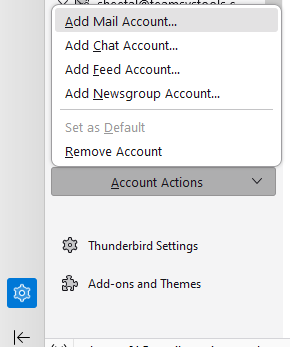
4. Enter your Hotmail email address & password and click on the Click Continue button.
5. It will automatically detect Hotmail server details, click on the Finish button.
6. Now Thunderbird will scan and display all Hotmail folders.
7. After that, add ImportExportTools NG add-ons.
8. Then right click on the Local folder and Import the MBOX File.
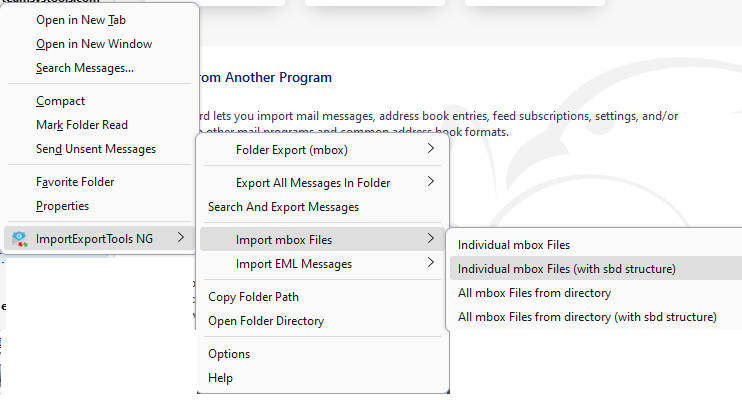
9. After that move the data file under the Hotmail label.
Done! That’s how you can manually import MBOX into Hotmail but this is so lengthy and time-consuming process. You must have installed Thunderbird application on your system and if Thunderbird Import ExportTools not working then this method does not work.
How to Open MBOX File in Hotmail Without Thunderbird?
Try MBOX Converter to import MBOX to Hotmail in just a few simple clicks. With this utility, you can directly complete the importing process without Thunderbird. The software can upload multiple .mbox files in one go. It is able to transfer MBOX emails along with attachments.
The tool can perform the import process without affecting the integrity and structure of email data. Additionally, it also enables you to transfer selected emails based on date range.
Download the software and give it a try for free.

Steps to Import MBOX to Hotmail
Step 1. Run SysConverter for MBOX software on your system.
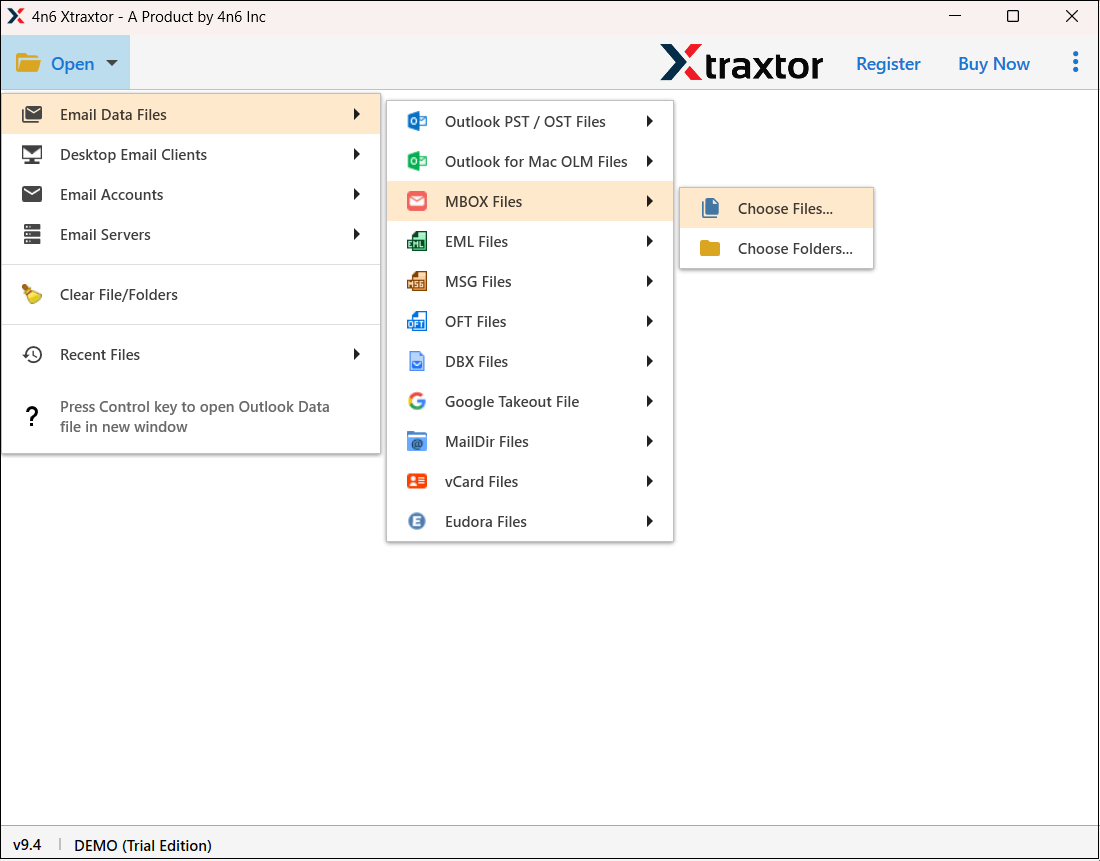
Step 2. Click on Open >> Email Data Files >> MBOX File >> Choose Files or Folders.
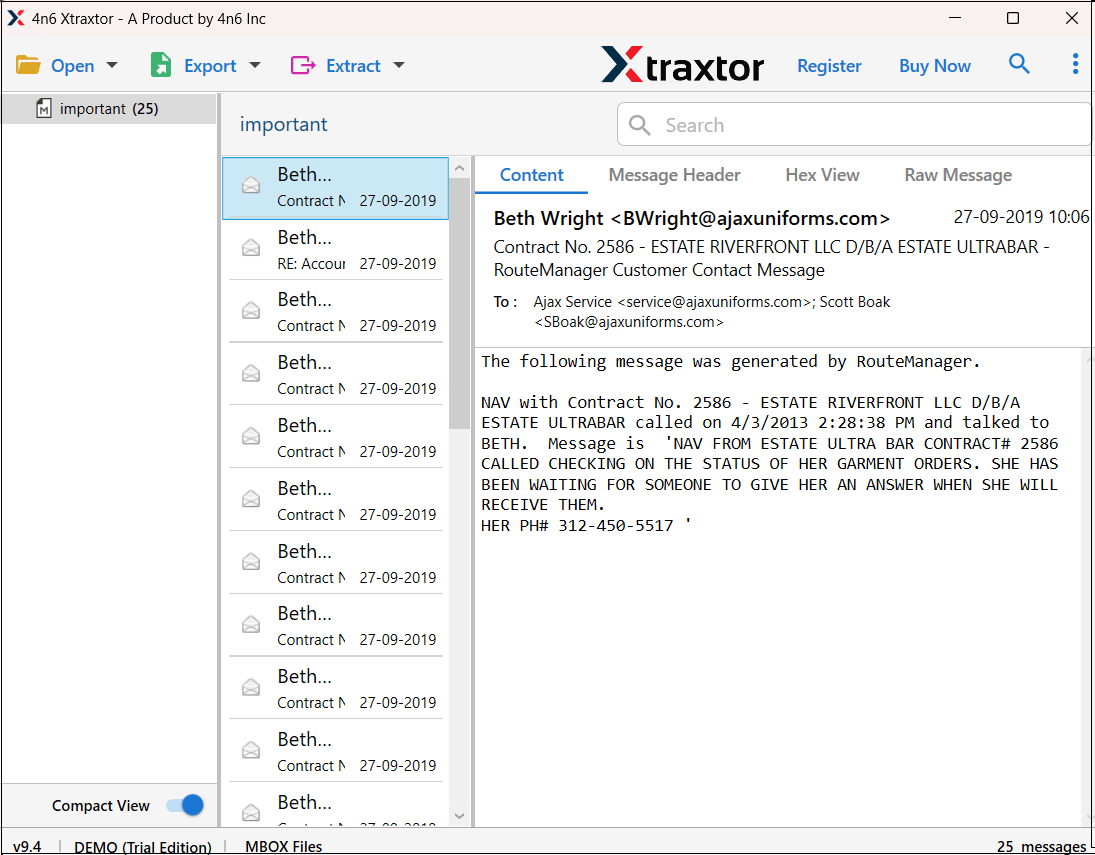
Step 3. Here, you can view all emails from MBOX file before importing them.
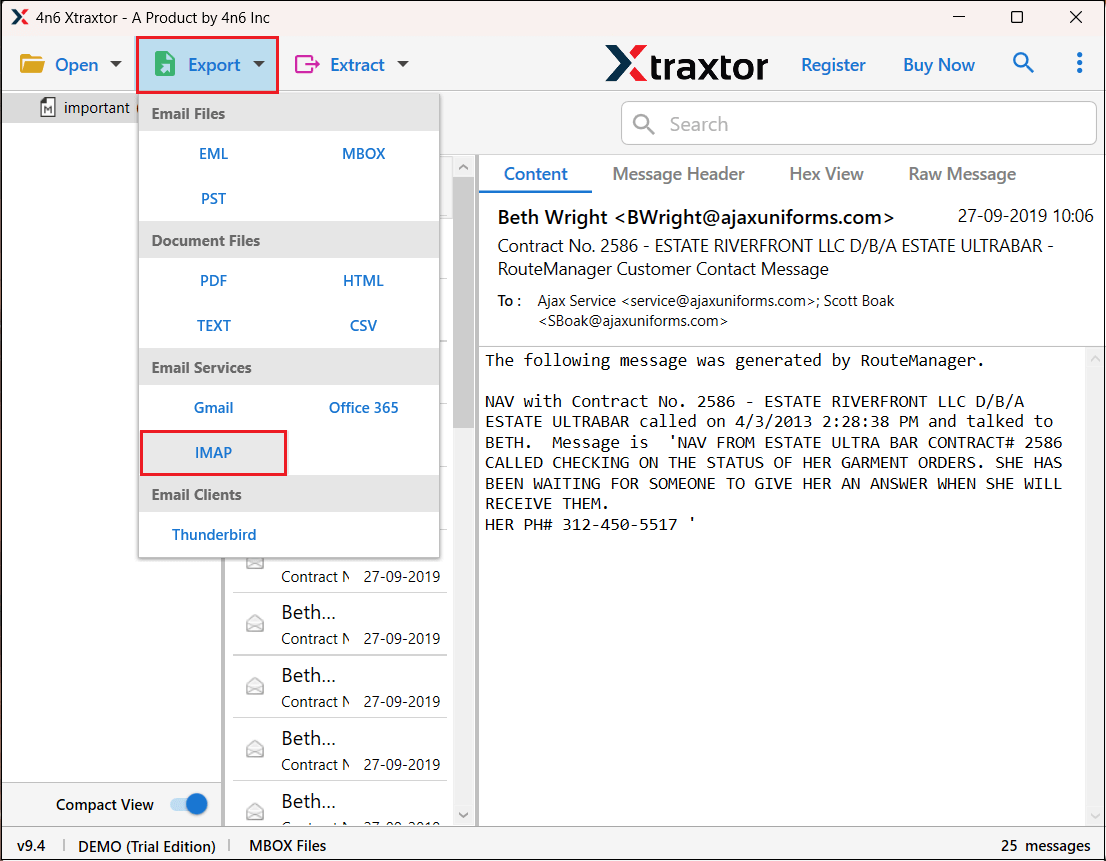
Step 4. Click on Export and select IMAP.
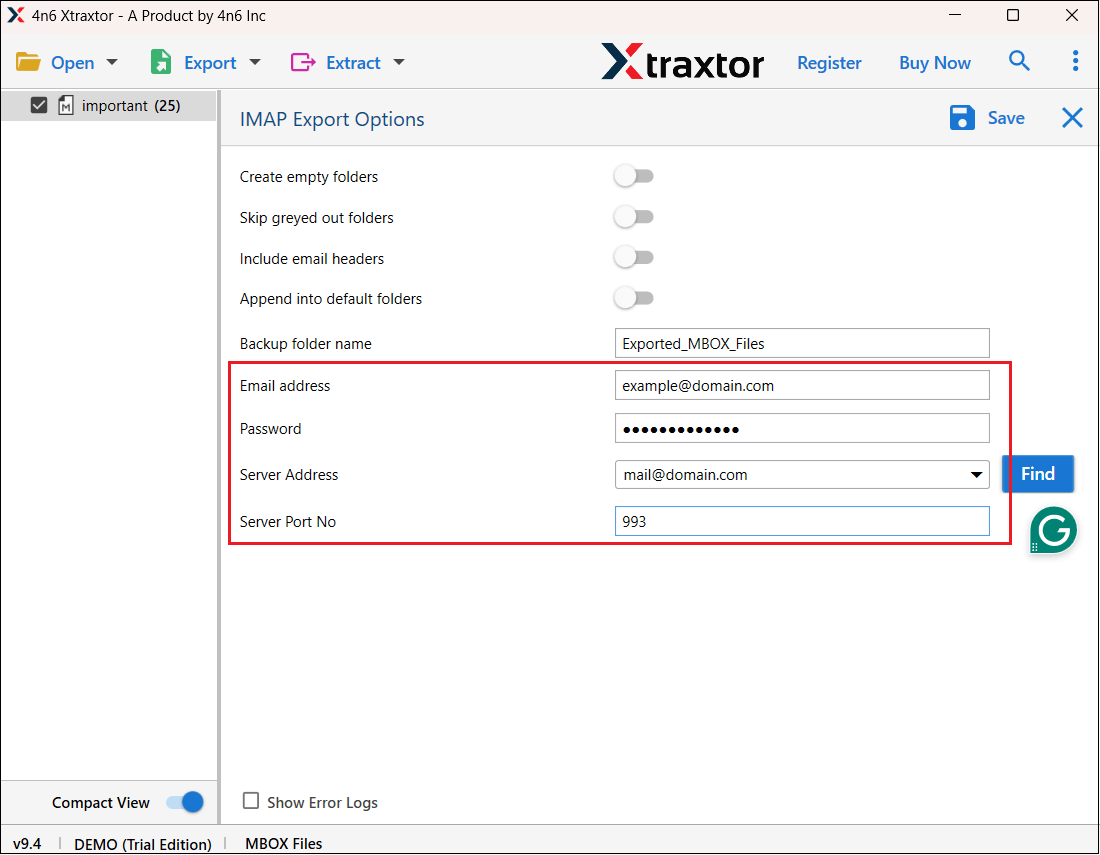
Step 4. Enter your Hotmail account login details.
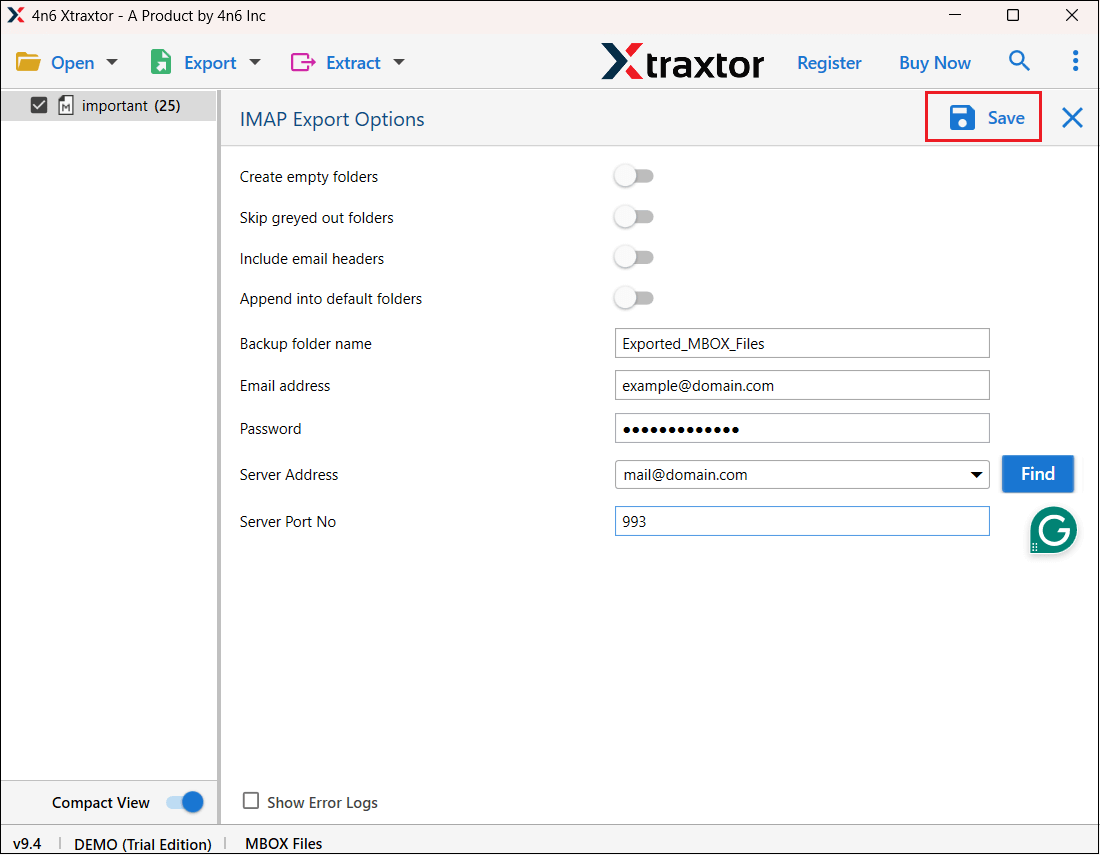
Step 5. Click on Save button to begin the process.
Done! Here you can import MBOX to Hotmail in just a few simple clicks.
Why Use MBOX to Hotmail Migration Tool Over Manual Solution?
The software offers various advanced features that make the importing process is very simple. Some of them are given below-
- The software has a dual mode to upload single or multiple MBOX files at once.
- It preserves email key attributes and attachments while importing them.
- It maintains the email folder and subfolder hierarchy and structure as well.
- The tool has various advanced filter options such as to, from, date, time, etc.
- It can also import MBOX to Gmail, Office 365, and all other webmail accounts.
- The software can directly upload MBOX to Hotmail without Thunderbird.
- With its simple interface, it is used by both technical and non-technical users.
- It is compatible with all the latest and old versions of the Windows OS.
- It supports MBOX file created by all the email clients that support this file format.
Final Verdict
Despite knowing the fact that Hotmail does not have any option to import MBOX file. Here we have discussed two alternate solutions. Either you can use Thunderbird or a professional tool to import MBOX to Hotmail. Both solutions are 100% workable and give accurate results. You can choose any method as per your needs.