Here this blog will guide you to import EML to AOL Mail. Read the complete post and import multiple EML files to AOL mailbox on a few simple clicks.
AOL is a webmail account that stores its mailbox data in PFC format. This file saves email messages, contacts, and bookmarks. It is a cloud-based email server that can be accessed anywhere without any system dependency. This is the main reason that leads to upload EML files into AOL Mail. On the other hand, EML is a single message file that saves email content and header information. Without any further delay, let’s dive in.
How to Import EML Files into AOL Mail?
Unfortunately, there is no direct way to perform the EML to AOL Mail import process. Thus to perform the import process we recommend using EML Converter software. This utility transfers multiple EML files into AOL mailbox without any data loss. Along with that, the tool performs the import process without affecting the integrity of email data.

Steps to Import EML to AOL Mail Instantly
1. Downlaod SysConverter for EML on your system and launch it.
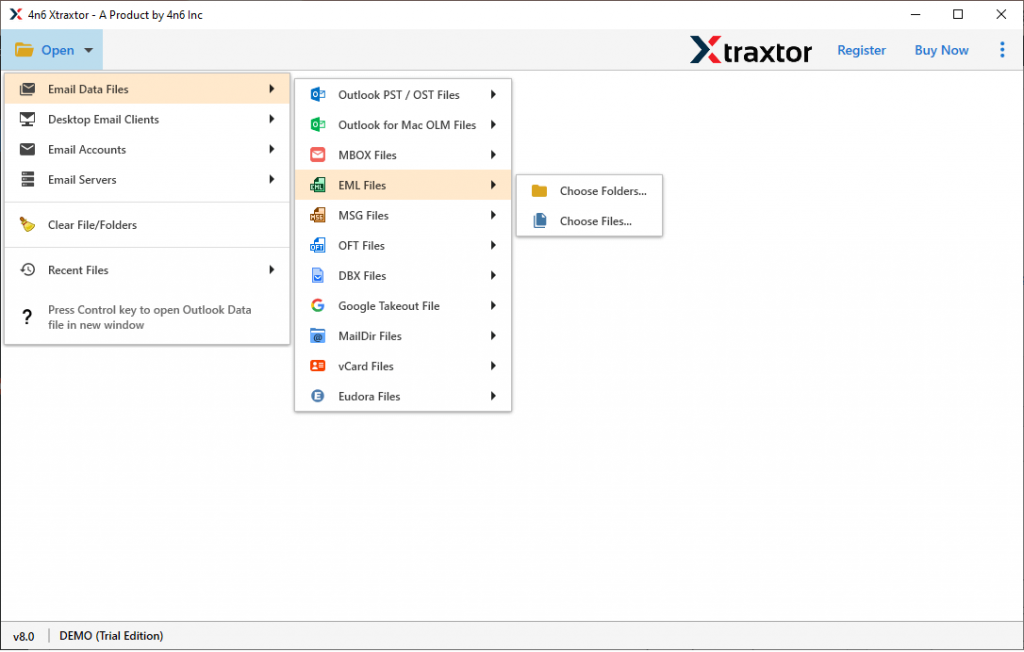
2. Now, select Open >> Email Data File >> EML Files >> Select File or Folders.
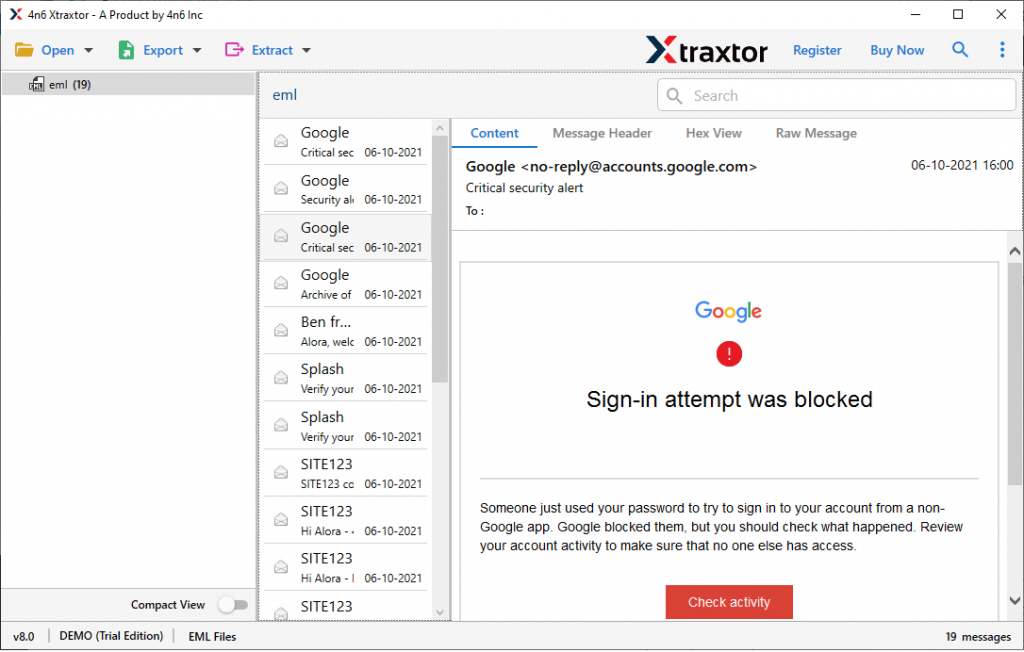
3. Here you can read your emails from the data file before importing them.
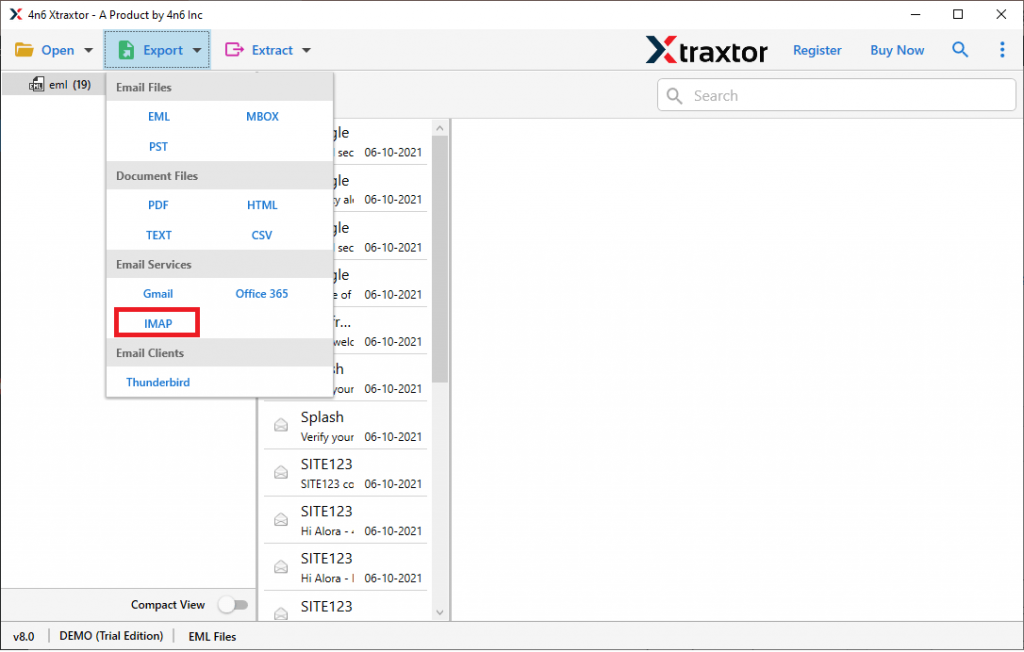
4. Click on Export and choose IMAP from the given options.
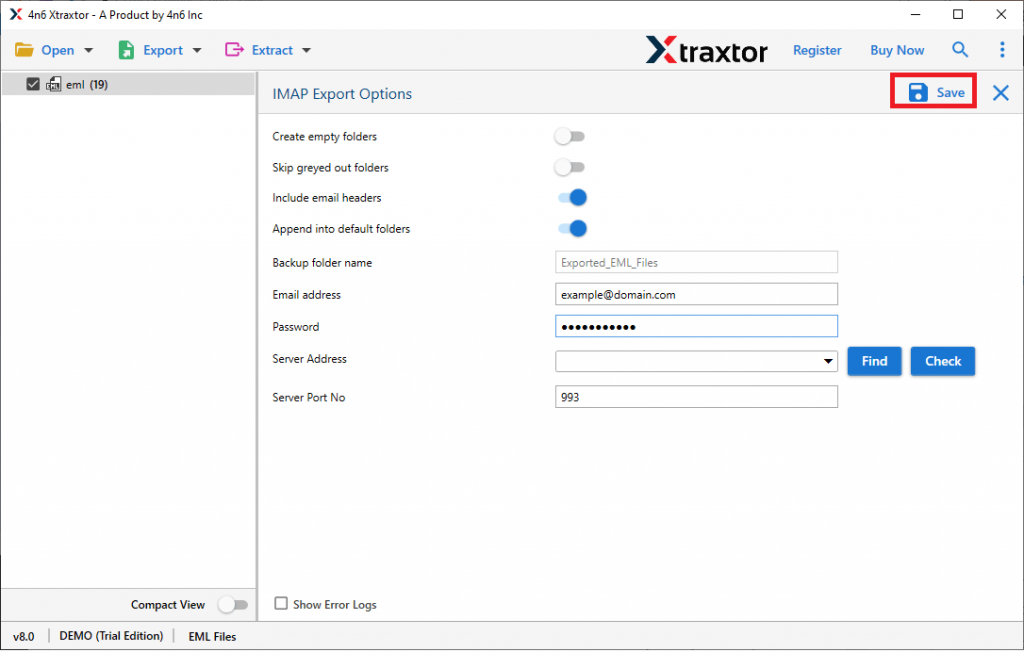
5. In the last step, enter your AOL Mail login details and hit the Save button.
All Done! Here you import EML to AOL Mailbox in a few simple steps. You can use the demo version of this utility and tray to transfer your email data file into AOL webmail account.
Why Use Automated Tool?
This automated tool has many advanced features, some of them mentioned here –
- Import EML Files in Bulk: If you have thousands of .eml files and you want to move them into AOL Mail, then this utility is the best choice. It will import EML files into AOL Mailbox in bulk without any data loss. You just need to upload the complete .eml files folder in the software and the rest of the work will be done by the software.
- Maintain Email Formatting: While importing emails to the webmail account, this EML to AOL Import tool preserve the email structure. There will be no data alteration and modification during the import process.
- Move EML to Cloud Server: The utility not only import EML to AOL Mail but to other webmail accounts. One can use the tool and import EML to Exchange, Gmail, Office 365, Yahoo, Google Workspace, and many other cloud-based email accounts.
- Email Filter Options: With this utility, there are various email filter options available. On can search and locate any specific emails. For that one can apply filters such as – to, from, date range, time, subject, has attachments, property id & name, content, name, and many more to choose from.
- Save EML Emails to File Formats: It not only imports data files but also saves mailbox data into different file formats. One can use this utility and convert EML to MBOX, PDF, PST, HTML, and other file formats as well.
- Windows-Based Utility: The EML to AOL Import Tool is designed for Windows-based OS systems. Users can install this tool on Windows 11, 10, 8, Vista, XP, and other previous Windows OS versions.
Conclusion
Importing email data files from one platform to another is not an easy task, most importantly if there is a file compatibility issue. In that case, it is best to use an expert solution, one such software we mention in this above write-up. Users can use the demo version of the tool and import EML to AOL Mail in a few simple steps.