Summary: The write up is a complete guide to transfer EML files into Yandex.Mail in bulk. If you are among those who want to import EML to Yandex Mail, then the article is for you. At the end of the article, you will be able to move EML file into Yandex Webmail account without any hassle.
If you search for the method of importing EML to Yandex, then you notice that there is no great result for that.
Yandex is one of the popular search engine in Russia. It provides 70 internet-related product and services including Yandex.Mail service. It is a webmail account that stores all its data in the cloud server, thus making it a secure way to protect your important data.
Nowadays there are lots of queries where users want to import EML to Yandex Mail account. EML is a simple text file that stores a single email message along with header information. The data stored in the .eml files is not secure, thus it is best to save them in a cloud-based email server.
Here we are talking about how to import EML files to Yandex.Mail account, but the question is what is the best way to perform this import process. Well, don’t worry! we are here to solve your query related to EML to Yandex import process.
How to Transfer EML Files to Yandex Mail Account
Unfortunately, there is no manual method to import EML to Yandex Mail account. Thus leaving us to use third-party software. EML Converter is the secure approach to move .eml files into Yandex.Mail account without any data loss. This utility will directly transfer multiple EML files into Yandex mailbox in a single attempt. Most importantly in this bulk import you will not lose your single bit of email data.
In addition, this utility also import EML to Exchange, iCloud, Gmail, Office 365, Google Workspace, and many other webmail accounts. It also provides various email filters, applying which you can search selective emails and import them into Yandex.Mail and other emailing platforms.

Procedure to Import EML to Yandex Mail Using Expert Solution
To move EML files into Yandex.Mail account, follow the given instructions and perform the importing within a few simple steps.
Step 1. Install SysConverter for EML and Run it on your Windows OS system.
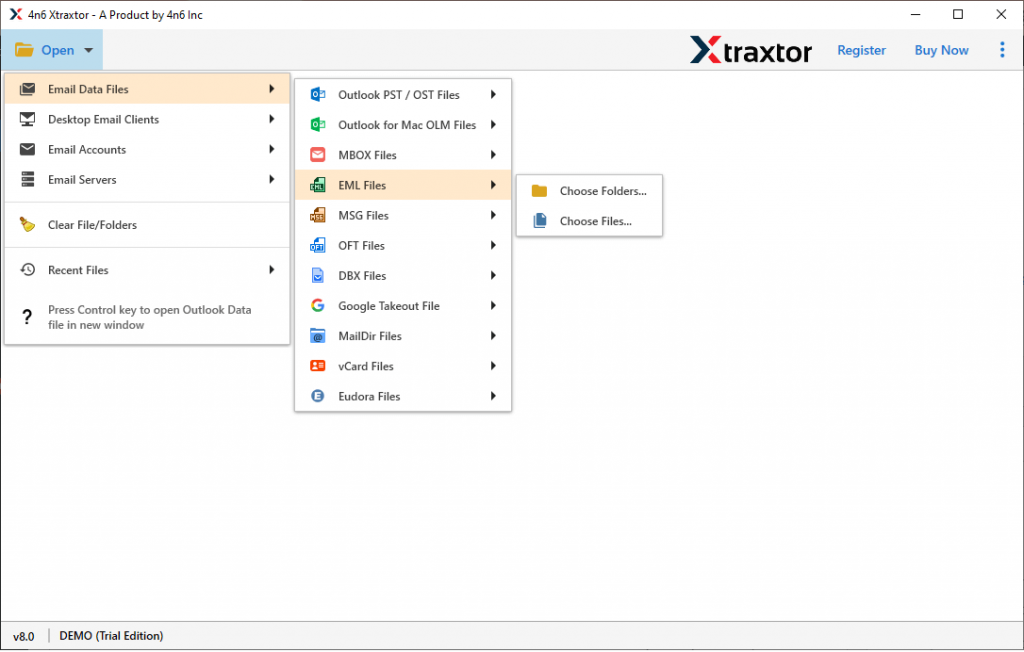
Step 2. After that, select Open >> Email Data File >> EML Files >> Select Files of Folder.
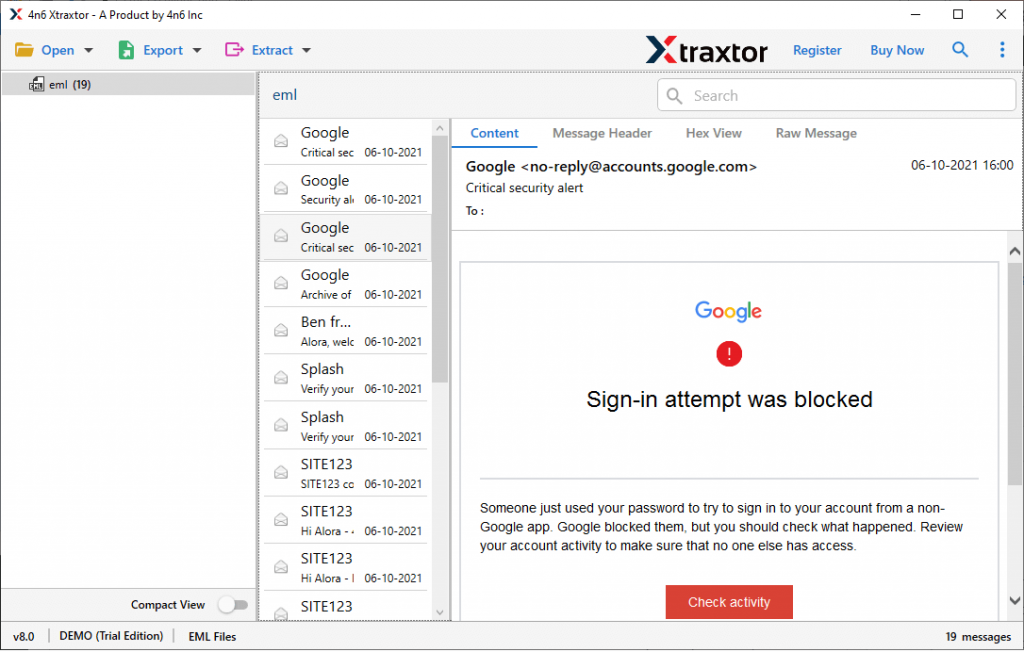
Step 3. Here you will find your EML files data. You can read them before starting the import process.
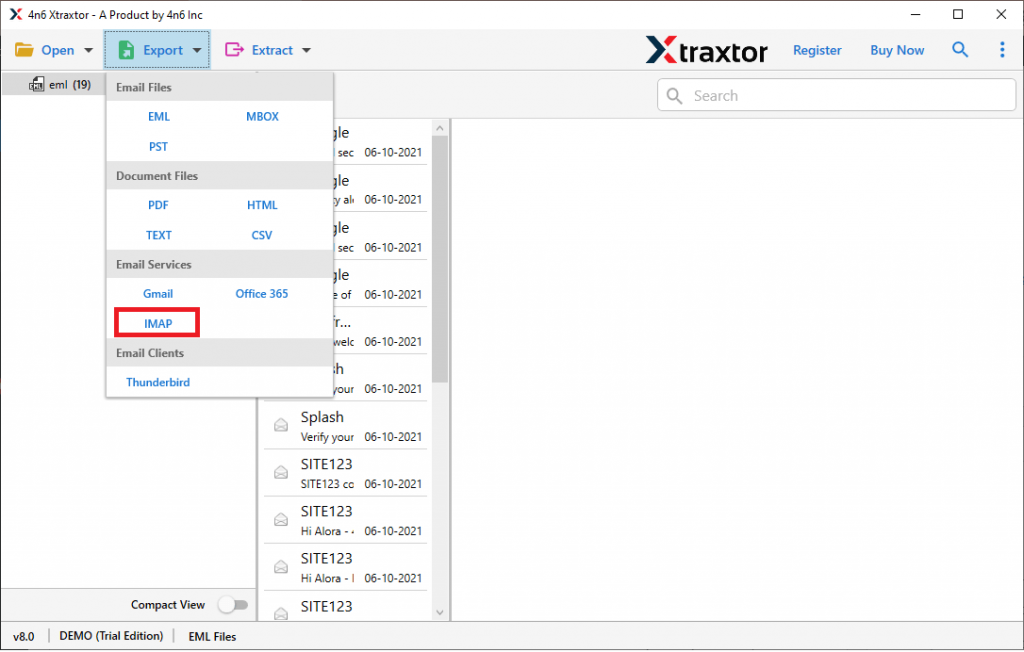
Step 4. Now click on Export and choose the IMAP option.
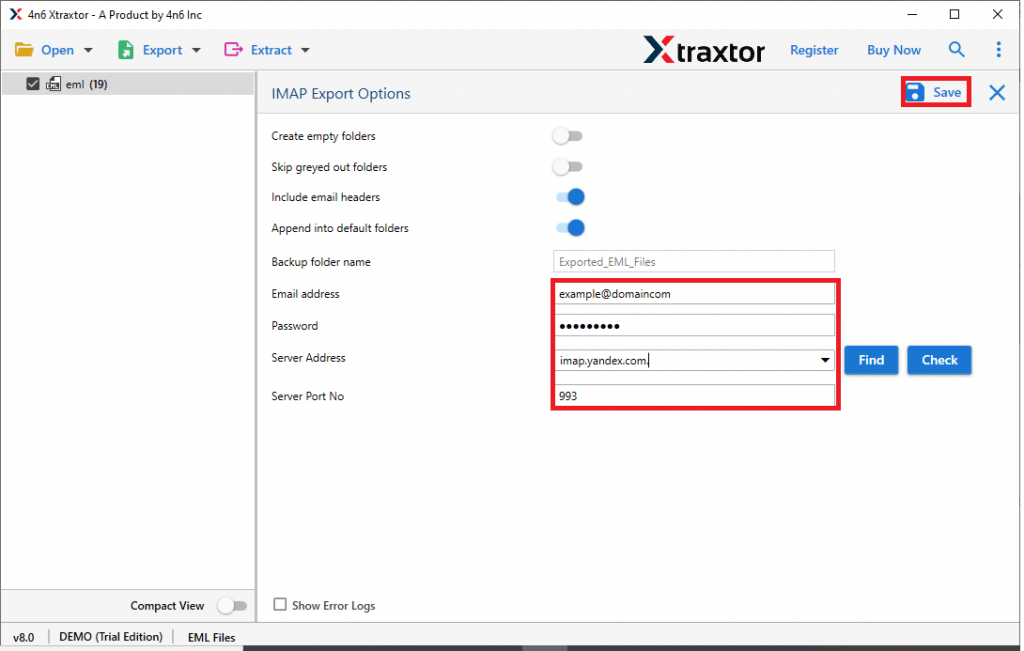
Step 5. At last, enter your Yandex.Mail login credentials and hit on the Save button.
Done! Here you import EML files to Yandex.Mail account. Now you can easily access your EML data in Yandex mailbox with ease.
Benefits of Using EML to Yandex Mail Import Tool
There are various advantages of using this automated tool, some of them mention here –
Maintain Data Integrity: The automated tool transfer the EML files without compromising the data integrity. It will import the exact emails to Yandex Mail account without changing the formatting and content at the destination location.
Move EML to Cloud Server: This utility swiftly move the .eml files into various webmail accounts. One can use this software and import EML to iCloud, Office 365, Gmail, Yahoo, Google Workspace, and other mailing accounts.
Email Filter Options: The EML to Yandex Mail Import tool offers various filter options to search specific emails from mailbox data. On e can apply various filters such as – to, from, subject, cc, bcc, has attachments, property id & name, date range, time, and many more.
File Formats To Save EML Files: Along with EML to Yandex.Mail import, this tool also save the emails into other file formats. It can also convert EML to CSV, PST, PDF, HTML, MBOX, and other file formats. All the export options you will find in a single interface.
Windows Based Software: The EML to Yandex Mail Import tool is solely designed for Windows-based operating systems. You can install it on your Windows 11, 10, 8, Vista, XP, and all other previous versions.
Conclusion
For those who are looking for a method to import EML to Yandex Mail account, this writes up describes the step by step process for that. The software we mention in this article is tested and recommended by experts. If you looking for a manual method, there is no such way available. Thus use SysConverter for EML and perform the import process without any hassle.