This blog will help you in extracting email addresses from Thunderbird emails with ease. Read the complete blog to know the step-by-step process to export email addresses.
Thunderbird is one of the popular email clients known for its robust and user-friendly features. Most of the user prefer to use this open-source application to manage their emails and other important data. Emails received in your mailbox contain important information and email addresses are among them. However, there is no direct way to extract email addresses from Thunderbird account. However, you can pick a single email and save the email address from it and repeat the same task for all emails if you have lots of time. Now you are wondering how do I export email addresses from Thunderbird. Well, there are various tools available that help in extraction. One such approach we will discuss in this blog. Before that, let’s check the reasons for downloading email addresses.
Why do we need to export email addresses from Thunderbird? there are various reasons for extract Thunderbird email addresses. Some common reasons are-
- The user wants to create backup email addresses for safekeeping for future use.
- Extracting email addresses and organizing and categorizing them for future use.
- For marketing purposes, many want to extract email addresses from Thunderbird and create a mailing list.
- Extracting email addresses can be part of an automated process for certain tasks.
How to Extract Email Addresses from Thunderbird Instantly?
SysConverter for Thunderbird is the ultimate solution with a simple user interface. This tool will efficiently export all email addresses from Thunderbird account in a few simple clicks. The Thunderbird Converter software will efficiently complete the extraction process without affecting their integrity. There are advanced filters that help in extracting selective email addresses. You can download the free version of the software and to analyse its working, follow the steps mentioned below.
Steps to Extract Thunderbird Email Addresses –
1. Launch the software on your system.
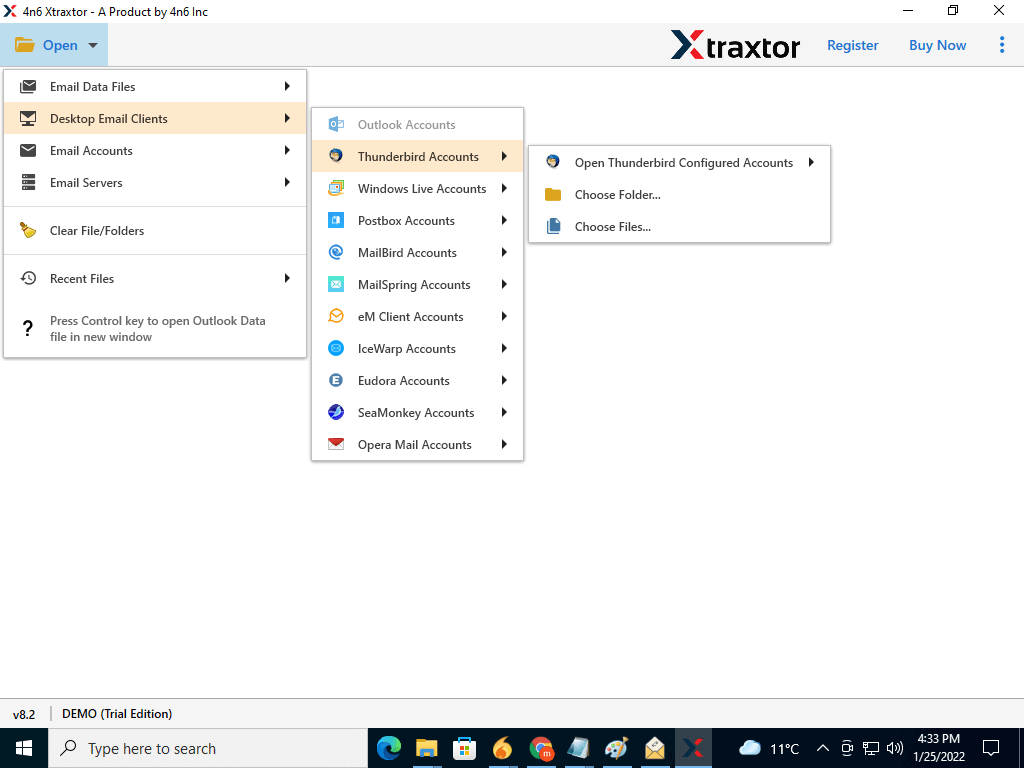
2. Then, select Open >> Desktop Email Client >> Thunderbird Account >> Select Account.
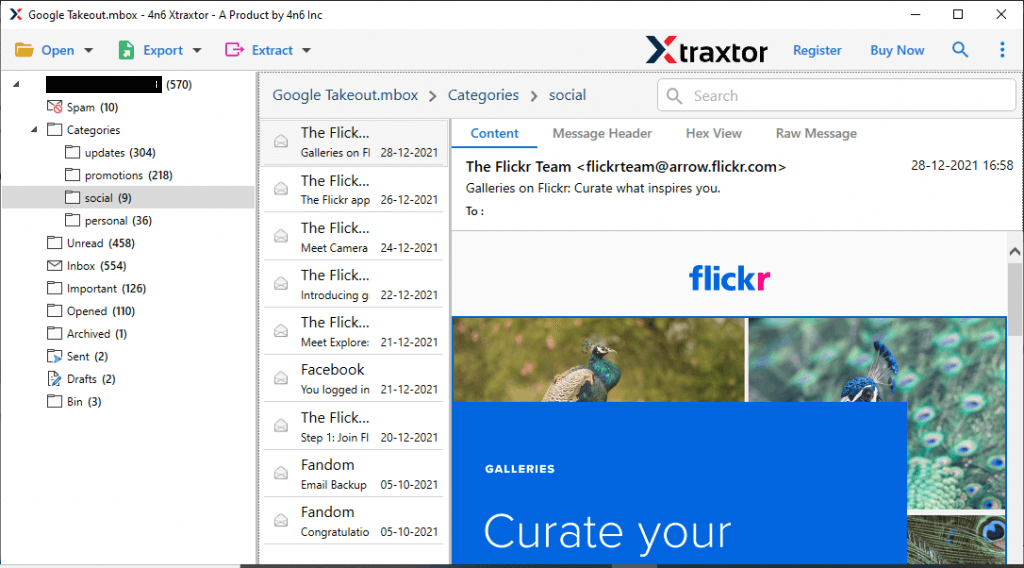
3. Here you can view your mailbox data.
4. Now, click on Extract >> Email Addresses.
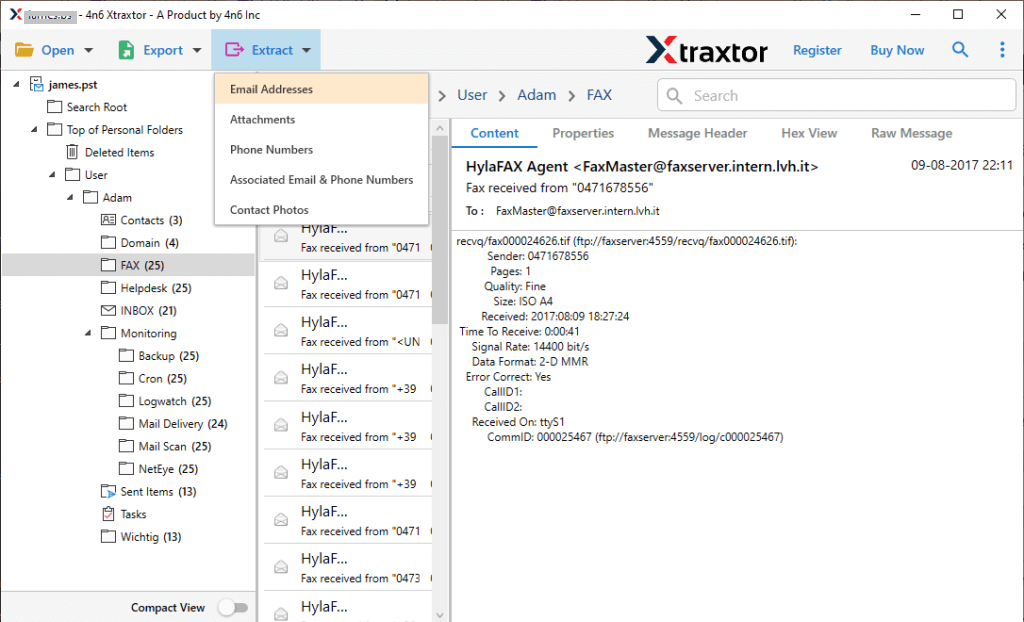
5. Select the email folders to export important email addresses.
6. Browse the targeted location and click on the Extract button.

Done! Here you extract email addresses from Thunderbird without any hassle. With this tool, various advanced features include –
- Allow to export Thunderbird emails to various file formats.
- Advance filter options from selective extraction.
- Preserve data integrity while extracting email addresses.
- Option to extract attachments from Thunderbird along with contacts.
- Simple user interface for both technical and non-technical users.
Conclusion
Extracting email addresses from Thunderbird is a lengthy process when there are lots of emails in your account. However, with an expert tool, it is easy to extract email addresses from Thunderbird account in a few simple clicks. Now you can decide how you want to export your Thunderbird email addresses without any data loss.