Attachments are an important part of the emails, thus it is required to save these attachments. However, to extract attachments from Opera Mail is not an easy task to do.
This user query shifts our focus on this situation and we decide to write this post to provide the best possible result to solve this issue. After analysing this question we can conclude that users need a direct approach that can download multiple attachments from Opera Mail account with no data loss.
Therefore without any further delay, let’s dive in and extract attachments from Opera Mail account in bulk.
Instant Method to Save Multiple Opera Mail Attachments
There are several tools that offer attachment extraction, one of those tools we will discuss in this article. Let’s take a closer look at its operation and features.
Email Attachment Extractor is a direct way to copy various attachments from Opera Mail account. Most importantly, this tool automatically locates the system configured Opera Mail account and uploads its emails for extraction. attached files. Along with that, this utility downloads email attachments without affecting their integrity and format. Although it directly saves the attachments of the configured account, it can also extract the attachments from the data file.
Additionally, users can download selective attachments from Opera Mail by applying a file extension filter. After uploading mailbox data to its interface, users can view/read their emails. After that select the email folder from which they want to extract attachments.

Without further delay, let’s know the working of this software with pictorial description.
How to Extract Attachments From Opera Mail
To safely download multiple attachments from Opera Mail account, follow the given instructions.
Step 1. Download and launch Opera Mail Attachment Extractor on your Windows OS.
Step 2. After that click on Open and select the required options.
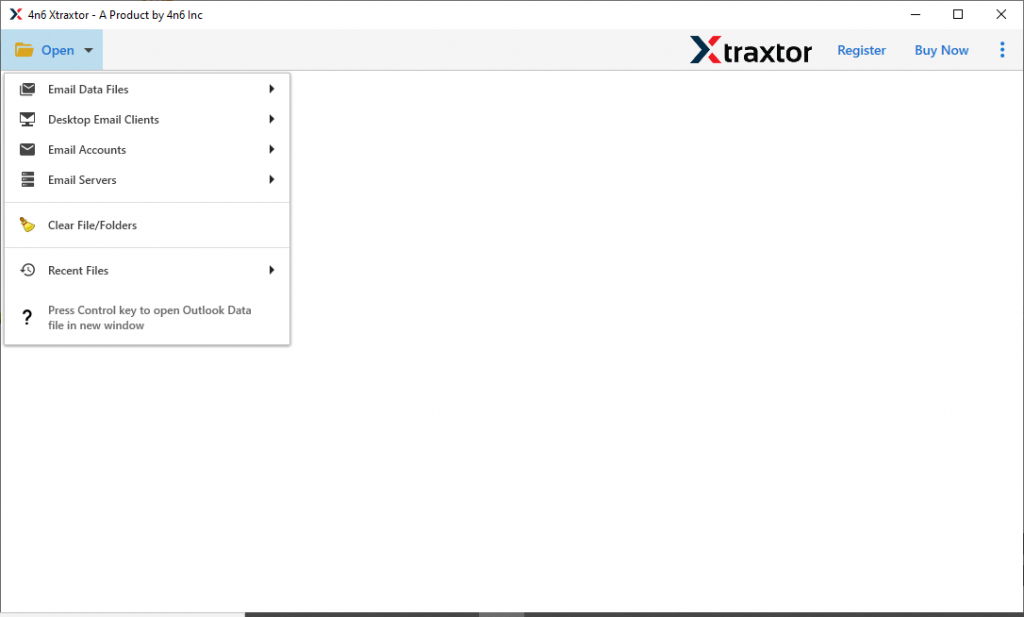
Step 3. Now select Desktop Email Client >> Opera Mail Account >> Open configured Account or Select File/Folder.
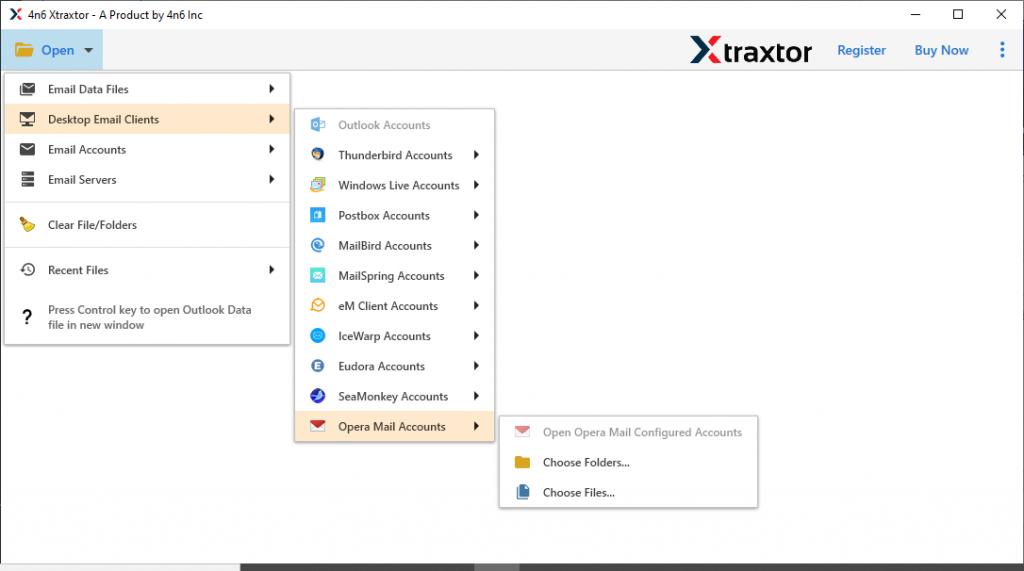
Step 4. Here you can read the email messages and select the email folder for email attachment extraction.
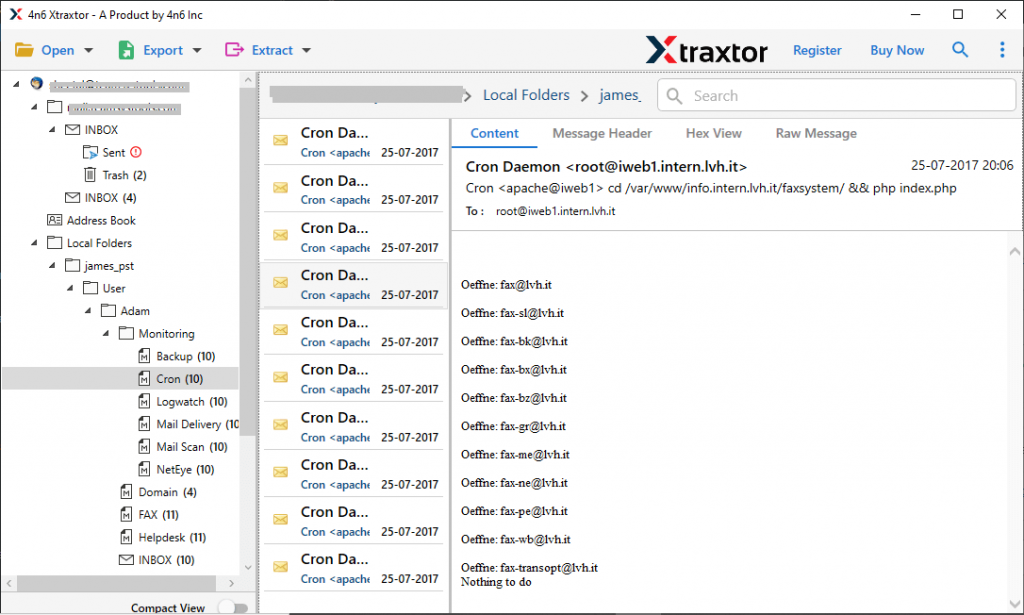
Step 5. After the selection click on the Extract option and choose Attachments from the given list.
Step 6. At last, select saving location and also enter attachment extension if need to save specific Opera Mail attachments. Finally, click on the Save button for extraction.
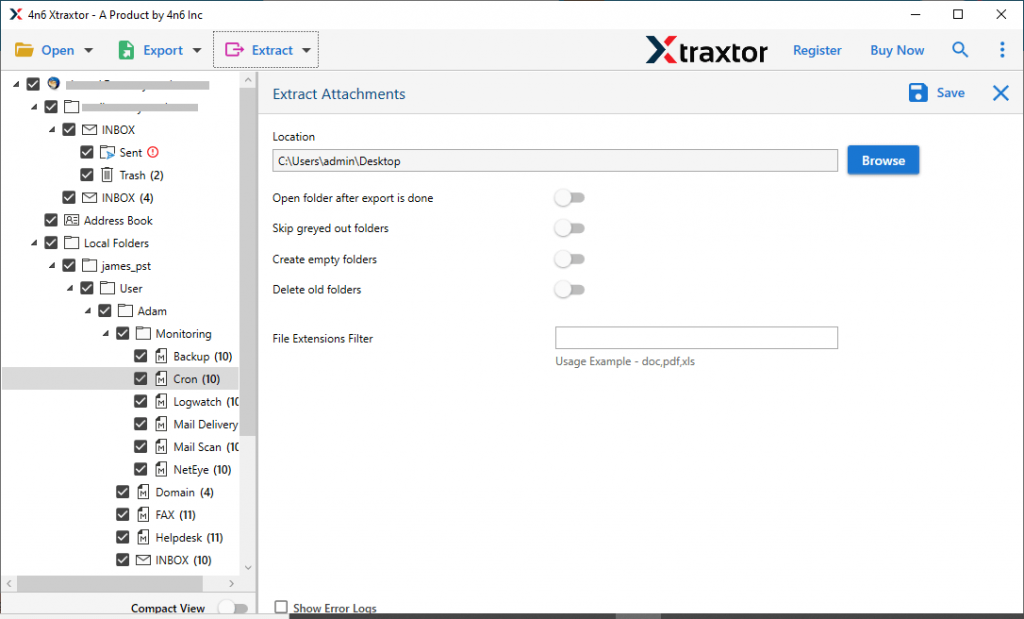
All Done! Here complete Opera Mail Attachments Extraction process with ease and no data loss.
Features Of Opera Mail Attachment Extractor
Why Choose this automated tool? Are you also asking this question? If yes, then check out some outstanding characteristics of this software.
- Easy to Use: With a simple user interface this utility can be operatable by novice users also. Use can use this software and extract attachments from Opera Mail in a few simple steps without any technical assistance.
- Windows Compatibility: This Opera Mail Attachment Extractor can install on all versions of Windows OS without any problem. Users can use this software on Windows 11, 10, 8, and all other previous versions without any issue.
- Batch Attachment Extraction: If the user has multiple attachments to download, then this tool easily performs this operation. In addition to that, it will not affect the data integrity. You need to select the folder that contains different data files and perform the extraction process in bulk.
- Free Email Preview: After selecting the source to upload Opera Mail emails, this tool previews them in its interface. Here you can select the email folder from which you want to extract attachments.
Conclusion – Extract Attachments From Opera Mail
There are various tools to save email attachments. However important feature that possesses it is security, reliability and accuracy. Opera Mail Attachment Extractor has all these characteristics. You can use the demo version of this software and download multiple attachments from Opera Mail account.