Summary: How do I export Yahoo mail to PST file with complete attachments? This is the common question asked by many uers who want to save their Yahoo emails. In this article, we will learn a secure way to export Yahoo Mail to PST format without any data loss.
Sharing emails from one platform to another is a common practice nowadays. People sometimes need to share their emails with their friends, colleagues, clients, etc. However, in certain situations, users want to download their Yahoo mails to Outlook PST file.
If you are also looking for a secure and instant solution to export Yahoo Mail to PST file, then read the Complete article to the end.
Before we move ahead, let’s the why users want to export Yahoo emails to PST file.
Why Need to Export Yahoo to PST File?
There can be various reasons for the export depending upon user’s requirements. Some of the common scenarios are –
- Exporting emails from the webmail account to a file format prevents data loss and safeguards it against any unwanted situations.
- Downloading your webmail emails to your local drive provide you with easy access without any internet connectivity.
- If your Yahoo Mail storage limit is exceeded, then it is best to export all the data into a data file and free up your storage space.
Let’s without any further delay, let’s talk about the secure way to export Yahoo emails to .pst format.
How to Export Yahoo Mail to PST File Without Outlook
To download Yahoo mail to PST fie you can use SysConverter Email Backup Tool for Windows. Most importantly there will be no Outlook installation required to export Yahoo to PST. Along with that, you can also use this utility and export selective emails from Yahoo Mail using various filter options.
Additionally, this tool also save Yahoo emails to flash drive, thumb drive and all other storage devices. With its simple and easy-to-use interface, you can instantly save Yahoo emails to PST file in a few simple steps. The tool provides direct migration from your Yahoo Mailbox to Outlook PST format without any hassle.

Process to Export Yahoo Emails to PST File
Follow the instructions and download Yahoo emails into PST file without any data loss.
Step 1. Install and run the SysConverter Email Backup Tool on your Windows OS system.
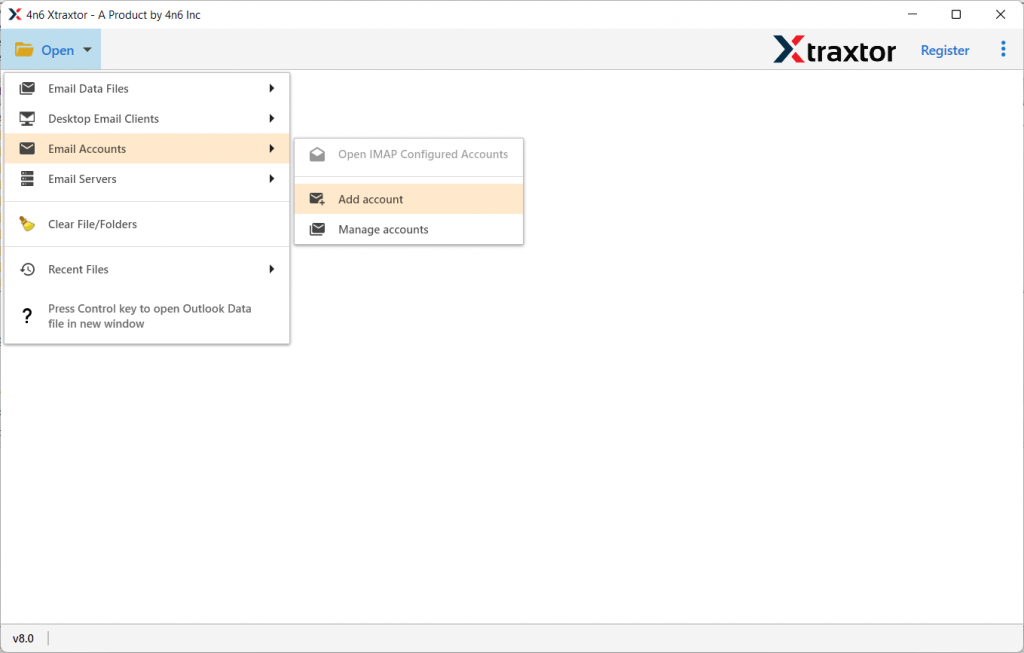
Step 2. After that, select Open >> Email Account >> Add Account.
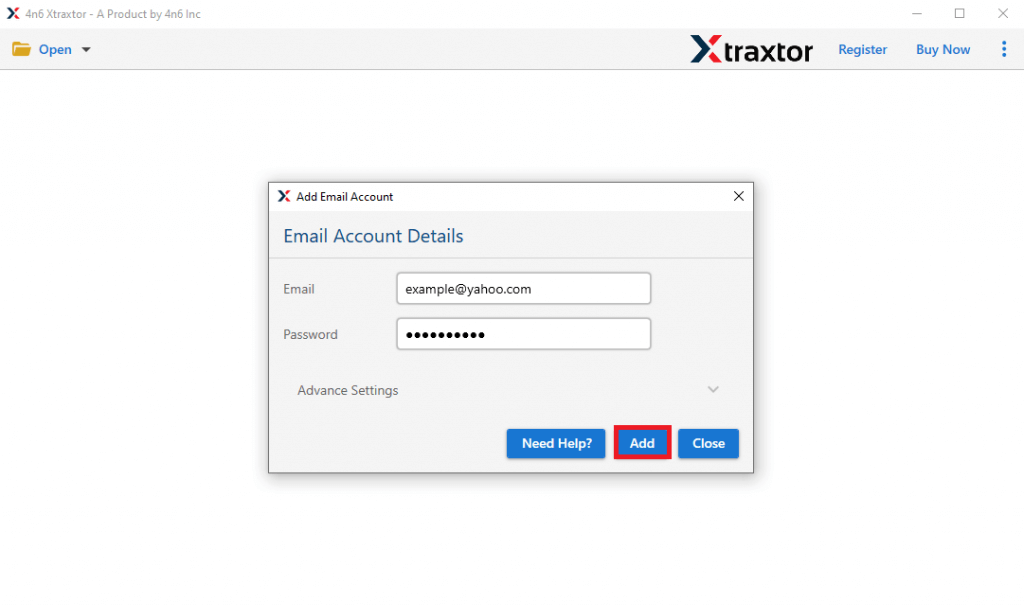
Step 3. Enter your Yahoo Mail login details and hit on the Add button. (Use App Password here).
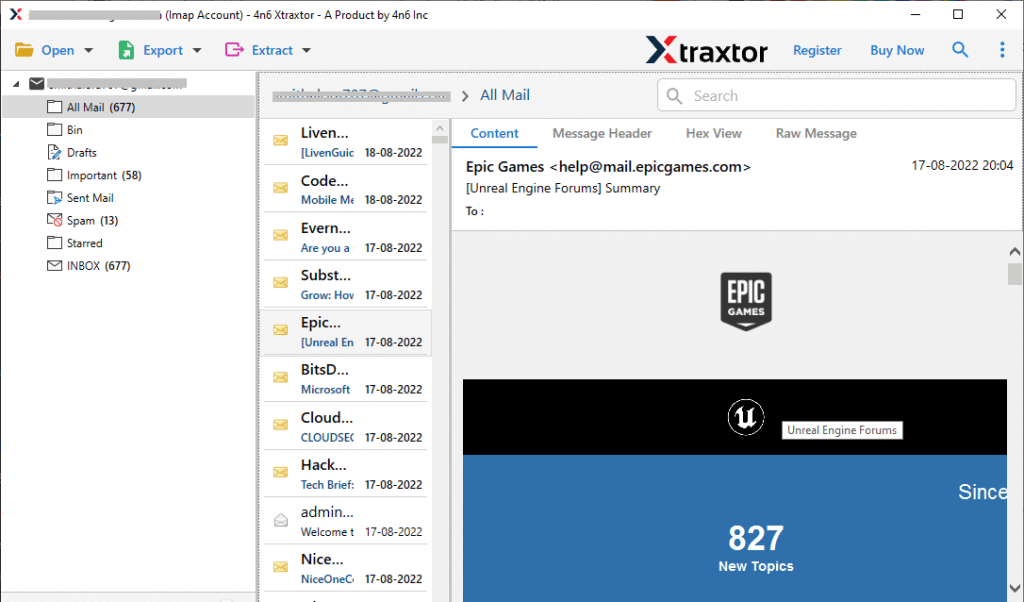
Step 4. Here you can view your Yahoo emails before exporting them.
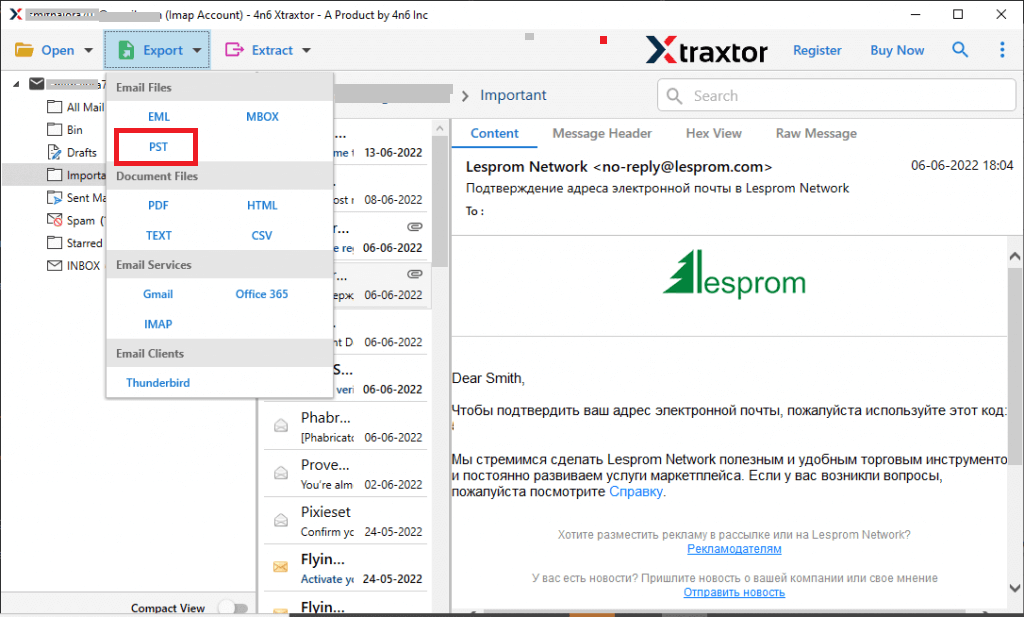
Step 5. Then, click on Export and choose PST format.
Step 6. If you want to export selective email folders, then you can choose here.

Step 7. At last, browse the targeted location and hit on the Save button to start the exporting process.
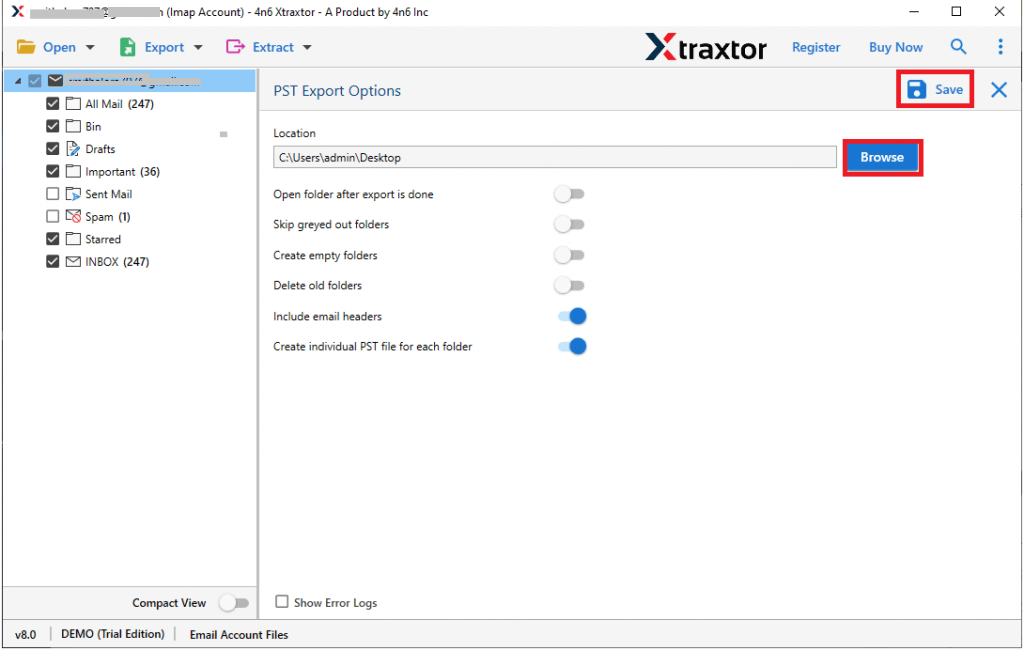
Here complete the process and you export Yahoo Mail to PST file within a few seconds. You can use the demo version of the software and backup Yahoo emails to hard drive or your local system.
Benefit Of Using Yahoo Mail to PST Import Tool
There are various advanced features offered by this tool that make the export process more secure and efficient. Some of them mention below –
Preserve Email Integrity: While performing the export process, this tool intakes data integrity throughout the process. There will be no changes in your emails and you will get a replica of the original one.
Email Filters: With this software, you will find various filter options to export specific emails only. You can apply filters such as -to, from, cc, bcc, time, date, has attachments, name, content, etc.
Move Yahoo Email to Other Mail Account: Along with export, this tool also import Yahoo Mail to Gmail, Office 365, Exchange, and many other webmail accounts. All the saving options you will find in a single interface.
Different File Formats: There are various other file formats in which you can save Yahoo emails. It will export Yahoo Mail to PDF, CSV, HTML, MBOX, and many other formats.
Windows-Based Utility: The software is compatible with all Wind operating systems. You can install and run this tool on Windows 11, 10, 7, XP, Vista and all other previous OS versions.
Selective Export: It offers an option to select email folders to export into PST file. It is beneficial when you need it to save some important data and avoid too export entire mailbox emails.
Conclusion
In this write up we discuss an instant solution to export Yahoo Mail to PST file with attachments. If you are among those users who want to export Yahoo emails to PST format, you can use the automated tool mentioned in this blog and download your Yahoo emails in a few simple steps.