Summary: In this blog, we will discuss an instant and secure way to save Yahoo emails as HTML in batch. Read the complete article and export Yahoo Mail to HTML file and access your mailbox data in any browser.
Yahoo Mail is one of the oldest webmail account that is used by many users worldwide. Despite being targeted by many hackers several times, still many people prefer to use Yahoo Mail. Since this webmail service doesn’t have top-notch security it is very necessary to save Yahoo emails to flash drive, system or any storage device.
Therefore, in this blog post, we will discuss a trouble-free and workable solution to export Yahoo Mail to HTML format in bulk. While the exporting process, there will be no data loss. Without any further ado, let’s move ahead and convert Yahoo emails to HTML format.
How to Export Yahoo Emails to HTML Format
SysConvereter Email Backup Tool is a secure and efficient way to access your webmail emails in a browser. Using this tool you can swiftly transfer all mailbox components (emails, contacts, calendar, tasks, etc) into .html format. If you don’t want to export entire Yahoo Mail data, then this tool offers an option to select the email folders that you want to save. With its simple interface, the Yahoo Mail to HTML export process become easy and trouble-free.
Additionally, with this tool, you can also export Yahoo Mail to PST, PDF, CSV and many other file formats. With the filter options offered by this email backup wizard, you can export emails from an exact time, date, name, subject, cc, bcc, etc.

Procedure to Export Yahoo Mail to HTML Format
To save Yahoo emails as HTML file, follow the given instructions –
Step 1. Install and Run the SysConverter Email Backup Wizard on your Windows OS sysetm.
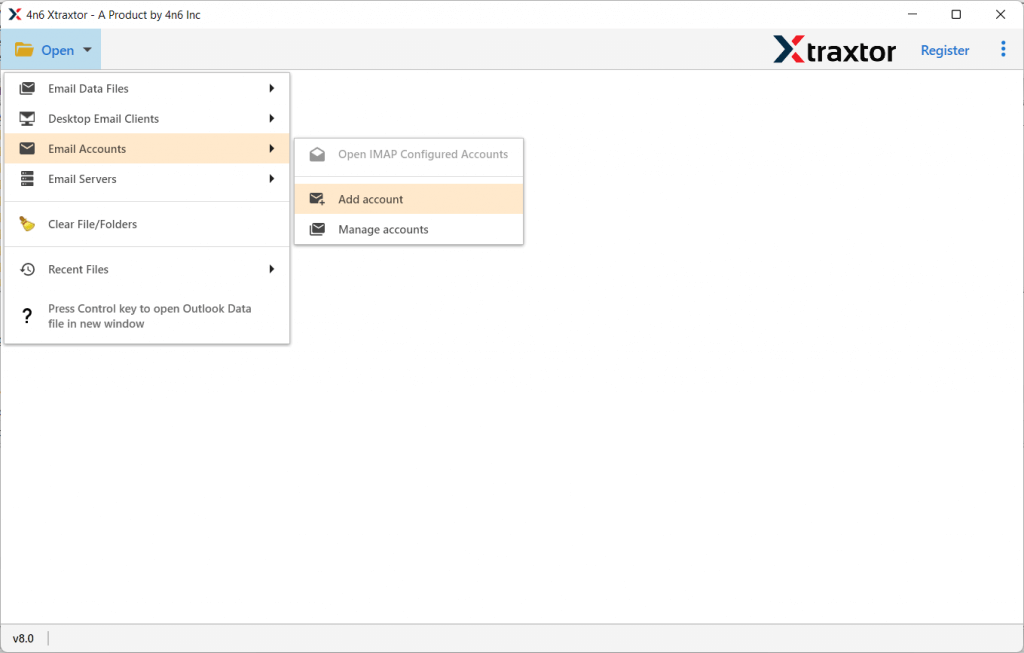
Step 2. Now choose, Open >> Email Accounts >> Email Account.
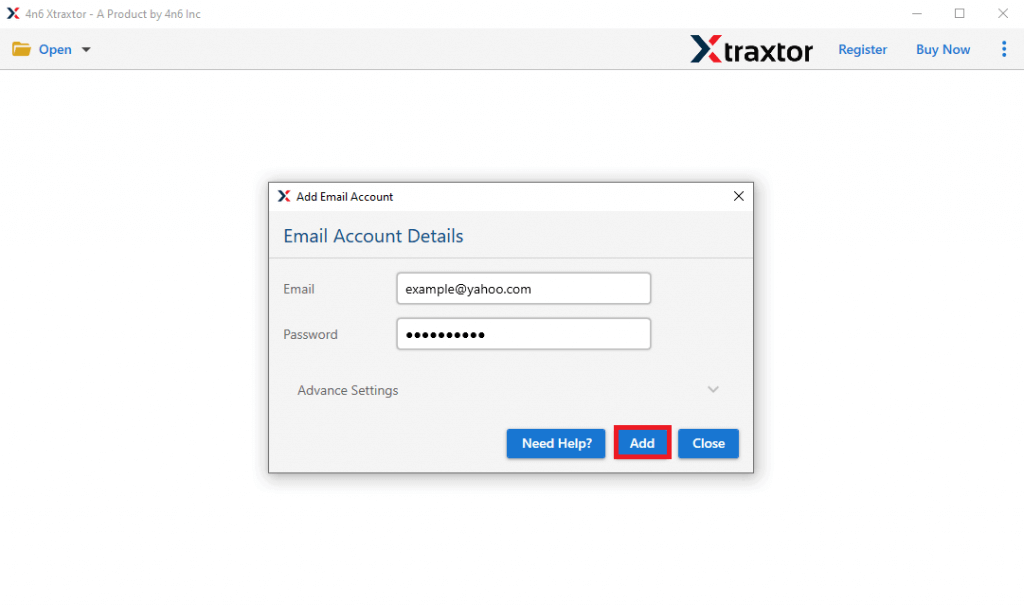
Step 3. Enter your Yahoo Mail email id and password and then hit on the Add button.
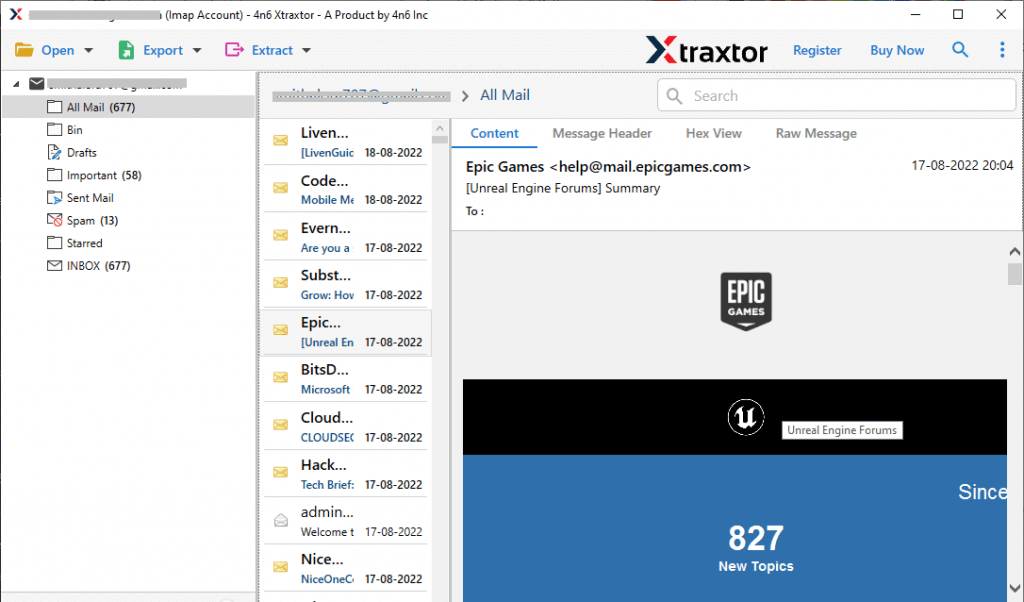
Step 4. Here you can see Yahoo mailbox data before exporting them.
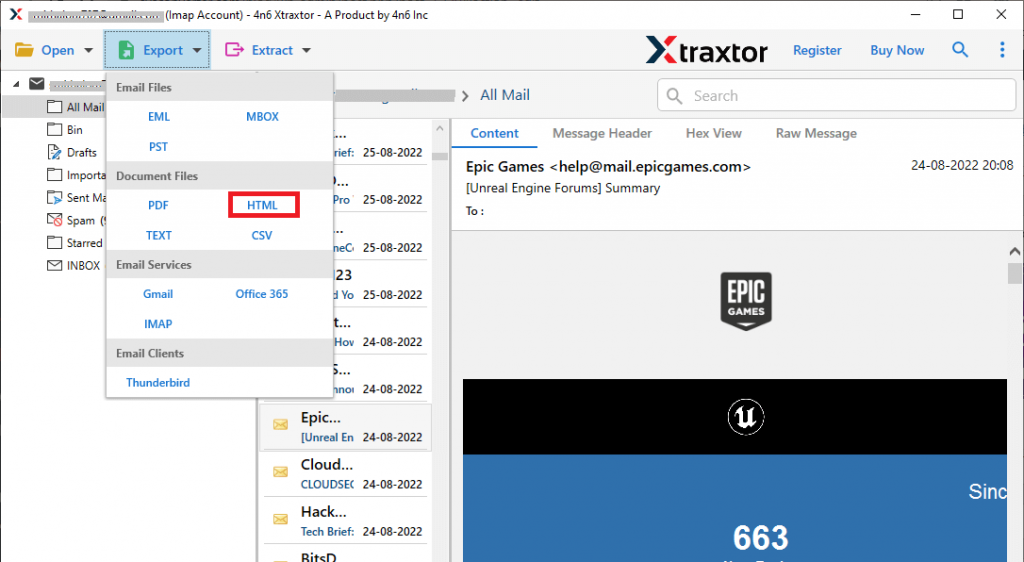
Step 5. After that, click on Export and choose the HTML option.
Step 6. At this point, you can select the email folders and export them only.
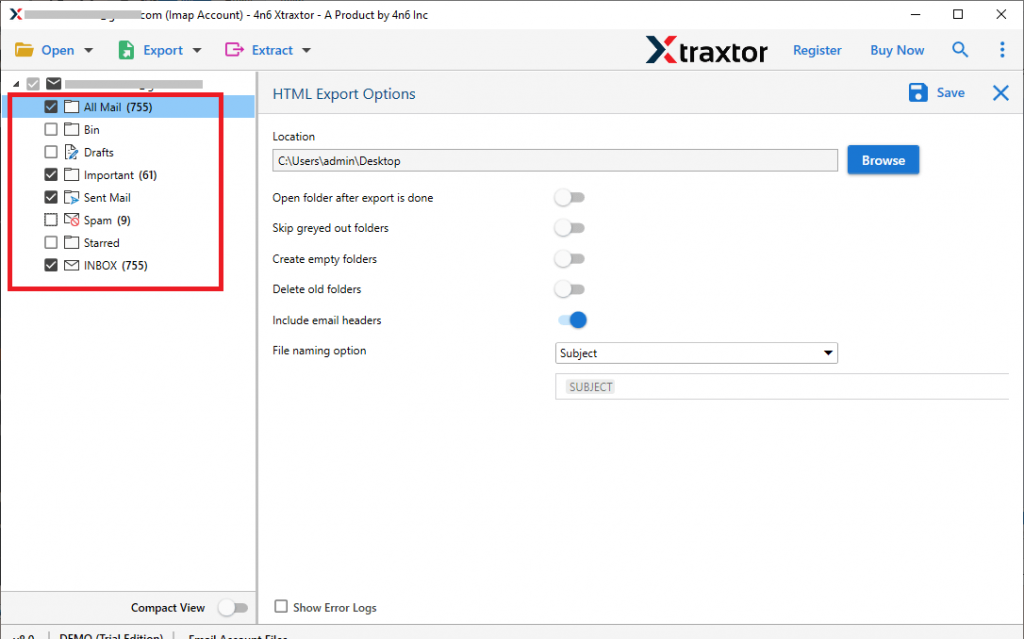
Step 7. At last, browse the targeted location and hit on the Save button.

Done! Here complete the process and you export Yahoo Mail to HTML format without any data loss. You can use the trial version of this tool and save Yahoo emails to HTML format.
Benefits Of Using Automated Software
There are various outstanding features offered by the tool, some of them mention here.
Export Yahoo Mail With Attachments: This tool will save Yahoo emails to HTML format along with attachments. It export attachments of all nature (it will save .pdf, .csv, .png, .xsl, doc, etc ).
Maintain Email Integrity: While you export Yahoo Mail to HTML file, this utility makes sure to save emails without affecting their integrity. In the resultant data file, all the emails will be saved without altering their content.
Different Saving Options: The tool has various file formats to save Yahoo emails. You can use this tool and export Yahoo Mail to MBOX, PDF, and various other formats.
Extract Data: This software offers an option to extract email addresses, phone numbers, attachments and associated email addresses and phone numbers. All the data will be saved in a single text file in your system.
Windows-Based Utility: This software is designed for Windows users that can be run on all OS systems. You can open this tool on Windows 11, 10, 7, Vista, XP and all other previous versions without any error.
Various Filter Options: With the automated tool, there are multiple filter options that help to export selective emails from Yahoo Mail. One can apply various filters such as – to, from, cc, bcc, has attachments, name, subject, date range, time, etc.
Simple User Interface: The software is designed with an easy-to-use interface so that a novice user can operate this tool without any hassle.
Conclusion
Considering the loopholes in Yahoo Mail security, it is necessary to downlaod Yahoo email folders to computer to secure mailbox data. One such way is to export Yahoo Mail to HTML format. In this way, you can easily access your emails on any browser when you are not able to access your webmail account.
Frequently Asked Questions
Question 1: Is this tool allows to export Yahoo emails to PDF format?
Answer. Yes, you can use this tool and print Yahoo Mail to PDF file with attachments.
Question 2: Can I run this tool on my Windows 11 OS?
Answer: Definitely Yes, you can install and open this software on all Windows OS systems.