This article will explore the free solution to convert OLM to PDF format with attachments. Additionally, we also discuss the automated approach for converting OLM file to PDF effortlessly. Read the post and find a reliable solution to save emails from OLM file to PDF format.
Since Mac Outlook uses OLM file to save its mailbox data. Thus to export your OLM file data, you will need a Mac system with Outlook installed in it. However, if you are a Windows user and want to convert the OLM file you received to PDF format, then you will need an automated tool.
Let’s check out both solutions in detail and then you can decide which one you prefer.
How to Convert OLM File to PDF Manually?
Before you start converting, import OLM file to Mac Outlook interface. After that follow the given instructions.
- Open the application on your Mac operating system.
- Select the file that the user wants to save as a PDF.
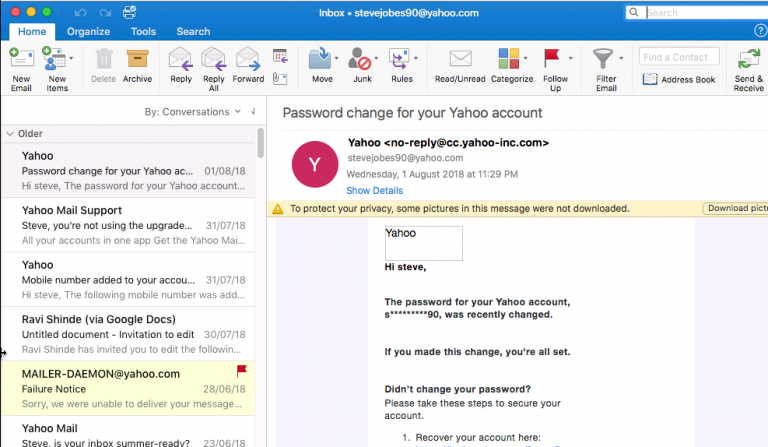
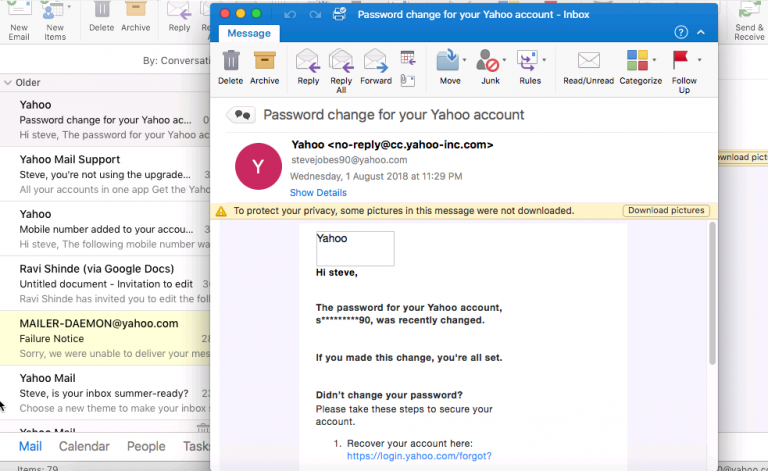
- Open that particular file by double-clicking.
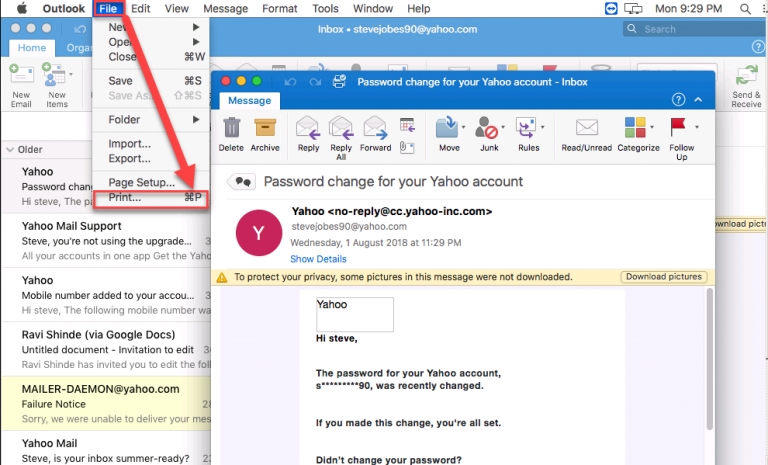
- Now go to File >> Print.
- Then select the PDF option in the lower-left corner of the pop-up window.
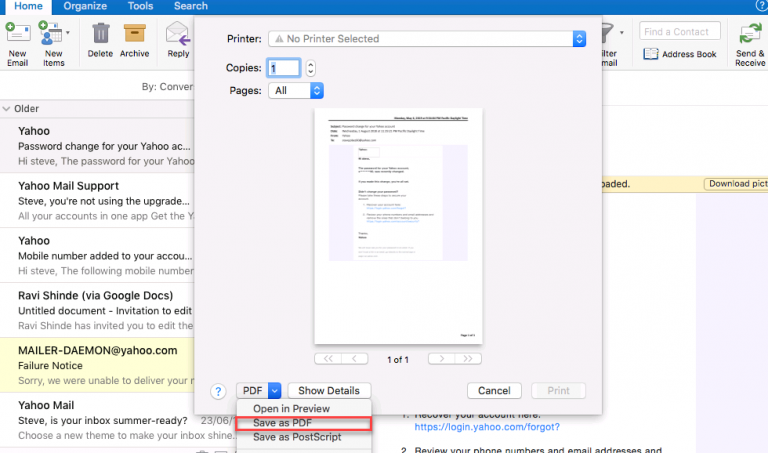
- A new screen will appear, enter the file name and find the location in the Where section.
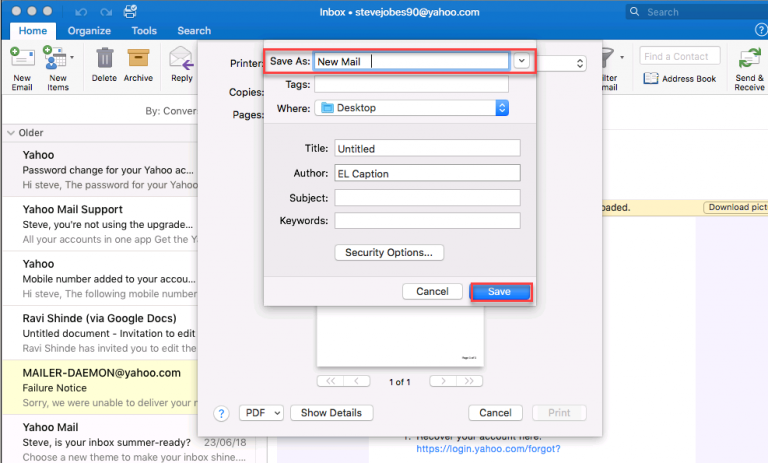
- After completing the steps above, click the Save button.
Here you complete the conversion process and save the OLM emails in PDF format. Users can check the .pdf file in the saved location. Alternatively, you can also use the automated tool for hassle-free conversion.
How to Export OLM File to PDF Format?
Sysconverter for OLM allows to complete the conversion effortlessly. Download the OLM Converter and export OLM file to PDF along with attachments. This tool will effortlessly convert emails and all other data from OLM file to PDF in a few quick steps. Additionally, there are various advanced features that help in smooth OLM to PDF conversion. Download its free version and know its complete working process.

Steps to Convert OLM to PDF with Attachments
- Install and open the SysConverter for OLM on your sysetm.
- Now Select Open >> Email Data File >> Select OLM File >> Select File or Folder.
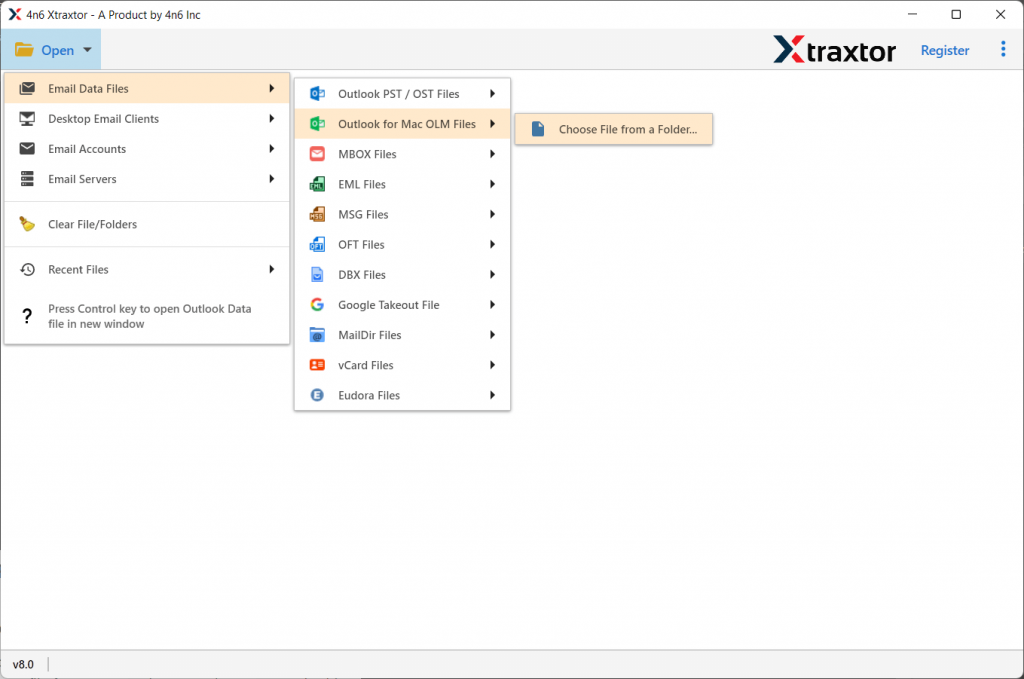
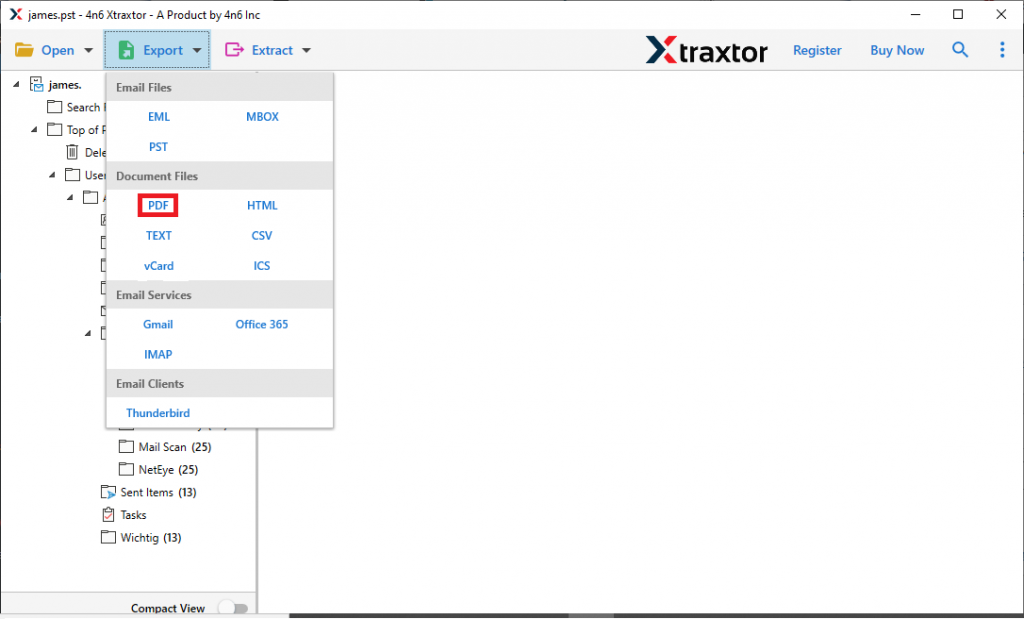
- This tool previews all emails stored in the OLM file.

- Click on the Export option button and select PDF format.
- At last, browse the targeted location and hit the Save button.
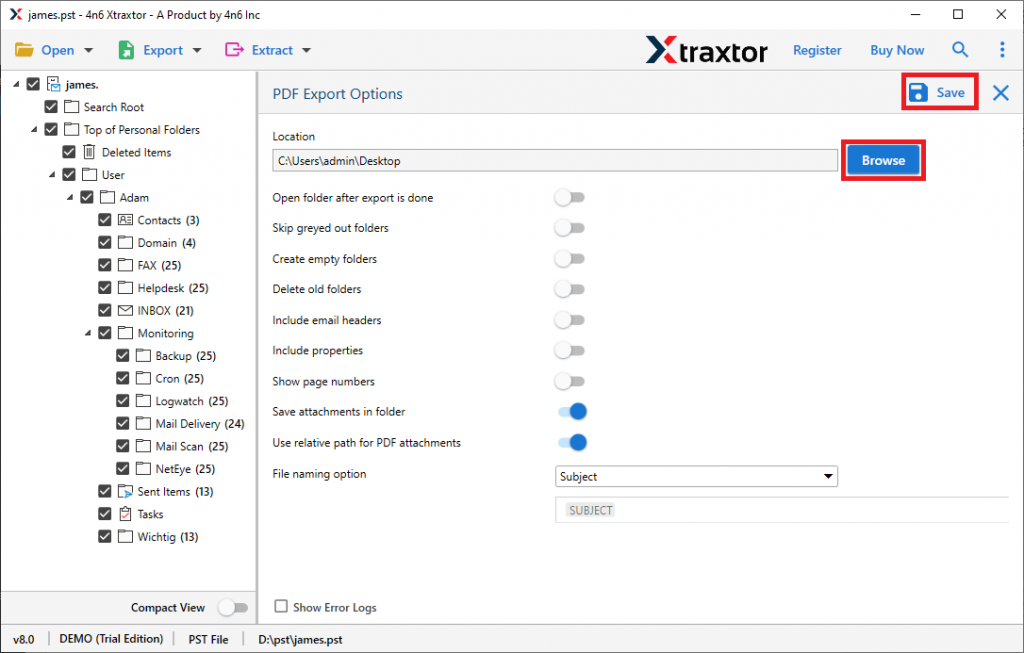
Here you successfully export the OLM file to PDF file format. You can check on the saving location for the .pdf file and can easily access it on any system. Using this tool users can also export contacts from OLM files and other email information such as calendar data into standard file formats without any data loss. Some of the advantages of using this OLM to PDF Converter tool –
- Maintain email folder and sub-folder hierarchy and structure.
- Support OLM file from all Mac Outlook versions.
- Preserve email key elements and attributes.
- Allow to convert OLM to PST, CSV and other file formats.
- Compatible with all Windows OS systems.
Conclusion
Both file formats have different properties and are created in different environments. That’s the main reason that complicates the conversion process. The major query is How to convert OLM files into PDFs? Here in this write-up, we mention two methods in response to this query. Both methods are efficient in OLM to PDF conversion. Users can opt for any method to do the process as per their requirements.