Blog Overview: If you are among those who want to export Eudora emails in excel format, then this article is for you. Here in this write up we will learn the best way to convert Eudora mails to CSV format with complete mailbox data.
Tired of finding a secure way to transfer Eudora emails to CSV format, but failed terribly. Well, you should know that Eudora doesn’t offer an option to export mailbox data in CSV format.
For that, there are many software that offers to perform this conversion. However, finding a perfect solution that converts Eudora Mails to CSV with attachments.
Don’t worry, in today’s article, we will discuss one such solution that efficiently exports your Eudora emails to Excel format with full mailbox data.
Before that, let’s understand this conversion need through user inquiry.
Instant Solution to Convert Eudora Mails to CSV Format
Eudora Converter is a perfect solution to export emails from the Eudora account into CSV format without losing a single bit of data. Along with that, it transfers Eudora emails to excel format and maintain its key attributes and properties. This tool swiftly exports mailbox emails in bulk without facing any glitches.
Additional, this Eudora to CSV converter offer an array of file formats to save emails from the Eudora account. Apart from that, users can also transfer Eudora mails to Gmail, Office 365, Outlook, Thunderbird, Opera Mail, and many more email clients and servers.

Steps to Export Eudora Emails to CSV Format
To save emails into .csv format in a secure way, follow the below-mentioned instructions with a pictorial description.
Step 1. Download and launch this converting tool on your system.
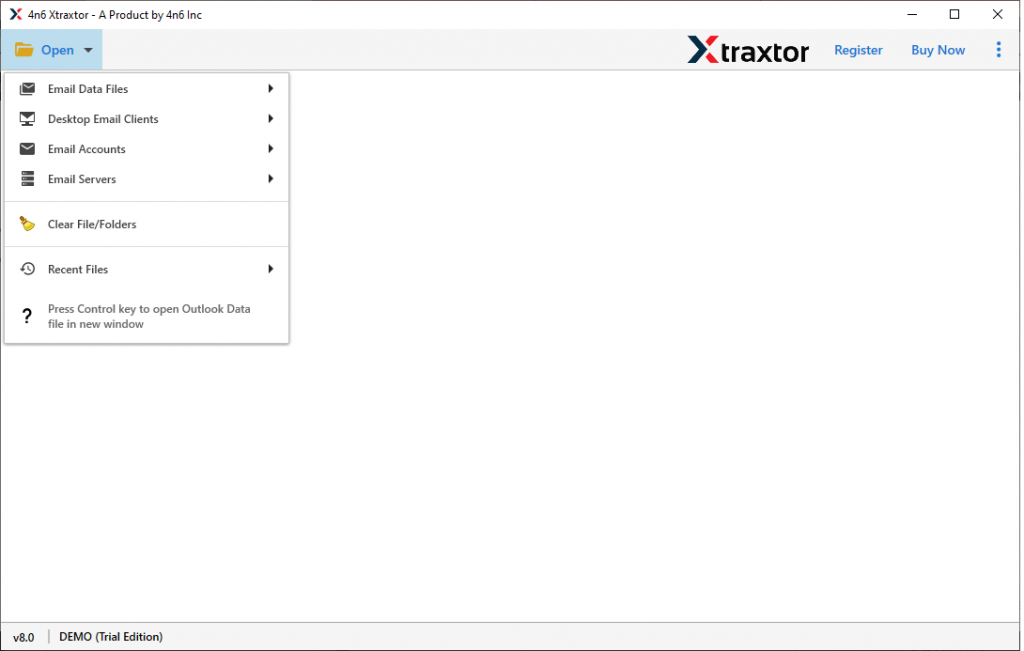
Step 2. Now, to start with click on the Open button and choose from the given drop-down list.
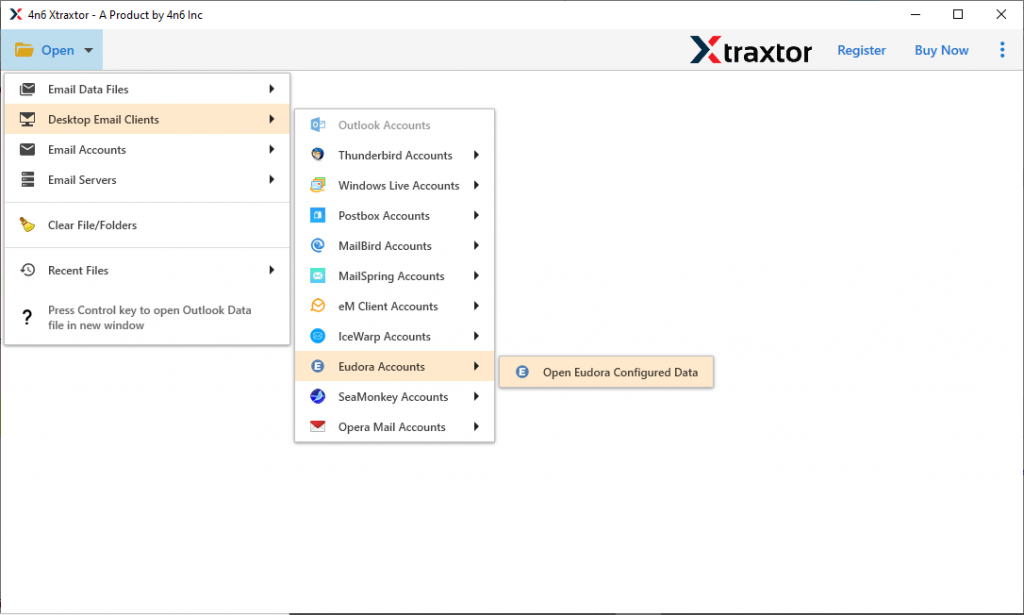
Step 3. After that, Desktop Email Client >> Eudora Account >> Open Eudora Configured Data.
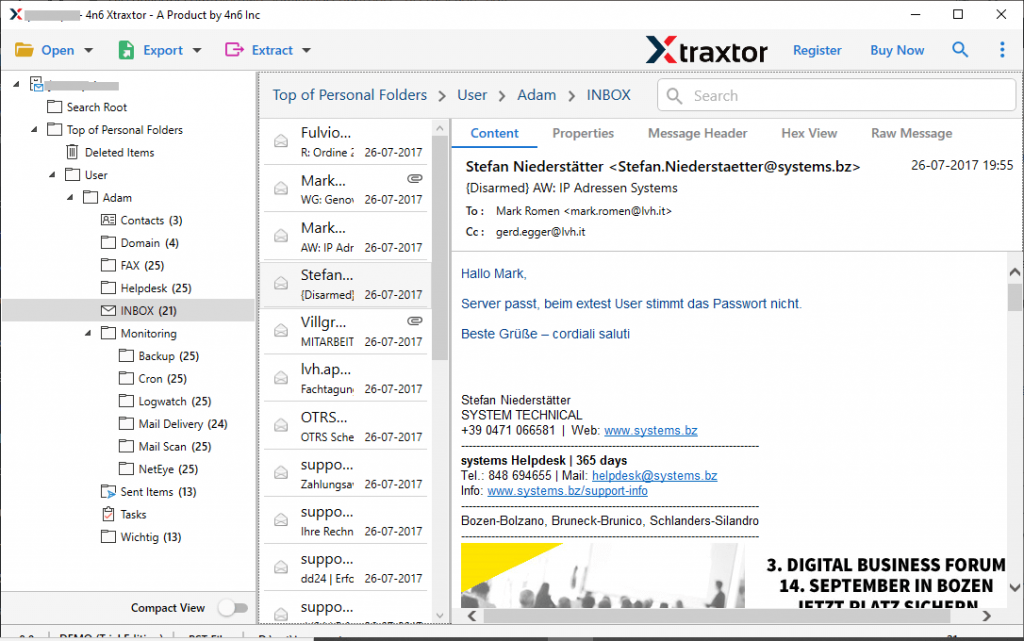
Step 4. Here you can view your emails and select the folder that needed to be converted.
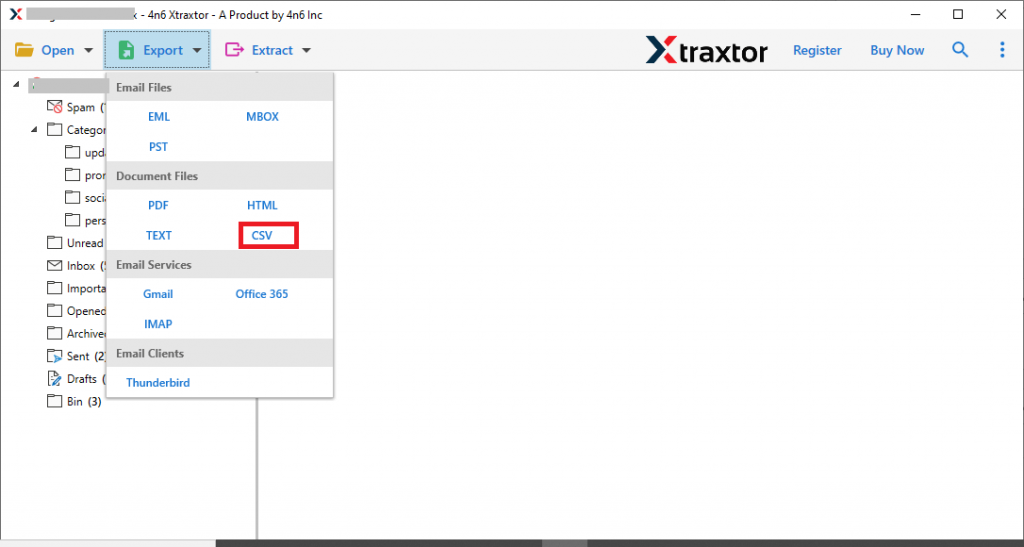
Step 5. Now, click on the Export and opt for HTML format.
Step 6. At last, browse the saving location and hit on the Save button.
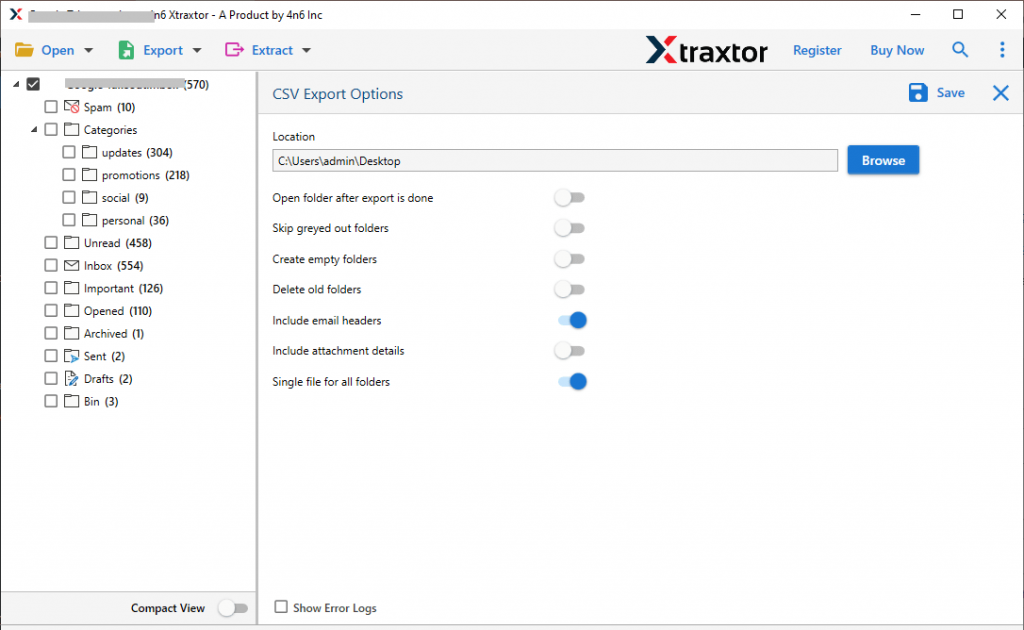
All Done! You convert Eudora mails to CSV format with attachments. Now check some amazing features of this automated tool.
Features of Eudora to CSV Converter
Some of the outstanding features of this converting tool are mentioned here. Take a look at what they are.
1. This software has an advanced feature that automatically detects the configured Eudora account and loads its email for conversion.
2. The Eudora to CSV Converter offers an additional option to extract email addresses, phone numbers, attachments, and associated email addresses and phone numbers in a separate text file.
3. Along with that it has an advance search option that allows you to find emails with specific properties and convert them.
4. This Eudora to CSV Converter also offers an option to convert Eudora emails to PST, MBOX, PDF, EML, ICS, vCard, and other file formats.
5. It can install and operate on any Windows OS version without any issue.
6. Mos importantly while email conversion this Eudora to CSV Converter make sure to maintain mailbox structure and hierarchy.
7. There is no requirement to install any additional application to perform this conversion process.
8. You can also export Eudora mails to Gmail, Thunderbird, Office 365, Outlook and all other email clients or servers with no data loss.
Convert Eudora Mails to CSV – Conclusion
The above article shows the step-by-step instructions to export Eudora emails to CSV format with full data. You can use the demo version of this converter and transfer your email format from Eudora to Excel.