Here in this blog, we will discuss the best ways to save emails from Webmail to system. Read the complete post and backup webmail emails to hard drive with complete mailbox data.
Webmail has become an integral part for day to day communication be it personal or professional. We rely on webmail services to receive or send emails that contain important information. However, it should be kept in mind that this emailing platform is not immune from cyber attacks, service outages and data loss. Thus it is essential to backup Webmail emails to hard drive or system to secure your data. In this article, we will explore different approaches to download emails from Webmail to hard drive.
How do I save emails from Webmail to my hard drive? You can use your webmail export features and backup your emails. However, if you are looking for an instant solution to save your mailbox data, then you can use the SysConverter Email Backup Tool on your Windows.
Why Should We Backup Webmail Emails to Hard Drive?
There are several benefits of downloading Webmail emails to hard drive. Some of the common advantages are –
- After you export Webmail emails to hard drive, it gives your important data an extra layer of security.
- If you accidentally delete your emails or your account is compromised, then you will have a backup copy. You can easily restore your data with the help of the exported data file.
- By backing up your Webmail emails to hard drive, you can access your data when you are offline.
- After you download your webmail data to hard drive, then you can free up your storage space.
How to Save Webmail Emails to Hard Drive?
There are various webmail services like Gmail, Yahoo Mail and many others. Each webmail service offers an inbuilt export process to download its mailbox data. Using SysConverter Email Backup Wizard you can backup Webmail emails to hard drive instantly without any hassle. The tool is designed with a simple user interface keeping novice users in mind. With this tool there are various filter options – to, from, cc, bcc, name, date, time, etc.
Additionally using this tool you can easily backup emails from Gmail to hard drive and other storage devices. Further, you can also save other webmail emails including Office 365, Yahoo Mail and many others. This software offers a free trial version to analyse its working process.

Steps to Backup Webmail Emails to Hard Drive
- Download and Launch the software on your system.
- Then, Open >> Email Accounts >> Add Account.
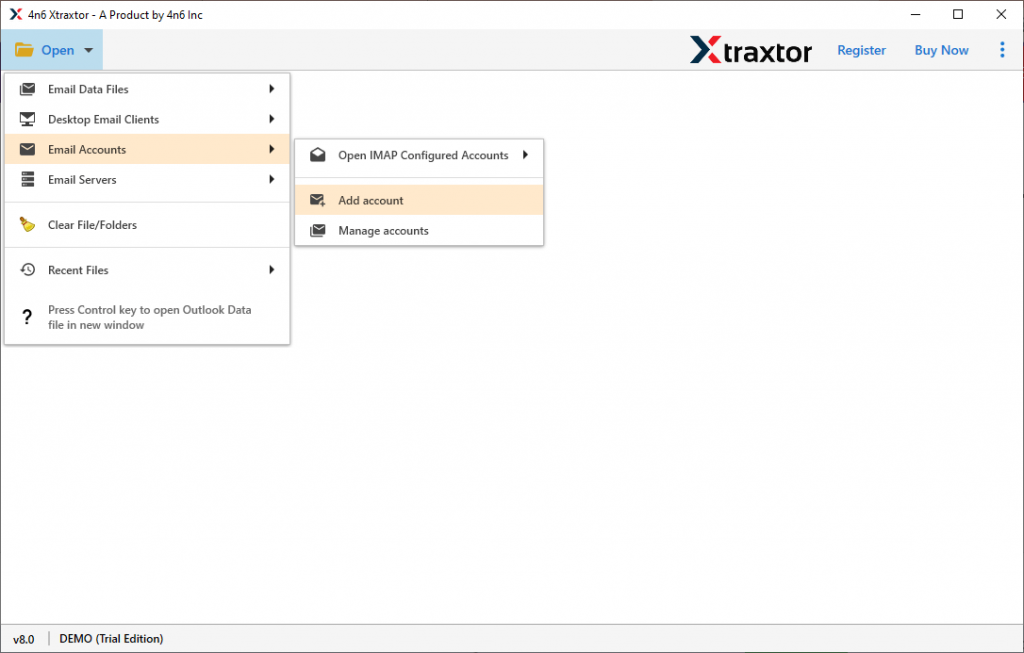
- Enter your Webmail login details and hit the Add button.
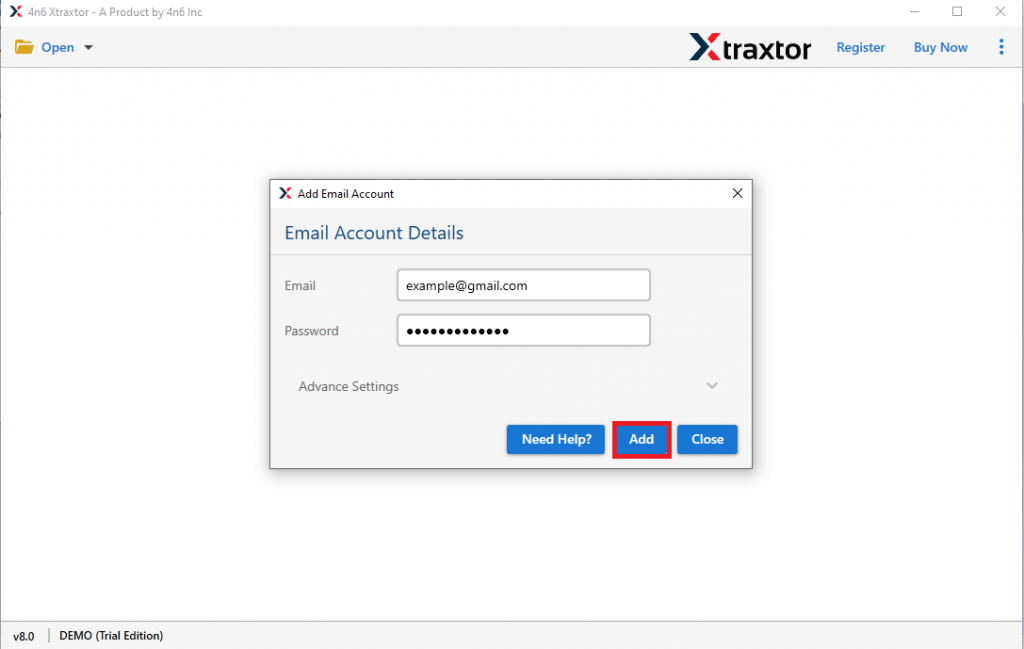
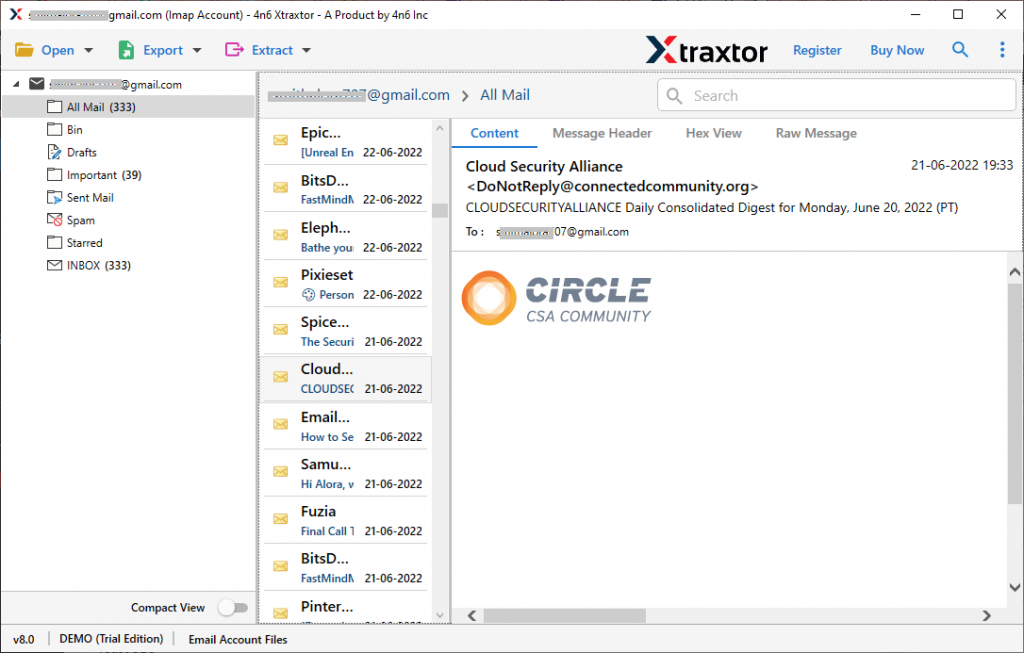
- Here you can view your mailbox data before downloading them.
- Click on Export and choose any file format from the given list.

- Browse the targeted location (hard drive) and at last hit the Save button.
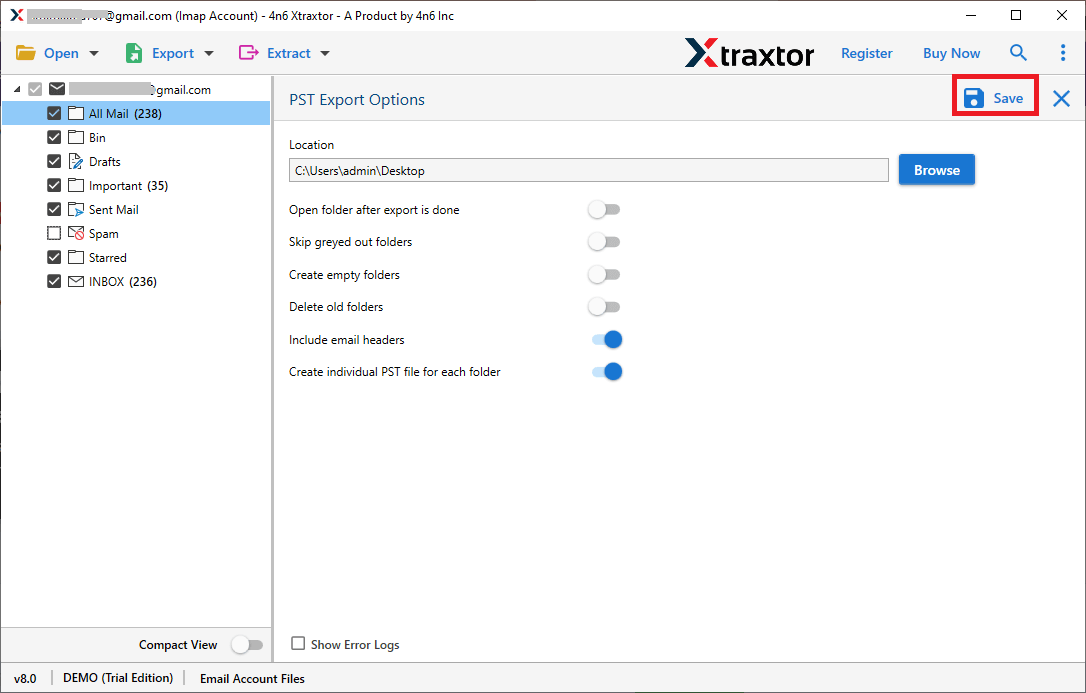
Done! Here you download emails from Webmail to hard drive in a few simple clicks. Using this tool we export Gmail emails to PST file with attachments. In this manner, you can save your Webmail emails to hard drive.
What SysConverter Email Backup Tool Offers?
This software has prominent features that will make the backup process efficient and secure. Some of them are –
- Direct Backup: It will directly export Webmail emails to hard drive in a few simple clicks. Just enter your login details and choose the saving option, rest of the work will be done by this tool.
- Advance Filters: With this software, there are various email filters for selective Webmail email backup. You can apply filters – email, contacts, calendars, to, from, cc, bcc, name, date, time, has attachments, etc.
- Different Backup Options: Using this wizard you can also backup Yahoo emails to hard drive. Additionally, it also download emails from Office 365, Zoho, cPanel and many other webmail accounts.
- Maintain Foldr Hierarchy: While saving Webmail emails to Computer, this tool will uphold the email folder and sub-folder hierarchy and structure. It also preserves email attributes and key elements.
- Support Windows OS: This tool works on Windows 11, 10, 7, Vista, XP and all other previous OS versions. There is no issue with your Windows compatibility with this tool.
- Smart Preview: Before downloading emails from your Webmail account, this tool will let you view your data. It will be beneficial for you to select which email folder you want to backup.
- Simple User Interface: The simple and user-friendly interface of this software helps beginners to backup Webmail emails to hard drive.
- Free Trial Version: This software offers a free demo version of the software to analyse the working of the software. Download the trial version and analyse the tool before moving to the licensed version.
Conclusion
Backing up your webmail emails to hard drive is a smart approach to ensure the safety of your data. Here in this blog, we mention a straightforward and secure approach to backup Webmail emails to hard drive instantly. Follow the given instructions and save your mailbox data to system without any hassle.