This blog will guide you to backup emails from Roundcube account. If you are also looking for a secure way to backup your mailbox data, then this blog is for you. Read the complete blog and backup Roundcube emails with attachments.
Roundcube is a web-based IMAP email client. It is free and open-source software that helps in managing your emails. It offers all the features including an address book, message searching, spell checking, etc. While Roundcube is the easy way to organise your emails, it is essential to backup your data to avoid unforeseen events. In this article, we will discuss the best ways to download emails from Roundcube account to your system.
Can you export emails from Roundcube? Well yes, Roundcube has a built-in export feature to save your mailbox data in a standard format (.eml or .mbox). However, if you want to save your Rouncube emails in other file formats, then you can use the Rouncube Backup Wizard for that. To know the complete backup process in detail, read the post till the end.
How to Backup Emails from Roundcube Manually?
- Login to your Roundcube account using credentials.
- Now select the email or folders that you want to export.
- Now click on the More option and choose the Export option.
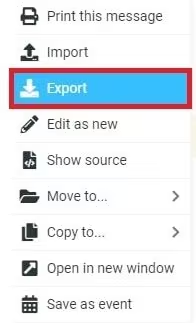
- Here you can choose the file format to download your data.
- Browse the location to save the data file and click on the OK button.
Done! Here you backup Roundcube emails to your system in a few simple clicks.
Limitation of Manual Solution
- High chances of data loss.
- It only downloads emails from Roundcube into EML or MBOX file.
- Email folder hierarchy and structure can be changed.
How to Download Roundcube Emails in Bulk?
Use SysConverter Email Backup Wizard and save your Roundcube emails to your system. Using this tool you can instantly download complete mailbox data without affecting data integrity. Along with that using this tool you can also export Roundcube emails to PST, PDF, CSV and other file formats.
Additionally, there are various other advanced features offered by this tool including various filter options, selective mailbox folder backup, preserving data integrity, maintaining email folder hierarchy and structure, etc.

Steps to backup emails from Roundcube account –
1. Launch the software on your system.
2. After that, select Open >> Email Accounts >> Add Account.
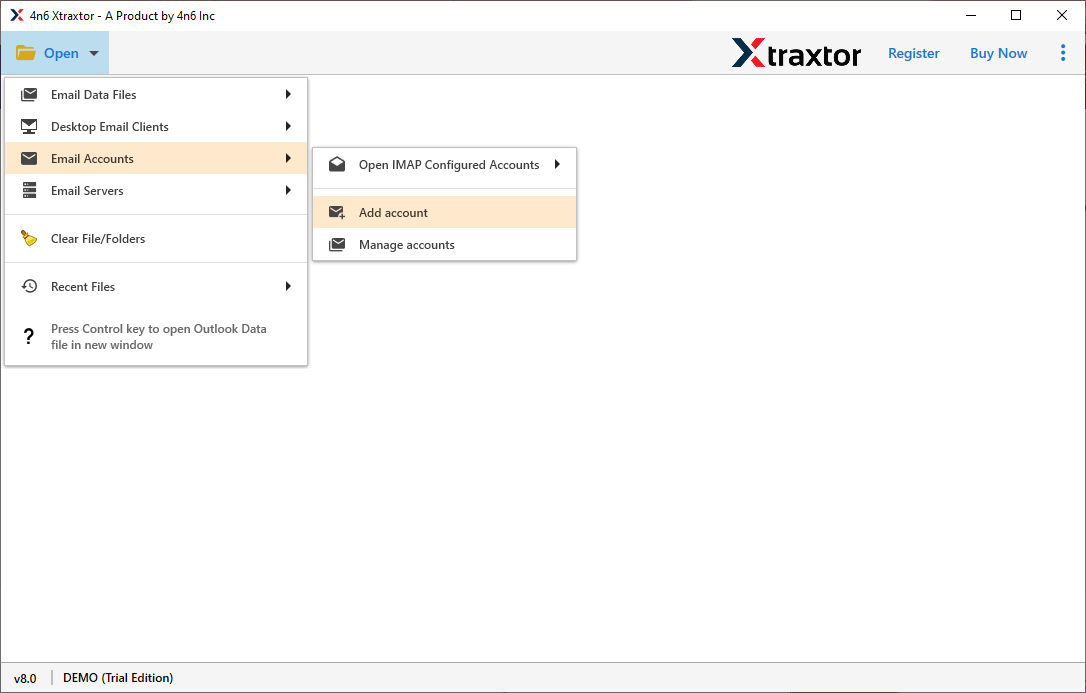
3. Enter your login details and hit on the Add button.

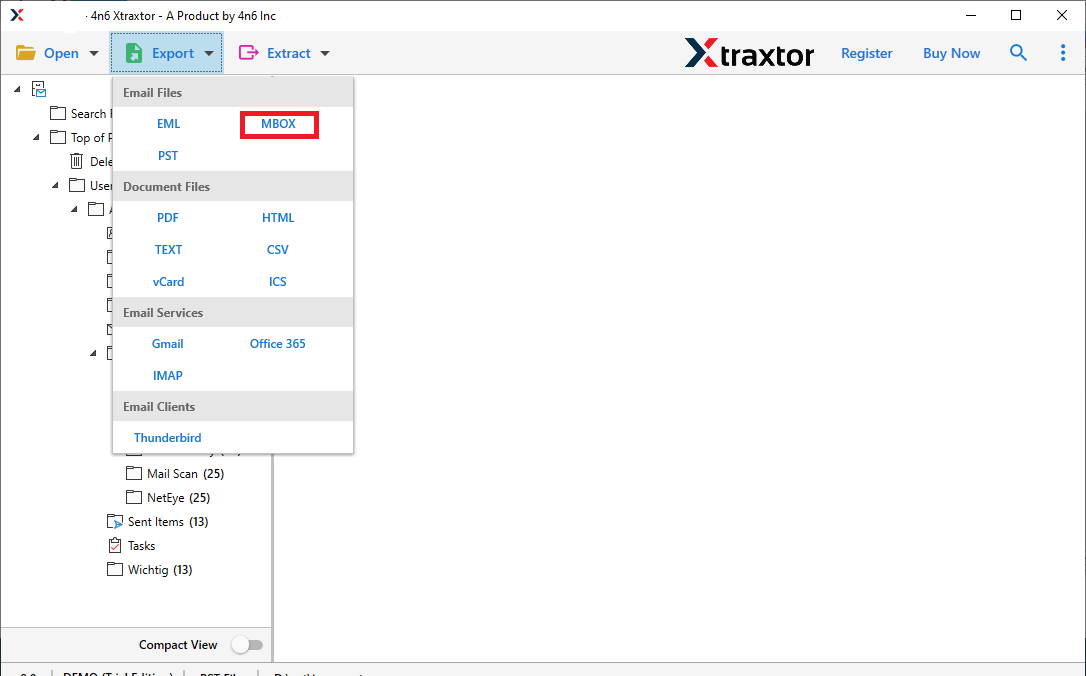
4. Then, click on Export and choose from the given option.
5. Browse the location to save the exported data file ad hit the Save button.
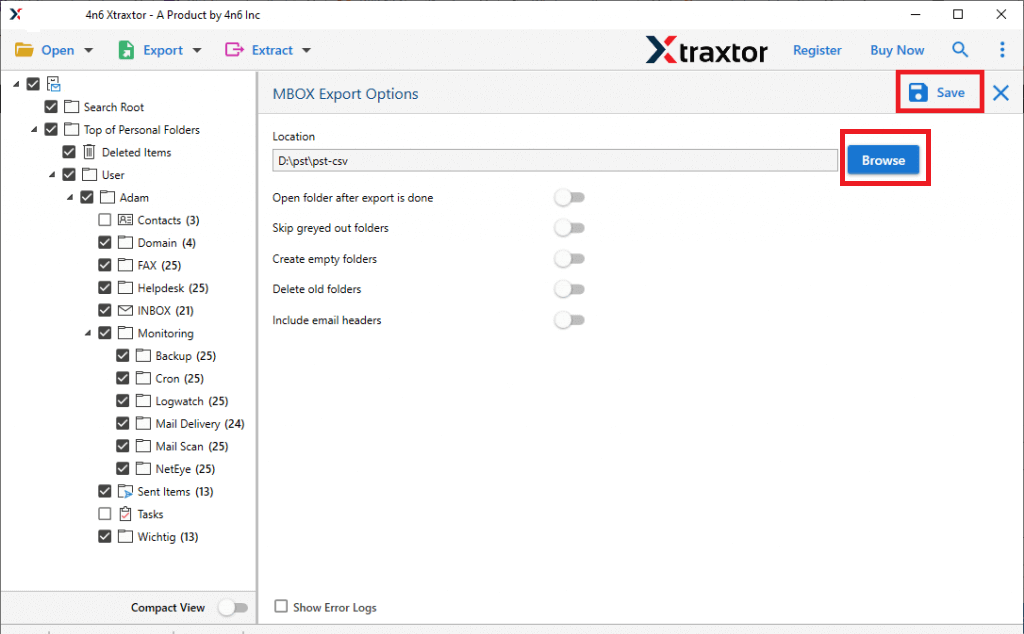
Done! Here you efficiently backup emails from Roundcube account to your system in a MBOX file.
Prominent Features of the Rouncube Backup Tool
- This tool will directly download emails from Roundcube account effortlessly without data loss.
- Allow to export Roundcube emails to PST, PDF, EML and many other file formats.
- You can download Roundcube emails on the basis of date, time, name, to, from, cc, etc.
- Allow to view your mailbox data before downloading them.
- Preserve email key elements and attributes while backing up your data.
- Works on Windows 11, 10, 7 and all other previous OS versions.
- Allow to export Roundcube emails to Gmail, Office 365, and all other webmail accounts.
- Simple and easy-to-use graphical interface for both technical and non-technical users.
Conclusion
Here in this blog, we discuss the two different ways to backup emails from Roundcube account without any hassle. You can either use a manual approach or an automated one depending on your needs. Hope this article will help you to download emails from Roundcube account.