Summary: There are various Zoho Mail users who want to extract their email addresses. If you are among those who want to extract email addresses from Zoho Mail account, then this blog is for you. Read the complete blog and complete the extraction process in a few simple clicks.
The extracting process of email addresses from Zoho Mail is relatively straightforward with the right approach. Although, you can easily extract email addresses by simply exporting the Zoho addresses book. However, if the email addresses are present in your email body or in the attachment file, then extraction is not possible.
Is there a way to extract email addresses from Zoho Mail in bulk? As we discussed there is no manual way to extract email addresses from your mailbox. Alternatively, there are various automated tools available that efficiently complete the extraction process in a few simple clicks.
How to Extract Zoho Mail Email Addresses Instantly?
SysConverter Email Backup Tool is a secure and efficient approach to export your Zoho Mail email addresses instantly. This software with its simple and user-friendly interface completes the extraction process in a few simple clicks. Additionally, using this tool you can also extract data from many other webmail accounts.
With its advanced and robust features, one can extract email addresses from Zohoo Mail without affecting your data. The tool has various prominent features including multiple extraction options, selective export and many others. Download for free and export email addresses from Zoho Mail with ease.

Steps to Extract Email Addresses from Zoho Mail Instantly?
1. Run this tool on your system.
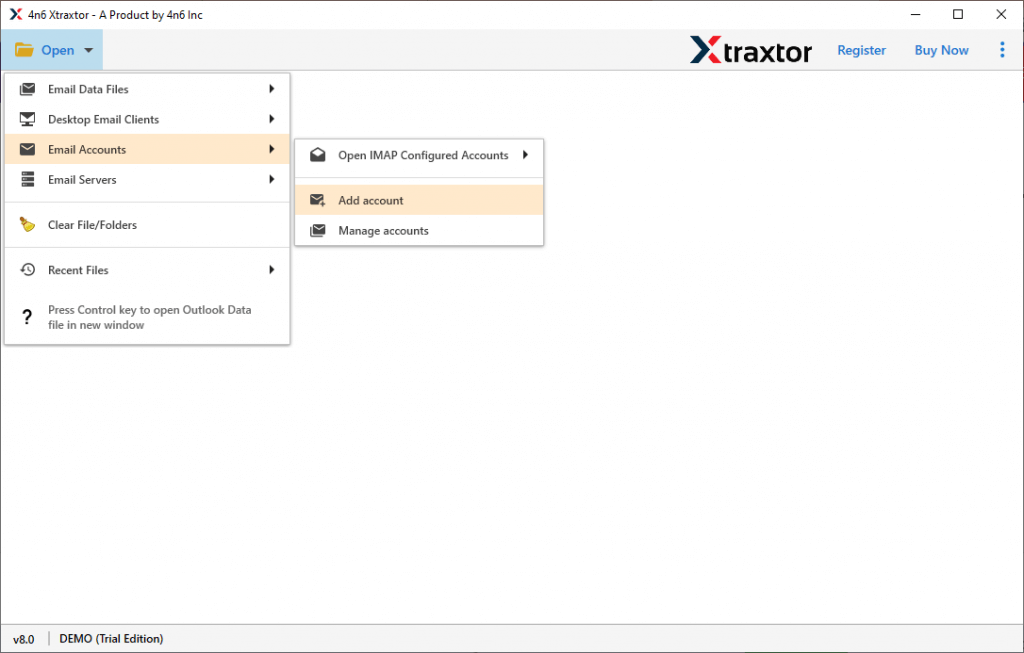
2. Select Open >> Email Accounts >> Add Account.
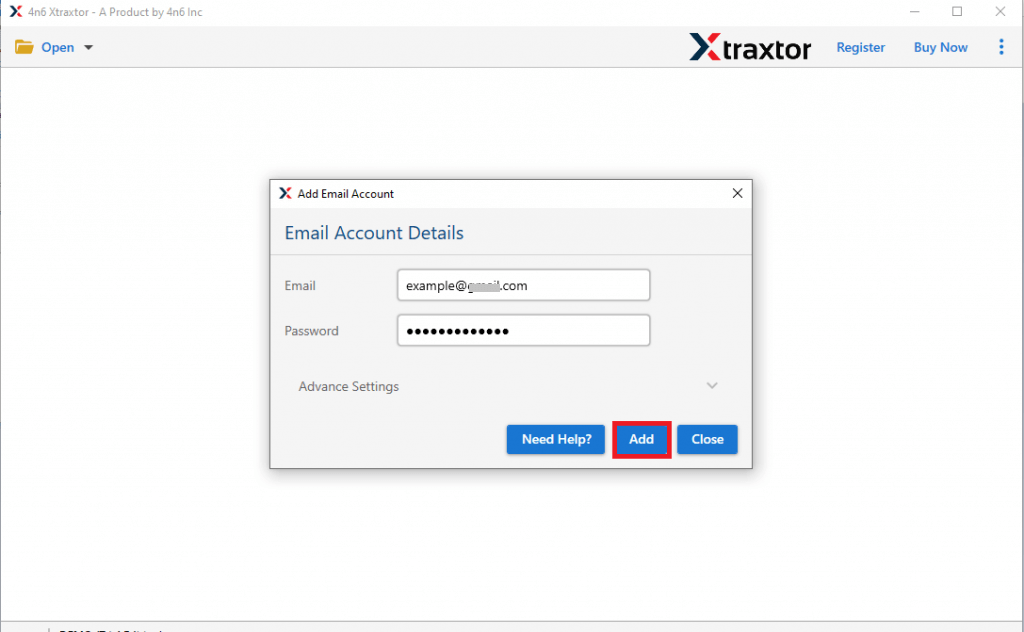
3. Enter your Zoho Mail login details.
4. Click on Extract and choose the Email Addresses option.

5. Browse the targeted location and hit the Save button.
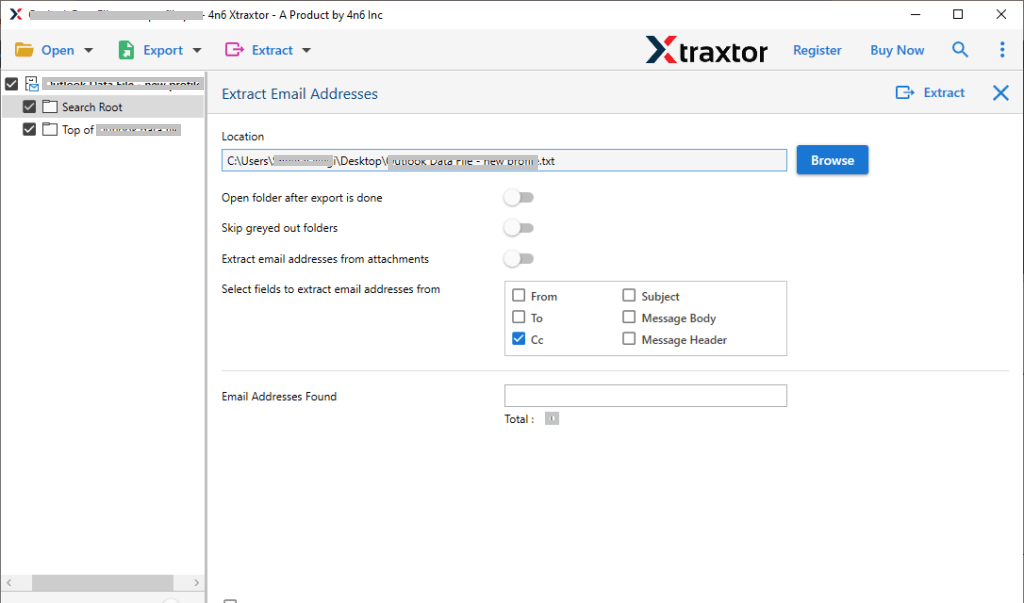
Done! Here complete the extraction process in a few simple steps. The tool saves all your email addresses in a text file at your desired location. Using this tool you can also extract email addresses from many other email accounts without any hassle.
Prominent Features of Automated Tool
- Extract email addresses from Zoho Mail email folders (Inbox, Sent, Draft, etc.).
- Advanced filter options to extract email addresses from selective emails.
- Preserve data integrity while exporting email addresses.
- Simple and easy-to-use interface for both technical and non-technical users.
- Extract email addresses from many other email accounts with ease.
- Save all the extracted data on a single text file.
- Offer a preview option to view emails before extracting data.
FAQ
1. How do I extract email addresses from Zoho Manually?
Answer. Well, there is no manual approach to export email addresses in bulk. However, you can perform the extraction with limitation. Open your Zoho Mail account and open the email. From there copy the email addresses from to, from, cc, bcc or email body and paste on a file. Repeat the process for all emails and folders.
2. Can I extract email addresses from particular dated emails?
Answer. Yes, the software offers an advanced search option that will allow you to export emails from – to, from, cc, bcc, name, date, time, etc.
Conclusion
In this blog, we describe the best and most efficient t way to extract email addresses from Zoho Mail account with ease. The automated tool is a secure approach to export your email addresses from all mailbox folders without any data loss. Try for free and save email addresses from 15 emails from each folder.