Outlook is one of the most popularly used email clients used by many organisations. This application allows you to save and manage important appointments or schedules in the calendar. However, Outlook is a desktop-based application that can be accessed on the system in which it is installed. There can be situations where you were not able to access your Outlook profile and need to view your calendar data. In this scenario, it is best to export Outlook calendar to PDF format.
Today in this blog we will discuss a secure and instant solution to print Outlook calendar to PDF file. Before that, let’s look at some user queries.
For the past few years, I am using Outlook to mark all business-related appointments on my calendar. The thing is that there is a lot of important appointment that I need to access but I can access my Outlook profile anywhere. Thus I decide to download Outlook calendar to PDF file so that it is easy to access. Can anyone tell me a secure way to do the same?
I need to send important Outlook calendar data to a friend. But the problem is he is not using the Outlook application. Therefore, I need an approved method to save Outlook calendar in PDF format for easy access. Is anyone able to share the process?
Let’s move ahead and know the secure way to export Outlook calendar to PDF format without any data loss.
Method to Convert Outlook Calendar to PDF
Here we will discuss two workable solutions to save calendar data from Outlook in PDF file.
#1. Manual Method
#2. Direct Way via. Outlook Converter
Solution 1: Save Outlook Calendar in PDF File Manually
Follow the given instruction to export Outlook calendar to PDF file. Firstly install any appropriate application that helps to read .pdf file.
Step 1. Open your Outlook application and open the calendar on the sidebar of the interface. Select the specific calendar that you need to download
Step 2. Now click on the File option to perform the export process.
Step 3. After that, select the Print option.
Step 4. From the Printer drop-down list, choose Adobe PDF.
Step 5. After that, click on the Print button and save the PDF file.
Here you print the Outlook calendar to PDF format using the print command. However, this approach will save a single calendar data at once. If you need to download Outlook calendar to PDF I’m bulk then it is best to rely on an expert solution.
Solution 2: Export Outlook Calendar to PDF Using Automated Tool
Use the Outlook Converter tool on your Windows OS system. This software will instantly save complete calendar data into PDF file in a few simple clicks. Along with that, you can also export Outlook emails to PDF format using this tool. Additionally, it also provides various filter options to export selective calendar data. Using this tool you can also save contacts, journals, and many other data.

Process to Print Outlook Calendar to PDF File
Follow the instructions and export Outlook calendar to PDF format without any data loss.
Step 1. Install and Launch SysConverter for Outlook on your Windows OS system.
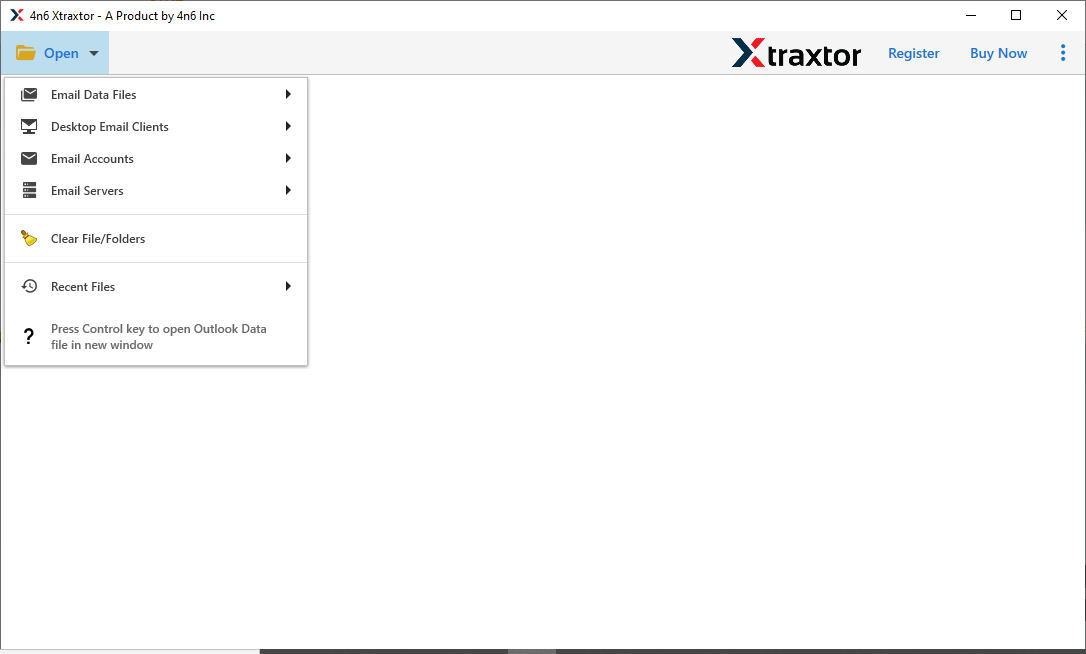
Step 2. After that, click on Open >> Desktop Email Client >> Outlook Account >> Select Outlook Profile.

Step 3. Here this tool previews your mailbox data in its interface.
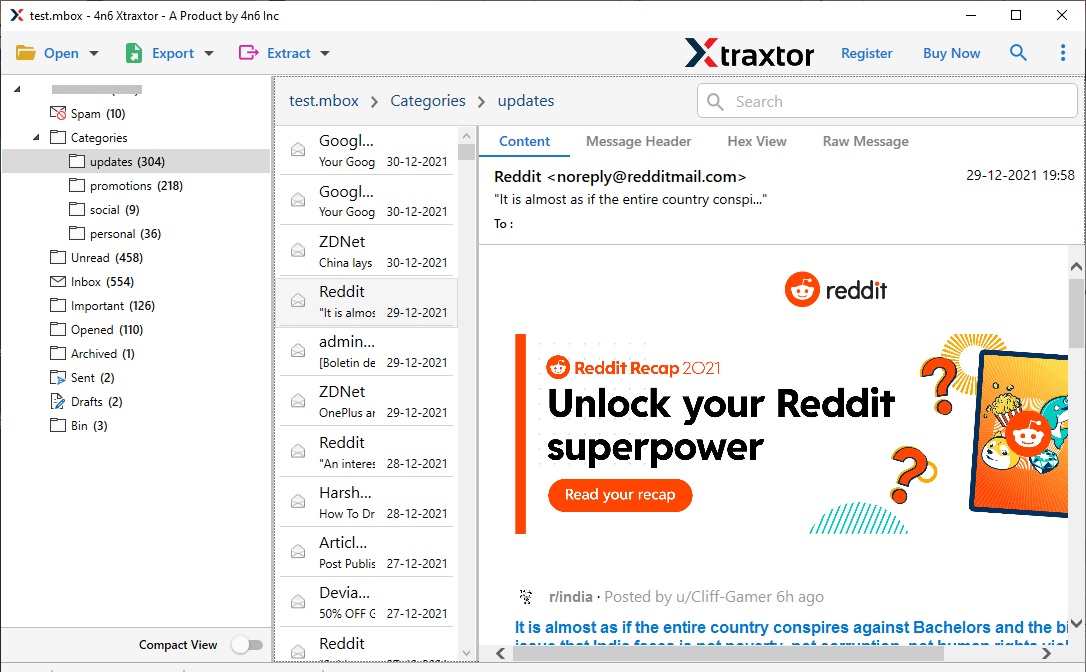
Step 4. After that, click on Export and choose PDF format.

Step 5. Here select the calendar data by selecting the particular check-box.
Step 6. At last, browse the location to save extracted data and click on the Save button.
Here complete the process and you download Outlook calendar to PDF format in a few simple clicks. You can also use the demo version of this tool and perform the export process.
Conclusion
Since we know the calendar plays an important role in scheduling meetings or appointments, so it is necessary to save them. Thus in this blog, we mention two workable solutions to export Outlook calendar to PDF format. You can apply any of the solutions and save your calendar data.