Summary: This blog write-up will guide you to transfer Yahoo Mail to iCloud webmail account. Read the complete article and export Yahoo Mail to iCloud accounts without any data loss.
Yahoo is a free webmail service that is used for sending and receiving emails worldwide. However, there are several situations where users want to migrate Yahoo Mail to iCloud mailbox. Thus we came up with a secure and instant solution to export Yahoo Mail to iCloud account effortlessly.
Before we move ahead, let’s get to know the reasons why users want to backup Yahoo Mail to iCloud account.
Why Need to Export Yahoo Emails to iCloud Account?
There can be various reasons for Yahoo to iCloud export, some of the common causes are mentioned here –
- iCloud has more advanced security measures as compared to Yahoo. That means a more secure environment to save your crucial data.
- iCloud is a cloud-storage service that allows you to save data such as photos, docs, etc on remote service. It means you can access your data from anywhere and transfer it to another device as well. However, there is no such service provided by Yahoo.
- With iCloud you can easily track email and other webmail data, thus it is wise to transfer Yahoo Mail to iCloud webmail account.
Without any further delay, let’s move ahead and know the best workable solution to import Yahoo Mail to iCloud account.
How to Export Yahoo Mail to iCloud Effortlessly?
To instantly transfer emails from Yahoo to iCloud, you can use SysConverter Email Backup Tool for Windows. This software is smart enough to export emails from Yahoo mailbox to iCloud without any hassle. With its filter options, you can transfer emails from a specific sender, name, subject, content, date, time, etc.
Additionally, the tool is also capable to export Yahoo Mail to Gmail, Office 365, Yandex and many other webmail accounts in a single interface. With its simple working interface, it is easy for novice users to operate it and transfer their Yahoo emails to iCloud.

Follow the Simple Process to Transfer Yahoo Mail to iCloud –
- Install and run the SysConverter Email Backup Wizard on your Windows OS.
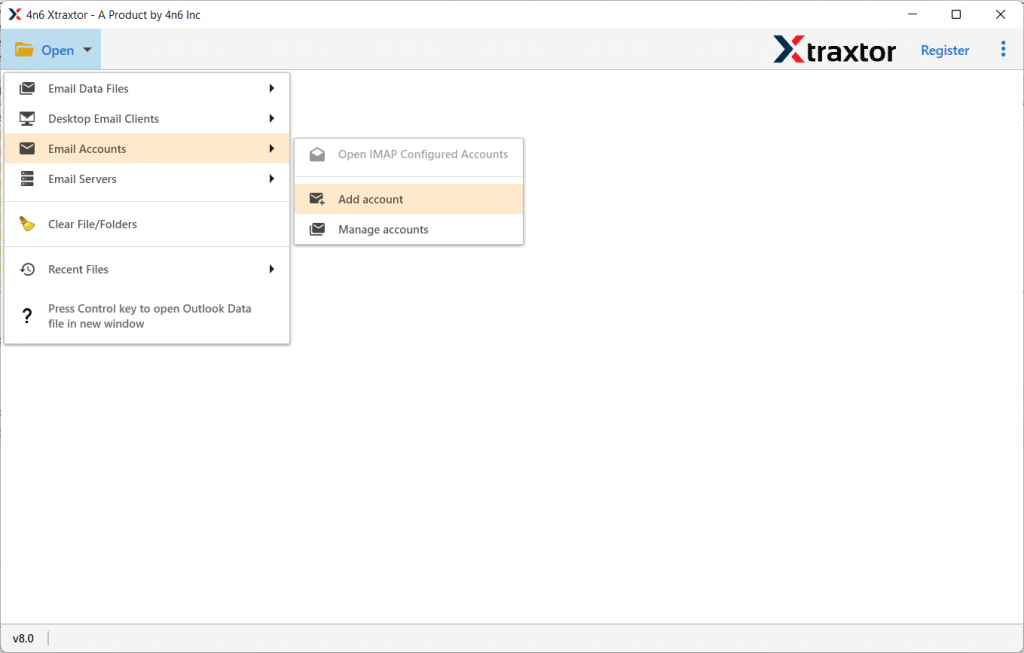
- After that, choose Open >> Email Accounts >> Add Account.
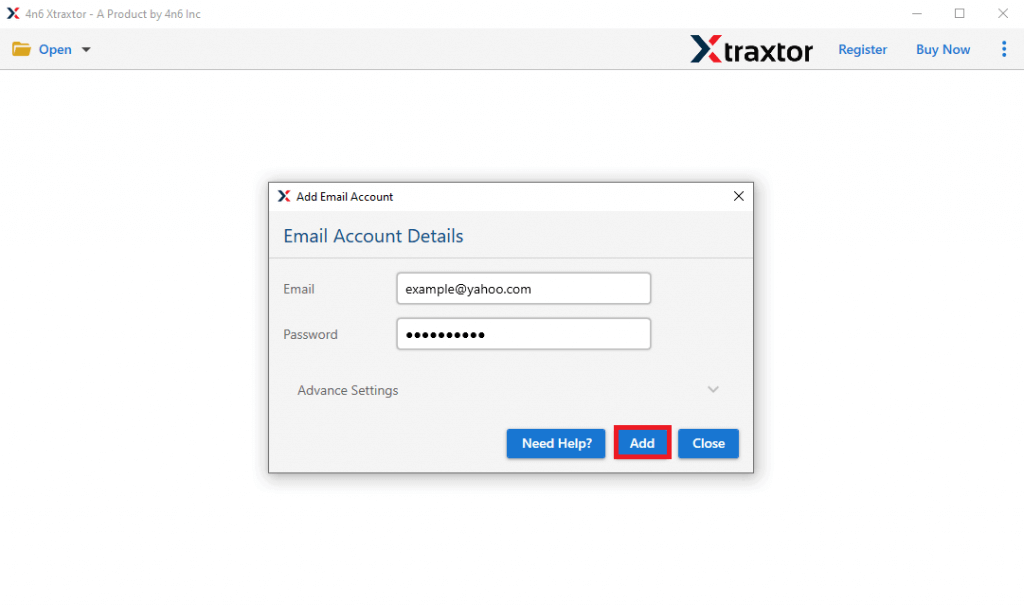
- Enter your Yahoo Mail login details and hit on the Add button.
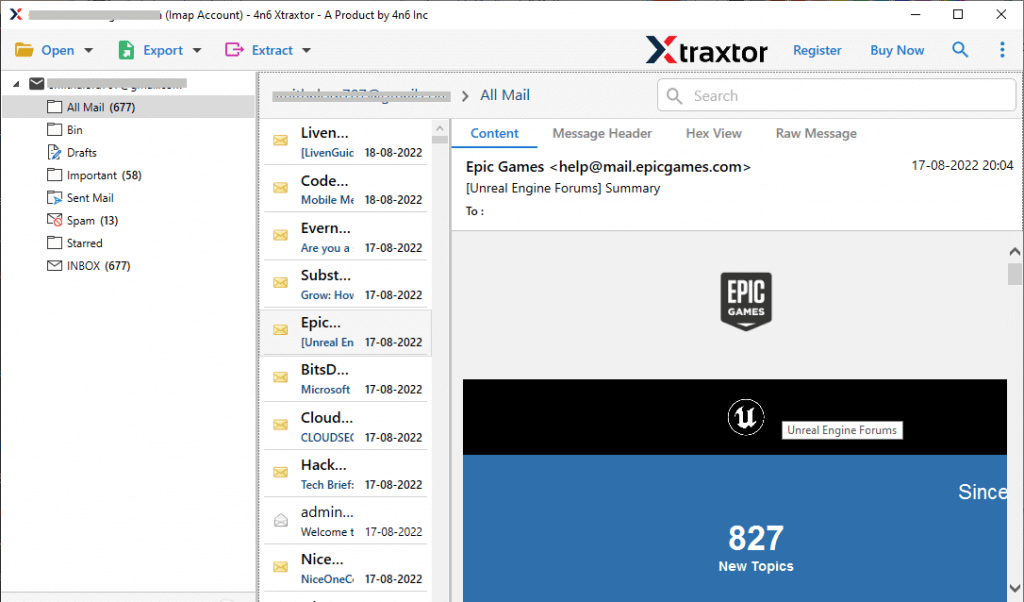
- Here you can view your mailbox data before exporting them.
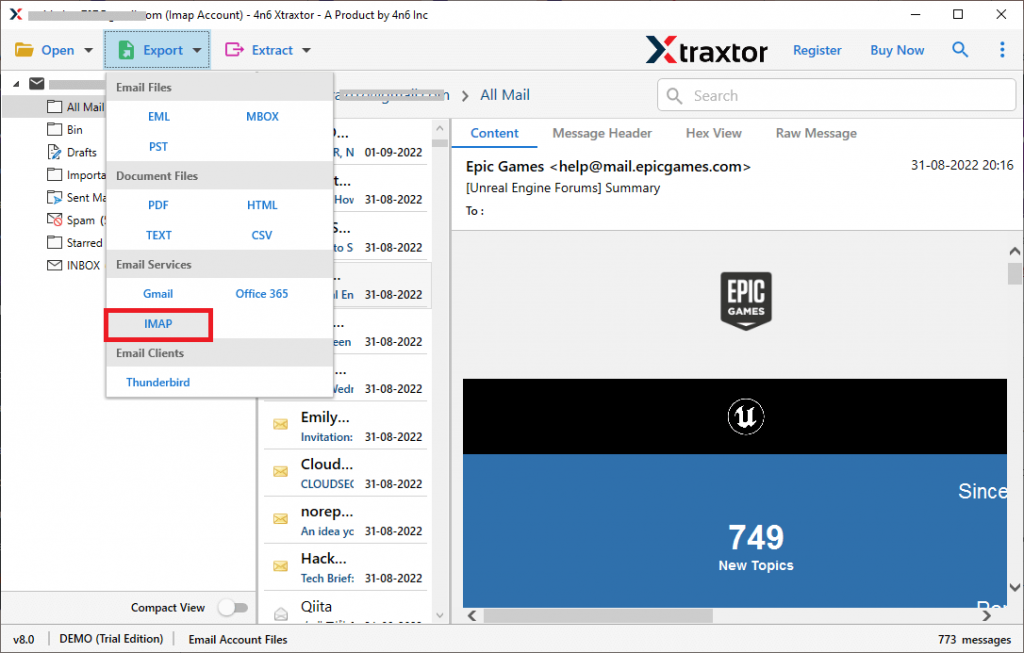
- Now, click on Export and choose the IMAP option.
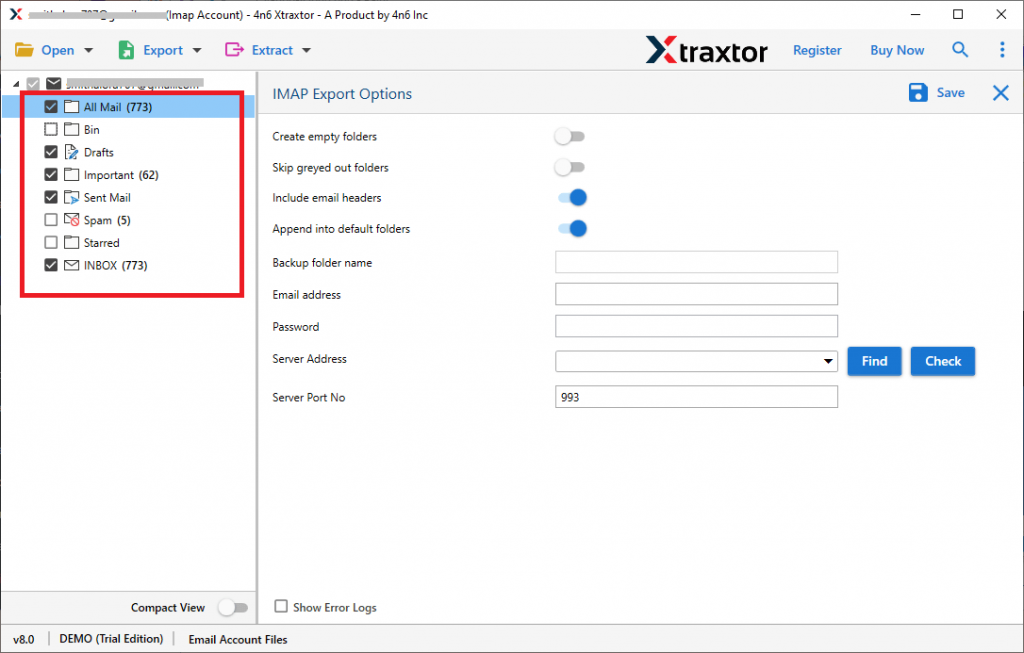
- If you want to transfer only selected email folders, then you can choose them here.
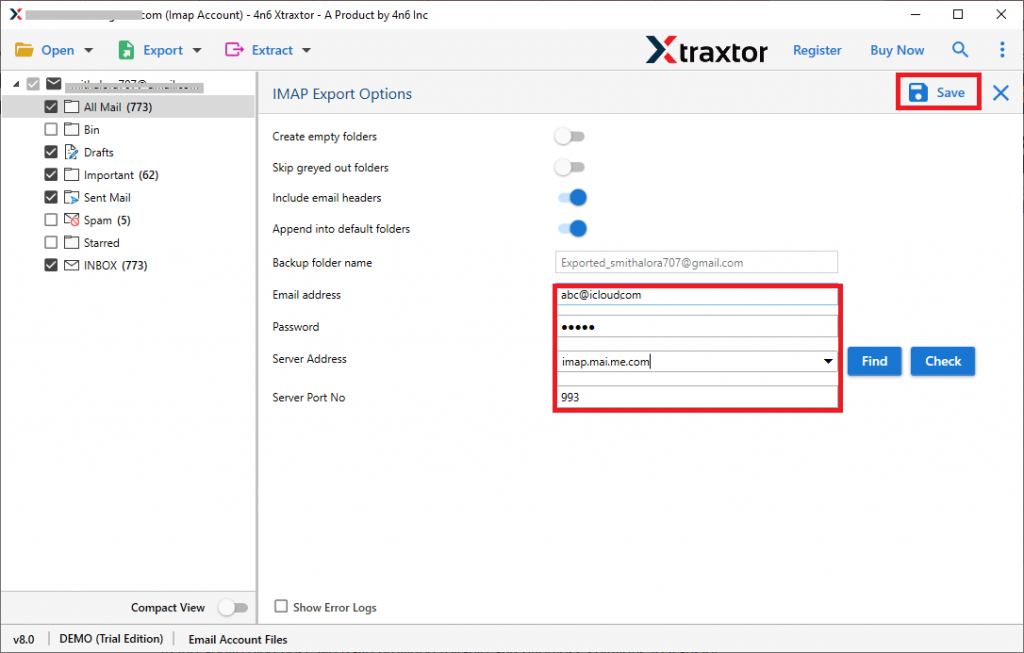
- At last, enter your iCloud login id & password and click on the Save button to start the export process.
Done! Here you export Yahoo Mail to iCloud in a few simple steps without any data loss. You can opt for the trial version of this tool and experience the Yahoo to iCloud migration with ease.
Why Prefer Email Backup Software?
There are various outstanding benefits of using this software, some of the amazing features of this tool are –
Export Yahoo Mail With Attachments: Most of the emails that are sent or received have attachments with them. They are important, which is why it is necessary while transferring Yahoo emails, all the attachments must be exported. This tool export Yahoo emails to iCloud along with attachments without any error.
Different Saving options: With this software, there are various file formats to backup Yahoo emails. One can use this tool and export Yahoo Mail to CSV, PDF, PST, etc.
Maintain Folder Hierarchy: While you export Yahoo Mail to iCloud using this software, there will be no modification with mailbox data. The tool preserves email folder and sub-folder structure and hierarchy throughout the export process.
Export Email to Various Cloud Servers: Using this tool you can also export Yahoo Mail to Gmail, Exchange, cPanel and all other IMAP Server accounts. There will be no data loss or modification during email migration.
Email Filters: With Yahoo Mail to iCloud Export Tool, there are various advanced filter opinions to transfer specific emails from the mailbox. You can apply filters such as – to, from, cc, bcc, date, time, name, content, has attachments, etc.
Windows-Based Utility: The software will work on all Windows OS systems effortlessly. You can install the tool on Windows 11, 10, 7, Vista, XP and all other previous editions.
Conclusion
In this blog post, we discuss a secure and instant solution to export Yahoo Mail to iCloud account with complete mailbox data. In response to the query, we mention a step-by-step process to transfer Yahoo emails to iCloud without any data loss. You can opt for the automated software and backup your Yahoo Mail data.