Here in this post, we will discuss the secure way to convert OLM to MBOX file along with attachments. The post will direct you to convert emails from OLM file to MBXO format using free as well as automated tool. Read the complete post to know the complete OLM to MBOX conversion process.
How to convert OLM emails into MBOX file? For that, firstly configure Mac Outlook with Outlook.com and transfer the OLM file data to it. Then add the same Outlook.com account to the Apple Mail email client and export the emails in an MBOX file. For instant and effortless conversion, you can also use the automated tool.
To know the complete working process, read the complete post.
How Export OLM to MBOX for Free?
To complete the conversion process using the manual method, we have to configure Mac Outlook to Outlook web-mail and transfer OLM files in it. After that configure Outlook.com to Apple Mail and export all transferred messages to Apple Mail. At last export all emails in the .mbox file format. Let’s see the step-by-step to convert OLM to MBOX manually.
(Note: Create a new email account on Outlook.com)
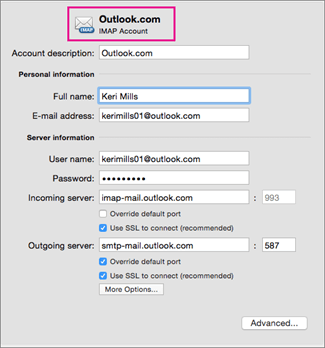
1: Configure Mac Outlook to Outlook.com Account
- Open Outlook.com account with your login details.
- Go to the setting option and enable the IMAP/POP button.
2: Import Emails to Outlook.com
- Open Mac Outlook on your system.
- Select the folder you need to import on Outlook Live mail.
- After that click on Move >> Copy to folder and click on the folder from Outlook.com.
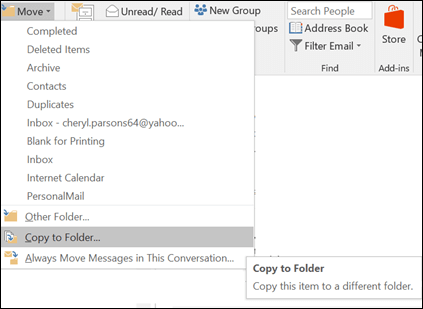
- Click on the Send/Receive folder and sync Mac Outlook email data with Outlook.live.com.
3: Set up Outlook.com to Apple Mail Account
- Open an Apple Mail account with login details.
- Click on the setting option by clicking on the gear button.
- Create a new folder/label with IMAP boxed checked.
- After that click on the Send/Receive button.
4: Export Emails From Outlook.com to Apple Mail
- Open Apple Mail and select the folder you want to transfer.
- Select Move >> Copy Folder >> Select the folder in the Apple Mail interface.
- Synchronize Outlook.com to Apple Mail by clicking Send/Receive folder.
5: Export Emails From Apple Mail into MBOX
- Open Apple Mail on the system.
- Right-click on folder >> Export Mailbox.
- Browse the targeted location and click on the Next button.
Here complete the process. Now you can check the converted MBOX file as the selected location. In spite of that, there are certain limitations to this manual method. It will take lots of time to export OLM to MBOX file.
How to Convert OLM to MBOX Instantly?
Downlaod OLM Converter on your Windows OS. This is an authentic and secure approach to export OLM to MBOX with complete mailbox data. This tool makes it easy to transfer emails and other data from OLM without losing single bit of data. Try the software for free and know the complete OLM to MBOX conversion.

Steps to Convert OLM Files to MBOX Format
- Install and open this software on your system.
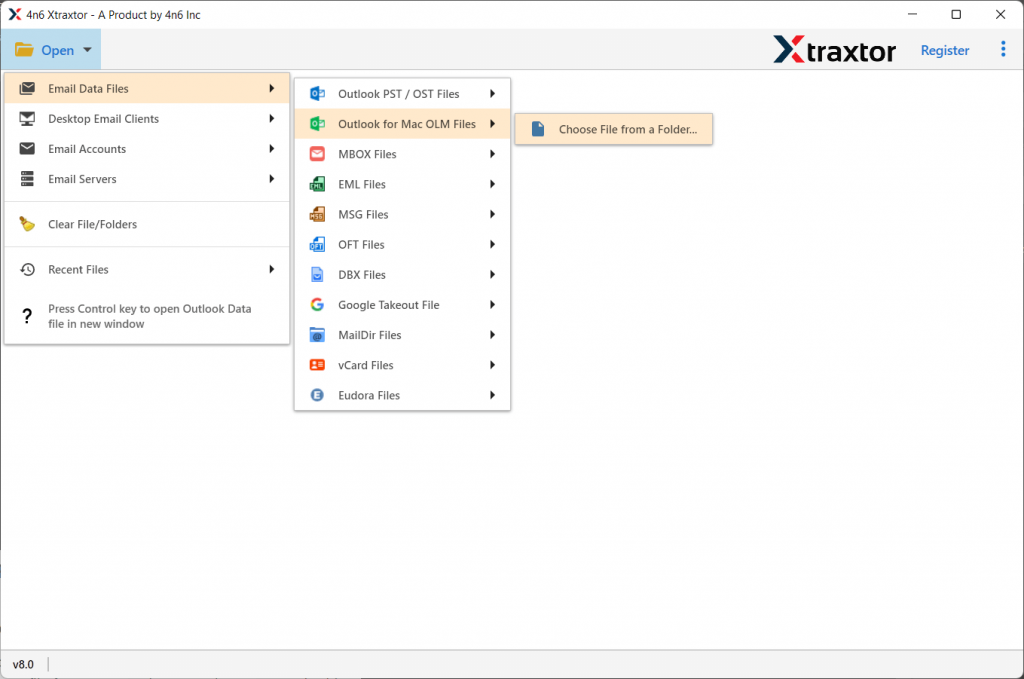
- Click on the Open shown on the interface.

- Select Email Data File >> Select OLM File >> Select Files or Folder.
- Users can preview/read their emails on the software interface itself before conversion.

- Now click on the Export button and choose the MBOX format.
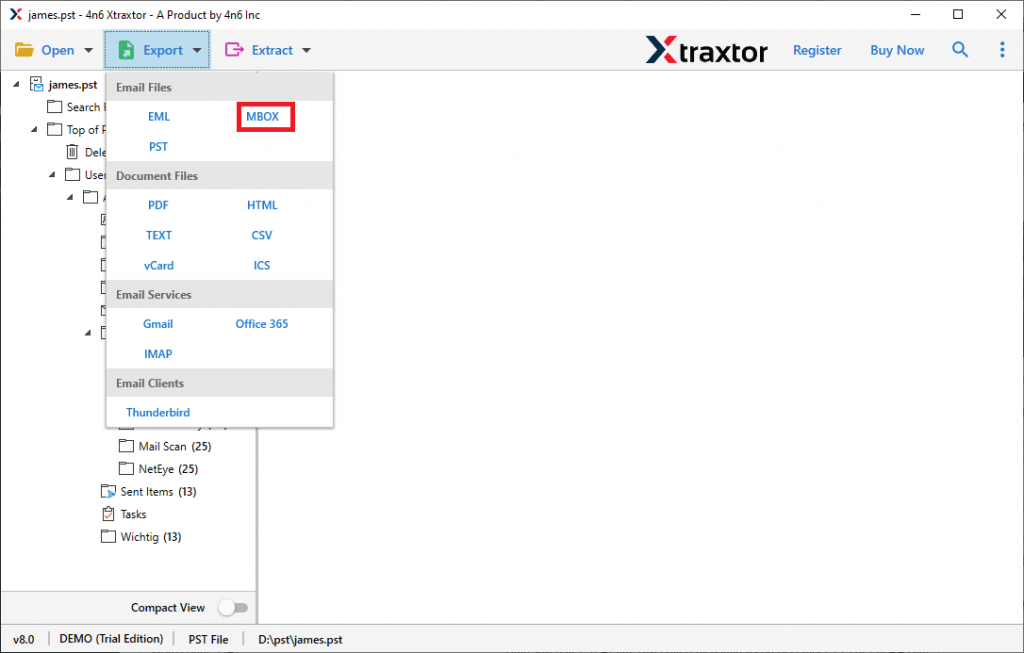
- In the last step, browse the targeted location and click on the Save button.
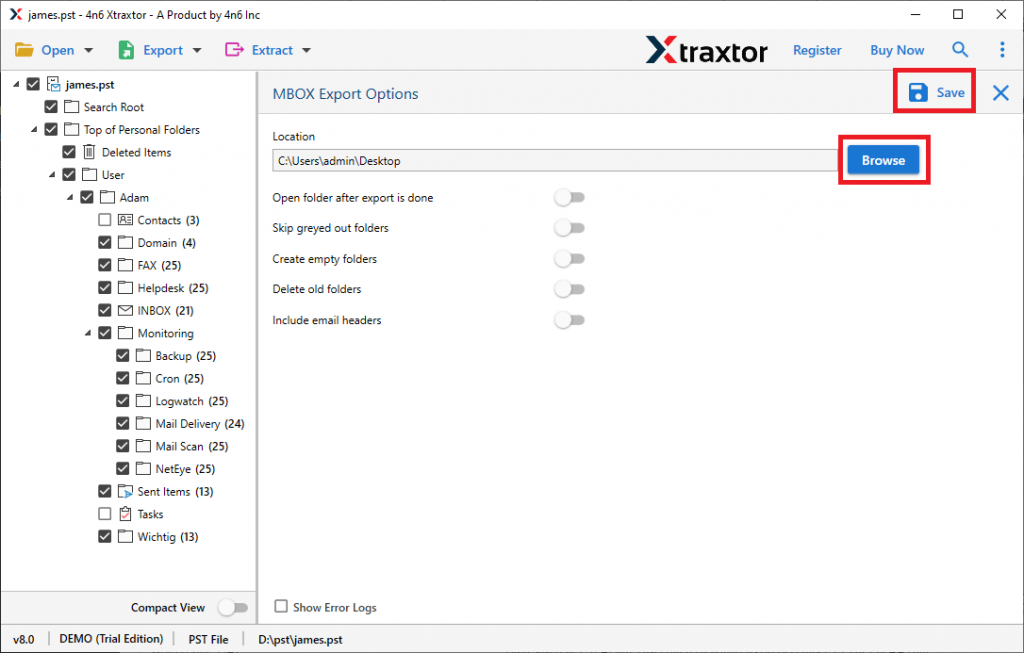
OLM to MBOX Conversion is completed using this tool. Users can check on the selected location for the .mbox file.
Why Use OLM to MBOX Converter?
This tool possesses various features that make it unique among various software available out there. Some of them mention below;
- Batch Convert OLM to MBOX
Using OLM to MBOX converter, users can efficiently export emails from Mac Outlook to MBOX file format in a few simple clicks. It smartly converts multiple OLM files into MBOX format. - Preserve Folder Structure
This tool is capable enough to export emails from OLM files in their original structure while OLM to MBOX conversion. It keeps folder and sub-folder structures in their original hierarchy without facing any issues. - Extract Email Information
Using this tool one can retrieve various email information from an OLM file. Users can extract email addresses, phone numbers, attachments, contact photos, associated email addresses and phone numbers. - Selective Email Conversion
This OLM to MBOX converter offers an advanced feature where users can export some selective files into MBOX format. There are multiple filters from which the user can select any email attribute. - Secure tool to convert emails
With this utility, users can securely transfer their important data into any file format. Also, it can convert corrupted or damaged OLM files into MBOX with complete email information.
Conclusion
Here in this article, we will learn about two different methods to convert OLM to MBOX. The user can opt for any of the above methods, depending on their requirements. The manual method has certain limitations and to overcome these limitations we use OLM to MBOX Converter wizard. You can export OLM to MBOX with the trial version of this tool.
Frequently Asked Questions
Question 1. Can this tool export multiple OLM files into MBOX format?
Answer. Yes, this tool batch convert OLM files into MBOX format with no data loss.
Question 2. Is it possible to export emails from the OLM file to Outlook PST format?
Answer. Yes, this tool can easily convert OLM to PST with complete mailbox data.