In this blog, we will discuss an instant solution to instantly fix the corrupted OST file. Read the complete blog and repair OST file Outlook 2016/2019 and other previous versions.
Outlook creates an OST file when it is connected to Exchange Server. It allows users to access their emails in Offline mode. Although OST is an Outlook data file there is no option to import OST to Outlook interface. That’s why you face Outlook OST file cannot be open error.
Since there is no manual method to repair OST file for Outlook, you need to use third-party software for that. Today in this article we will discuss one such tool that will repair corrupted or orphan OST file with ease.
Without any further delay, let’s move ahead and know an instant solution to repair corrupted OST file for Outlook 2016/2019 and other previous versions.
How to Fix OST File for Outlook 2016/2019?
To repair corrupted, damaged, encrypted OST file for Outlook, you first need to convert OST to PST format. For that use OST Converter tool, it is the all-in-one solution for all the .ost file conversion issues. Using this utility you can swiftly repair the OST file by exporting all its data in PST format that can be accessed in Outlook all versions. With its easy-to-use interface, even novice users can operate this tool and repair OST file for Outlook 2016/2019 and other previous versions.
Additionally, there are various filter options that help you to select important emails from OST file to save in a new and healthy Outlook data file. Along with that, while repairing the emails from OST file, this tool makes sure to preserve their folder and sub-folder hierarchy and structure.

Procedure to Repair OST File for Outlook 2016/2019
To fix the error in OST file and create new and healthy data file, follow the given instructions –
- Install and launch SysConverter for OST on your Windows OS.
- After that select Open >> Email Data File >> OST File >> Select File from Folder.
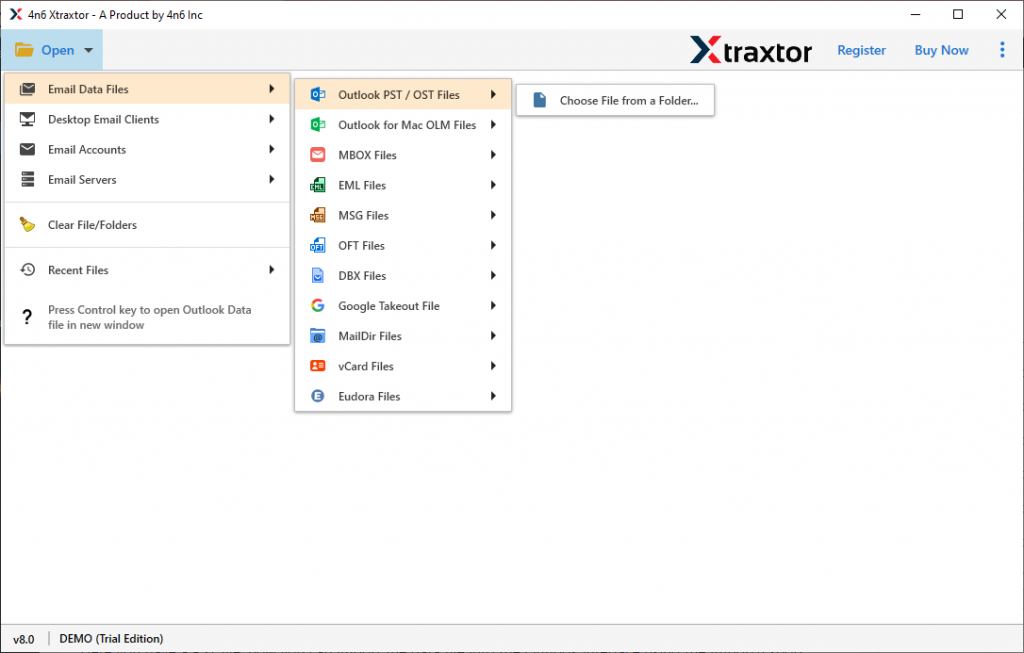
- Here the tool scans your corrupted OST file and shows its emails and other data in its interface.

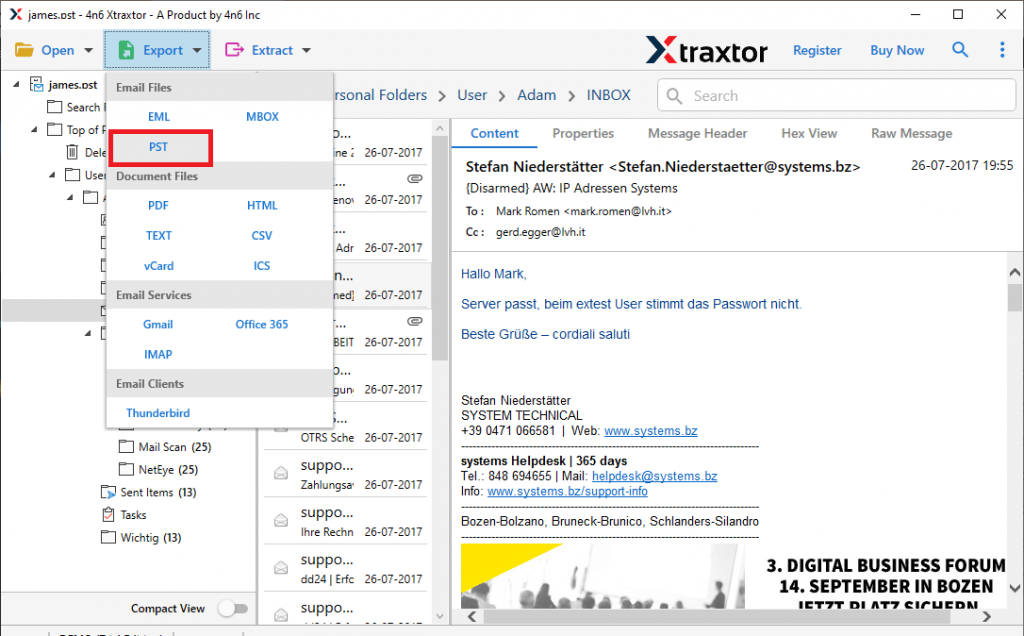
- Then click on Export and choose PST format.
- If you want to save specific email folders in .pst file, then you can select the email folders here.
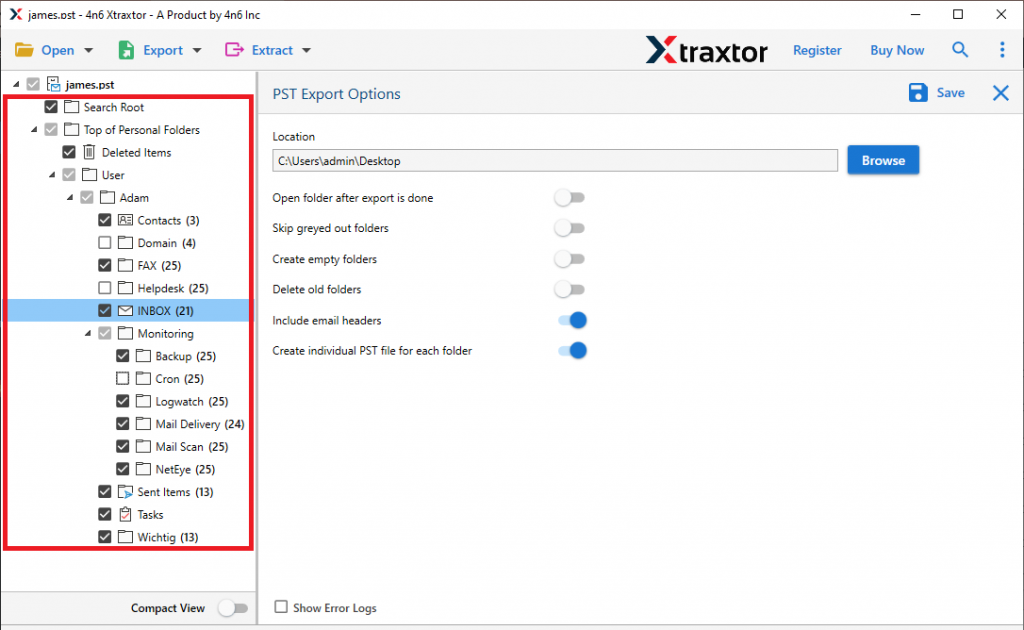
- At last, browse the targeted location and hit on the Save button.

Here you repair OST file for Outlook and create a new PST file. After that, you can import PST to Outlook using Import/Export tool.
Why Use Automated Tool to Fix OST File
There are various benefits of using this automated tool, some of them mention here –
Maintain Folder Hierarchy: Using this tool to fix the corrupted OST file there will be no change in the format of the data file. It will save emails along with contacts, calendars, tasks, and other data in a proper hierarchy.
Repair Corrupted or Damaged OST File: This advanced utility easily sacn the corrupted and damaged data file and repairs it. While fixing the OST file, there will be no data modification and alterations.
Preserve Email Attributes: When this tool repair OST file and save its data in newly created Outlook data file, then this tool saves emails with its properties. It will repair OST fiel emails with its all elements such as – to, from, cc, bcc, subject, name, inline images, hyperlinks, attachments, etc.
Filter Options: With this automated tool there are various filter options to search and repair selctive emails only. The various filter options you can apply are – to, from, cc, bcc, name, time, date range, has attachments, content, subject, and many more to choose from.
Support Windows OS: This smart utility is compatible with all Windows OS versions. You can install and run this stool on Windows 11, 10, 7, Vista, XP, and all other previous OS versions.
Conclusion
There are situations where users looking for a way to repair OST file for Outlook 2016/2019. In this article, we mention an instant and secure way to fix corrupted or damaged OST file and export its data into new .pst file format. If you are also facing the same issue, then you can use the tool and fix your corrupted data file.