Do you have EML files and want to transfer them into your Roundcube webmail account? If yes, then this blog is for you. Read the complete blog and know the effective and secure way to import EML to Roundcube account.
Importing multiple EML files is not a tough job, you just need the right approach to perform the import process. In this write up we will learn one such technique that will import multiple EML files into Roundcube mailbox without data loss.
The straightforward solution is one of the best ways to import EML to Roundcube, you just need to select the EML files, enter your webmail account and you’re done. The best part of this tool is that it efficiently imports unlimited .eml files in a single attempt without any data loss.
“Hello there! I am using the Roundcube webmail account for my business purpose, I recently received various EML files exported from the Thunderbird email client. The problem is that I’m not using any desktop application that supports the .eml file format. Thus I have to access them on my webmail account, but in Roundcube there is no option to import the EML file. Can anyone suggest me an efficient way to import EML files into Roundcube in bulk?”
How to Transfer EML Files into Roundcube Mailbox
Use EML Converter software and move unlimited EML files to Roundcube account without any data loss. It is a direct approach to performing the import process in a few simple steps. Along with that, this tool also offers various filter options to import specific emails from the selected data files. This automated tool also import EML to Exchange, iCloud, Gmail, Office 365, and other webmail accounts. Most importantly all these importing options you will find in a single interface.
In addition, you can use this tool to convert EML to PST, MBOX, PDF, CSV, HTML, and other file formats as well. With its simple user interface, this tool can be easily operatable by both technical and non-technical usres.

Method to Import EML to Roundcube Using Expert Solution
Follow the given instructions to save EML files into Roundcube mailbox without any data loss.
1. Download the SysConverter for EML on your Windows OS system, then launch it.
2. After that, select Open >> Email Data File >> EML Files >> Select File or Folder.

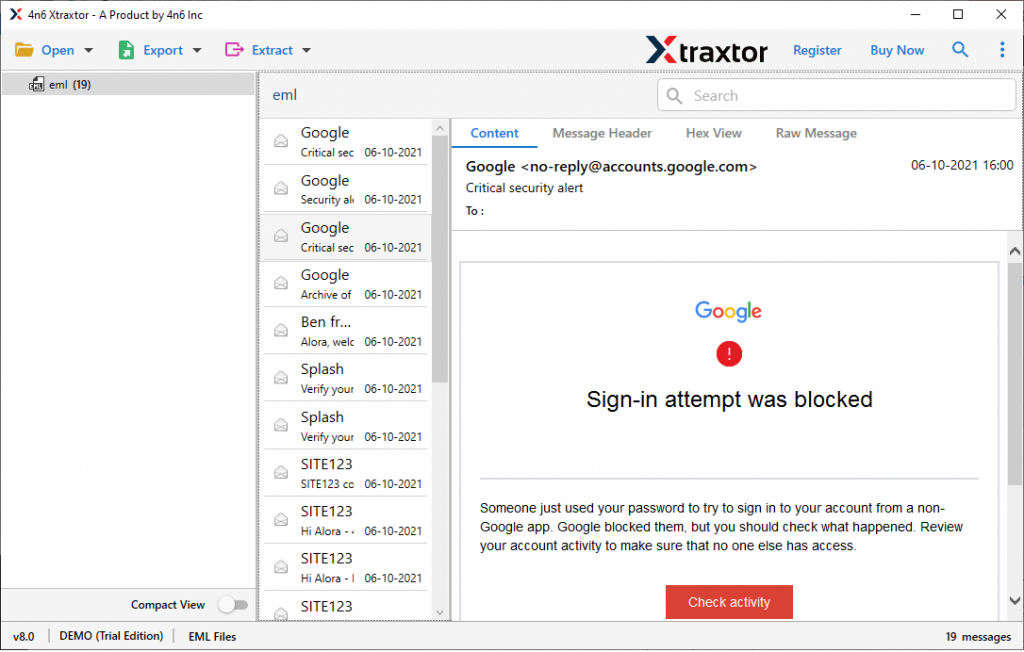
3. Here you can preview your EML files data and analyse it before importing them.
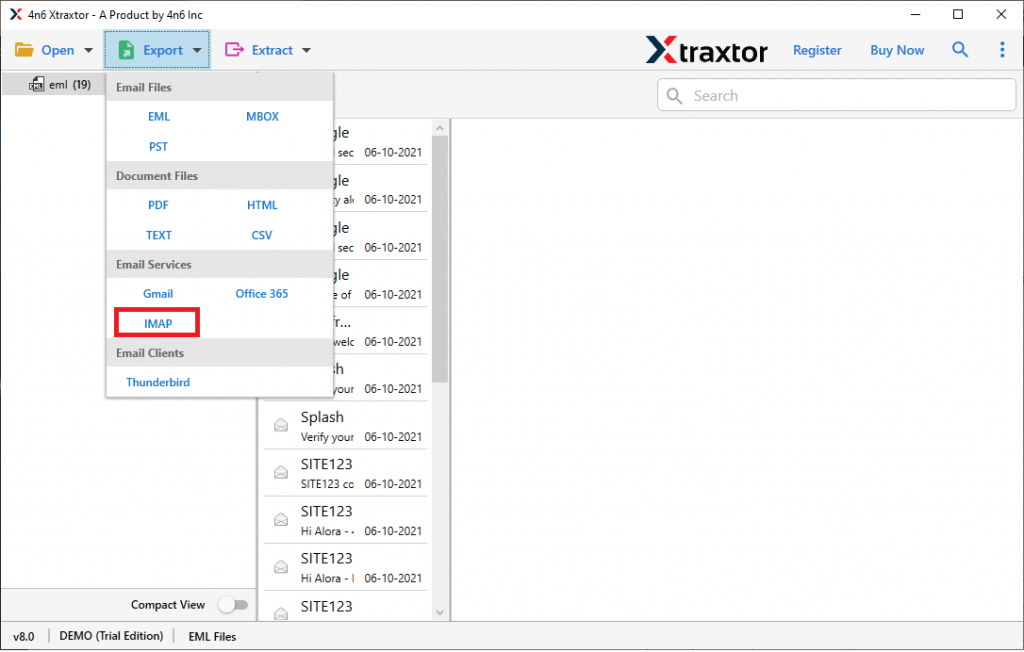
4. Click on Export and select IMAP from the given option.
5. At last, enter your Roundcube email id and password, then hit on the Save button.
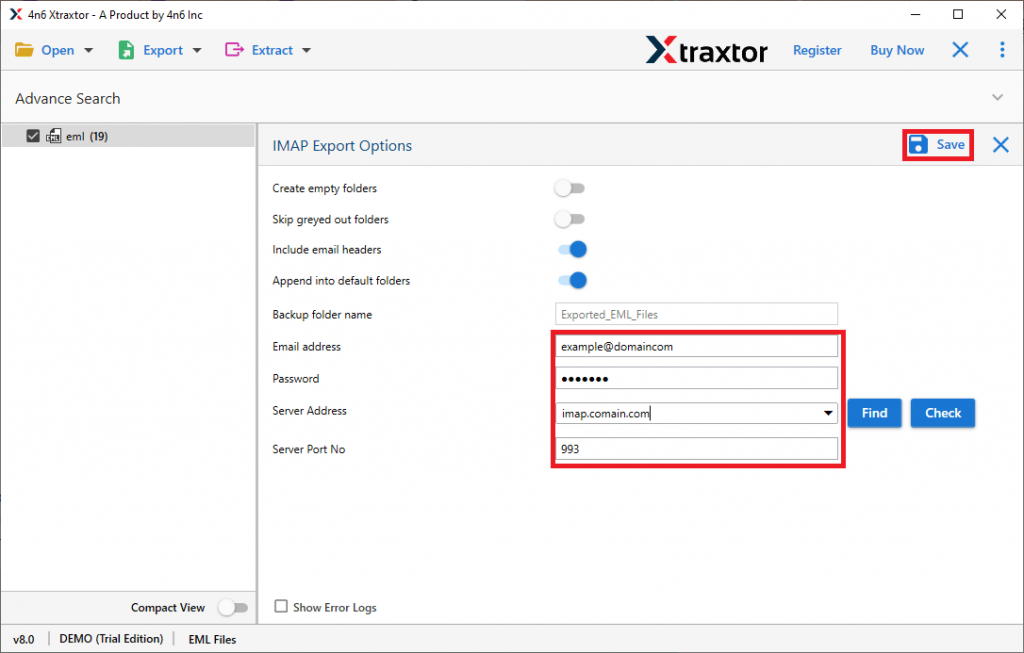
Here complete EML to Roundcube import process in just five simple steps.
Why Use EML to Roundcube Import Tool
With the automation tool, there are various outstanding features that make the import process accurate and specific.
Email Filter Options: With this tool, you can search for specific emails and import them. You can apply the filters – to, from, subject, name, cc, bcc, content, date range, time, has attachments, property id & name, and many other options to choose from. You need to simply apply the filters and import them into Roundcube webmail account.
Import EML to Webmail Accounts: This software is made with advanced algorithms that enable it to perform different import processes. Using it you can import EML to Office 365, Gmail, Google Workspace, Yahoo, Exchange, iCloud and other cloud-based email accounts.
Support Windows OS: The EML to Roundcube Import tool is specially designed for Windows-based OS users. One can install and open this tool on Windows 11, 10, 8, Vista, XP, and all other previous OS versions.
Multiple Saving Options: This automated tool also convert EML to MBOX, PST, CSV, PDF, HTML, and other file formats as well. All the options will be present in a single interface.
Preserve Emal Attributes: When one import EML to Roundcube, this software uphold email attributes and properties, such as – to, from, subject, inline images, hyperlinks, attachments, etc.
Conclusion
Now you are aware of the process of importing EML files into Rouncube mailbox. The automated tool mentioned in this blog will give you 100% accurate and efficient import results. One can use the demo version of this utility and import EML to Roundcube without any data loss.