Summary: This blog is about how to transfer MDaemon emails to a Gmail account. If you are looking for a direct way to import MDaemon emails to Gmail, please read the article to the end.
MDaemon is the best email platform for growing businesses with its easy-to-use interface and cost-effective services. Along with that, it is also email security, email archiving, webmail, instant messaging, and many more.
However, if you are talking about a more secure and user-friendly way of email management, then Gmail will be the first choice.
Gmail offers everything you’re looking for in your webmail server. With a simple Gmail account, you will find all the advanced features to manage your emails. Most importantly, Gmail is a free service provided by Google.
Now the question arises – How to import MDaemon emails to Gmail, as there is no manual way to perform this importing process?
In the coming blog section, we will learn about the way to transfer MDaemon emails to Gmail and the step-by-step description of the same.
How to Import MDaemon Emails to Gamil Instantly?
To directly transfer the emails from the mailbox to the Google mail account, use the MDaemon Converter tool. With this tool, anyone can import multiple MDaemon emails to Gmail account in one try. More importantly, this software automatically locates the configured MDaemon account and imports your emails into Gmail. With its easy import process and interface, transferring MDaemon emails to a Gmail account is a piece of cake.
Although, this utility transfer MDaemon emails to Gmail, you can also use this tool to convert MDaemon emails to PST file, and other file formats with ease. All these saving options you will find in a single interface.

Follow the simple steps to import MDaemon emails to Gmail account –
- Install and run this tool on your system.
- Click on the Open button and select the source of emails.
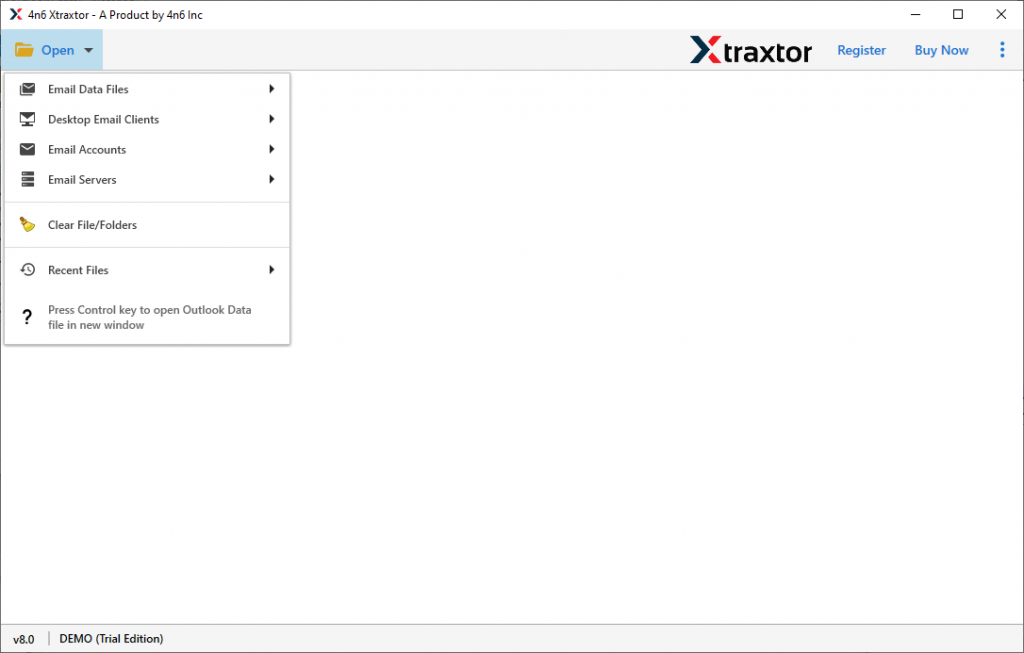
- Now select Email Server >> MDaemon Files >> Select from the given option.

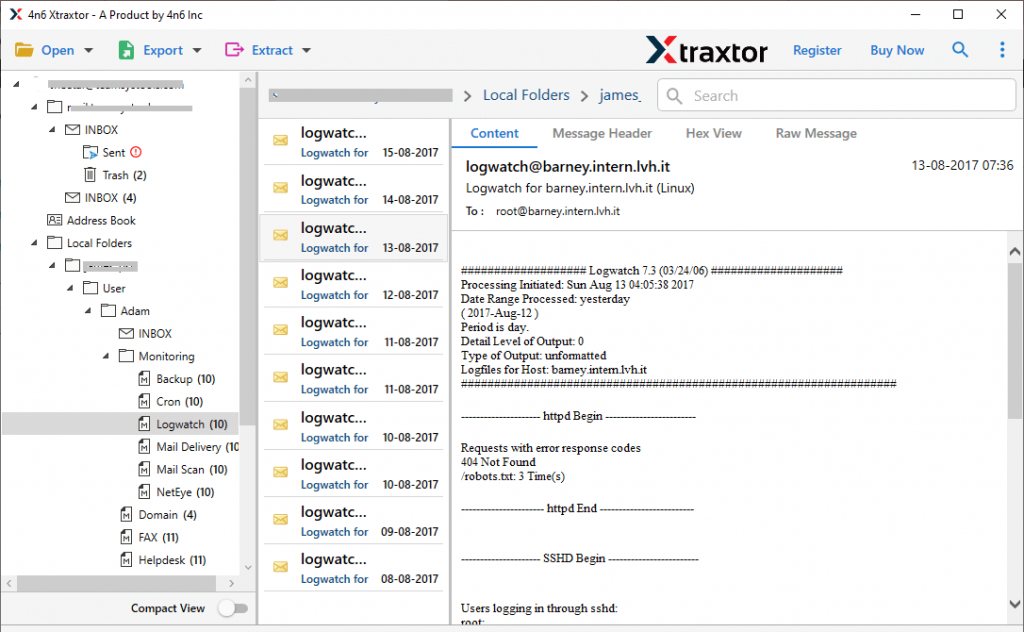
- After you load emails, this tool scans them and previews them in its interface.
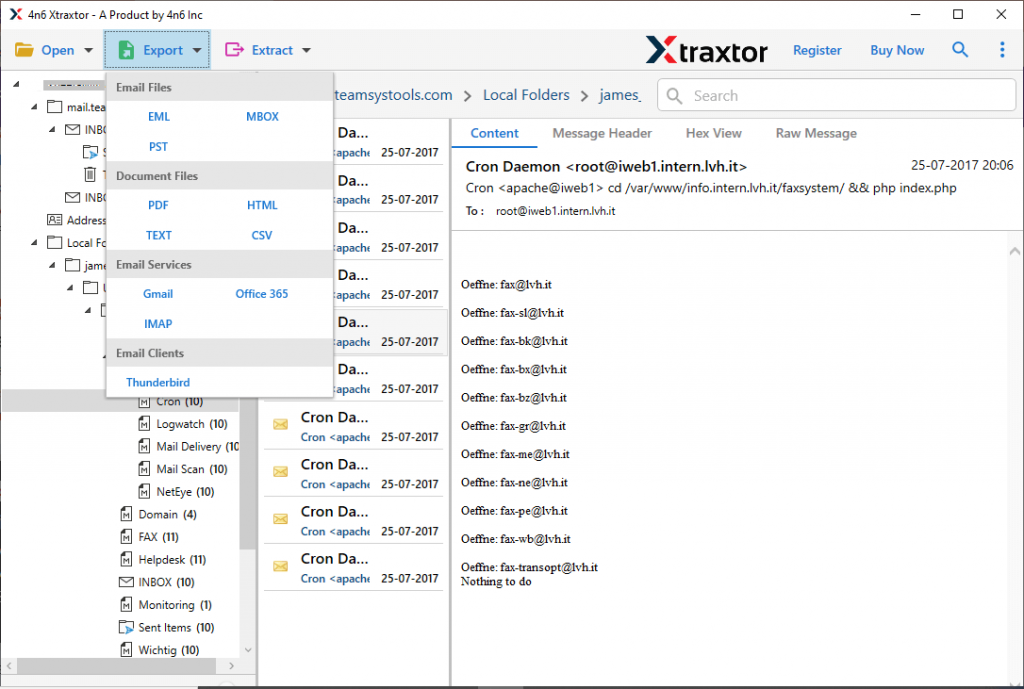
- Here click on the Export and select the Gmail option.
- At last, enter your Gmail login details and hit on the Save button.

Finish! With the help of this tool you successfully import MDaemon emails to Gmail webmail account in simple six steps.
Features Of MDaemon to Gmail Import Tool
This automated tool has various outstanding features, some of them mentioned here;
Import MDaemon Emails In Bulk: If the user has multiple data file to import, then this tool offer a batch mode option. Select the folder of various data files and move MDaemon to Gmail in bulk in a single attempt.
Search Specific Emails: The MDaemon to Gmail import tool offer a search option to locate emails from mailbox data. USre can different filters such as – to, from, subject, cc, bcc, property id, date range, property name, time, and many more.
Easy to Operate: This tool is designed with a simple graphic interface so that both technical and non-technical users can perform the import process. One can use this tool and import their MDaemon emails without any technical assistance.
Import MDaemon Emails to Webmail Accounts: The software not only import MDaemon emails to Gmail, but it also import MDaemon emails to office 365, Exchange Serve, and many more web-based email account. You just need to enter your email account login details and the rest of the work will be done by this utility.
Maintain Mailbox Hierarchy: While using this tool to open MDaemon emails in Google mail account, this tool makes sure to uphold email key attributes. After conversion, you will get mailbox data with email folder or sub-folder structure intake.
Support Windows OS: This MDaemon to Gmail import tool is compatible with all versions of the Windows operating system. This utility can be operated on Windows 11, 10, 8 and all other older versions without technical issues.
Conclusion
There are many users who want to import MDaemon emails to Gmail account. If you are among them, in this article we mention a detailed guide to upload MDaemon emails to Gmail in a few simple steps. You can try the demo version of this utility and move emails from MDaemon to Gmail with full mailbox data.