Summary: This blog write up is the complete guide of PST Calendar data extraction process. If you are also looking for a way to extract calendar from PST file, then this article is for you. In this write-up, we will mention a manual way to extract PST file calendar data. Along with that we will learn how to save calendar data from multiple PST files.
PST is an Outlook data file that stores email messages, contacts, calendars, tasks, journals, and other mailbox components. However, Outlook offers an Import/Export feature to extract mailbox data. Users can save the data in two file formats – Outlook Data File (.pst) or Comma Separated Value (.csv).
Let’s know the process of PST Calendar extraction using the manual method. If you have multiple PST files and want to save calendar data, then skip to the next method.
#1. Manually Extract PST Calendar Data
Before we extract calendar from PST file, you need to install the Outlook email client on your system. If you already have this application on your machine, then you need to import PST to Outlook. For that follow the given instruction.
Step 1. Upload PST into Outlook Interface
1. Open the email client on your Windows OS.
2. After that go to File >> Open & Export >> Import/Export.

3. Select Import from another program or file >> Outlook Data File (.pst).
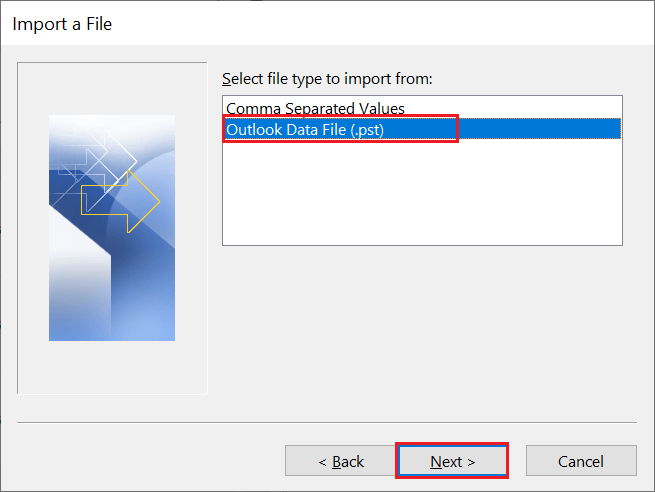
4. Browse the .pst file from your system and click on the Next button.
Here your PST file is uploaded into your Outlook interface. Now you can export calendar data from the PST file, to do that follow the given instructions.
Step 2: Extract PST File Calendar
1. Again go to File >> Open & Export >> Import/Export.
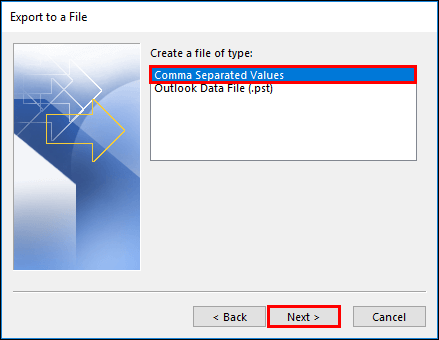
2. Choose Export to a file >> Comma Separated Value (.csv).
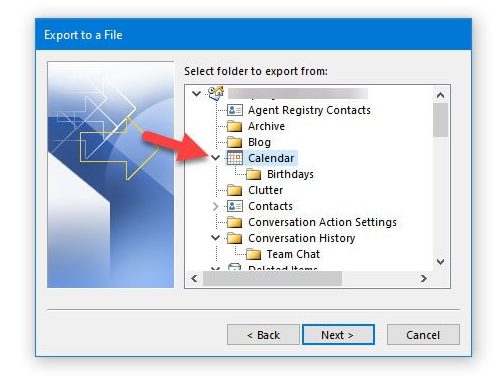
3. Select the calendar folder from the list and then click on the Next button.
4. At last, browse the location to save extracted data and hit on the Save button.
Here complete the PST Calendar extraction process using the native approach. This method save calendar data from a single file. However, if you have multiple .pst files to extract calendar, then you have to follow these above mention steps for each single data file.
#2. Extract Calendar From PST File in Bulk
When there are multiple data files for calendar data extraction, relying on a safe and efficient tool is a must. If you also want to extract calendar data from multiple .pst files, use PST Converter to perform this extraction process. This easy-to-use software allows users to save their calendar data to multiple data files without data loss. To perform this batch extraction, this tool offers the option to select a folder.
After uploading the .pst file to this software interface, it will convert PST to ICS and save the calendar data. This utility is a one-stop solution to extract calendar data from PST file in one go without affecting data integrity.

Steps to Export PST Files Calendar Data Via Automated tool
Follow the given instruction to extract calendar from PST file without any data loss.
Step 1. Download and run this tool on your Windows OS.
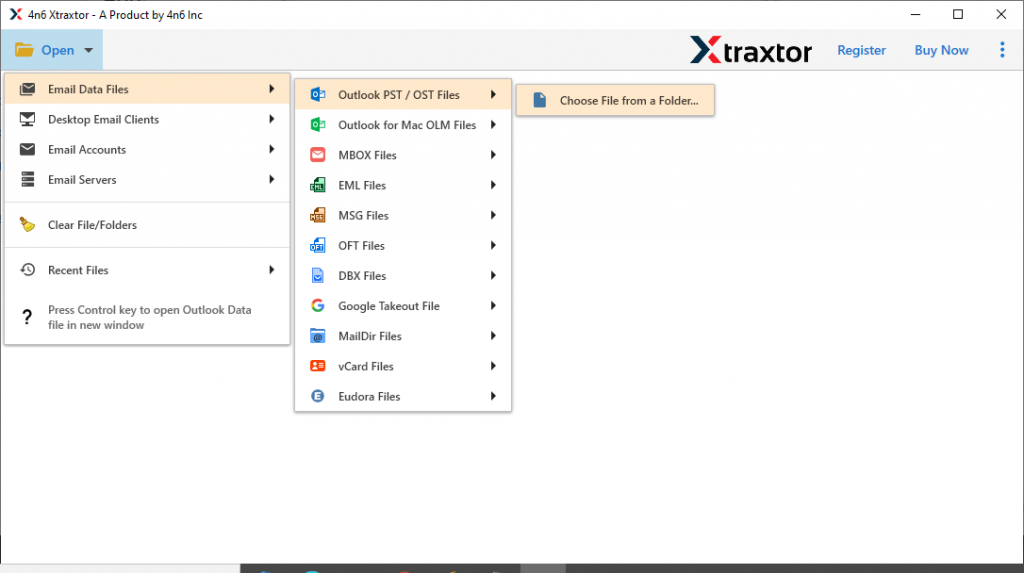
Step 2. Click on the Open drop-down button.
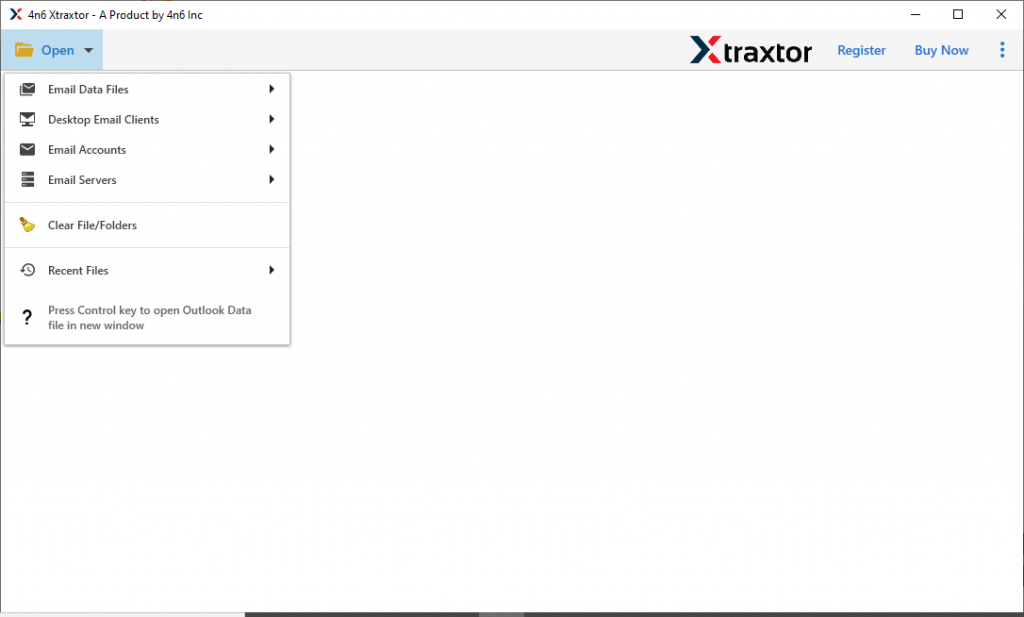
Step 3. Select Email Data File >> PST File >> Select File or Folder.
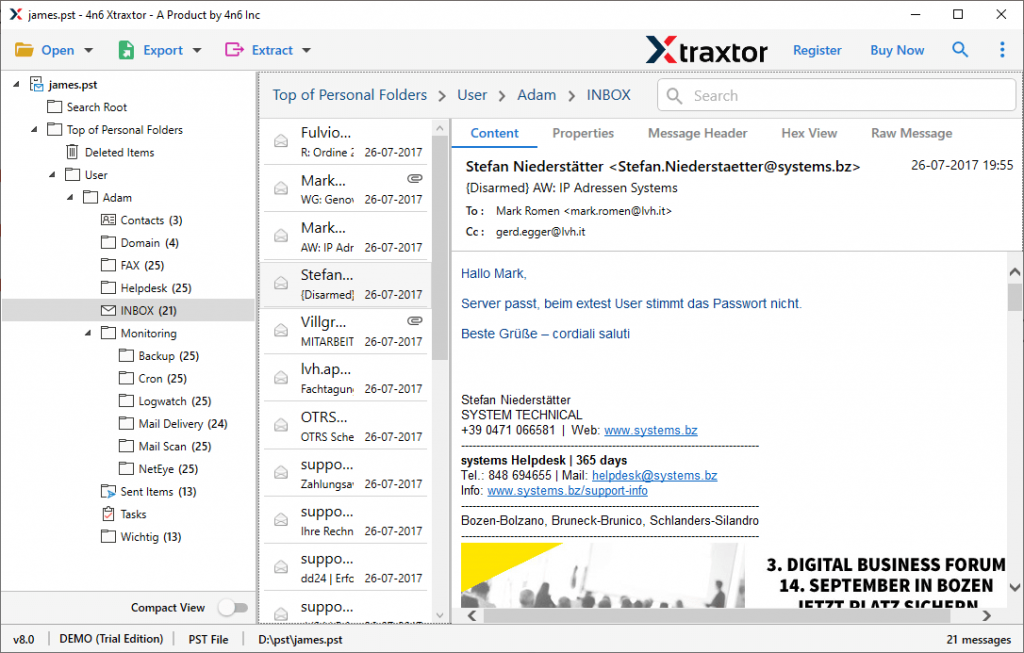
Step 4. Here you can preview your data and read them.
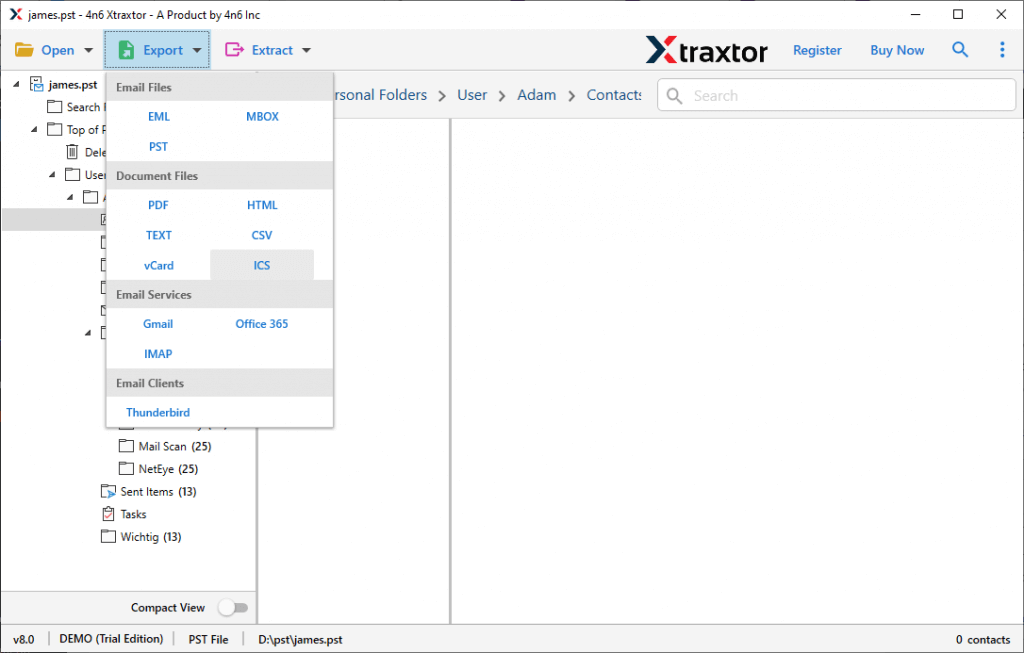
Step 5. After that click on the Export and opt for the ICS format.
Step 6. At last, browse the targeted location and hit on the Save button.

Here you extract calendar from PST file using the professional tool.
Feature Of PST Calendar Extractor Tool
Know some outstanding features of this automated tool and know what other features provide with calendar extraction.
Save Calendar Data In Bulk: When there are multiple PST files to extract calendar data, then use the automated tool for this. This utility saves multiple calendar data in a single attempt without any data loss.
Selective Calendar Extraction: The PST Calendar Extractor tool offer different category filters – email, contacts, calendar, task, journal, etc. Select the calendar and apply the array of filters such as subject, date range, location, file size, file name, note, property id, property name, and many more.
Simple Interface: With its easy to use interface, any novice user can operate and save their PST file calendar data in a few simple steps.
Support Windows OS: This utility is designed with an advanced algorithm, so it will work on any version of the Windows operating system. It is compatible with Windows 11, 10, 8, Vista and all other older versions without any problem.
Conclusion
This article is a complete guide to extract calendar from PST file. Here we discuss two different solutions for this extraction process. In the manual method, you can save calendar data to only one .pst file at a time. However, to extract the calendar data from multiple PSt files, please use the Calendar PST extraction tool to get a safe and accurate result.