Summary: Here this post will guide you to import OST to Gmail account. If you receive OST file or archive your mailbox data and want to import it into Gmail account, then this post is solely for you. Read it till the end and import OST emails to Gmail mailbox with complete data.
When we talk about OST file, then Outlook is the name that comes to our mind. It is one of the most popular email clients that is preferred by many businesses or individuals. However, accessing your email application is not possible all the time, thus most of the users prefer email service as their mailing platform. Gmail is the first choice by many with its advanced features and simple interface. Thus most of the users search for a way to import emails from OST file to Gmail mailbox. Here in this post, we will discuss the complete process of importing emails from OST file to Google Mail account.
Let’s check what are the users searching for and try to solve their issue.
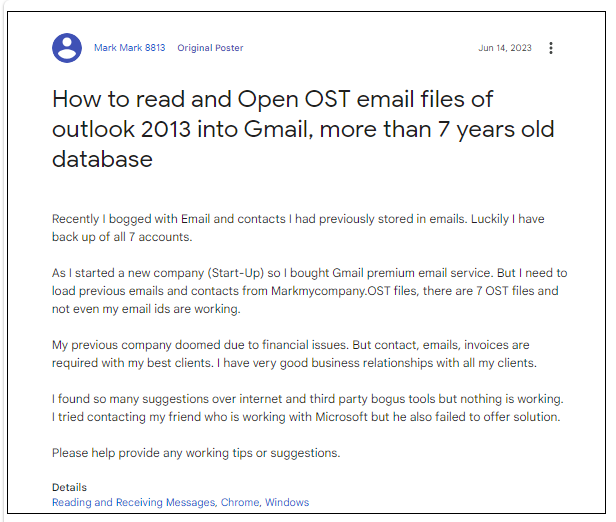
From this user query, it is concluded that the user wants to open their OST file emails in Gmail account. Since they are not aware of the best approach to complete the importing, we are here for you. Without any further delay, let’s focus on the problem we want to solve – How to import OST to Gmail?
As we already mentioned there is no native way to move OST files to Gmail account, users need a professional tool to perform this process.
How to Import OST Files to Gmail Instantly?
OST Converter is a tool that is needed to move all the emails from the OST file into the Google mail account. This utility offers an interactive user interface that makes OST to Gmail import process an easy one. With this utility, one can move single as well as multiple .ost files into a Gmail account.
Along with that, this tool offers an option to select important emails from the OST file and import them into the Gmail interface. While importing OST file to Gmail, this utility preserves email attributes and properties along with mailbox hierarchy. Additionally, using this tool, you can also import OST to Office 365, Yahoo Mail and all other webmail accounts.

Follow the Steps to Import OST to Gmail Effortlessly –
- Install and load this utility on your system OS.
- Click on the Open menu and choose the required field.
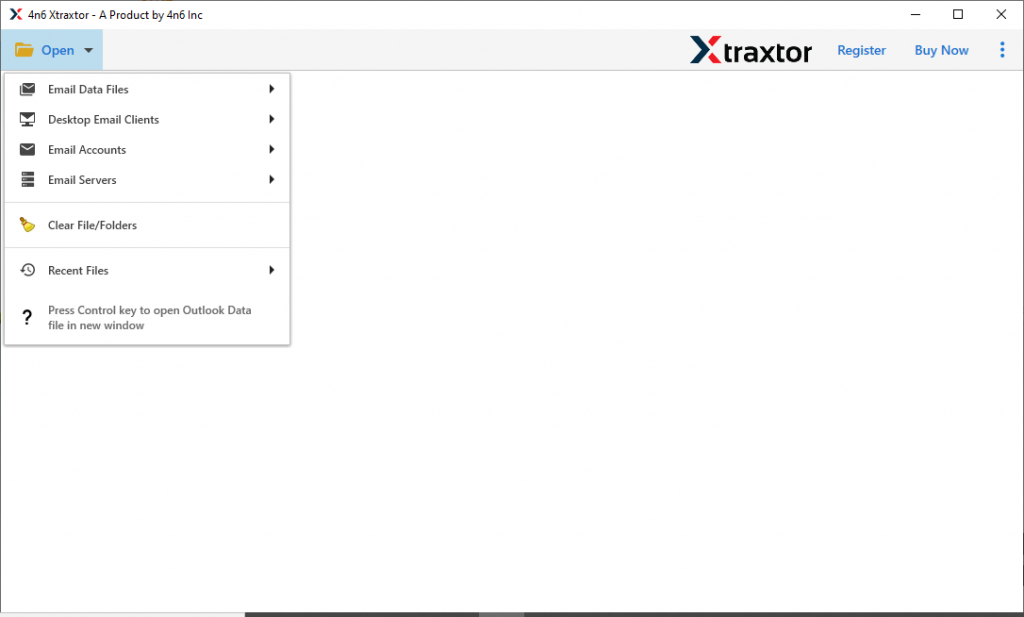
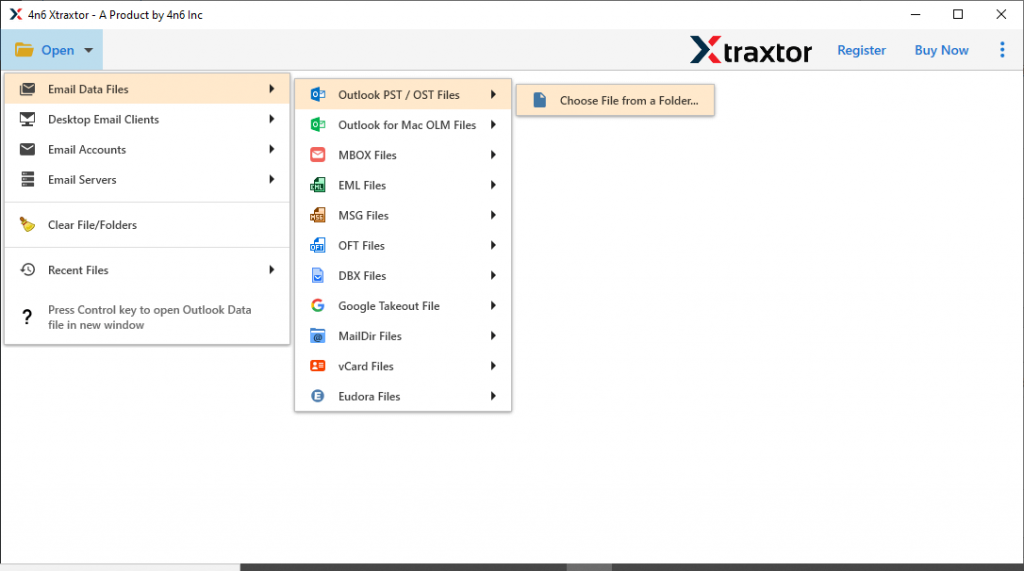
- Now select Email Data File >> OST File >> Select File or Folder.
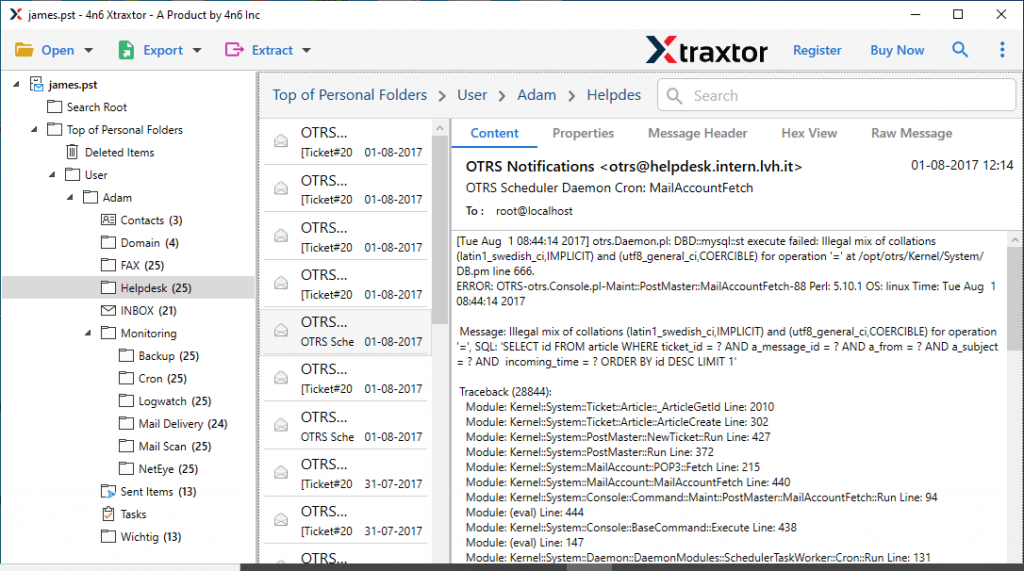
- After loading the data file, this software scan it and preview them into its interface. Here you can read the emails and select the folder that needs to import.
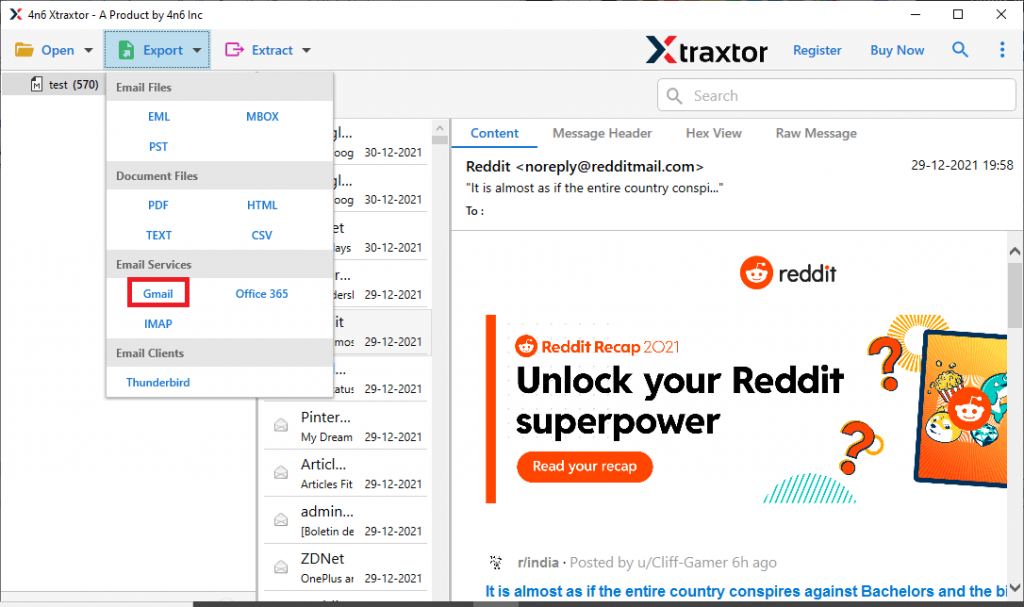
- Click on Export and choose Gmail as a saving option.
- At last, enter your Gmail login details and hit on the Save button.
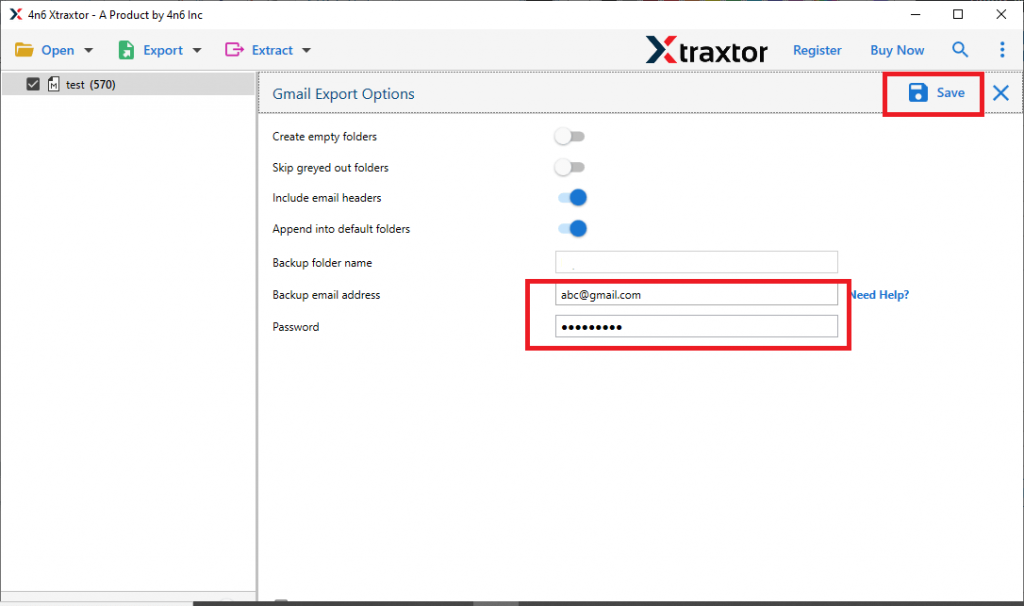
Here complete the OST to Gmail import process. Now you can easily view your .ost file data in your webmail account.
Benefits Of Using OST to Gmail Import Tool
This utility has various outstanding features, some of them mention here. Have a look at them.
- Directly Upload OST to Gmail: This utility will instantly transfer emails from OST file to your Gmail mailbox in a few clicks. You need to enter your Gmail login details hit on the Save button and start the importing process.
- Selective Import: After loading the data file into OST to Gmail Import tool interface, this tool scans the file and shows the emails into its interface. From here users can read them and select the email folder that is important and needed to import.
- Move OST Files to Other Email Client: This tool not only import OST to Gmail but also opens its data to other desktop-based applications. Using this tool users can also import OST to Thunderbird, Outlook, and many other email clients.
- Email Preview: Once you add the OST file, the software displays all your emails on its interface. It allows you to review your data before importing them.
- Import OST to Cloud Servers: The software is capable enough to open emails and other data from OST files into many webmail accounts. Using this utility one can import OST to Yahoo, Office 365, GoDaddy, and all other cloud base email accounts.
- Maintain Mailbox Structure: While using the tool, users can be assured of their mailbox structure. It will maintain the mailbox folder and subfolder structure and hierarchy during the import process.
Conclusion
In this write-up, we describe the step-by-step process to import OST to Gmail with complete mailbox data. Using this tool anyone can move multiple OST files into Gmail account without any data loss. This software has a demo version which helps the users to understand how this tool works after which one can upgrade to the licensed version. I hope we can resolve your query and provide a workable solution.