Summary: Here in this post we will discuss the best solutions to convert OST to EML file. If you have an OST file and are unable to access them, then converting it into EML files are the best solution. Here in this blog we will discuss the OST to EML conversion process manually or using an automated tool.
In this era where emails play a significant role in business or personal communication. Using email client is the safest way to manage emails. When we talk about email clients, then Outlook is the first name that comes to mind. When we use Outlook, the mailbox data will be saved in OST file for offline use. OST or Offline Storage file is created by Outlook when connected with the Exchange server. This format stores emails, attachments, calendars, contacts, address books, journals, etc.
Now there question is – How Do I Export OST Files to EML? If your OST file is connected to Exchange, then you can use the manual approach for the conversion. However, if the OST file you have is discontinued from Exchange, then there is no manual solution for that. In that case, you need a dedicated tool to convert OST to EML file.
Here we will discuss both solutions in detail. Let’s move ahead and complete the OST to EML conversion.
How to Convert OST File to EML for Free?
To manually export OST emails to EML files, you need an email account that will be configured with your Outlook. After that, connect that same account to Thunderbird and export emails to EML file. Follow the given instructions for the same.
1. Login to your Gmail account and enable IMAP option.
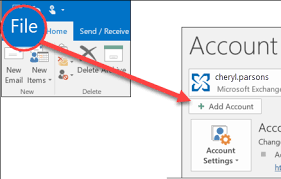
2. After that, open Outlook, click on File >> Add Account and enter the necessary details.
3. Now in Gmail, create a new folder and drag and drop emails that you want to convert.
4. After that, you need to install the Thunderbird client and configure that same Gmail account.
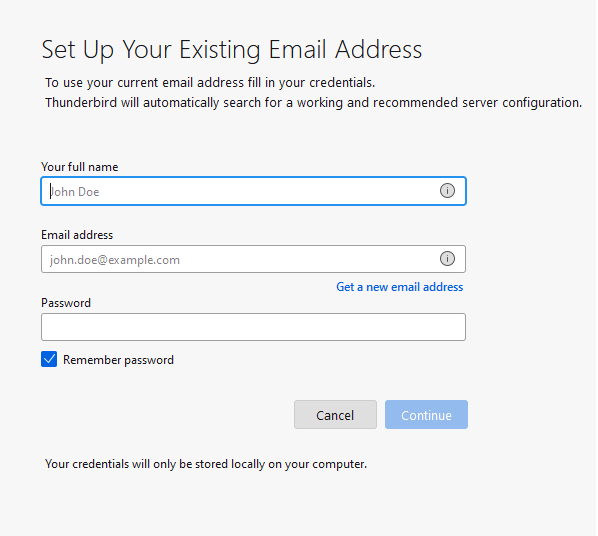
5. When you configure your account, all your Gmail emails will be synced in Thunderbird.
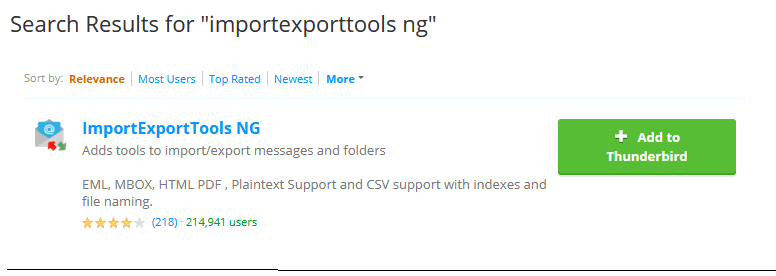
6. Now to complete the export, you need to add ImportExportTool NG add-ons in your Thunderbird.
7. After that, right-click on the newly created folder that has OST file data.
8. Select ImportExportTool NG >> Export all Message in Folder >> EML Format.
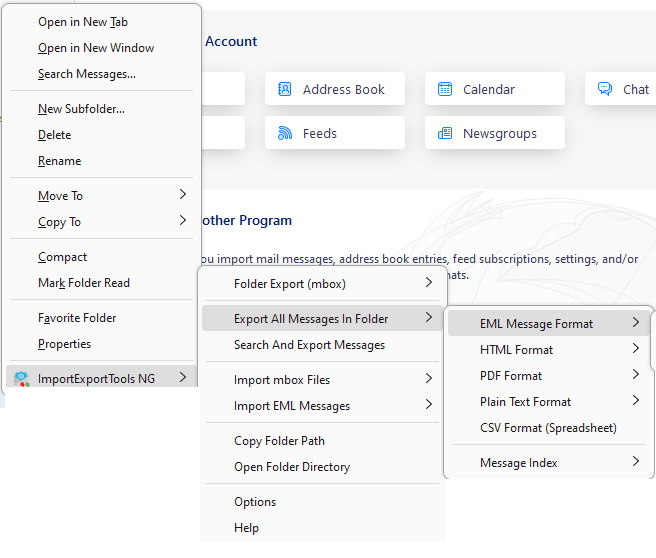
9. Choose the destination location and complete the conversion process.
Done! Here complete the conversion process. However, this method will only work if your OST file is connected to Exchange Server. If you are trying to convert orphan OST file into EML file, then this solution will not work.
How to Convert Disconnected OST to EML Files?
The secure and easy way to export OST to EML files, try out OST Converter on your system. This tool will effortlessly convert emails from orphan or inaccessible OST file to EML format. It will export OST emails to .eml files along with attachments. Just add the OST file and choose EMl as an export option. After that, the tool will start converting OST emails into EML files without affecting data integrity.
Download the demo version of the software and analyse its working process.

Steps to Convert OST to EML
Step 1. Open SysConverter for OST software on your system.
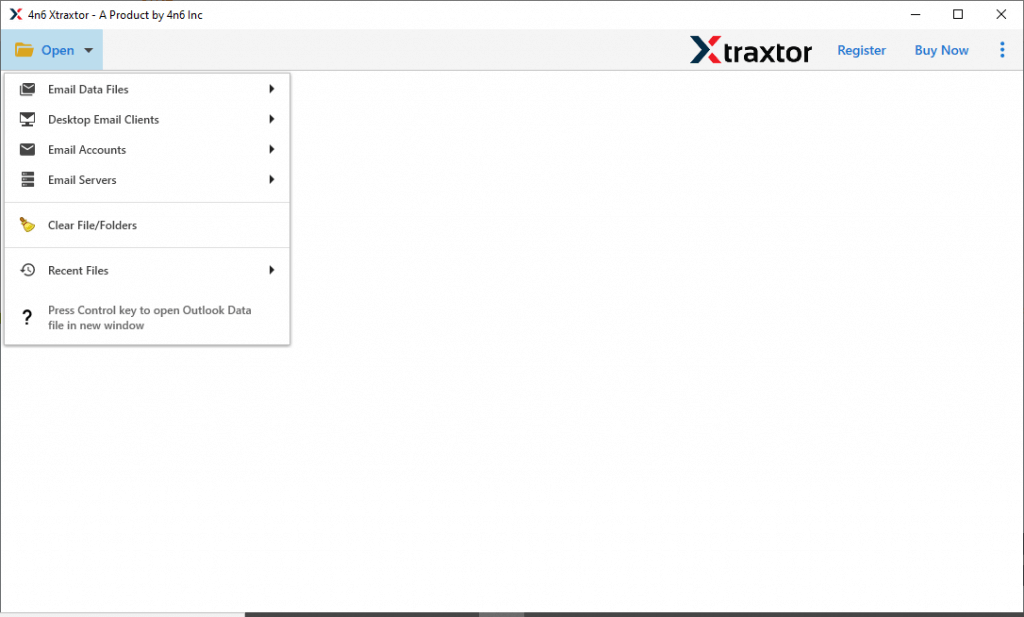
Step 2. Now Open >>Select Email Data File >> Select Outlook OST file >> Select file from a folder.

Step 3. Now, this tool accesses the OST file and reads all emails present on the selected file.
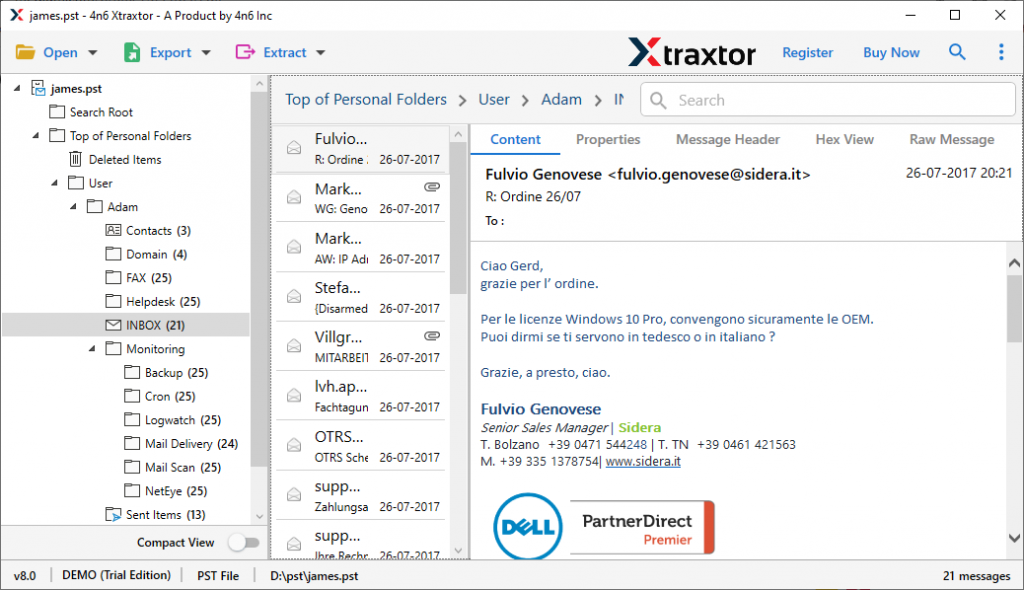
Step 4. After reviewing all messages, click on Export >> EML from different file formats.
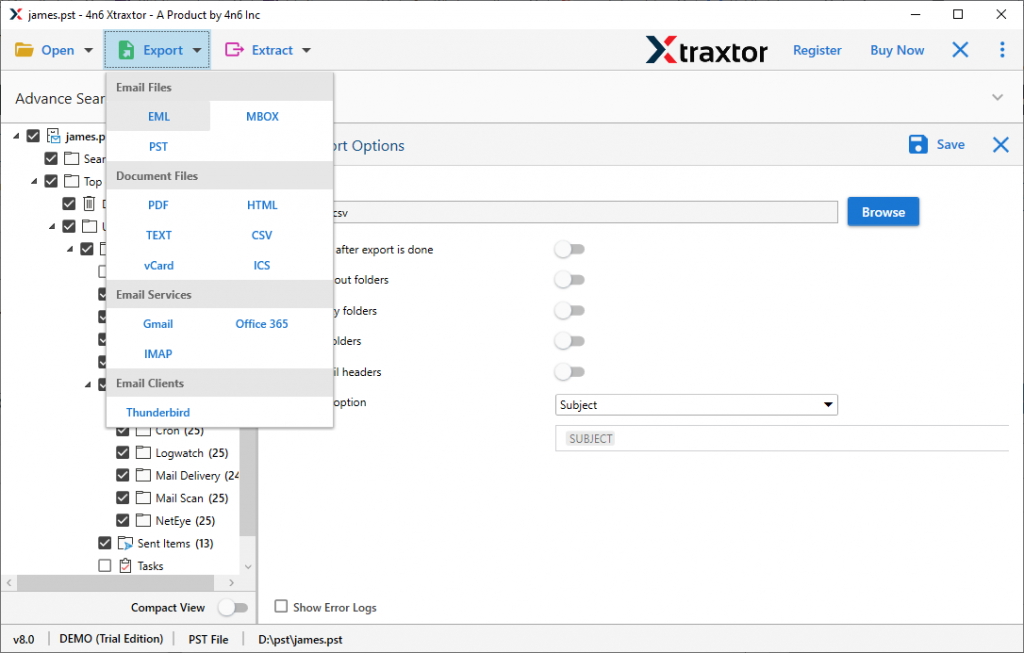
Step 5. Browse the location to save the converted file and then hit the Save button.
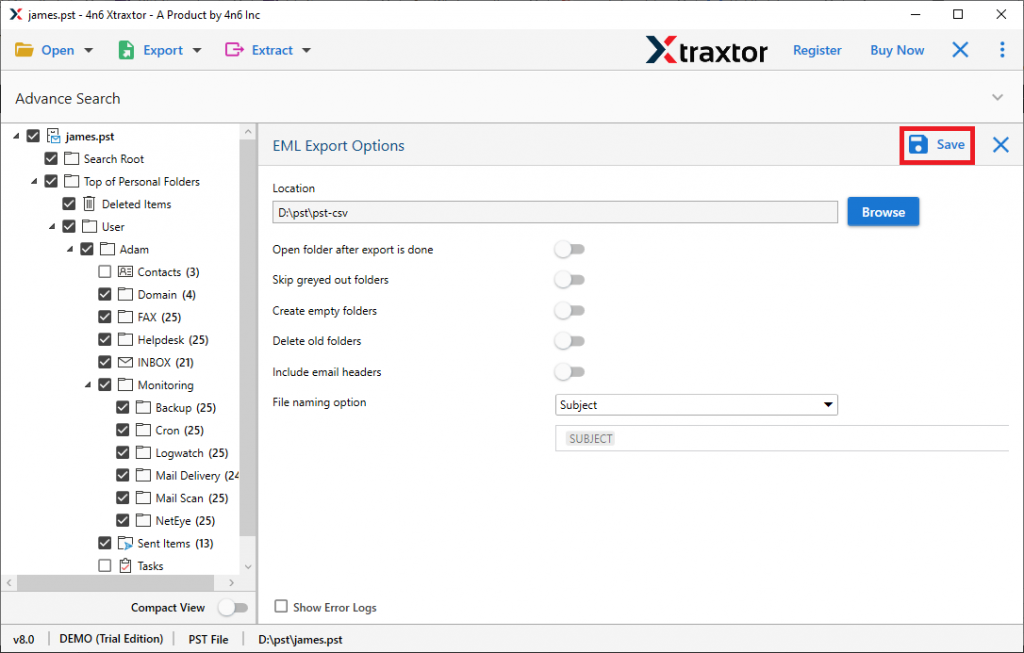
Here we go, you have successfully completed the OST to EML conversion process. Now you can check at your selected location. After that, you can access your EML files data on any application that supports it.
Why Use OST to EML Converter?
This software has many key features which make it unique, some of them are;
- Convert Large OST File: Use this tool and export large Outlook OST files into different file formats in a single attempt. This tool makes sure that all your data and its properties must be preserved after the conversion process is completed.
- Extract Email Information: Using this tool users can retrieve data from emails saved on an OST file. Users can easily extract email addresses, phone numbers, attachments, associated contact numbers and email addresses, and contact photos from Outlook .ost file.
- Enhance Email Filter: This tool has a special feature where you can export selected emails from an OST file by choosing email attributes. The various email filtering options are emails, calendars, tasks, journals, contacts, notes, etc. The user can select the attribute from the given option and the rest of the work is done by this smart software.
- Free Email Preview: After adding OST files into this tool, it scans the .ost file and presents all emails on the software interface. This feature helps users to see their emails and decide which emails/folders they want to transfer and stop unnecessary conversions.
- Support All Outlook Version: This tool is programmed to support all Outlook versions. Users don’t need to worry about the Outlook version before converting the OST files into different file formats.
- Save OST to Various File Formats: With the help of this tool, users can easily save .ost files into different file formats. You can convert OST to PST and other file formats. User can also transfer their OST files to different cloud-based email servers.
Now without any further delay, let’s move ahead and know the step-by-step process to convert OST to EML format along with attachments.
Conclusion
The process of converting OST emails to EML files is a complex task if you do not know about the complexities. Here in this post, we simplify the conversion process for you. here we mention the manual as well as the automated way to convert OST to EML files. If you have an orphan OST file, then we suggest to use an automated tool since there is no manual way. however, the manual solution is the option for those whose OST file is still connected with Exchange. Now choose the option that best suits the situation and convert your data file.
Frequently Asked Questions
Question 1. Can this software export multiple OST files into EML format?
Answer. Yes, this application is very capable to the batch convert OST files to EML without facing any glitches.
Question 2. Is Outlook required to convert OST to EML using this software?
Answer. This software can transfer OST to EML without installing Outlook on your system.
Question 3. Does this software work on Windows 10?
Answer. Yes, this tool is compatible with Windows 10, 11 and previous versions.