Overview: Here in this technical post we will demonstrate the process of changing .ost file to .pst in Outlook. If you have .ost files and want to change its extension to .pst, then this post is for you. Read the complete post and change ost file to pst format.
Outlook stores a local copy of mailbox data into OST file when you are working with an Exchange account. You can easily access the .ost file on offline mode, only if your Outlook email client is connected with the Exchange server. On another system this file format is inaccessible. To access this data file into another Outlook you need to change .ost extension to .pst.
However, there can be some situations where users are unable to access OST or data file got corrupted, in that scenario it is suitable to save offline storage file data into a more secure format that is PST.
Without further delay let’s go through the best possible way to convert OST to PST without Outlook installation on your system.
Ways to Change .ost to .pst in Outlook 2010
Here in this article, we will learn a manual as well as professional ways to change email data file extension. Let’s start with the manual method.
Method 1: How to Change OST Extension to PST Manually?
Note: This manual method works only if your Outlook application is configured with Exchange Server. If not, connected, then opt for the automated software.
In this native way, you need to use the Outlook interface from which the .ost file is created. After that, we will drag and drop them into the newly created .pst file. Let’s see how it will work.
- Firstly create a new PST file.
- Now switch your Outlook in offline mode so that you can view the OST files.
- Now drag the selected folder and drop it into the new .pst file created earlier.
- Repeat these steps for each folder you want to move.
Complete! However, with this native approach, you can perform this change process one folder at a time. If you want to export Outlook OST to PST in bulk, then use the below mention software.
Method 2: How to Change .ost Extension to .pst in Outlook 2010
In order to modify the OST file extension using the OST Converter tool. One-stop solution to alter .ost to .pst in Outlook with ease. Using this utility you can easily switch OST file data to Outlook PST data file. While changing the extension of the .ost file this tool make sure to maintain email key attributes and properties.
Along with that, it also export OST file to PST in Outlook 2013, 2010, 2016, and other previous versions. This tool also offers other various features such as – a free preview option, advance search, selective email folder modification, maintaining mailbox folder hierarchy and structure, and many more.

Follow the Steps to Change .ost to .pst for Outlook 2019/2010 –
- Firstly install SysConverter for OST software on your machine and then run it.
- After that, click on the Open button and select the required option from the drop-down menu.
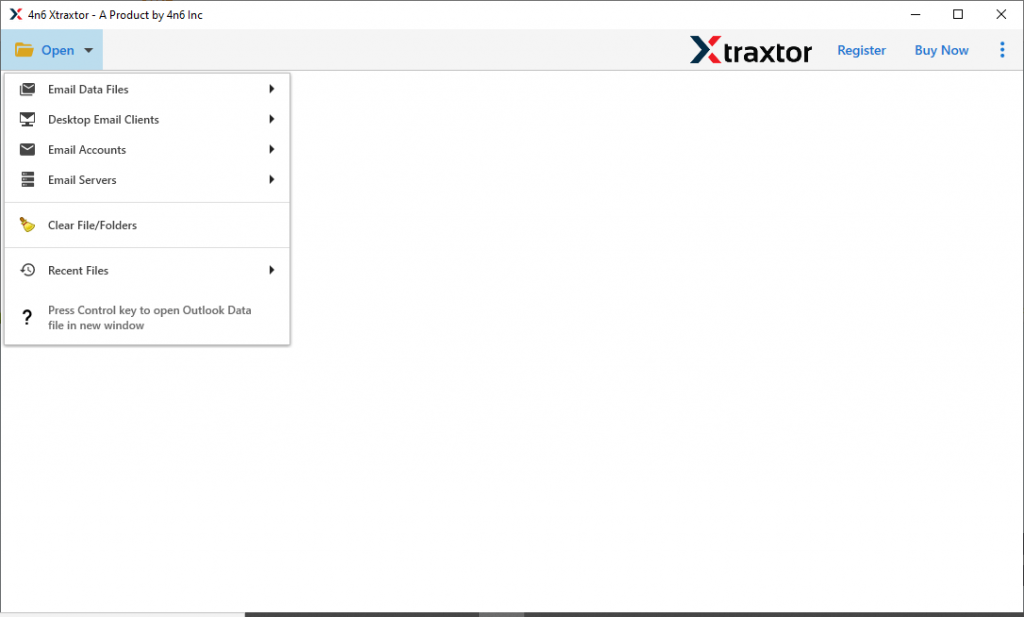
- Now Email Data File >> OST File >> Select File or Folder.
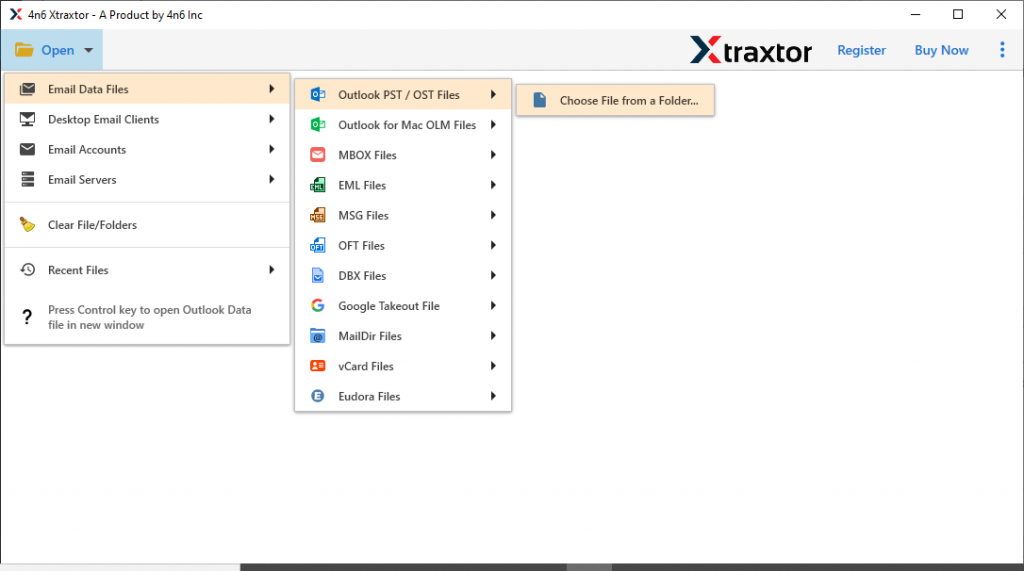
- This software scans your .ost file and show its emails in its interface. You can select the email folder that needs to change.

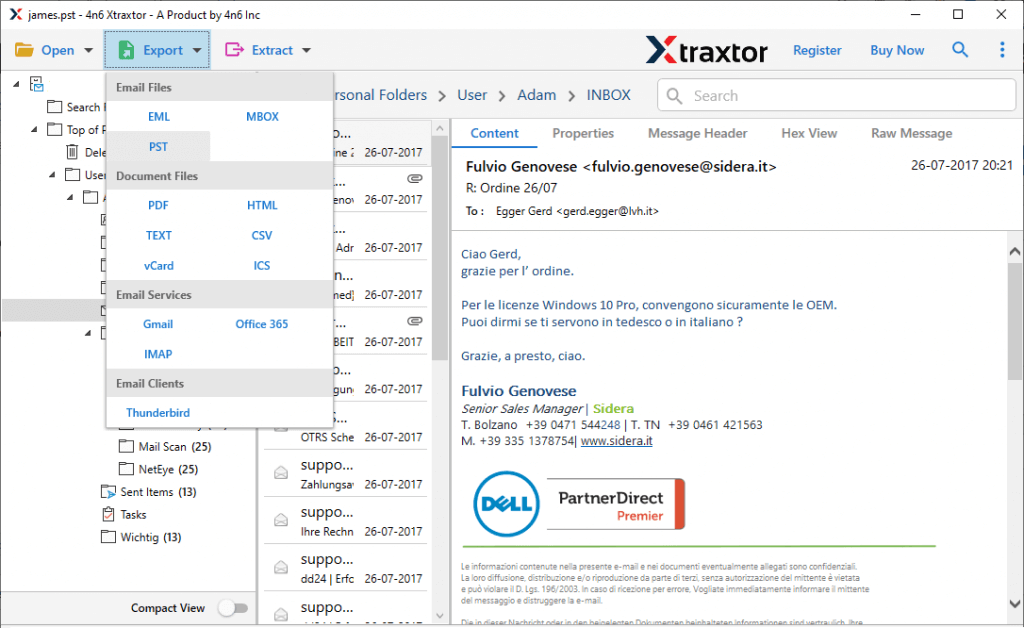
- In this stage, click on the Export button and choose the saving option as PST format.
- In the last step, search the destination location to save the .pst file and then click on the Save button.
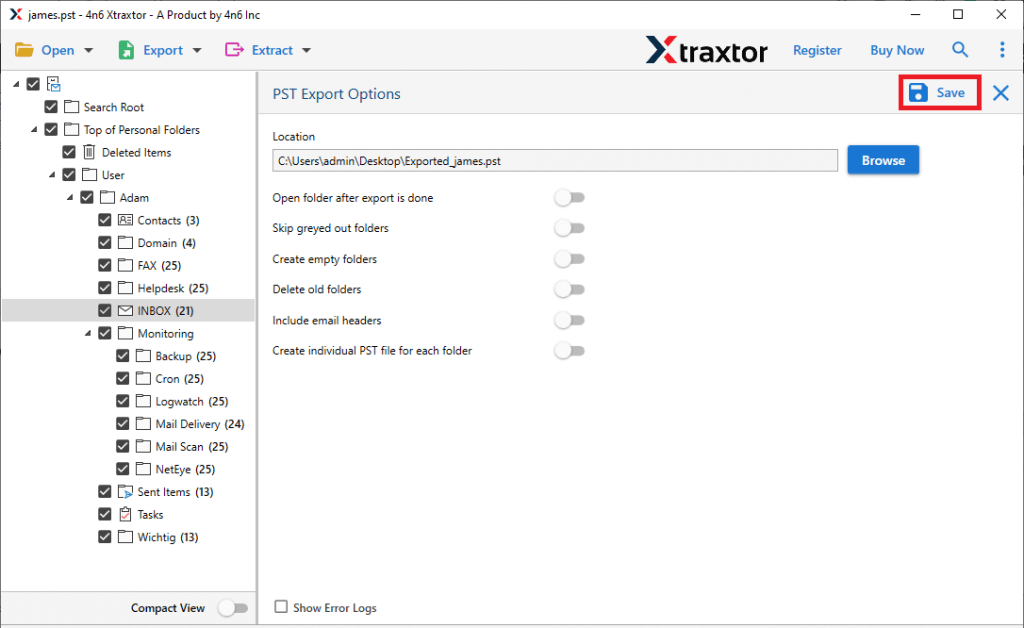
All done! Here you change .ost to .pst in Outlook 2010 using this automated tool.
Advantages of Using Professional Tool
Some of the outstanding feature offered by this automated tool is mentioned here. Take a look;
- Swiftly change corrupted and damaged .ost file into .pst without facing any issue.
- Export OST file data to Gmail, Office 365, Thunderbird, etc with no data loss.
- Effortlessly change OST to PST without Outlook email client installed on the system.
- Change multiple .ost file into .pst without affecting the email data integrity.
- Support Windows 11, 10, 8, Vista, XP, and all other previous versions with ease.
- Change .ost to .pst in Outlook 2010, 2016, 2019, and all other previous versions.
Conclusion
In this blog write up we discuss two methods to change .ost to .pst in Outlook 2019, 2010 and all other versions. We mention a manual as well as a professional way to perform this process. However, we recommend using both methods and checking which one is suitable for your requirements. If you wish to use the automated way, then you can try the demo version of this tool.