Here in this blog, we will discuss the secure and efficient way to split PST file into smaller parts. Read the complete post and split large PST file into smaller files.
The increasing size of PST file is concerning since it can affect your important data. Thus to avoid such a scenario, break your large PST file into smaller parts. Let’s walk through the complete splitting process.
How to Split PST File without Outlook Without Outlook?
Downlaod the PST Converter on your system. This utility will efficiently create small .pst files from a large Outlook data file. Along with that, you can also select the emails you want to save into a newly split data file using filter options. If the data file you want to split is corrupted, then this tool repair Outlook PST file and breaks it into smaller parts.

Steps to Split PST File into Multiple Smaller Parts –
- Install and Run the SysConverter for PST on your system.
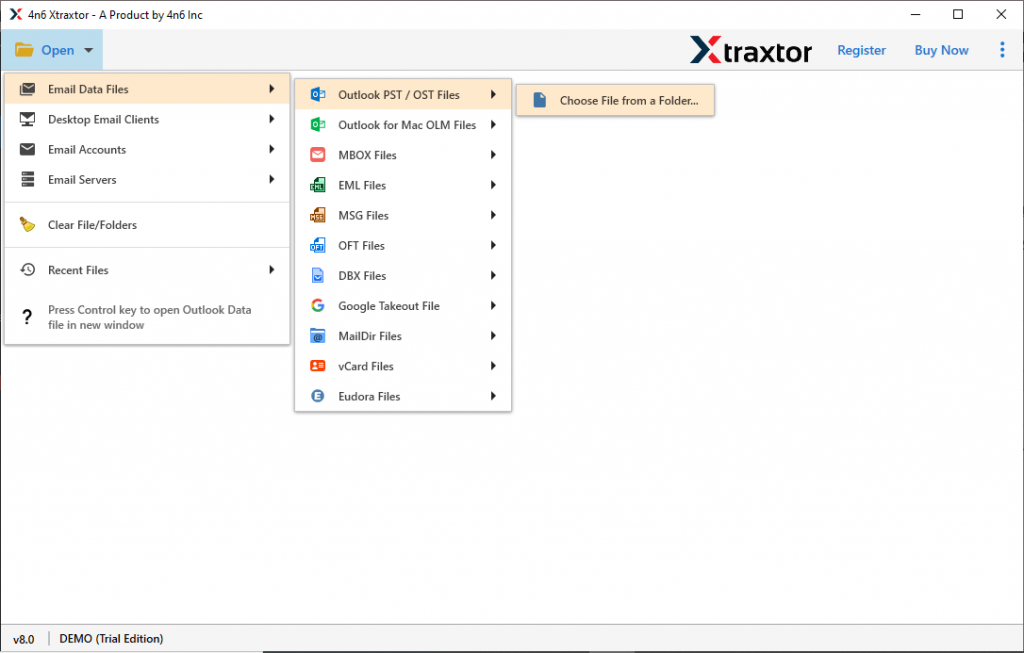
- Choose Open >> Email Data File >> PST File >> Select File from Folder.
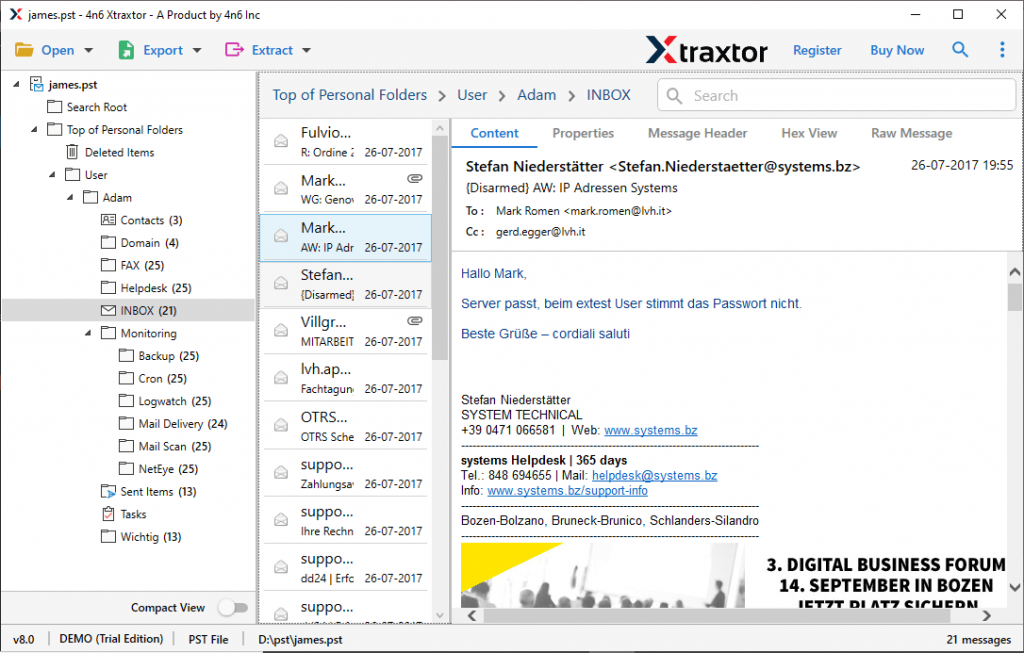
- Here you can view your .pst file data and review it.
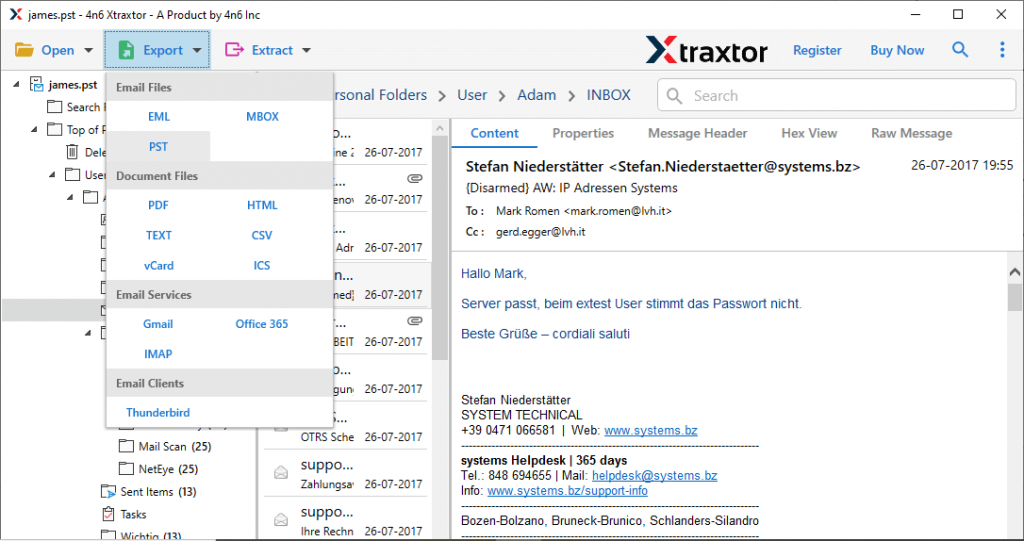
- Then, click on Export and choose PST format.
- Now, select the email folders.
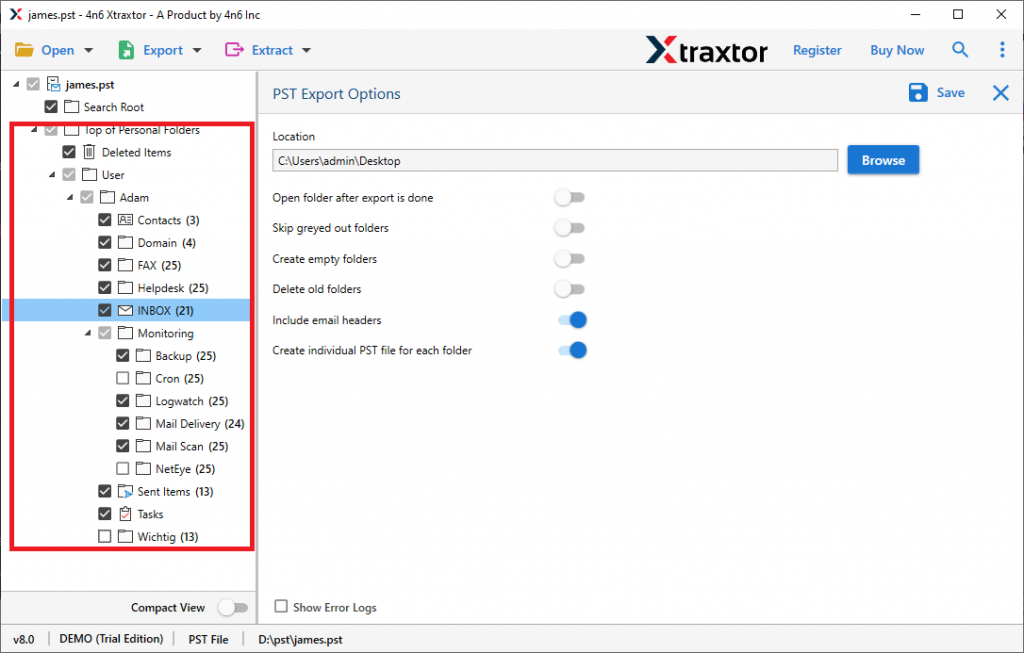
- Finally, enable the “create individual PST file for each folder” option. Browse targeted location and hit Save button.
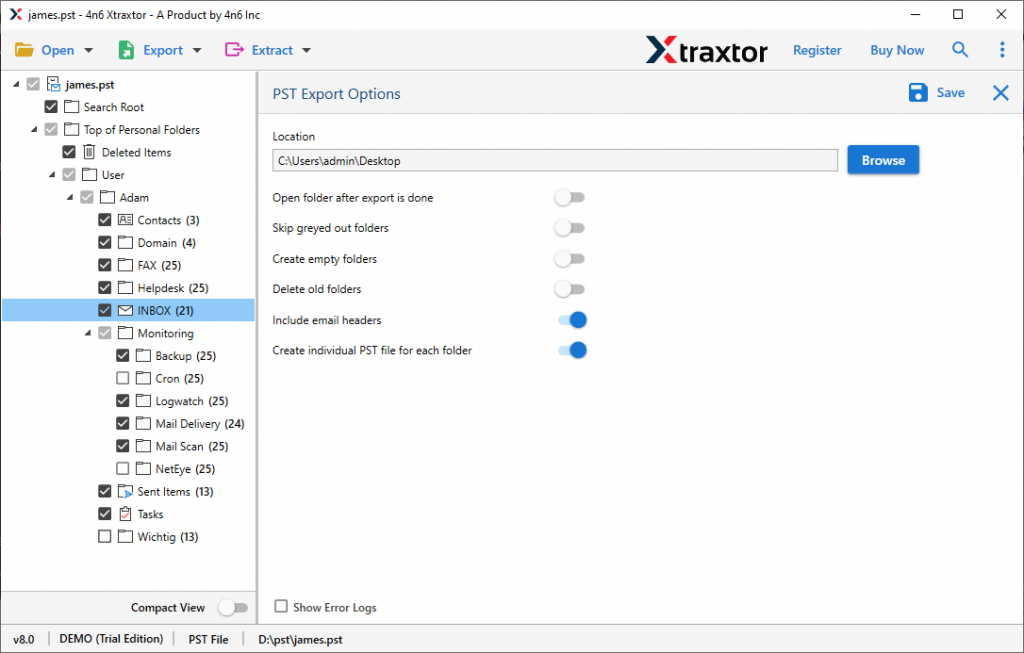
Finish! Here the tool will split PST file into smaller parts. You can find the splitter file at your saving location.
Why Use PST Splitter Tool?
There can be various reasons to opt for this automated tool to break large PST file without any data modification or alteration.
- Maintain Mailbox Hierarchy: While splitting the .pst file into small parts using this tool, there will be no changes in the data structure. This tool will preserve email folder and sub-folder hierarchy during this process.
- Filter Options: With this tool, there are various filter options that will help you to search and save specific emails from the large Outlook data file. Various filter options you can apply – to, from, cc, bcc, time, date, subject, name, content, etc.
- Simple Graphical Interface: With its simple user interface, both technical and non-technical users can use this utility and split PST file into smaller parts without any assistance.
- Windows-Based Utility: This software is compatible with all Windows OS systems. You can install and run this tool on Windows 11, 10, 8, Vista, XP and all other previous versions.
- Email Integrity: While splitting large PST file this tool make sure not to alter email data. It will preserve email data integrity throughout the process.
Conclusion
Here in this blog, we discuss an automated way to split large PST file. This blog describes the complete splitting process without affecting data integrity. Give a try to the PST Splitter tool and break your large PST file into smaller parts.