Many Outlook users face the PST file corruption issue and search for a method to repair Outlook PST file for free. while opening a PST file, if outlook show “File don’t found” or “unable to display folders” and many more, then your PST file is not accessible and needs to repair.
Now the question arises – why need to repair PST file. Let’s check some common reasons for the PST not accessible issue.
“Hello! I am using Outlook for quite a few years. Recently I try to access an old PST file that is stored in my system. However, after importing the .pst file in my Outlook interface, it shows the folder is empty. Can anyone solve my issue and provide me with a workable solution that help me to access my PST file data?”
How PST File Got Corrupted
There can be various reasons for the .pst file corruption depending on various circumstances. One can face this issue when there is a virus attack, header corruption, software failure, incorrect file system recovery, bad sector division in the hard drive, malicious software, etc.
Some of the errors users can face due to PST file corruption –
- The xyz.pst file could not be found.
- Unable to display folder i.e the selected PST file is not accessible.
- Microsoft encountered a problem and needed to shut down
- And many other errors you can face depending on the .pst file.

How to Prevent PST File From Corruption
If you take some precautions, then you can prevent your .pst from corrupting it. Some of the measures are mentioned below –
- Regularly backup your Outlook data in PTS format.
- Update your anti-virus application to avoid malware attacks.
- While the Outlook applications running in the background, don’t shut down the system.
- Manage your PST file size, don’t over-exceed it.
- Check your local hard – disk partition
Now without any further delay, let’s check the various way to repair corrupted PST file without affecting your data.
How to Repair Outlook PST File for FREE
There are a few tricks and tools to repair corrupted PTS file for free. Some of them mention below –
1. Open Outlook in Safe Mode
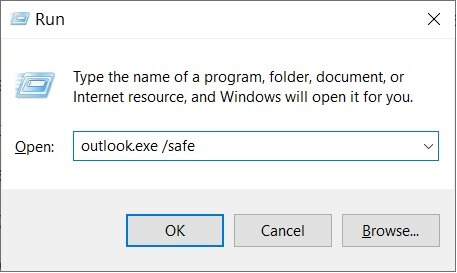
If there is a minor problem in the PST file, then you can open it in safe mode. For that open the Command prompt window and type outlook.exe/safe and click on Ok. Opening Outlook in save mode indicates that the issue arises due to Outlook Add-ins, disable all of them. After that restart the Outlook application and check if your OST file is accessible or not.
2. Repair PST with Inbox Repair Tool
This Inbox Repair Tool is an inbuilt utility by Microsoft that helps to repair the header of the PTS file and delete irrelevant details.
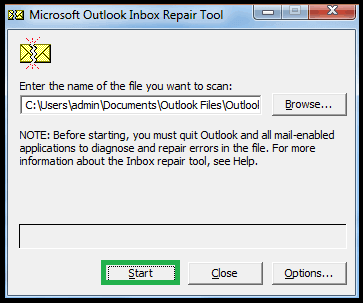
To find it, go to the search bar in Windows and type SACNPST.EXE from the system. Follow the given instructions to repair the Outlook PST file for free –
1. Launch the Inbox Repair Tool and click on the browse button and choose the inaccessible PTS file and click on the Start button.
2. After that, this tool displays the found error in the PST file. Then click on the Repair option to begin the repairing process.
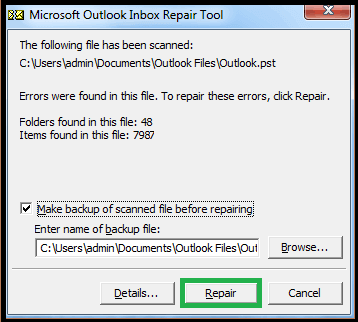
Sometimes the file repairing process will not work in a single attempt, thus repeat the process several times.
3. Trim Oversized PST File
Sometimes due to the large size of the PST file you will not able to access the data file. In most of the old versions of Outlook, the size limit of PST file is 2 GB. If you try to open a .pst file more than 2 GB in size in any old Outlook version, then you encounter an error “Errors have been detected in the file > file_path >”.
To reduce the size of the PST file, you can use the Oversized PST Crop tool by Microsoft. The tool will delete the data from the oversized .pst file to reduce its size. Using this utility, you will lose your data while reducing the size of the Outlook data file.
All these free tools can repair Outlook PST file for free. However, all of these are not efficient enough to mend the corrupted .pst file without affecting the data integrity. Thus it is recommended to use the automated tool to fix Outlook PST file corruption.
Alternative Solution to Repair PTS File
Use the PST Converter tool and repair corrupted, encrypted, damaged and inaccessible .pst file without any hassle. Most importantly, by using this utility you will not lose your emails in the repairing process. You just need to load the corrupted .pst file in the software interface and select the export options PST. This tool will swiftly create a new data file that can be accessed on any Outlook version without any issue.
Repair Corrupted PST File Using Expert Tool
Follow the given instructions to fix the corrupted .pst file and create a new and healthy data file.
Step 1. Install and launch the SysConverter for PST on your system.
Step 2. Select Open >> Email Data File >> PST File >> Select File from Folder.
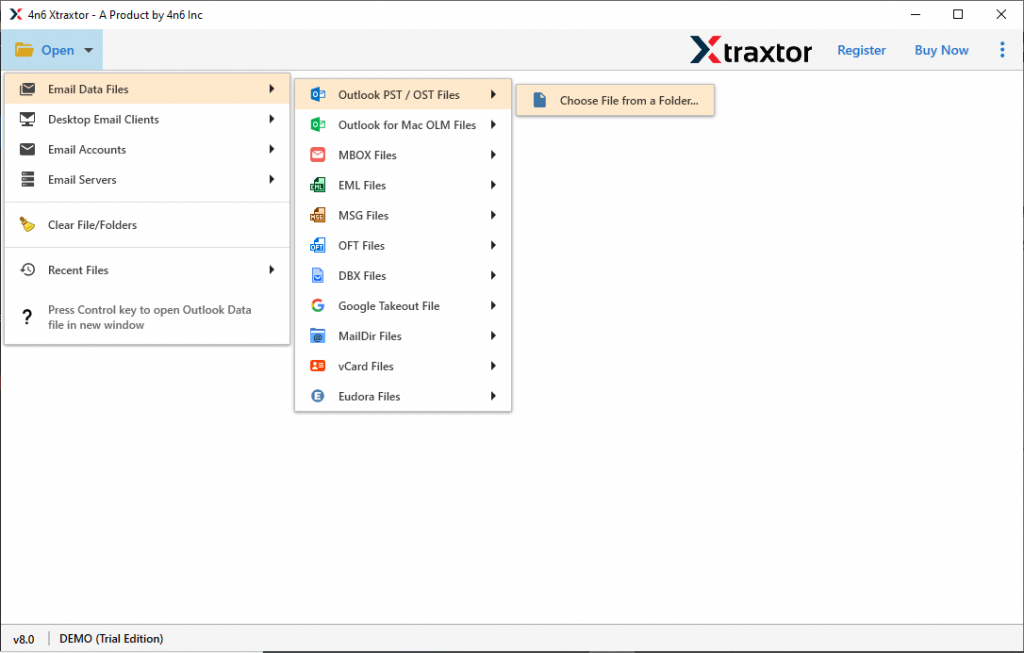
Step 3. Here you can view your emails from the corrupted .pst file.

Step 4. Click on Export and choose PST format.
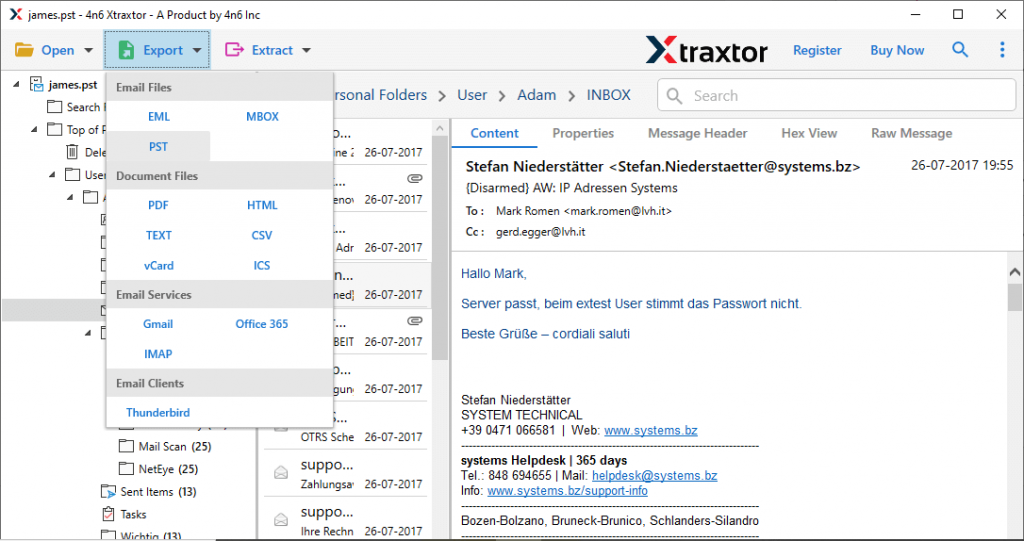
Step 5. If you want to restore the important folders from the corrupted data file, then you can select the folders here.
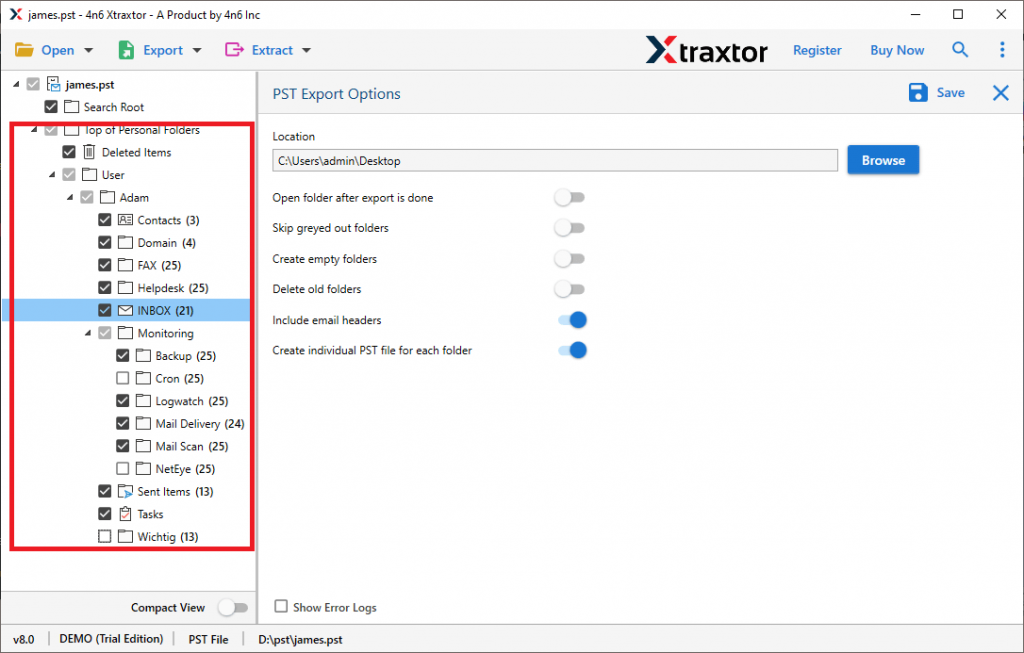
Step 6. Browse the targeted location and at last hit on the Save button.
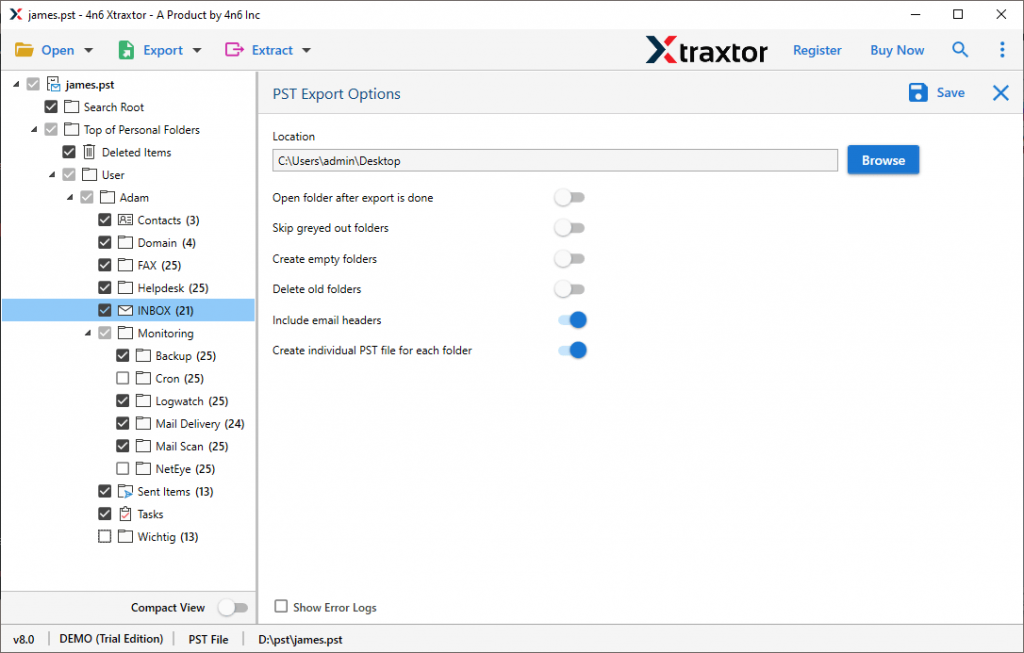
Done! Here you repair Outlook PST file with complete efficiency and accuracy. Most importantly there will be no data loss during this process.
Conclusion
Here we have discussed the various workable solutions to repair Outlook PST file for free. Those solutions are useful to fix the .pst file and we mention those in detail. Try the given methods and repair corrupted PST file manually. If still face the same issue, then you can use the autoamted tool we mention in this write-up. This tool will create the new PST file without any data loss and you can access that file in all the Outlook versions without facing any difficulties.